
On this page
Start here
Quick answer
Start by recording what the Kenmore freezer sounds like, where the sound comes from, when it occurs, and whether the freezer is still holding temperature. A steady hum, airflow sound, or occasional click may be part of normal refrigeration operation on some models, but a new grinding, scraping, repeated start-click, loud vibration, or noise accompanied by warming food is more concerning. Check that the freezer is level, not touching the wall, and not vibrating against loose items; keep vents clear and verify the door seals. If the noise is loud or unusual, the freezer is running constantly, food is softening, a breaker trips, or the cabinet or cord is hot or damaged, stop using it and arrange qualified refrigeration service.
Work through in order
Diagnostic checks
Use only checks that match the exact appliance or system and its official guide.
-
Map the sound to its timing and location
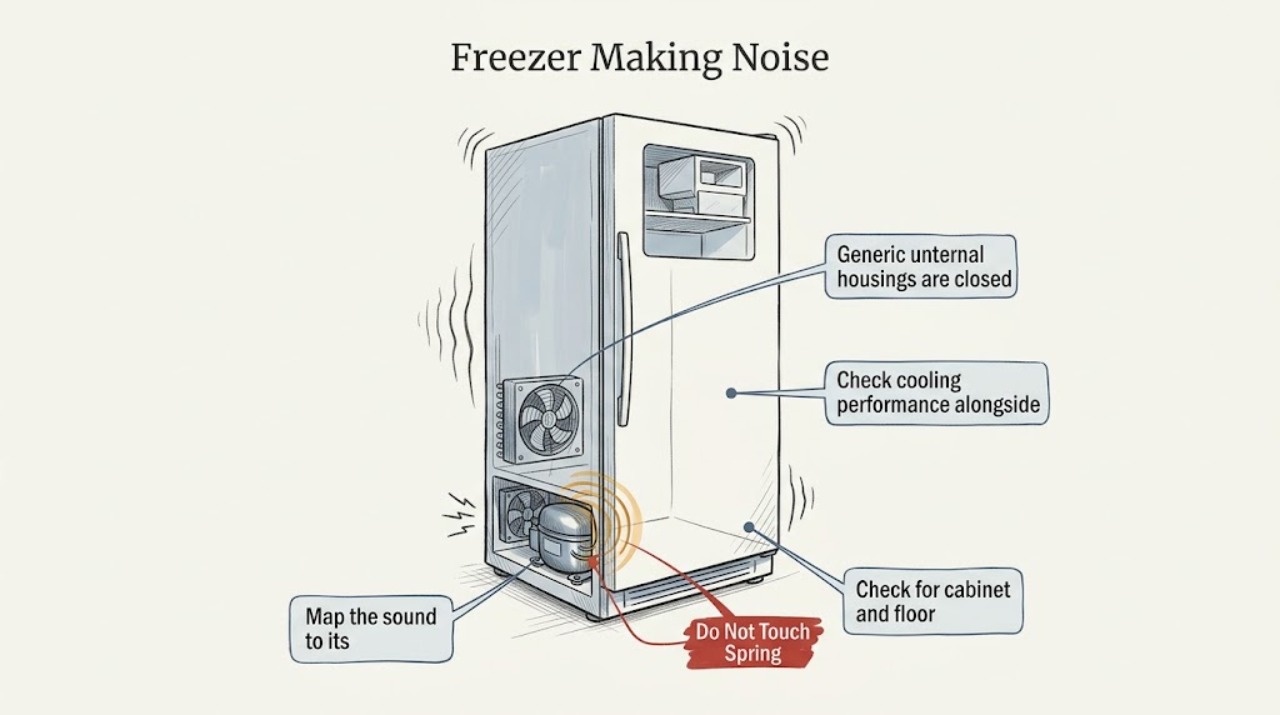
From a safe position, note whether the noise comes from inside the cabinet, the rear or lower exterior, the door area, or an ice-maker area. Record whether it occurs only when cooling starts, while a fan runs, during a defrost or ice-making event, or continuously, and whether opening the door changes it. Do not reach through vents or remove panels.
Expected result: A sound that follows a cooling or fan cycle is different from a new scrape, grind, hard vibration, or repeated click with no sustained run. A change when the door opens may implicate an interior fan or an item vibrating against the liner, but it is not proof of a failed part.
Next step: Compare the sound with the exact owner's manual. If the sound is new and severe, or cooling is deteriorating at the same time, skip repeated listening tests and arrange service.
Why this matters
Why: Timing and location narrow the next safe check without assuming every Kenmore model uses the same compressor, fan, defrost, or ice-maker layout.
-
Check for cabinet and floor vibration
Without pulling hard on the appliance, check that the freezer stands steadily on the floor, is not touching a wall or nearby cabinet, and has no object on top or against it that can rattle. Move loose containers inside away from the walls and verify that shelves, baskets, and stored packages are seated normally.
Expected result: If the noise changes when a loose object is moved or when the cabinet is no longer touching a surface, the vibration may be external to the sealed cooling system. If the cabinet itself shakes, rocks, or resonates while the compressor runs, the freezer may need leveling or professional inspection.
Next step: Correct only an obvious, safe contact or loose-item cause and listen during one normal cycle. Do not tilt or relocate a loaded freezer alone; call service if the cabinet remains unstable or the noise persists.
Why this matters
Why: A mechanical rattle caused by contact or an unstable cabinet can sound like a component failure, while persistent vibration from the appliance needs a different escalation path.
-
Check cooling performance alongside the noise
Use the freezer's display or a suitable thermometer according to the owner's manual, and observe whether food is remaining hard frozen while the sound occurs. Check that the door closes fully, packages are not holding it open, and the gasket is clean and making contact. Avoid leaving the door open while listening.
Expected result: A freezer that holds its normal temperature during an occasional operating sound is less urgent than one that is warm, runs constantly, or has softening food. A dirty or ineffective gasket can admit warm air and make the cooling system work harder, while a noise with warming food points toward a cooling or airflow fault.
Next step: If food is warming or the freezer runs continuously with an odd noise, keep the door closed, protect the food, and arrange service. If temperature is stable, continue only with the external airflow and manual checks.
Why this matters
Why: Noise severity cannot be judged by volume alone; the combination of sound and temperature determines whether a normal-cycle explanation remains plausible.
-
Check airflow and condenser-area access safely
Follow the exact manual to identify the condenser-coil area and any user-accessible ventilation openings. Confirm that the freezer has reasonable clearance and that dust or stored items are not blocking the specified airflow path. Do not put fingers, tools, or a vacuum nozzle into a moving fan, and do not remove guards or electrical covers.
Expected result: Kenmore's maintenance guidance says dust on condenser coils can reduce efficiency and that the owner's manual should be used to find the coils. Restricted airflow can make a freezer run harder and amplify a fan or compressor sound, but a clear exterior does not rule out an internal fault.
Next step: Clean only the user-accessible area by the manual's method and allow the appliance to return to normal operation. If the noise or warm temperature remains, do not escalate to sealed-system work yourself; call service.
Why this matters
Why: The coil and clearance check is a maintenance observation, not a diagnosis of the compressor, refrigerant circuit, or fan motor.
-
Separate fan or ice-maker sounds from a mechanical fault
With the freezer closed and hands clear, note whether the sound follows the internal fan, condenser fan, compressor, defrost cycle, or ice-maker activity described in the model manual. If the manual provides a user control for the ice maker, follow it to pause that feature only when appropriate; do not reach into the mechanism or bend its arm.
Expected result: Air movement, a short control click, or an ice-maker fill sound may be normal for the specific model. A scrape or squeal that repeats with the fan, a hard start click followed by silence, or a grinding sound that persists outside a documented cycle is more concerning, especially if cooling changes.
Next step: Record the sound and cycle context for service. Stop immediately if the sound is accompanied by smoke, burning odor, a hot cord, repeated breaker trips, or warming food.
Why this matters
Why: The same cabinet can contain several independent sound sources, so a sound map is more useful than replacing a guessed part.
-
Check for a temperature or door alert
Record any visible alarm, warning light, temperature message, or unusual display state before silencing it. Compare the message with the exact Kenmore owner's manual and keep the door closed while the freezer stabilizes. Do not repeatedly reset an alarm without correcting the cooling or door condition.
Expected result: An alarm that appears with a new noise or warming food is evidence that the freezer may not be maintaining temperature. A sound with no alert and stable food temperature can remain a lower-risk manual or vibration investigation, but it still needs attention if it is new or worsening.
Next step: If the alert returns, the freezer is warming, or the noise remains severe, protect the food and arrange qualified service. Provide the exact message and sound timing rather than guessing at a part.
Why this matters
Why: Silencing an alarm does not establish that the freezer is cold or that the noise is harmless; the model manual determines the meaning of the indicator.
-
Perform one supervised confirmation
After correcting only an obvious loose-item, contact, clearance, gasket, or manual-approved setting issue, observe one normal cooling cycle from a safe distance. Record whether the noise returns, whether the freezer reaches its usual temperature, and whether the cabinet, cord, and surrounding floor remain dry and normal. Do not run the appliance unattended to see if a severe noise disappears.
Expected result: A quiet cycle with stable temperature supports the external cause that was corrected. A recurring noise, constant running, worsening vibration, warming food, or any electrical or water symptom indicates that the issue remains.
Next step: Stop using the freezer for a recurring or unsafe symptom and arrange service. Do not remove panels, handle refrigerant tubing, or probe wiring to continue the diagnosis.
Why this matters
Why: One controlled observation distinguishes a corrected nuisance vibration from a recurring compressor, fan, control, or ice-maker problem without repeated risky tests.
Use your observations
Decision map
Find the observation that best matches what you see, then follow the next safe action.
-
PATH 01Next step
What you see
The sound is occasional, matches a documented operating cycle, and the freezer holds temperature without unusual vibration.
Do this next
Continue normal observation and use the model manual to confirm that sound. Arrange service if the pitch, volume, frequency, or cooling performance changes.
-
PATH 02Next step
What you see
The cabinet rattles against a wall, floor, shelf, package, or loose object, and cooling remains normal.
Do this next
Correct the obvious contact or loose-item cause without tilting or moving a loaded appliance, then observe one cycle.
-
PATH 03Next step
What you see
The noise is new, grinding, scraping, a repeated hard start click, or loud vibration, especially with constant running or warming food.
Do this next
Keep the door closed, protect the food, stop repeated tests, and arrange qualified refrigeration service for fan, compressor, control, or sealed-system diagnosis.
-
PATH 04Next step
What you see
A warning or temperature alarm appears with the sound, or the freezer is no longer maintaining safe food temperature.
Do this next
Record the message and model, avoid repeated resets, protect the food, and contact qualified service using the Kenmore support path.
-
PATH 05Next step
What you see
There is burning odor, smoke, a hot or damaged cord, exposed wiring, water near electrical parts, or repeated breaker operation.
Do this next
Stop immediately, keep clear of the appliance, and obtain qualified appliance or electrical help from a safe location.
Helpful context
Understand the symptom
A sound change matters more than a sound label
Words such as humming, buzzing, clicking, popping, or rattling describe different mechanisms on different Kenmore freezer designs. Compare the new sound with the owner's manual and with the freezer's cooling performance. Do not touch a hot compressor, fan, wiring, or refrigerant tubing, and do not remove a cover to locate a noise.
Food and electrical safety boundary
Keep the door closed while deciding whether food is staying frozen. If the freezer is warming, an alarm is active, the cord or cabinet is unusually hot, a burning smell or smoke is present, or the breaker trips repeatedly, stop testing and protect the food using a safe alternative. Seek qualified appliance service rather than opening electrical or sealed-system components.
Only after diagnosis
Potential parts
- evaporator fan motor
Consider this only if a qualified diagnosis links the sound or airflow loss to the interior fan on the exact model.
Fan motor and blade fit vary by model; verify the model and service diagnosis before ordering. - condenser fan motor
Consider this only after a technician confirms that the exterior fan is the noise source and airflow or cooling is affected.
Access, motor type, and mounting are model-specific; do not infer fit from a similar-looking part. - compressor start component or mount
Consider this only when qualified testing finds a hard-start, repeated-click, or vibration fault associated with the compressor system.
Compressor and start components require exact model compatibility and professional diagnosis; sealed-system work is not a user repair.
When checks do not resolve it
Need a professional?
Arrange qualified freezer service when a new or loud noise persists after safe external checks, when the freezer runs constantly, food is softening, an alarm returns, or the sound is accompanied by heavy vibration or a hard-start click. Stop immediately for smoke, burning odor, a hot or damaged cord or cabinet, exposed wiring, water near electrical parts, or repeated breaker trips. Do not remove covers or work on the sealed refrigeration system.
Common questions
FAQ
Is it normal for a Kenmore freezer to hum or click?
Some hums, fan sounds, and control clicks can be normal depending on the model. Compare the exact sound with the owner's manual and check cooling performance; a new loud, grinding, scraping, or repeated start-click sound needs attention.
Why is my Kenmore freezer making a loud noise and getting warm?
Noise combined with warming food or constant running is more concerning than noise alone. Check only safe external conditions such as door sealing, clearance, loose items, and accessible coil airflow, then protect the food and arrange qualified refrigeration service if it persists.
Could something outside the freezer cause rattling?
Yes. A freezer touching a wall, an unstable floor, loose items on top or inside, or stored packages vibrating against the cabinet can create a rattle. Correct only an obvious safe contact issue and observe one cycle without moving a loaded appliance.
Should I remove a cover to find the noise?
No. Do not remove electrical covers, reach into a fan, handle refrigerant tubing, or probe wiring. Record the sound, its timing, and the freezer temperature for a qualified technician, especially if the noise is accompanied by an alarm or warming food.
Read the exact guide
Official sources
- Contact UsKenmore Customer Support · Kenmore product questions and appliance repair support routing
- Customer Care & SupportKenmore · Kenmore product manuals, parts and literature, safety and compliance, and repair support paths
- Appliance Maintenance Tips to Help Maximize EfficiencyKenmore Livemore · Kenmore refrigerator and freezer coil care, settings, odd-noise warning signs, and appliance maintenance
Community feedback
Share a repair observation
Share a plain-text repair observation. Accepted observations are published automatically; this page may take a moment to update.