
On this page
Start here
Quick answer
A KitchenAid dishwasher's beeping is not one universal fault: it may accompany a paused door, a control lock, a delayed start, a flashing-light sequence or a model-specific error. Record whether the beeps repeat, which lights flash and whether a digital F#E# code appears before attempting a reset. KitchenAid says exact codes vary by model, and its official reading guide uses the two-part flash pattern to record function and error numbers. First check the door latch, control lock, delay setting and water supply from outside. If the panel shows a water-in-drip-tray code such as F8E4, turn off the water supply and follow KitchenAid's alarm/service procedure; do not keep running a leaking dishwasher or remove panels to silence it.
Before you begin
Safety first
- Do not remove panels, bypass the door latch, pull a float wire, work on energized wiring or repeatedly run a beeping dishwasher to reproduce the sound. For F8E4 or visible water, turn off the water supply and follow KitchenAid's alarm/service procedure; for smoke, burning smell or electrical damage, stop use and isolate power only when safe.
Work through in order
Diagnostic checks
Use only checks that match the exact appliance or system and its official guide.
-
Check 1
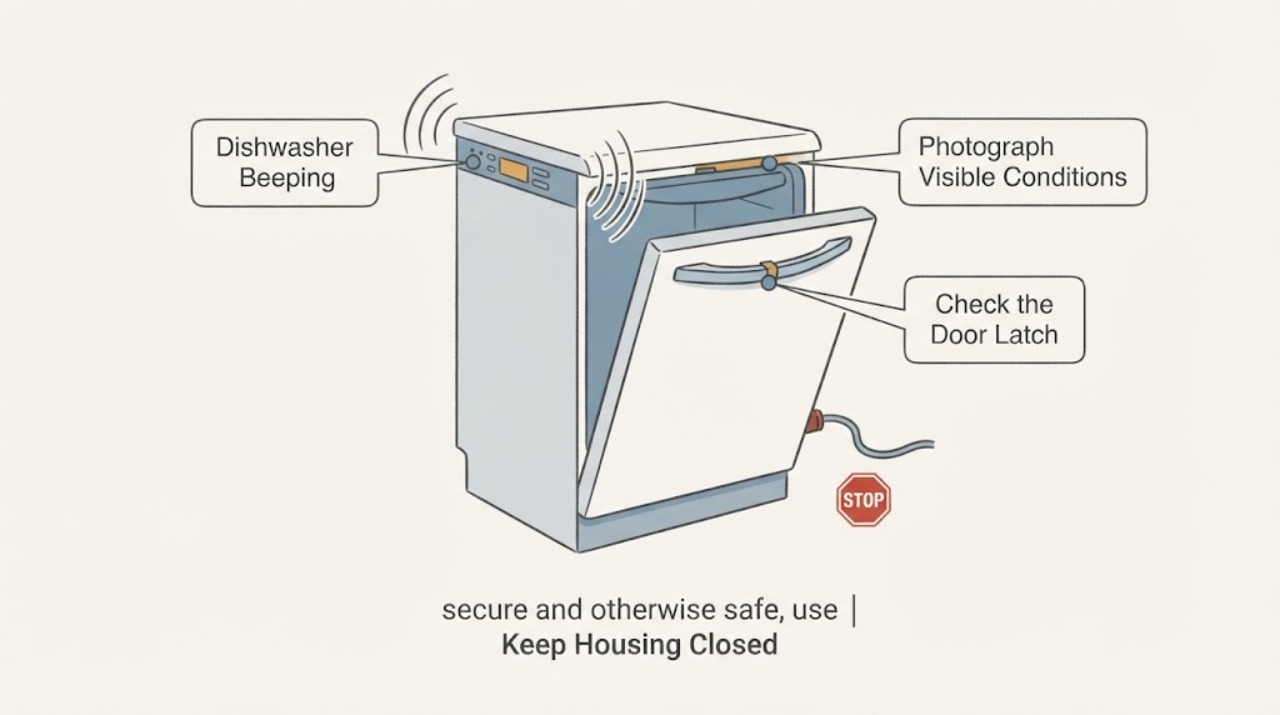
Stand clear of moving water and record the exact beep count, pause, repeating pattern, flashing lights and any digital F#E# display. Photograph the panel and model label without opening the appliance.
Expected result: A complete two-part light pattern or digital code is visible, or the dishwasher only beeps without a reproducible pattern.
Next step: Use the exact code/pattern with the model manual or KitchenAid support. If there is no reproducible pattern, describe the timing and symptoms to service instead of guessing a part.
Why this matters
Why: KitchenAid uses model-dependent codes and a two-part flash sequence; an unpatterned sound cannot identify a component.
-
Check 2
From outside the dishwasher, check that the water supply valve is open, Control Lock is not active, delay or sleep mode is not selected and the door closes fully with the latch engaged.
Expected result: One of these conditions is present, or all are normal while beeping continues.
Next step: Correct the identified setting or closure condition and retry only if there is no leak or electrical hazard. If all checks are normal, continue to the documented reset/service decision rather than replacing a component.
Why this matters
Why: KitchenAid lists the water valve, Control Lock, delay/sleep state and door latch as external reasons a cycle may not start or resume.
-
Check 3
If the dishwasher is dry, secure and otherwise safe, use the model's documented power reset; KitchenAid's generic guide describes disconnecting power for 30 seconds, then restoring it.
Expected result: The alarm clears and the dishwasher returns to normal, or the same beep/pattern returns immediately or during the next cycle.
Next step: If it returns, stop repeated resets and schedule KitchenAid service with the model and recorded pattern. Do not remove panels or work on energized wiring.
Why this matters
Why: A cleared alarm may have been a temporary control state; a returning alarm indicates an unresolved condition and does not identify the failed board or sensor.
-
Check 4
If the recorded code is specifically F8E4, stop the water supply and follow KitchenAid's F8E4 alarm procedure; inspect only visible connections for active leakage and keep the door closed during the prescribed drain/alarm step.
Expected result: Water is visible in the drip tray or around a connection, or no water is visible and the pattern is not F8E4.
Next step: For water or a leak, keep the unit out of service and arrange qualified service. For another pattern, use its exact model documentation; do not pull the tray, float wire or panels as a generic fix.
Why this matters
Why: F8E4 is a water-detection condition in KitchenAid's guide. An unidentified beep or a dry appliance does not justify applying F8E4 instructions or claiming a leak.
Use your observations
Decision map
Find the observation that best matches what you see, then follow the next safe action.
-
PATH 01Next step
What you see
The door was opened during a cycle, the control lock is active, or a delay/sleep setting is visible while the dishwasher beeps or will not start.
Do this next
Close and latch the door, cancel the delay or unlock the controls using the model's instructions. Stop if the door or latch is damaged.
Why this path and its safety boundary
Why it matters: The sound may be a state notification rather than a failed component; KitchenAid documents door, lock and delay conditions as start blockers or pause indicators.
-
PATH 02Next step
What you see
A complete F#E# code or two-part flashing sequence can be recorded.
Do this next
Use the model-matched code page and follow only its external checks. Schedule service if the code returns or the page directs service.
Why this path and its safety boundary
Why it matters: The code can be compared with the exact model's KitchenAid documentation; the generic beep itself is not the diagnosis.
-
PATH 03Next step
What you see
The exact display or pattern is F8E4, or water is visible in the drip tray or around the dishwasher connections.
Do this next
Turn off the water supply, silence the alarm only as KitchenAid directs, keep the door closed where instructed, and arrange qualified service. Do not energize a leaking or wet unit to reproduce the beep.
Why this path and its safety boundary
Why it matters: KitchenAid treats F8E4 as water detected in the drip tray and provides a water-supply/alarm procedure; visible water makes continued operation unsafe to test.
-
PATH 04Next step
What you see
The beep continues after safe start checks and one documented reset, or the pattern cannot be matched to the model documentation.
Do this next
Keep the dishwasher out of service if it will not start or has any hazard, and schedule KitchenAid service with the model, timing, lights and recorded code/pattern.
Why this path and its safety boundary
Why it matters: The symptom remains model-specific and may involve the latch, user interface, fill, drain or another condition that cannot be identified from sound alone.
Helpful context
Understand the symptom
A dishwasher that beeps is communicating a state, not naming a failed part. The useful distinction is whether the sound accompanies a paused cycle, locked controls, a delayed start, a repeating light pattern, a digital code or a water alarm. KitchenAid's own error-reading guide says exact codes vary by model, so count and record the display before treating the sound as a diagnosis.
Record the beep and light pattern safely
Note whether the panel shows a digital F#E# code, whether the Clean light flashes, which lights flash, how many beeps occur before a pause and whether the sequence repeats. For flashing LED models, KitchenAid describes counting the first flash group, the short pause, the second group and the longer repeat pause. Do not enter a diagnostic sequence or open the control panel merely because the sound is annoying; the complete model number is needed for the manual and service record.
Check the ordinary start conditions from outside
KitchenAid's general no-start guidance says to check that the water valve is open, Control Lock is not active, a sleep or delay setting is not holding the cycle, and the door fully latches. If the machine is otherwise safe, a model-appropriate control reset can be attempted by disconnecting power for 30 seconds as KitchenAid describes. These checks can explain a beep or refusal to start, but they do not prove a failed latch, valve or control board.
Treat a water alarm as a stop condition
If the display or blink count is specifically F8E4, KitchenAid describes water detected in the drip tray. Its guidance checks the water connections and float-switch path; for a professionally installed unit it says to turn off the water supply, press Cancel once to silence the alarm and keep the door closed while the drain sequence is handled. Do not use this procedure for an unidentified beep, do not keep running a unit with water underneath, and do not pull a tray or float wire unless the exact manual authorizes that access.
When the beeping persists
If the correct door, lock, delay, water-supply and safe reset checks do not stop the sound, save the model number, code or beep sequence and arrange KitchenAid service. A recurring alarm can be related to a latch, water detection, fill, drain, user interface or another model-specific condition; the sound alone is not enough to choose a board or pump. Stop using the dishwasher immediately for a leak, burning smell, exposed wiring or a breaker trip.
When checks do not resolve it
Need a professional?
Safety scope: Do not remove panels, bypass the door latch, pull a float wire, work on energized wiring or repeatedly run a beeping dishwasher to reproduce the sound. For F8E4 or visible water, turn off the water supply and follow KitchenAid's alarm/service procedure; for smoke, burning smell or electrical damage, stop use and isolate power only when safe.
Have this ready
- Provide the complete model number, digital code or flash/beep count, pause timing, which lights flash, whether the unit fills/drains, door/latch behavior, water or leak observations and the safe checks already performed.
Common questions
FAQ
Does a KitchenAid dishwasher beep always mean the control board failed?
No. Beeping can accompany a paused door, Control Lock, delay setting, water alarm or model-specific error. Record the lights and code first; KitchenAid says exact codes vary by model.
What if the dishwasher shows F8E4 while beeping?
KitchenAid describes F8E4 as water detected in the drip tray. Turn off the water supply and use the documented Cancel/alarm procedure, keeping the door closed where instructed. Do not keep running the dishwasher or remove panels as a generic repair.
Can I reset the dishwasher to stop the beeping?
Only when the unit is dry, secure and otherwise safe, and only once using the model's instructions. KitchenAid's generic guide describes disconnecting power for 30 seconds; a recurring alarm needs service rather than repeated resets.
What should I record before booking service?
Record the model number, beep count and pause, flashing lights or digital F#E# code, whether water enters or drains, door/latch behavior and any visible water. That information lets service use the correct model documentation.
Read the exact guide
Official sources
- Dishwasher Error Codes - ReadingKitchenAid Product Help · KitchenAid says digital and flashing-light codes vary by model, describes the two-part flash sequence, gives examples of code categories, and provides a 30-second power-cycle instruction. It does not identify a component from an unspecified beep.
- 8 Pause 4 Pause - pause, repeat - Error Code - DishwasherKitchenAid Product Help · KitchenAid identifies F8E4 as water detected in the drip tray, discusses water connections and float-switch/drip-tray context, and says to turn off water and use Cancel to silence the alarm in the professionally installed path. This is conditional on the exact F8E4 pattern.
- Not Starting or Operating - Dishwasher - Product HelpKitchenAid Product Help · KitchenAid covers the water valve, Control Lock, standby/sleep/delay state, door latch, 30-second reset and service escalation. It is generic dishwasher guidance and does not diagnose the assigned unspecified beep.
- How to Set and Cancel a Delay StartKitchenAid Product Help · KitchenAid says a selected delay prevents immediate running, cancellation turns off the delay indicator, and the door must be latched. It supports a delay/door branch, not a universal beep meaning.
- All Cycle And Option Lights flashing - DishwasherKitchenAid Product Help · KitchenAid says all selected lights can flash when a door is opened during a cycle, and describes closing the door and a 30-second control reset. It does not mean every beeping pattern is a paused cycle.
- Error Code or Flashing LightsKitchenAid Product Help · The opened hub lists separate beeping/flashing patterns, error codes and front-status-light conditions, and directs users to model-number manuals. It establishes that a beep must be matched to a pattern/model rather than treated as one generic fault.
Community feedback
Share a repair observation
Share a plain-text repair observation. Accepted observations are published automatically; this page may take a moment to update.