
On this page
Start here
Quick answer
KitchenAid's F8E4 guidance points to water detected in the drip tray or an overfill/leak condition; it does not identify one failed part. If Normal triggers F8E4 while ProWash completes, record the exact model, the cycle stage, and whether water, foam, or a visible leak appears. Stop using the cycle if water is present, use the exact KitchenAid model guidance, and check only visible supply, floor, door, and suds conditions. Do not open the base, reconnect or bypass a float switch, or choose a pump, valve, sensor, or control from the code alone. If the code returns, water remains, or an internal check would be needed, keep the dishwasher out of service and arrange qualified appliance service.
Work through in order
Diagnostic checks
Use only checks that match the exact appliance or system and its official guide.
-
Check 1
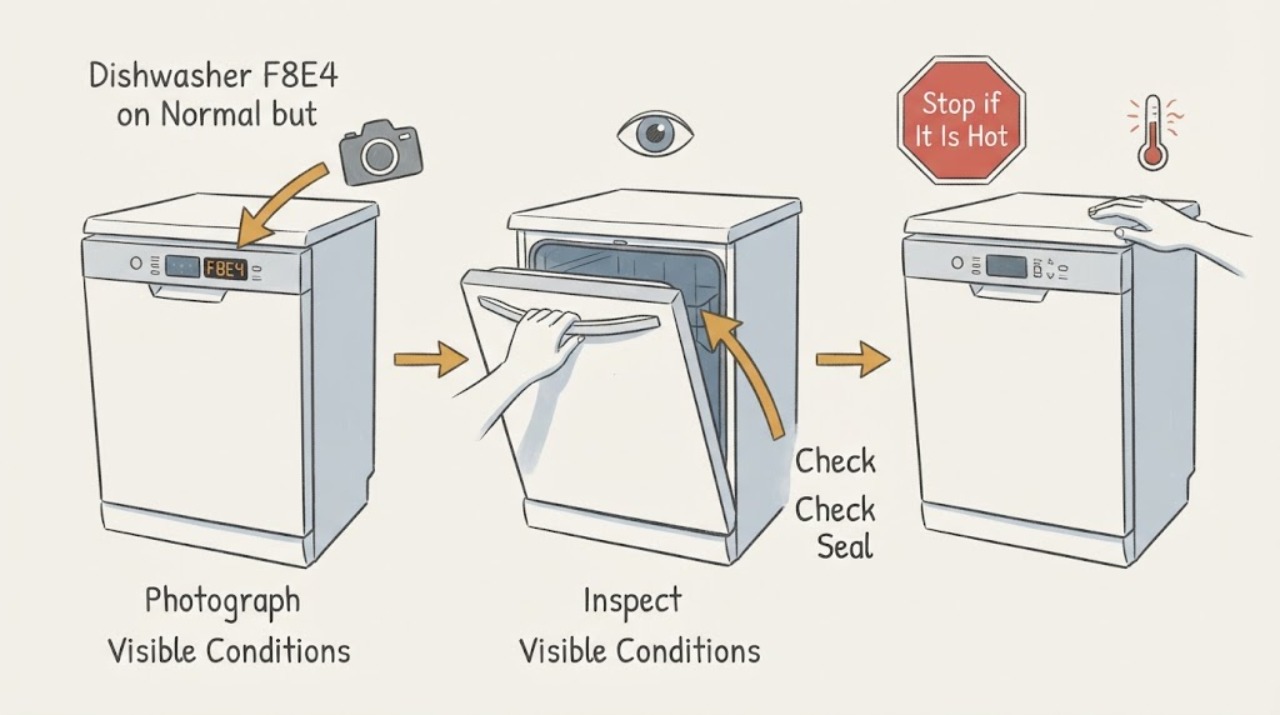
Before trying another cycle, read the complete model and serial label and photograph the display or light sequence. KitchenAid places dishwasher model information at the upper-left frame or beneath the control panel; record whether F8E4 appears digitally or as an 8-pause-4 pattern, which cycle was selected, and approximately when the code appeared.
Expected result: The label either provides a complete KitchenAid model that can be matched to its manual, or the identity is incomplete; the code either repeats at the same Normal-cycle stage or appears at a different stage each time.
Next step: Use the exact model documentation before comparing Normal with ProWash again. If the model or code cannot be confirmed, stop experimenting and use the service branch.
Stop if: Do not apply a procedure from another KitchenAid platform, enter an undocumented diagnostic routine, or continue a cycle while water is reaching the floor or electrical area.
Why this matters
Why: The model selects the applicable code table and operating instructions. A repeatable Normal-only trigger is a useful branch about timing, but an incomplete identity or changing display cannot establish what an internal component is doing.
-
Check 2
If F8E4 appears, cancel the affected cycle according to the exact model instructions and inspect only from outside: look for water on the floor or under the door edge, a wet visible hose or shutoff connection, standing water that is safely visible inside the tub, or a door that did not close fully. Do not reach into a running dishwasher.
Expected result: There is visible water, a wet connection, water escaping at the door, or no visible water and the interior appears dry.
Next step: For a leak or water near the base, stop using the dishwasher and close its water shutoff from a dry, accessible position. If no water is visible, continue only with the external detergent and program observations below; do not open the base to look for the tray.
Stop if: Do not remove the toe-kick or drip tray, pull on a float-switch wire, defeat a float or door latch, or touch wet electrical areas.
Why this matters
Why: Visible water supports the water-containment/overfill path that KitchenAid associates with F8E4. A dry exterior does not rule out water in the drip tray and does not prove that the inlet, drain, float, sensor, or control is sound.
-
Check 3
Check the recent detergent and loading conditions without dismantling the appliance: note whether hand dish soap or excess automatic-dishwasher detergent was used, whether foam is present, whether a tall item could have blocked the door seal, and whether the visible under-sink water hose is kinked or its shutoff is closed.
Expected result: Foam or bubbles are present, a load or door-seal obstruction is visible, the supply hose or valve is visibly abnormal, or these external conditions look normal.
Next step: Remove only the visible loading obstruction, use automatic-dishwasher detergent only, and correct a clearly visible external supply condition as the exact manual permits. Do not run another test until foam and any leak have stopped; if the code returns, arrange service.
Stop if: Do not add unapproved substances, repeatedly run Normal to reproduce the fault, loosen hidden fittings, or use ProWash as a workaround for a persistent leak code.
Why this matters
Why: KitchenAid says wrong detergent or too much detergent can create suds that push water out and cause leaking. A visible supply or loading issue can explain the cycle symptom, but normal external conditions do not identify a hidden part failure.
-
Check 4
Compare the two user-reported programs only after the exact model guidance says the dishwasher is safe to operate: record whether ProWash completes, whether Normal reaches F8E4 during fill, washing, or draining, and whether the same load, detergent amount, door closure, and water supply were used.
Expected result: Only Normal reproduces F8E4 at a consistent stage, both programs reproduce it, or neither reproduces it after the external condition is corrected.
Next step: Give the technician the exact model, program, stage, load, detergent, water observations, and code photo. Do not keep switching programs to avoid the code or to force a reproduction.
Stop if: Stop immediately for a leak, standing water that is worsening, smoke, sparking, a hot cord, or water near electrical parts; do not restart the dishwasher to collect more data.
Why this matters
Why: A Normal-only result makes a cycle-stage or condition-dependent trigger more plausible than a universal failure, but it does not select a valve, pump, float, sensor, or control. A code in both programs, or a code that returns after a reset, is stronger evidence that service is needed.
-
Check 5
Prepare a service handoff with the complete model and serial, the exact F8E4 display or flash count, whether the code is Normal-only or also appears in ProWash, the trigger stage, visible water or foam findings, detergent used, and whether the unit was recently installed.
Expected result: The code returns after visible conditions are normal, the model-specific procedure cannot clear it, the dishwasher will not complete or drain, or any leak remains.
Next step: Keep the dishwasher out of service and arrange qualified KitchenAid or appliance service. Ask the provider to verify the exact platform, water containment, installation connections, and the model-specific meaning of F8E4 before naming a component.
Stop if: Do not order or install a pump, inlet valve, float switch, sensor, or control solely from F8E4, and do not perform internal or energized testing.
Why this matters
Why: KitchenAid's public guidance leaves the drip-tray, float, water-containment, and internal control checks model- and installation-dependent. The Normal-versus-ProWash contrast narrows the observation to a condition or stage; it is not proof of a replaceable part.
Use your observations
Decision map
Find the observation that best matches what you see, then follow the next safe action.
-
PATH 01Next step
What you see
The exact model is confirmed, no water or foam is present, the model-specific guidance permits operation, and only Normal reaches F8E4 at a repeatable stage while ProWash completes.
Do this next
Stop using Normal, preserve the timing and load record, and request model-specific service if the code returns. Do not substitute ProWash as a permanent repair.
Why this path and its safety boundary
Why it matters: The program comparison supports a stage- or condition-dependent trigger, not a confirmed failed component. F8E4 still maps to KitchenAid's water/drip-tray or overfill path at the published code level.
-
PATH 02Next step
What you see
Both programs trigger F8E4, water or foam is visible, the code returns after the documented clear step, or the dishwasher cannot complete its drain/operation sequence.
Do this next
Stop the dishwasher, close the water shutoff if a leak is present, and arrange qualified service with the code photo and observations.
Why this path and its safety boundary
Why it matters: The issue is no longer explained by a Normal-cycle-only observation. Water containment, installation, drip-tray/float status, or another model-specific fault remains possible, and the public code does not identify the part.
-
PATH 03Next step
What you see
There is water near electrical parts, smoke, sparking, a hot or damaged cord, a worsening leak, or the exact model/code cannot be confirmed.
Do this next
Leave the dishwasher off. From a dry, accessible position, isolate water or power only when it can be done without touching wet or damaged parts; otherwise leave it untouched and obtain qualified service or electrical help.
Why this path and its safety boundary
Why it matters: This is an immediate electrical, water-containment, or identity stop condition. Continuing cycles or trying a borrowed code procedure could increase damage or expose the user to a hazard.
Helpful context
Understand the symptom
What the Normal-versus-ProWash pattern tells you
A code that appears in Normal but not ProWash is a useful timing observation, not a component diagnosis. The two programs may reach their fill, wash, drain, or water-level decisions at different times or under different loads. KitchenAid's public F8E4 guidance identifies a water/drip-tray or overfill path, while its general code guide warns that exact code behavior varies by model. First determine whether the same model-specific F8E4 appears at a repeatable stage and whether there is visible water or foam. Do not turn the program difference into a claim that a pump, inlet valve, float, sensor, or control is defective.
When checks do not resolve it
Need a professional?
Call when F8E4 returns after the external condition is corrected or the model-supported clear step, when water remains or leaks, when both programs trigger the code, when the dishwasher cannot complete or drain, or when the model/code cannot be confirmed. Stop immediately for water near electrical parts, smoke, sparking, a hot or damaged cord, or a worsening leak.
Have this ready
- Provide the complete model and serial, country, exact code or flash sequence, selected program, trigger stage, whether ProWash completed, detergent and load details, installation status, visible water or foam findings, and any electrical or leak warning.
Common questions
FAQ
Does F8E4 mean the pump is bad if ProWash still works?
No. KitchenAid's public F8E4 guidance points to water in the drip tray or an overfill/leak path, not a single pump diagnosis. A Normal-only trigger is timing evidence; it cannot identify the pump, inlet valve, float, sensor, or control.
Can I keep using ProWash until Normal is repaired?
Not as a workaround if F8E4 has appeared. First document the exact model and confirm that there is no water, foam, or leak. If the code returns or any water is present, keep the dishwasher out of service and arrange qualified service.
What should I do if I cannot find water?
Do not open the base to search for the drip tray. Record the model, code, cycle stage, detergent, and program comparison; use only the exact model's documented user-level instructions, and call service if F8E4 returns or the unit will not complete a cycle.
Read the exact guide
Official sources
- F8E4 - DishwasherKitchenAid Product Help · KitchenAid's general F8E4 page; exact model and installation path must be confirmed before applying a step
- Owners CenterKitchenAid · KitchenAid dishwasher model-label locations and model-specific support routing
- Dishwasher Error Codes - ReadingKitchenAid Product Help · KitchenAid dishwasher digital and flashing-light code guidance; exact codes vary by model
Community feedback
Share a repair observation
Share a plain-text repair observation. Accepted observations are published automatically; this page may take a moment to update.