
On this page
Start here
Quick answer
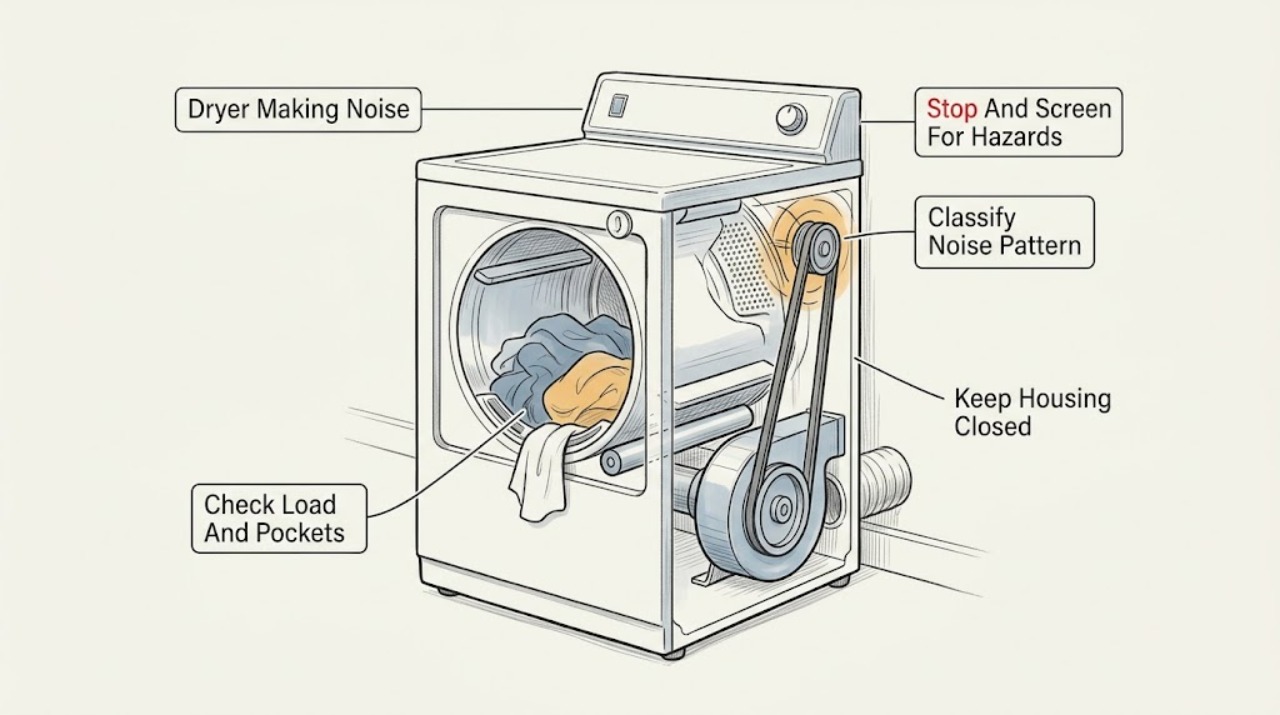
A KitchenAid dryer can make a brief click from a gas valve, a light thump after sitting unused, or a rattle from zippers, buttons, coins, or a balled-up load. Stop the dryer and arrange service immediately for scraping that continues with an empty drum, grinding, a high-pitched squeal that persists, violent movement, overheating, a burning or gas smell, smoke, sparks, or a breaker trip. When the dryer is off, cool, and electrically safe, clear pockets, inspect the visible front and rear drum edges, check for items leaning against the cabinet, confirm the dryer is level and all legs contact the floor, and check the lint screen and accessible lint chute for a foreign object. Do not remove panels, reach into the blower or belt area, test live wiring, or keep running a dryer with an abnormal sound or unsafe symptom.
Work through in order
Diagnostic checks
Use only checks that match the exact appliance or system and its official guide.
-
Check 1
Stop the dryer from a safe position, keep clear of the drum, and wait for it to stop and cool before inspecting; if smoke, flame, visible sparking, a burning or gas smell, abnormal heat, violent movement, or a breaker trip is present, leave it out of service.
Expected result: Record whether the sound stops with the drum, whether the cabinet or laundry area is unusually hot, and whether there is smoke, flame, odor, arc damage, or a protection trip.
Next step: Use the appropriate emergency, gas, electrical, or appliance-service path for the hazard. Continue only with the dryer disconnected or otherwise safe, cool, and free of those symptoms.
Stop if: Do not restart the dryer, reach into a moving drum, touch a hot or damaged cord, or open a panel when smoke, flame, gas, water, or electrical damage is present.
Why this matters
Why: A sound that stops with the drum may be load or rotating-component related, but any heat, smoke, gas, spark, or electrical-protection symptom is a stop condition rather than a routine noise check.
-
Check 2
From outside the stopped and cool dryer, classify the sound by pattern and timing: click, thump, pounding or vibration, scraping, rattling, squealing, humming, or another sound; note whether it began at start-up, only during tumbling, only with heat, or after a period of non-use.
Expected result: Record whether the sound is brief or continuous, repeats once per drum revolution, changes with load size, changes when the dryer cabinet is no longer touching an object, or is present with an empty drum.
Next step: Choose the matching low-risk branch below and do not remove a panel to make the sound easier to locate.
Stop if: Stop all operation if the sound is accompanied by heat, burning odor, smoke, sparks, gas odor, violent movement, or a breaker trip.
Why this matters
Why: A gas-valve click or brief first-use thump can be normal, while a load-related rattle, seam scrape, unlevel vibration, or persistent squeal points to a different check. A continuous sound with an empty drum is less likely to be clothing hardware and needs service if it persists.
-
Check 3
With the dryer off and cool, remove the load and inspect pockets, zippers, buckles, buttons, rivets, coins, clips, pens, shoes, and large fabric items that may have balled up; do not place hands near a moving drum or heating area.
Expected result: Record whether the noise was present only with a particular garment, a twisted sheet or blanket, shoes, or a loose object, and whether the empty drum is quiet when rotated only as the model manual permits.
Next step: Clear pockets and load large items loosely for future cycles; arrange service if the empty dryer still makes the noise or if any object is trapped at a drum seam.
Stop if: Do not force an object out, reach behind the drum, or resume operation to see whether a suspected loose item moves away.
Why this matters
Why: A sound that disappears when loose hardware or a balled-up load is removed supports a load explanation. A noise that remains with an empty drum points toward installation, a trapped object, a rotating support, belt, pulley, blower, or another dryer fault.
-
Check 4
After power is safely isolated and the dryer is cool, use a light from outside the cavity to inspect the visible front and rear drum seams and the lint-screen opening for a coin, clip, screw, sock, or other foreign object; remove only an object that is plainly accessible without tools or force.
Expected result: Note whether the object is lodged at the seam, whether the drum edge or seal shows damage, whether the lint screen is installed and clear, and whether the object can be removed without contacting a belt, blower, heater, wiring, or sharp metal.
Next step: Leave inaccessible or damaged areas untouched and arrange service; keep the lint screen installed and do not operate the dryer with a loose object still inside.
Stop if: Do not reach into the blower housing, remove a guard, pull the drum, use a tool near wiring or a heater, or continue if the object is sharp, hot, or difficult to access.
Why this matters
Why: A small object at the drum seam can cause scraping, and an object in the lint chute can strike the blower wheel. Damage, an inaccessible object, or a noise that continues after safe removal requires internal service.
-
Check 5
From outside the cool dryer, check that all installed legs contact a firm floor, the cabinet is level as specified by the installation instructions, and nothing on top, beside, below, in a pedestal drawer, or against a nearby washer is touching or vibrating against it.
Expected result: Record a missing leg, rocking cabinet, soft or uneven floor, contact with another appliance or wall, a rattling pedestal item, or a noise that changes when the surrounding object is moved away safely.
Next step: Remove only loose surrounding objects and use the model installation instructions for accessible leveling; arrange service when a leg, floor, pedestal, stacking connection, or cabinet needs repair or movement.
Stop if: Do not move a stacked or heavy dryer alone, place hands under the cabinet, dismantle a pedestal or stacking kit, or operate it while it rocks violently.
Why this matters
Why: An unlevel or unsupported dryer can pound, vibrate, and transfer noise to nearby objects. A stable, correctly installed cabinet with a continuing internal squeal, scrape, or hum points away from the room setup and toward service.
-
Check 6
Record the KitchenAid model number, gas or electric type, noise pattern and timing, load or empty-drum result, seam and lint observations, level and installation observations, and any heat, odor, spark, or protection response; provide the record to an authorized service professional without opening the dryer.
Expected result: Confirm whether the dryer remains unused and safe, whether the sound persists with a clear load and stable cabinet, and whether any suspected belt, pulley, roller, motor, blower, burner, exhaust, or wiring area would require a panel.
Next step: Keep the dryer out of service and arrange qualified appliance service; for a suspected receptacle, cord, breaker, or house-circuit issue, include a licensed electrician in the repair path.
Stop if: Do not remove the back or front panel, test live voltage, bypass a door or thermal safety, lubricate internal parts, or run another cycle to reproduce the sound.
Why this matters
Why: Persistent squealing, grinding, humming, scraping, or thumping after low-risk load and installation checks is evidence for internal service, not a reason to order a generic part. A gas sound with abnormal odor or ignition behavior needs gas-professional assessment.
Use your observations
Decision map
Find the observation that best matches what you see, then follow the next safe action.
-
PATH 01Safety boundary
What you see
The dryer is a gas model and the sound is a brief repeated click that matches burner cycling, with no gas odor, delayed ignition, flame abnormality, or heat problem.
Do this next
Continue to monitor only if the sound remains the documented normal click and all safety symptoms are absent; use the exact model manual if it changes.
Why this path and its safety boundary
Why it matters: KitchenAid guidance identifies gas-valve clicking as a normal operating sound when it follows normal burner operation.
Safety stop: Stop and obtain gas-professional service for gas odor, a boom, delayed ignition, abnormal flame, or a click that is accompanied by another fault.
-
PATH 02Safety boundary
What you see
Rattling, tapping, or intermittent knocking occurs only with a garment, pocket item, zipper, button, rivet, shoe, or balled-up large item.
Do this next
Remove the object, clear pockets, separate large items, and use a rack for items the manual says should not tumble; reassess only after the dryer is safe and cool.
Why this path and its safety boundary
Why it matters: The load is a plausible source rather than an internal dryer failure.
Safety stop: Arrange service if the noise remains with an empty drum, a loose item is trapped, or the drum seal or edge is damaged.
-
PATH 03Safety boundary
What you see
A light thump occurs only during the first minutes after installation or a long period of non-use and then fades while the dryer remains stable and cool.
Do this next
Monitor the pattern without adding a load that causes the dryer to vibrate; arrange service if the thump persists, becomes loud, or is accompanied by cabinet movement or heat.
Why this path and its safety boundary
Why it matters: Manufacturer guidance describes temporary roller flattening as a possible explanation for a brief start-up thump.
Safety stop: Do not continue operation when the dryer rocks, pounds, overheats, smells of burning, or creates sparks.
-
PATH 04Safety boundary
What you see
Pounding, knocking, or cabinet vibration changes with a missing leg, unlevel floor, nearby object, pedestal item, or contact with another appliance.
Do this next
Remove only safe loose objects and follow the exact installation instructions for accessible leveling; arrange service for a stacked, heavy, damaged, or unstable installation.
Why this path and its safety boundary
Why it matters: The installation or surrounding object can transmit or create the noise.
Safety stop: Do not move the dryer alone, operate it while it rocks, or dismantle stacking or pedestal hardware.
-
PATH 05Safety boundary
What you see
Scraping, grinding, continuous squealing, or squeaking persists with a clear load, or a foreign object is inaccessible at the drum seam or lint chute.
Do this next
Keep the dryer off and arrange qualified service; provide the sound timing and accessible inspection result.
Why this path and its safety boundary
Why it matters: A trapped object, worn belt or pulley, support roller, blower obstruction, or other internal fault is possible and cannot be safely distinguished from outside.
Safety stop: Do not open panels, reach into the rotating assembly, lubricate parts, or restart to see whether the sound gets worse.
-
PATH 06Safety boundary
What you see
Noise occurs with overheating, burning or gas odor, smoke, flame, visible sparking, a damaged cord, or a breaker or outlet trip.
Do this next
Leave the area when smoke, flame, sustained electrical arcing, or unburned gas is present; keep the dryer out of service and obtain the appropriate emergency, gas, electrical, or appliance professional.
Why this path and its safety boundary
Why it matters: This is a fire, gas, or electrical safety event, not a normal dryer-noise diagnosis.
Safety stop: Do not reset protection repeatedly, touch wet or damaged electrical equipment, create a flame or switch spark near gas, or run the dryer again.
Helpful context
Understand the symptom
Stop first when the sound could signal heat, fire, gas, or electrical damage
Press Stop or turn the cycle control off only from a safe position, then keep clear of the drum and let the dryer cool. If there is smoke, flame, a burning smell, visible sparking, an unusually hot cabinet, or a breaker trip, do not restart it. For a gas dryer, an unburned-gas smell, delayed ignition, or a whoosh that is not the normal sound described by the manual requires leaving the area and obtaining gas-professional help. Do not reach through a moving drum or open a panel to identify the noise.
Use the sound pattern and timing to choose a low-risk check
A noise that occurs only when a zipper, buckle, button, coin, or other loose item tumbles is different from scraping at the drum edge. A light thump during the first minutes after a long period of non-use can come from temporarily flattened support rollers. Persistent squealing can be associated with lint around the belt or pulleys or wear that needs service; a pounding or cabinet rattle can come from missing legs, an unlevel floor, or objects touching the dryer. The sound's timing and whether it changes with the load are more useful than a guessed replacement part.
Keep internal service separate from ordinary checks
After a safe stop, use the exact KitchenAid manual for the model and installation. The visible drum edges, pockets, cabinet surroundings, leveling, lint screen, and accessible lint chute are reasonable observations when the dryer is off and cool. The belt, idler, rollers, motor, blower housing, wiring, burner, and exhaust path may need internal access; do not remove a back or front panel or work on those parts as an ordinary-user step. Keep the lint screen installed whenever the dryer is operated after a professional confirms it is safe.
Only after diagnosis
Potential parts
- drum support roller
Consider this only when a qualified diagnosis links persistent thumping or a rotating noise to a worn or damaged support roller after load and leveling checks.
Confirm the exact KitchenAid model and manufacturer fit information before ordering; do not replace a roller based only on sound. - drive belt or pulley
Consider this only when professional inspection identifies belt or pulley wear as the cause of persistent squealing or squeaking.
A qualified technician should verify the exact model and component fit before replacement. - blower wheel or lint-path component
Consider this only when an inaccessible object or a professional inspection links rattling or humming to the blower or lint path.
Do not open the housing as an ordinary-user repair; confirm model-specific fit through qualified service.
When checks do not resolve it
Need a professional?
Arrange qualified appliance service for persistent scraping, grinding, squealing, humming, or thumping after load and installation checks; a trapped inaccessible object; a worn belt, pulley, roller, blower, motor, burner, exhaust, or internal wiring concern; or any need to remove a panel. Stop immediately for overheating, burning or gas odor, smoke, flame, sparks, violent movement, a damaged cord, or a breaker or outlet trip. Use a gas professional for delayed ignition, abnormal flame, or unburned-gas odor and an electrician when the receptacle, cord, or house circuit is implicated.
Common questions
FAQ
Which KitchenAid dryer sounds can be normal?
A gas-valve click during normal cycling and a light thump during the first minutes after a long period of non-use can be normal when there is no heat, odor, movement, or electrical symptom.
Why does my dryer rattle when clothes are inside?
Zippers, buckles, buttons, rivets, coins, clips, pens, shoes, and balled-up sheets can rattle or thump. Clear pockets and separate large items, then arrange service if the sound remains with an empty drum.
What does scraping in a KitchenAid dryer mean?
A small object can lodge between the drum and front or rear edge. Inspect only from a safe stopped, cool dryer; do not reach into the cabinet, and arrange service for an inaccessible object or persistent scrape.
When should I stop using a noisy dryer?
Stop for grinding, persistent scraping or squealing, violent movement, overheating, burning or gas odor, smoke, flame, sparks, a damaged cord, or a breaker or outlet trip. Do not restart until qualified service confirms it is safe.
Read the exact guide
Official sources
- TROUBLESHOOTING – DRYERKitchenAid · KitchenAid dryer unusual sounds, installation, and safety guidance
- Thumping Sound - DryerWhirlpool Product Help · Dryer thumping, load, roller, and leveling guidance
- Sounds or Noises in a DryerWhirlpool Product Help · Whirlpool-family dryer sound diagnosis applicable to related dryer designs
- Scraping Sound - DryerWhirlpool Product Help · Dryer drum-seam scraping and foreign-object guidance
- Knocking or Rattling Sound - DryerWhirlpool Product Help · Dryer knocking, rattling, surrounding-object, and lint-chute guidance
- Squealing or Squeaking Sound - DryerWhirlpool Product Help · Dryer squeal, squeak, lint-path, belt, pulley, and service guidance
Community feedback
Share a repair observation
Share a plain-text repair observation. Accepted observations are published automatically; this page may take a moment to update.