
On this page
Start here
Quick answer
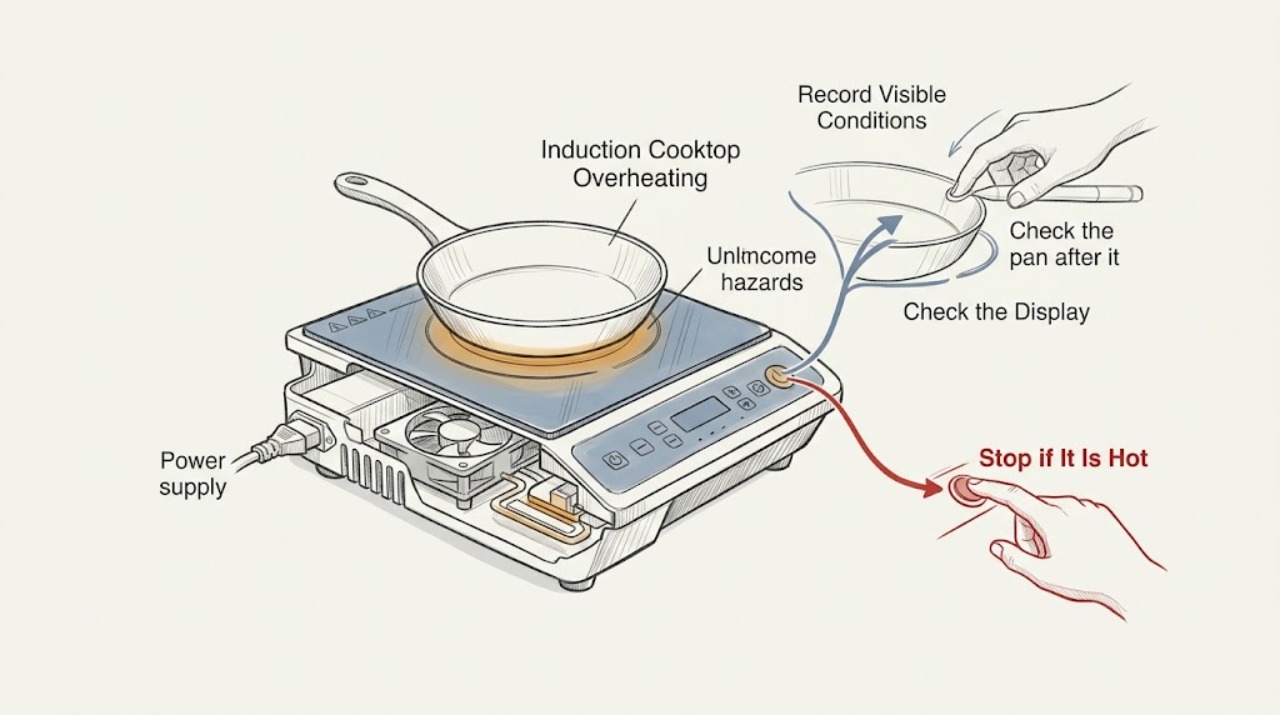
An overheating KitchenAid induction cooktop may be responding to an empty pan, cookware that is too large or unsuitable, long high-power cooking, blocked cooling airflow, a hot surface, or an internal temperature fault. Turn the zone and cooktop off, remove or reposition the pan only when safe, and allow the glass and electronics to cool. Check that the pan is induction-compatible, flat, centered, and matched to the zone, and keep the control area dry and clear. If the display shows E_H or E_3, follow the exact model's cooling and power-reset instructions; a code that returns needs service. Stop for smoke, burning odor, sparks, cracked glass, a hot or damaged cord, repeated breaker trips, or a control that remains hot or unresponsive.
Work through in order
Diagnostic checks
Use only checks that match the exact appliance or system and its official guide.
-
Check 1
Note whether the heat is on the glass, in the pan, or around the control area; record the zone, pan contents, setting, duration, displayed code or indicator, and whether the zone lowered power or shut off. Turn the cooktop OFF before touching the pan.
Expected result: Only the pan and glass are hot, the control panel shows a hot indicator, the zone shuts down with E_H or E_3, or the cooktop remains abnormally hot after cooling time.
Next step: Let the cooktop cool before cleaning or retrying. Use the exact model manual for any code, and stop using the appliance if the code returns or the heat is accompanied by smoke, odor, glass damage, or electrical symptoms.
Why this matters
Why: Residual surface heat is different from high internal electronic temperature. KitchenAid identifies E_H and E_3 as too-hot conditions, while an H indicator means a surface remains hot; the code and behavior determine the next safe check.
-
Check 2
Check the pan after it is safe to handle: use a flat-bottomed, induction-compatible pan, center it within the cooking zone, and do not heat an empty pan. Use a magnet only when the pan is cool and the model guidance permits that compatibility check.
Expected result: The pan is empty, warped, too small or too large for the zone, off-center, or not ferromagnetic; or it is compatible, flat, and correctly centered.
Next step: Remove an empty or unsuitable pan, allow the zone to cool, and retry with food or liquid in a correctly matched pan. If a compatible pan still overheats the zone, continue with control, ventilation, and power checks.
Why this matters
Why: KitchenAid states that an empty pan can trigger an overheat code and that pan material, base structure, size, and placement affect induction operation. An unsuitable or poorly matched pan can create uneven heating or cause a zone to switch off.
-
Check 3
Inspect the cooktop surface and control area after it cools: remove utensils or containers from touch keys, wipe away spills and residue with the model-approved soft cloth method, and keep ventilation openings below or around the unit unobstructed. Do not lift the glass or remove trim.
Expected result: Liquid or an object is pressing a control, residue is present, airflow is blocked, or the surface and clearances are clean and open.
Next step: Dry and clear only the accessible surface, then retry once after the cooktop is cool. If the panel remains unresponsive, continues to flash, or heat persists with clear airflow, stop and arrange service.
Why this matters
Why: KitchenAid associates flashing indicators with water, utensils, or debris over the controls and notes that the cooling system needs unobstructed airflow. A blocked or contaminated control area can produce false inputs or keep the cooktop from managing heat normally.
-
Check 4
Consider the cooking pattern: stop Performance Boost or other high-power use and allow the cooling fan to run after switching the cooktop OFF. Do not cover the vents or place heat-sensitive objects over the surrounding ventilation area.
Expected result: Overheating occurs only after prolonged high-power use, the fan runs while the cooktop cools, the fan is silent when the unit is hot, or the same zone overheats during ordinary cooking.
Next step: Allow a complete cool-down and retry once at a moderate setting with suitable cookware. Do not disassemble or test the fan; arrange service if cooling behavior is abnormal or the overheat indication recurs.
Why this matters
Why: KitchenAid says prolonged high-power cooking can make a zone reduce power or switch off to prevent overheating, and that a fan may run while the cooktop cools. A fan that never operates when expected or a zone that overheats under normal use needs service diagnosis.
-
Check 5
If the display shows E_H, E_3, an E-number, or another repeating fault, follow the exact model's documented power-reset procedure only after the glass and electronics are cool. Keep the unit away from moisture and do not reset a breaker repeatedly.
Expected result: The code clears after one documented reset and the cooktop remains normal, the code returns, or the breaker trips during or after reset.
Next step: Monitor one normal operation only if no warning signs are present. If the code returns, the panel stays off, or the breaker trips, leave the cooktop out of use and arrange qualified KitchenAid service or electrical diagnosis.
Why this matters
Why: KitchenAid's E_H and E_3 guidance calls for cooling and a power reset, while other recurring error displays may indicate a protected electronic or power fault. A successful reset does not establish that a hot or damaged component is safe.
-
Check 6
After the pan, surface, airflow, cooking-pattern, and code checks, perform one short supervised test with a compatible pan and food or liquid. Stop immediately for smoke, burning odor, sparks, abnormal glass heat, a cracked surface, a hot cord, water under the controls, or a returning code.
Expected result: The cooktop operates normally after cooling or pan correction, the same zone overheats again, or an unsafe symptom occurs.
Next step: Use the cooktop only if it remains stable and cools normally. Otherwise turn it OFF, disconnect power only if safe, and provide the model, code, pan, zone, settings, and cooling behavior to qualified service.
Why this matters
Why: Improvement after correcting cookware, control contamination, airflow, or prolonged power supports that condition as the immediate trigger. Persistent overheating can involve a temperature sensor, cooling fan, induction module, wiring, or control and cannot be safely confirmed by an external test.
Use your observations
Decision map
Find the observation that best matches what you see, then follow the next safe action.
-
PATH 01Next step
What you see
The glass is hot but there is no fault, and the H or residual-heat indicator is present.
Do this next
Turn the zone and cooktop OFF and allow the surface to cool before cleaning or touching it. Escalate if the indicator or heat remains abnormal after the model's normal cool-down.
-
PATH 02Next step
What you see
An empty, unsuitable, warped, off-center, or incorrectly sized pan is being used.
Do this next
Remove it safely, cool the zone, and retry once with a flat compatible pan centered to the zone and containing food or liquid. Arrange service if overheating repeats with suitable cookware.
-
PATH 03Next step
What you see
Overheating or a power reduction follows prolonged high-power or Performance Boost cooking.
Do this next
Stop high-power use and allow the cooling fan and cooktop to cool. Retry once at a moderate setting; recurring protection activation under normal use needs service.
-
PATH 04Next step
What you see
Liquid, an object, or residue is over the touch controls or ventilation is blocked.
Do this next
Turn the cooktop OFF, allow it to cool, dry and clear the accessible surface, and restore airflow. Stop and call service if the panel remains unresponsive or flashes.
-
PATH 05Next step
What you see
E_H, E_3, or another error returns after cooling and one model-approved power reset.
Do this next
Stop using the cooktop and arrange qualified KitchenAid service. Do not open the unit, test internal electronics, or replace a module from a generic code diagnosis.
-
PATH 06Next step
What you see
Smoke, burning odor, sparks, cracked glass, abnormal heat, water under controls, a hot or damaged cord, or repeated breaker trips occurs.
Do this next
Stop immediately, disconnect power only if safe, keep clear of hot glass and damaged wiring, and seek qualified electrical or appliance service. Do not run another test.
Helpful context
Understand the symptom
Separate normal residual heat from an overheat shutdown
An induction surface can remain hot after a pan is removed because the pan transfers heat back to the glass; an H or hot-surface indicator is not by itself a failed cooktop. Overheating is more concerning when a zone reduces power, shuts down, the control panel switches off, or an E_H, E_3, or other fault appears. Record the display, zone, pan, cooking setting, and whether the cooling fan runs before changing anything.
Use the glass, heat, and electrical stop boundary
Turn controls OFF and keep hands clear of hot cookware. Do not pour water onto hot glass, slide a burning pan, cover the vents, open the cooktop, or touch internal electronics. Stop immediately for smoke, a burning smell, sparks, a cracked or shattered glass surface, a hot or damaged cord, water under the controls, or repeated breaker trips.
When checks do not resolve it
Need a professional?
Book service for recurring E_H, E_3, or other error displays, overheating with a compatible pan at normal settings, a non-operating cooling fan, unresponsive controls, or any repair beyond the exact KitchenAid user guide.
Common questions
FAQ
Why does my KitchenAid induction cooktop say it is too hot?
An empty or unsuitable pan, prolonged high-power cooking, residual heat, blocked controls or airflow, or an internal electronic overheat can trigger the condition. Turn it off, let it cool, and follow the exact model code instructions.
Can an empty pan overheat a KitchenAid induction zone?
Yes. KitchenAid identifies an empty pan as a possible trigger for E_3. Remove the pan safely, let the zone cool, and retry with food or liquid in a compatible, correctly sized and centered pan.
Why does a KitchenAid induction cooktop reduce power during cooking?
Prolonged high-power or Performance Boost use can activate temperature protection and reduce power or switch a zone off. Let the cooktop cool and retry at a moderate setting; recurrence under normal use needs service.
When should I stop using an overheating KitchenAid induction cooktop?
Stop for a returning overheat code, smoke, burning odor, sparks, cracked glass, abnormal heat, water under controls, a hot or damaged cord, or repeated breaker trips. Disconnect power only if safe and arrange qualified service.
Read the exact guide
Official sources
- E_H - Induction CooktopKitchenAid Product Help · Use when the exact KitchenAid cooktop displays E_H or a matching overheat indication; models vary.
- E_3 - Induction CooktopKitchenAid Product Help · Use when the exact KitchenAid cooktop displays E_3 or a matching overheat indication; exact controls vary by model.
- KitchenAid Induction Cooktop Owner's ManualKitchenAid · Official KitchenAid induction-cooktop manual for a model family; use the exact model manual for code meanings and controls.
- KitchenAid 30-inch Sensor Induction Cooktop Quick Start GuideKitchenAid Canada · Official KitchenAid quick-start guidance; exact model features and limits vary.
- Indicator or Display Flashing - Electric and Induction CooktopKitchenAid Product Help · General KitchenAid electric and induction guidance; the exact owner manual takes priority.
Community feedback
Share a repair observation
Share a plain-text repair observation. Accepted observations are published automatically; this page may take a moment to update.