
On this page
Start here
Quick answer
If a Thermador induction cooktop seems to overheat, turn the affected zone off, move hot cookware away from the control panel when it is safe to do so, and let the surface and electronics cool. A cooling fan that continues after cooking can be normal, and Thermador says PowerBoost can switch off automatically to protect internal components. Check whether the heat is only residual heat or hot cookware, or whether an F1/F6, F2/F4, E7015, E8207, E8208, or F5 message identifies a protected zone or overheated electronics. Use cookware no larger than the heating zone, never heat an empty pan or unattended oil, keep the control area clear, and clean the cooled glass with the manufacturer's approved method. A cracked glass surface, smoke, burning smell, arc, sparking, repeated breaker trip, control that stays hot or fails to respond, or an error that returns after cooling is a stop condition: switch off power only if it can be done safely and arrange qualified service. Do not open the cooktop or perform live electrical tests.
Before you begin
Safety first
- This article supports cooling, cookware and surface observation, model-approved controls, and safe cleaning only. Do not open the cooktop, work on energized wiring, bypass thermal protection, or use a cracked or hazardous appliance.
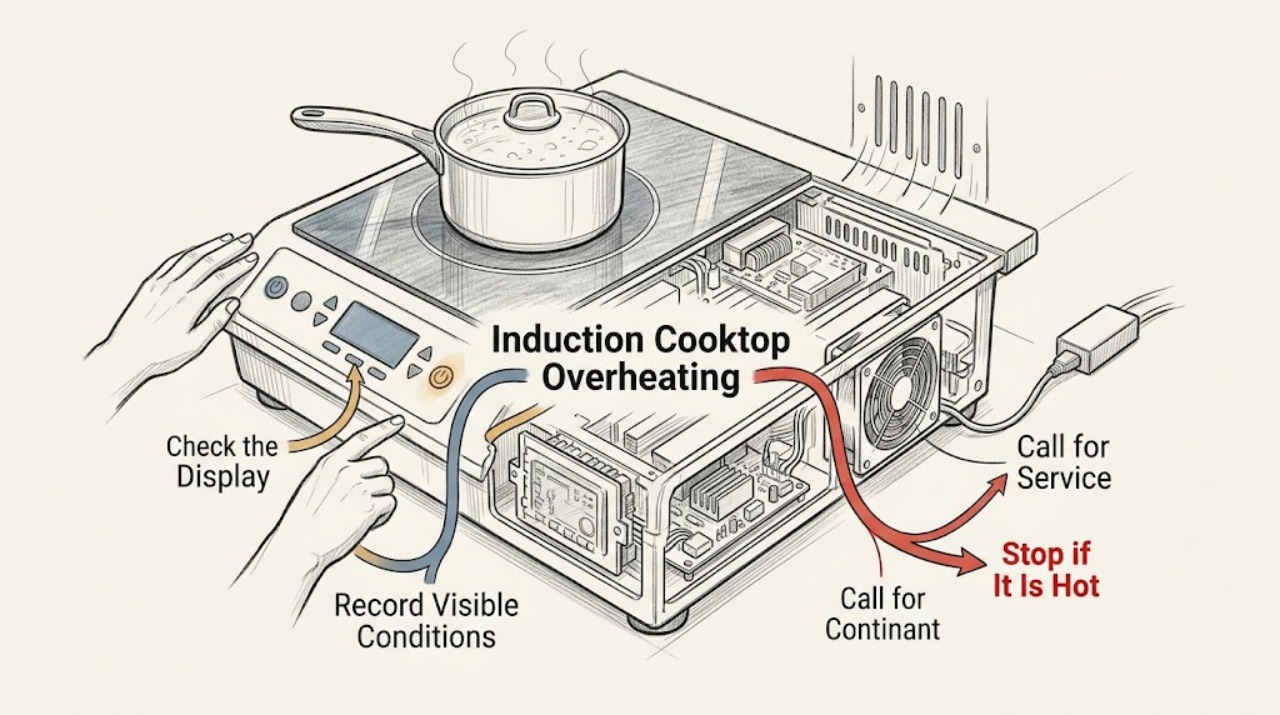
Work through in order
Diagnostic checks
Use only checks that match the exact appliance or system and its official guide.
-
Check 1
Turn the affected cooking zone off and, from a safe position, move hot cookware away from the control panel; allow the surface and electronics to cool without covering the cooktop or touching hot glass.
Expected result: The heat is limited to the pan or residual glass warmth and the fan continues normally; or the control panel remains unusually hot, the cooktop repeatedly shuts down, or heat is accompanied by smoke, burning odor, sparks, or a cracked surface.
Next step: If the unit cools and controls respond, record the cookware position and power setting before a cautious model-approved retest; otherwise leave it off and arrange service.
Stop if: Stop immediately for smoke, flame, burning smell, arcing, sparks, cracked glass, exposed wiring, or a breaker trip; do not touch or move unsafe cookware.
Why this matters
Why: Residual heat and post-cooking fan operation can be normal. Persistent or escalating heat, a protection shutdown that does not clear, or any visible hazard is not a routine cooling state.
-
Check 2
After the area is safe to observe, record the complete display message and which zone stopped; compare it with the Thermador induction error-code categories without guessing at a partial code.
Expected result: F1 or F6 appears; F2, F4, E7015, E8207, or E8208 appears; F5 appears with hot cookware near the controls; or the code is different or absent.
Next step: Remove the implicated cookware only when safe, wait for the electronics to cool, and follow the exact model instruction; arrange service if the message remains, returns, or is not listed.
Stop if: Do not repeatedly clear the message, bypass a temperature protection function, or operate through smoke, sparks, burning odor, cracked glass, or an unresponsive control.
Why this matters
Why: F1/F6 identifies a cooking-zone overheat response, the F2/F4 and related E codes identify electronics overheat protection, and F5 points to hot cookware near the control panel. A different or recurring code requires the exact manual or service diagnosis.
-
Check 3
When the glass is cool and no hazard is present, note whether cookware is centered within the selected zone, no larger than the zone, flat and induction-suitable, empty, or positioned over the control panel; record whether PowerBoost or another high-power mode was active.
Expected result: Hot cookware was near the controls, an empty pan or unattended oil was heating, cookware was oversized or unsuitable, or the cookware and placement match the model instructions.
Next step: Correct only the safe placement or cookware condition, use the model-approved power level, and monitor one controlled cooking task after cooling; request service if the overheat response recurs.
Stop if: Do not preheat empty cookware, leave oil unattended, cover the controls with hot cookware, or continue if the pan, glass, or control panel is damaged.
Why this matters
Why: Thermador links hot cookware near the controls to electronics-overheat risk and says some high-power protection can switch off automatically. A matching pan and placement with repeated overheating shifts attention to ventilation, electronics, power, or another fault.
-
Check 4
With the appliance switched off and fully cool, inspect the visible glass and the user-accessible surrounding ventilation space for spills, debris, blocked openings, or objects crowding the control area; clean the glass only with the Thermador care method.
Expected result: The surface is clean and intact with clear surrounding space; or residue, liquid, debris, blocked ventilation, scratches, cracks, or fractures are present.
Next step: After cooling, remove only loose surface debris with the approved soft-cloth method and keep the area clear; stop using the cooktop and arrange service for cracks, fractures, liquid intrusion, blocked built-in ventilation, or recurring heat.
Stop if: Do not clean hot glass with unapproved chemicals, pour liquid into openings, remove the glass, or continue using a cracked or fractured surface.
Why this matters
Why: Residue or crowded controls can interfere with safe operation, but cleaning cannot repair an electronics or ventilation fault. Thermador says a fractured or cracked surface makes the cooktop unusable because of electric-shock risk.
-
Check 5
After switching the cooktop off, note whether the cooling fan runs and whether it stops as the electronics cool; do not block the controls or attempt to access the fan or electronics.
Expected result: The fan runs after cooking and the cooktop cools normally; the fan is absent while the unit remains hot; or the fan is noisy, obstructed, or the overheat condition returns.
Next step: Keep the area clear and use the exact manual to identify normal fan behavior; if cooling is incomplete or the overheat code returns, leave the unit off and arrange qualified service.
Stop if: Do not insert objects into openings, remove panels, touch the fan, or run the cooktop to reproduce overheating.
Why this matters
Why: Thermador says a post-cooking fan can be normal because it controls electronics temperature. A hot cooktop that does not cool, a blocked or failed-sounding fan, or recurring protection suggests service rather than a user fan repair.
-
Check 6
If the cooktop remains cool enough to observe safely, record any breaker trip, power interruption, persistent code, unresponsive controls, repeated shutdown, glass damage, or heat that returns with ordinary cookware; do not open the electrical installation.
Expected result: The issue clears once after cooling and correct cookware placement; or it recurs, affects multiple zones, appears with no cookware, involves a power or breaker event, or leaves the control panel hot or unresponsive.
Next step: Leave the cooktop off and arrange qualified Thermador or electrical service with the exact model, code, cookware, power setting, cooling, and cleaning observations.
Stop if: Do not reset a tripping breaker repeatedly, perform live tests, remove panels, or continue cooking through a recurring overheat or electrical hazard.
Why this matters
Why: A single protection response can be a normal safeguard, but recurrence without the triggering condition points to ventilation, power, sensor, electronics, or another internal fault.
Use your observations
Decision map
Find the observation that best matches what you see, then follow the next safe action.
-
PATH 01Safety boundary
What you see
The zone is off, the glass is cooling, controls respond, and the fan runs briefly after cooking without a code or hazard.
Do this next
Keep the control area clear and follow the exact model manual; monitor only under ordinary cookware and power use.
Why this path and its safety boundary
Why it matters: Thermador describes post-cooking fan operation and residual heat as part of temperature control rather than proof of a fault.
Safety stop: Stop if the fan does not cool the unit, the condition recurs, a code appears, or smoke, odor, sparks, or cracks are present.
-
PATH 02Safety boundary
What you see
F1 or F6 appears and the corresponding cooking zone has switched off.
Do this next
Wait for the electronics to cool, then follow the exact model instruction before one cautious restart; request service if it returns.
Why this path and its safety boundary
Why it matters: Thermador identifies this as a cooking-zone overheat protection response.
Safety stop: Do not keep restarting the zone while hot or continue through smoke, burning odor, sparks, or glass damage.
-
PATH 03Safety boundary
What you see
F2, F4, E7015, E8207, or E8208 appears, or multiple zones switch off from electronics heat.
Do this next
Remove nearby hot cookware when safe, wait for cooling, and follow the manual; arrange service if the code remains or returns.
Why this path and its safety boundary
Why it matters: Thermador identifies the electronics as overheated and the zone or zones as protected.
Safety stop: Do not open the cooktop, block ventilation, bypass the protection, or operate through a recurring electronics-overheat condition.
-
PATH 04Safety boundary
What you see
F5 appears or the control panel is hot while cookware is near it.
Do this next
Move the cookware away from the controls when safe, wait for cooling, and use the zone and pan placement specified by the manual.
Why this path and its safety boundary
Why it matters: Thermador says hot cookware near the control panel can put the electronics at risk or cause the zone to switch off.
Safety stop: Do not cover controls with a hot pan, preheat empty cookware, or continue if the panel remains hot after the cookware is removed.
-
PATH 05Safety boundary
What you see
High power, PowerBoost, an oversized or empty pan, unsuitable cookware, or a power or breaker event coincides with the heat.
Do this next
Use only model-compatible cookware and power settings after cooling; arrange qualified service for a recurring response or abnormal power.
Why this path and its safety boundary
Why it matters: The load or supply condition may be contributing, but it does not prove the cooktop is healthy if protection returns with correct use.
Safety stop: Do not repeatedly reset a breaker, cook with unattended oil, or perform electrical checks inside the installation.
-
PATH 06Safety boundary
What you see
The glass is cracked or fractured, or smoke, burning odor, arcing, sparks, or an unresponsive hot control is present.
Do this next
Stop using the cooktop, switch off the fuse or supply only if safe to do so without touching a hazard, and arrange qualified appliance or electrical service.
Why this path and its safety boundary
Why it matters: This is a safety stop condition rather than a cookware adjustment. Thermador says fractured or cracked glass is no longer usable and presents electric-shock risk.
Safety stop: Do not touch cracked glass, clean a damaged surface, open panels, or attempt to resume cooking.
Helpful context
Understand the symptom
Start by separating residual heat from active overheating
Induction heats the cookware, so the glass and nearby controls can remain hot after a zone is switched off. A fan that runs after cooking can be a normal cooling function. The important distinction is whether the surface cools and controls respond normally, or whether the cooktop repeatedly shuts down, shows an overheat code, stays unusually hot, or produces a hazard.
Cookware placement and power level can trigger protection
Thermador says hot cookware near the control panel can overheat the electronics and that PowerBoost can switch off automatically when the cooktop gets too hot. Keep pans within their zones, do not use empty cookware or unattended oil, and avoid covering or crowding the controls. A protection shutdown that clears after cooling is different from an error that returns during ordinary cooking.
Use the code, not guesswork, to choose the branch
F1 or F6 points to a cooking-zone overheat response, while F2, F4, E7015, E8207, or E8208 point to electronics that have overheated. F5 indicates hot cookware near the control panel. Record the exact code and model, allow the unit to cool, and follow the matching manual. An unlisted or recurring code needs service rather than repeated resets.
Keep cleaning and electrical work within the safe boundary
Clean only after the glass has cooled, using the care instructions and a soft cloth or approved cooktop cleaner. Do not pour liquid toward controls, use a flammable or abrasive cleaner, or work beneath the glass. Cracks or fractures make the cooktop unusable, and any wiring, breaker, control, fan, or electronics diagnosis belongs to a qualified technician.
Safety boundary
Stop conditions
- Stop using the cooktop for cracked or fractured glass, smoke, flame, burning smell, arcing, sparks, or exposed wiring; switch off power only when safe and arrange qualified service.
- Do not open the cooktop, remove panels, perform live electrical tests, bypass thermal protection, or reset a tripping breaker repeatedly.
- Do not preheat empty cookware, leave oil unattended, place hot cookware on the control panel, or block the cooktop's cooling area.
- Do not clean hot glass with unapproved chemicals, pour liquid toward controls or openings, or use an abrasive or flammable cleaner.
- Do not continue cooking after an overheat code returns, the fan cannot cool the electronics, or the control remains hot or unresponsive.
When checks do not resolve it
Need a professional?
Arrange qualified Thermador appliance service when an F1/F6, F2/F4, E7015, E8207, E8208, F5, or other fault returns after cooling and correct cookware placement, when the fan does not cool the electronics, when overheating occurs with ordinary cookware, or when controls remain hot or unresponsive. Use qualified electrical service for incorrect supply, exposed wiring, or repeated breaker trips. For cracked glass, smoke, burning odor, sparks, or active fire, stop use and follow the appropriate emergency response from a safe location.
Safety scope: This article supports cooling, cookware and surface observation, model-approved controls, and safe cleaning only. Do not open the cooktop, work on energized wiring, bypass thermal protection, or use a cracked or hazardous appliance.
Common questions
FAQ
Is it normal for a Thermador induction cooktop fan to keep running after cooking?
It can be normal. Thermador says the fan helps control electronics temperature and may continue after the cooktop is turned off while the detected temperature is still high. A fan that cannot cool the unit or an overheat code that returns needs service.
What does F1 or F6 mean on a Thermador induction cooktop?
Thermador identifies F1 or F6 as a cooking-zone overheat response. Let the electronics cool and follow the exact model instruction; if the code returns, leave the cooktop off and arrange service.
Why does my Thermador cooktop show F5?
Thermador says F5 can indicate hot cookware near the control panel, putting the electronics at risk or causing the zone to switch off. Move the cookware away when safe, wait for cooling, and do not cover the controls with hot pans.
Can PowerBoost cause an induction cooktop to shut off?
Thermador says PowerBoost can switch off automatically if the cooktop gets too hot to protect internal components. Do not treat repeated protection shutdowns as normal; check cookware and placement, allow cooling, and request service if it recurs.
Can I keep cooking if my Thermador cooktop glass is cracked?
No. Thermador says a fractured or cracked cooktop is no longer usable and the fuse should be switched off to prevent electric shock. Do not touch, clean, or test the damaged surface; arrange qualified service.
What if the cooktop overheats but shows no code?
Turn it off and let it cool, then record the cookware, power level, control-panel heat, fan behavior, surface condition, and any breaker event. If heat returns with ordinary use or controls remain hot or unresponsive, leave it off and arrange qualified appliance or electrical service.
Read the exact guide
Official sources
- Error Codes | Induction Cooktops SupportThermador · Thermador official support reference; codes and control behavior can vary by model, so the exact owner's manual controls.
- Cleaning & Care | Induction Cooktops SupportThermador · Thermador official induction-cooktop care guidance; use the exact manual for model-specific cleaning details.
- Freedom® Induction Cooktops - Usage & Appliance FeaturesThermador · Thermador Freedom-family feature page; PowerBoost and other features may not exist on every model.
- Troubleshooting | Induction Cooktops SupportThermador · Thermador official general troubleshooting; exact features and controls vary by induction-cooktop model.
Community feedback
Share a repair observation
Share a plain-text repair observation. Accepted observations are published automatically; this page may take a moment to update.