
On this page
Start here
Quick answer
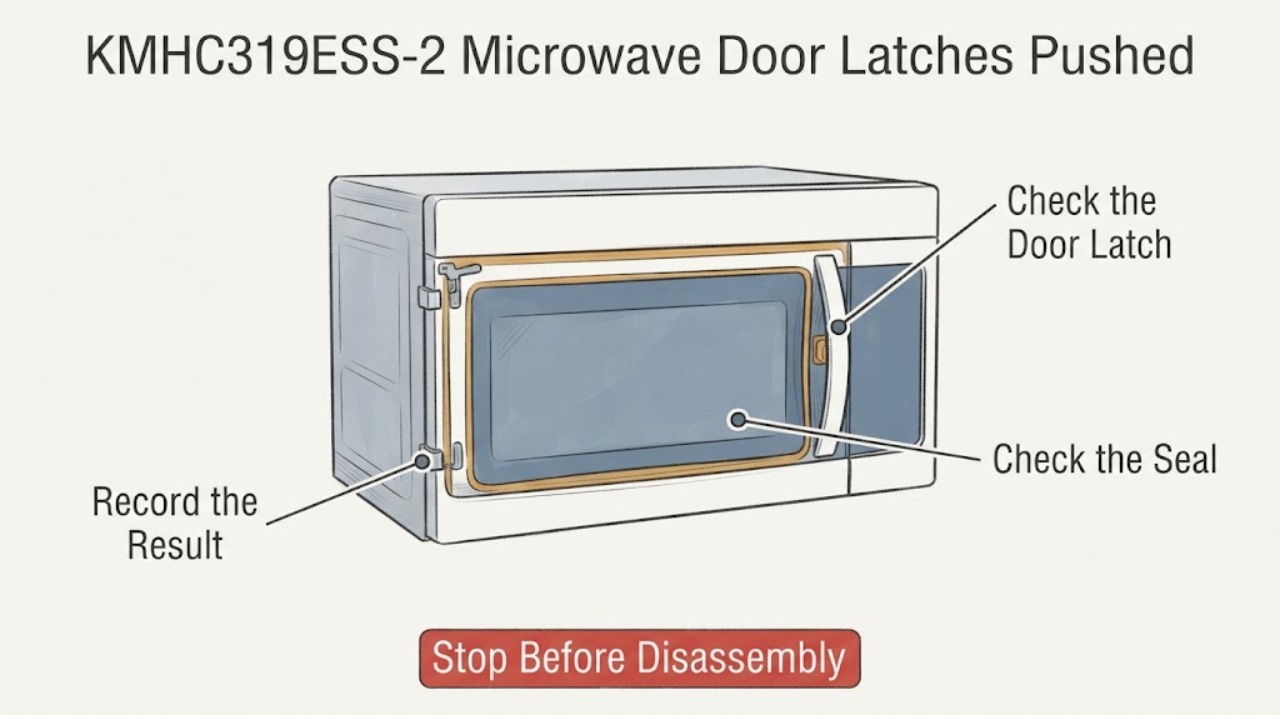
If the KitchenAid KMHC319ESS-2 microwave door latches have been pushed in, recessed, bent, loosened, or no longer engage normally, stop using the microwave and do not force the door closed. KitchenAid identifies the KMHC319ESS base model as a 30-inch over-the-range microwave hood combination and its official door guidance says to check only for an obstruction at the latch, an oversized dish or misplaced rack, soil on the door contact area, and installation/level concerns before contacting service. With power disconnected when safely accessible, inspect the exterior without pressing or resetting the latch. Do not operate with a door that will not close properly, defeat the interlock, remove the cabinet, or test door switches; a pushed-in latch needs model-matched qualified service.
Work through in order
Diagnostic checks
Use only checks that match the exact appliance or system and its official guide.
-
Check 1
Stop cooking and do not push the door closed against the recessed or damaged latches. If the unit is operating, use Stop/Cancel and wait for the cycle to end; disconnect power only if the plug or dedicated disconnect is safely accessible without reaching behind a damaged door or moving the mounted microwave.
Expected result: The door will not close normally, the latch remains pushed in/loose, the door is bent, or the microwave is already running with an abnormal door condition.
Next step: Keep the microwave out of service and arrange qualified KitchenAid/microwave service. Do not repeatedly start a cycle to see whether the latch catches.
Why this matters
Why: A microwave door must close properly and its interlock must be trusted; forcing or operating it with a damaged latch can defeat the intended safety boundary.
-
Check 2
With the microwave stopped and power disconnected when safely accessible, inspect the visible latch openings, door edge, hinges, seal/contact surfaces, and frame without pressing, bending, or resetting the latch.
Expected result: The latch is visibly recessed, bent, loose, cracked, or misaligned; the door or hinge is damaged; the seal/contact surface is damaged; or no damage is visible.
Next step: Photograph the condition and keep the microwave unplugged or disconnected. Do not remove the door, trim, control panel, or cabinet; give the exact model and photos to qualified service.
Why this matters
Why: Visible latch, hinge, door, or seal damage is not an adjustment a user should correct, and a normal-looking exterior does not rule out an interlock fault.
-
Check 3
Remove only an obvious external obstruction from the doorway: an oversized dish or bakeware, a misplaced cooking rack if the model has one, or loose soil on the door contact area. Use a soft damp cloth for accessible soil only after power is disconnected; never insert a tool into the latch.
Expected result: An item or residue was blocking the latch/door contact area, or the opening remains clear while the latch is still pushed in or cannot engage.
Next step: If the obstruction clears and the latch still does not move or engage normally, stop and request service. Do not force the door to confirm the fix.
Why this matters
Why: KitchenAid lists these obstructions as common reasons an over-the-range microwave door will not close, but clearing an obstruction does not restore a deformed latch or verify the interlock.
-
Check 4
Check the installation visually for a shifted or obviously unlevel over-the-range unit without loosening mounting hardware or attempting to move the microwave.
Expected result: The cabinet/microwave appears tilted or shifted, the door frame no longer aligns, or the installation looks stable and level.
Next step: If the unit has shifted, keep it out of use and have an installer or qualified service technician inspect the mounting and door alignment. If it looks stable but the latch is pushed in, use the latch/service path rather than an installation adjustment.
Why this matters
Why: KitchenAid says correct installation and leveling matter to door operation, but a mounted microwave should not be repositioned by one person or adjusted through the door latch.
-
Check 5
Record the full rating-label model exactly, including the assigned “-2” suffix if printed, and document whether the door closes without force, whether the display reports a door/open condition, and whether the latch changed after the incident.
Expected result: The label confirms the exact suffix and the door symptom is reproducible, or the label/manual does not clearly match the assigned model.
Next step: Send the model/serial, photos, and symptom description to KitchenAid or qualified microwave service. Do not order or install a latch, switch, hinge, or control from an unverified variant.
Why this matters
Why: KitchenAid’s owner center provides model-specific manuals and service routing; a base KMHC319ESS page is not enough to verify a suffix-specific latch or switch part.
Use your observations
Decision map
Find the observation that best matches what you see, then follow the next safe action.
-
PATH 01Next step
What you see
The latch is visibly pushed in, bent, loose, cracked, or does not engage without force after the doorway is cleared.
Do this next
Keep the microwave disconnected and arrange qualified service. Do not press the latch back, bypass the interlock, or operate the oven.
Why this path and its safety boundary
Why it matters: The safety door mechanism remains unreliable; an obstruction check did not resolve a physical latch problem.
-
PATH 02Next step
What you see
A dish, rack, packing material, or soil buildup was blocking the latch/contact area, and the latch itself looks undamaged.
Do this next
Remove the accessible obstruction or clean the contact area with power disconnected, then stop if the door still binds, the latch remains recessed, or any safety doubt remains.
Why this path and its safety boundary
Why it matters: The official KitchenAid guidance identifies that obstruction or residue as a possible door-closing cause, but the microwave still needs a normal, unforced door closure before any use.
-
PATH 03Next step
What you see
The door, hinges, seal, or frame is bent/damaged, the unit has shifted, or the latch status is uncertain.
Do this next
Do not operate or move the mounted microwave. Request model-matched service or an installer inspection and provide photos of the affected area.
Why this path and its safety boundary
Why it matters: Door geometry and interlock alignment cannot be verified by an external user check, and operation could create an unsafe condition.
-
PATH 04Next step
What you see
The door appears to close normally after the obstruction is removed, but a door/open message remains, the latch feels loose, or the problem returns.
Do this next
Stop using the microwave and request service; do not repeatedly cycle power or test cooking with a questionable latch.
Why this path and its safety boundary
Why it matters: The symptom may involve the latch/interlock or a model-specific control condition that the public user guidance does not diagnose.
Helpful context
Understand the symptom
A pushed-in latch is a safety issue, not a door-alignment trick
The KMHC319ESS family is an over-the-range microwave hood combination. A door latch is part of the door-closing and interlock system, so a latch that has been pushed inward, loosened, bent, or pulled out of engagement should not be “tested” by forcing the door or starting a cook cycle. The official service safety document requires proper door closing and checks of hinges, latches, seals and interlocks before operation. Keep the microwave out of use until the latch and door are inspected by qualified service.
Do the limited external checks KitchenAid actually supports
KitchenAid’s over-the-range door guidance starts with accessible causes: something blocking the latch, an oversized dish or bakeware, a cooking rack out of position, soil buildup at the door contact area, or an installation/level problem. These checks can remove an obstruction; they cannot repair a latch that is physically pushed in or prove that the interlock is safe. Do not press on the latch, insert tools, or remove trim and panels.
Confirm the assigned model before any part decision
KitchenAid’s owner center and feature sheet identify the base KMHC319ESS model and its over-the-range configuration, but the task identity includes the suffix “-2”. Read the full rating-label model exactly as printed and use the matching owner/service documentation. Do not buy a latch, door switch, hinge, or control from a visually similar KitchenAid microwave, and do not treat a base-family page as proof of a suffix-specific part fit.
Keep microwave interlock work inside the service boundary
A pushed-in latch can coexist with a shifted door, damaged hinge, damaged seal, latch housing problem, or an interlock issue; the symptom does not identify which one. The official service material reserves diagnostic voltage work and interlock checks for authorized technicians and requires power disconnection before servicing. The safe reader decision is to stop use and provide the exact model, latch photos, whether the door closes without force, and any display behavior to KitchenAid or qualified microwave service.
When checks do not resolve it
Need a professional?
Keep this KitchenAid microwave out of service and arrange qualified microwave service when the latch is pushed in, loose, bent, cracked, or does not engage normally; when the door, hinges, seal, or frame is damaged; when the unit has shifted; or when a door/open indication persists. Do not operate with the door open or damaged, defeat an interlock, push the latch back into place, remove the cabinet, test door switches, or perform live-voltage or microwave-leakage checks.
Common questions
FAQ
Can I push the KitchenAid microwave latches back out and keep using it?
No. A pushed-in or loose latch is part of the door-closing/interlock system. Do not press, bend, lubricate, or force it; keep the microwave out of service and arrange qualified inspection.
What can I check without opening the microwave?
With power safely disconnected, check for an oversized dish, misplaced rack, packing material, or soil buildup blocking the latch/contact area, and look for visible door, hinge, seal or frame damage. Do not remove panels or test switches.
Does the official KMHC319ESS page prove a latch part fits the KMHC319ESS-2 variant?
No. KitchenAid’s official owner center identifies the KMHC319ESS base model, while the task includes a “-2” suffix. Confirm the full rating-label model and use matching service documentation before any part decision.
Can I run a cup of water to see whether the microwave still works?
Do not run a cooking test while the latch is pushed in, loose, bent, or otherwise questionable. Microwave safety depends on proper door closing and interlock operation; have the door inspected first.
Read the exact guide
Official sources
- Microwave Technical Safety Sheet W11601384AWhirlpool Corporation · Opened manufacturer-hosted service safety document and used only for the safety boundary: do not operate with the door open, verify proper closing/hinges/latches/seals/interlocks, disconnect power before servicing, and leave diagnostics to authorized technicians. It is not used to assign a latch part or internal procedure to KMHC319ESS-2.
- KMHC319ESS KitchenAid Owner CenterKitchenAid · Opened KitchenAid’s official owner center, which identifies the base KMHC319ESS model and links its model-specific manuals/service resources. The task suffix “-2” is retained but is not silently treated as a separately verified document variant.
- Door Will Not Close - Over-the-Range MicrowaveKitchenAid Product Help · Opened KitchenAid official troubleshooting guidance for over-the-range microwave doors; used for external checks of blocked latches, oversized dish/rack, level installation, door contact-area soil, packaging and service routing. It does not authorize latch adjustment or internal repair.
- KitchenAid KMHC319E Feature SheetKitchenAid · Opened KitchenAid’s official one-page feature sheet, which identifies KMHC319ESS as stainless steel, over-the-range, 1.9 cu. ft., 1000 watts, with convection cooking. It is used for product identity/configuration only, not latch-part compatibility.
Community feedback
Share a repair observation
Share a plain-text repair observation. Accepted observations are published automatically; this page may take a moment to update.