
On this page
Start here
Quick answer
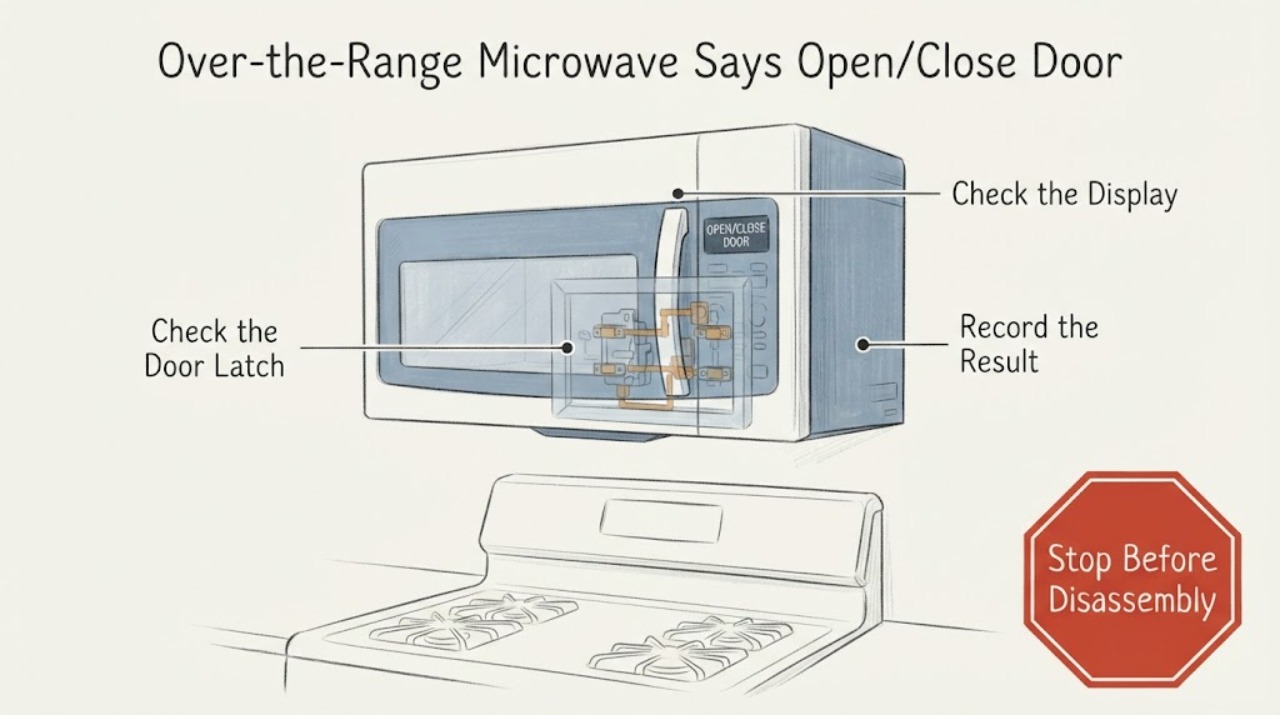
On a KitchenAid over-the-range microwave, an OPEN/CLOSE DOOR message can be a normal reminder when the door has stayed closed for about five minutes without a cycle starting. Open and close the door once, remove any packing material, make sure nothing is blocking the latch area or rack, and close it firmly. If the message returns while the door is visibly closed, the door does not sit or latch correctly, the cavity light behaves abnormally, or the message will not clear, stop at these user-level checks and arrange qualified service. Do not hold the door shut, bypass an interlock, remove the outer cover, or test the high-voltage circuit.
Work through in order
Diagnostic checks
Use only checks that match the exact appliance or system and its official guide.
-
Check 1
Read the exact display message and note whether the door had been closed and idle for several minutes. Open the door fully, close it once normally, select a short cycle and press Start. Do not repeatedly slam or hold the door in a forced position.
Expected result: The message clears after one normal open-close action and the cycle starts; or the message remains or returns immediately.
Next step: If it clears, monitor normal use. If it remains or returns, stop repeated start attempts and continue with the latch-area and control checks.
Why this matters
Why: The first result matches KitchenAid’s documented reminder behavior. A persistent or immediate repeat is not explained by the five-minute reminder alone and needs further external checks or service.
-
Check 2
With the microwave not running, inspect the door edge, latch openings and front frame from outside. Remove any remaining shipping spacer or packing material, food residue or object that could prevent the door from closing. Make sure an installed cooking rack is in its documented position.
Expected result: Packing, residue, an out-of-position rack or another visible obstruction is present; or the latch area is clean and unobstructed.
Next step: Remove only the visible obstruction, close the door normally and make one brief test. If the door is bent, loose, scraping, or cannot latch without force, keep the microwave out of use and arrange service.
Why this matters
Why: KitchenAid identifies blocked door-lock areas, packing material and an incorrectly positioned rack as reasons the door may not close or the message may persist. A clean area does not prove a switch failure or justify opening the housing.
-
Check 3
Check the control display for Control Lock, Demo Mode or another model-specific status, and use the exact owner’s manual to clear only a documented user setting. Do not interpret a fan, light or turntable response as proof that microwave heating or the door interlock is safe.
Expected result: Control Lock or Demo Mode is displayed; the controls are normal; or the display shows another code or no display.
Next step: Clear only the documented setting. If the door message remains with normal controls, record the full model number and display behavior for service instead of trying a switch adjustment.
Why this matters
Why: KitchenAid says Control Lock can disable pads and Demo Mode can run visible functions without energizing the magnetron. Neither setting confirms a mechanical door-switch fault, and another code needs the exact model manual.
-
Check 4
Stop using the microwave if the door, hinges, latches or sealing surfaces are bent, loose, cracked or damaged; if the unit runs with the door open; if it trips protection; or if continuing would require removing the cover or testing wiring. Disconnect power only if safe and keep the appliance out of service.
Expected result: A physical door defect, unsafe operation, electrical warning or need for internal access is present; or the door is intact but the message persists after the documented external checks.
Next step: Arrange qualified KitchenAid or appliance service and provide the exact model, message wording, timing, door behavior and any recent installation or impact history. Do not bypass the interlock or attempt a microwave leak or high-voltage test yourself.
Why this matters
Why: These conditions exceed user-level troubleshooting. KitchenAid identifies door-switch and high-voltage repairs as professional work and directs unresolved over-the-range door messages to qualified service.
Use your observations
Decision map
Find the observation that best matches what you see, then follow the next safe action.
-
PATH 01Next step
What you see
The microwave had been idle with the door closed, and one normal open-close action clears the message and allows Start to work.
Do this next
Continue normal use while keeping the door and latch area clean. Request service if the message begins returning immediately or requires repeated door cycling.
Why this path and its safety boundary
Why it matters: This matches KitchenAid’s documented anti-unintended-start reminder rather than proving a failed door switch.
-
PATH 02Next step
What you see
Packing, residue, a rack position or another visible obstruction prevents the door from closing fully.
Do this next
Remove the external obstruction, close the door without force and test once. If the latch still does not engage, stop and arrange service.
Why this path and its safety boundary
Why it matters: The door-lock area is not reaching its documented closed condition, so the display may be responding to a real closure problem rather than a software setting.
-
PATH 03Next step
What you see
The door is clean, aligned and fully closed, but OPEN/CLOSE DOOR returns, the cavity light does not behave as expected, or the microwave needs repeated door movement to start.
Do this next
Keep the microwave out of service and have a qualified servicer inspect the door and interlock system using the exact model information. Do not hold the door shut or open the case.
Why this path and its safety boundary
Why it matters: The condition is not narrowed safely to one switch, latch, hinge or control from the external symptom alone.
-
PATH 04Next step
What you see
The microwave runs with the door open, the door or seal is damaged, the unit sparks or trips protection, or the next step would involve the outer cover, switch terminals or high-voltage components.
Do this next
Disconnect power only when safe, do not use the microwave, and arrange qualified appliance service. Do not bypass, tape, defeat or manually force the interlock.
Why this path and its safety boundary
Why it matters: The appliance presents a microwave-exposure, electrical or fire hazard beyond user troubleshooting.
Helpful context
Understand the symptom
First decide whether this is a reminder or a persistent fault
KitchenAid says DOOR or OPEN/CLOSE DOOR can appear after the door has been closed for five minutes or more without starting the microwave, to help prevent unintended starting. Open and close the door, then start the cycle. If the message is intermittent or returns with a closed door, that is a different service symptom; the display alone does not identify a particular switch.
Stay with the accessible door and control checks
The useful user checks are the door position, latch area, packing material, cooking rack and controls. KitchenAid’s general over-the-range guidance also distinguishes Control Lock and Demo Mode from a mechanical door issue. No model number was supplied, so exact key names and any model-specific door feature must be taken from the owner’s manual for the unit.
Microwave interlocks are a service boundary
A microwave door switch is part of a safety interlock system. Do not defeat it, tape the door closed, probe switch terminals, remove the outer cover or work around the high-voltage section. A door that is bent, loose, damaged or unable to latch should remain out of service until qualified service evaluates it.
Common questions
FAQ
Is OPEN/CLOSE DOOR always a failed door switch?
No. KitchenAid says the message can appear when the door has been closed for five minutes or more without starting a cycle. Open and close it once, then start. If the message returns immediately or requires repeated door movement, arrange service rather than naming a switch from the display alone.
Can I tape the door shut or bypass the switch to test the microwave?
No. The door interlock is a safety system. Do not bypass it, hold the door closed, remove the cover or test live terminals. Keep the microwave out of use and contact a qualified servicer when the door does not latch or the message persists.
What model information should I give service?
Give the complete model and serial information from the unit, the exact display wording, whether one normal open-close action clears it, whether the cavity light responds normally, and any recent installation, impact or door-alignment event. KitchenAid directs owners to model-specific manuals and qualified service for unresolved door messages.
Read the exact guide
Official sources
- Not Starting - Has Power - Over-the-Range MicrowaveKitchenAid Product Help · Opened KitchenAid’s official over-the-range support page. It supports checking Control Lock, Demo Mode, Start operation, first-use packing material and the fully closed door; it does not authorize internal switch testing.
- How to Troubleshoot a Non-Heating MicrowaveKitchenAid · Opened KitchenAid’s official troubleshooting article. It says a door switch may be implicated when the light does not come on as the door opens, recommends firm closure and removal of a packing spacer, and routes magnetron/high-voltage or complicated repair to a professional.
- Door or Open Door Closed - Error Code - Over-the-Range MicrowaveKitchenAid Product Help · Opened the exact KitchenAid official support page for the assigned over-the-range microwave condition. It says the message can be a five-minute idle reminder, then directs owners to open/close the door, remove packing, check the lock area and rack, and contact a qualified servicer if it remains.
- KitchenAid Owner’s Manual W11416161 Rev BKitchenAid · Opened a KitchenAid-hosted owner manual. It supports the general safety and operation boundary: the door stops microwave operation, Control Lock/Demo Mode are user settings, the unit must not be operated with a damaged door, and unresolved door messages belong in the model’s Problem Solver/service route. It is not treated as the exact manual for an unspecified model.
Community feedback
Share a repair observation
Share a plain-text repair observation. Accepted observations are published automatically; this page may take a moment to update.