
On this page
Start here
Quick answer
On the KitchenAid KOCE507ESS combination wall oven, Sensor Cook is designed to choose the cooking time and power from the food's detected moisture. The exact-model guide says the sensor first shows a maximum remaining time and then begins the countdown after it identifies the duration, so a user cannot set or see a normal fixed countdown immediately. That behavior is different from a blank display or an error. Use loosely covered food with a vent, a dry cavity and dry container, and do not open the door while sensing. If you want direct control, use the manual Cook Time/Cook Power, Manual Reheat, or Manual Defrost procedure. If the display is actually blank, shows a letter-number message, the door or controls do not respond, or the oven does not heat, stop using it and arrange qualified service; do not open the microwave cabinet or attempt high-voltage repair.
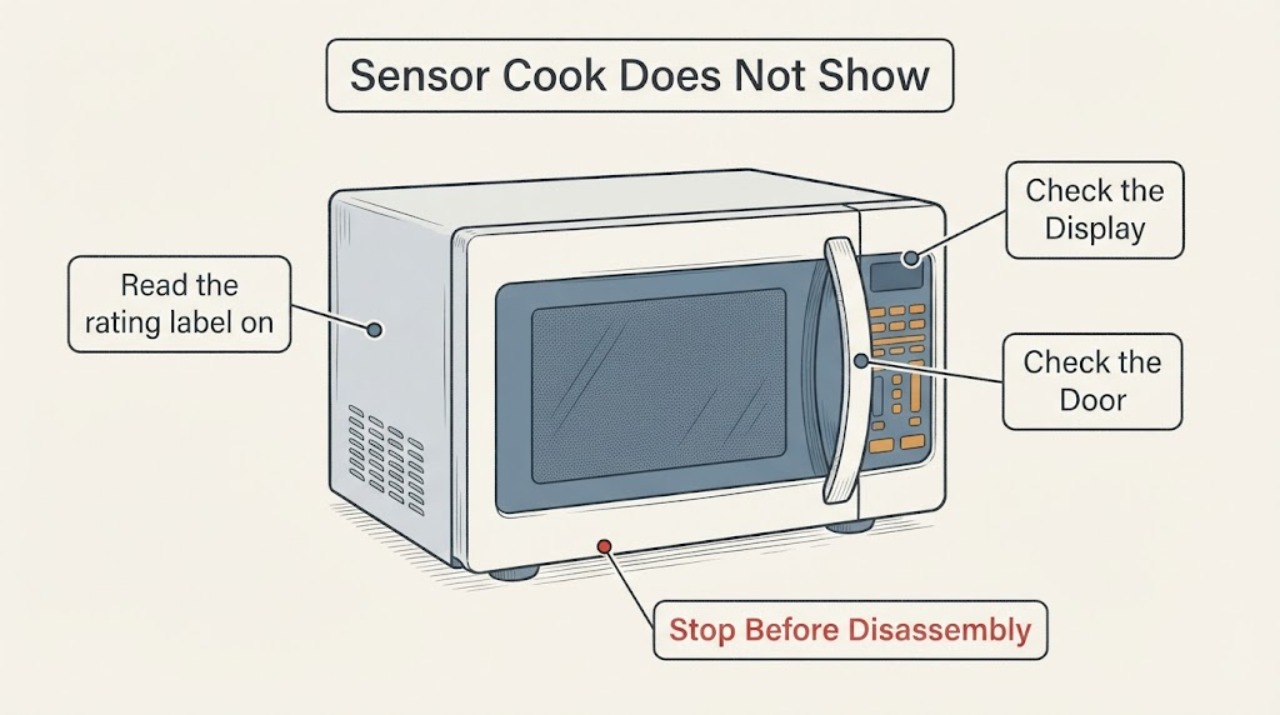
Work through in order
Diagnostic checks
Use only checks that match the exact appliance or system and its official guide.
-
Check 1
Read the rating label on the combination wall oven and confirm the complete model is KOCE507ESS before applying the procedure. KitchenAid's product page identifies KOCE507ESS as a 27-inch combination wall oven with an upper microwave-convection oven, and the opened guide lists KOCE507ESS among its covered models.
Expected result: The nameplate matches KOCE507ESS, or it shows a different model/suffix.
Next step: If it matches, continue with the sensor-state check. If it does not, stop model-specific button instructions and use the actual model's guide.
Why this matters
Why: A match makes the opened sensor and manual-control behavior applicable. A different model may use different menus, sensing states, or display messages.
-
Check 2
Start the assigned Sensor Cook, Sensor Reheat, or another sensor program with the food loosely covered and vented. Leave the door closed while it senses and watch whether a food/category or maximum-remaining-time display appears before a normal countdown.
Expected result: The oven shows a sensing/category or maximum-remaining-time state and later begins counting down, or it stays blank/unchanged and never enters a sensor state.
Next step: If the countdown begins, treat the behavior as normal and allow the cycle to finish. If the display remains blank or the controls do not respond, cancel the attempt and use the external/service checks below; do not open the control panel.
Why this matters
Why: A delayed countdown is the documented sensor sequence: the oven is estimating time from moisture. A completely blank or unchanged display is not the same as the documented temporary sensing state.
-
Check 3
Check the sensor setup without modifying the appliance: use food at normal storage temperature, a microwave-safe container with a loose lid or vented wrap, a dry container exterior, and a dry cavity. Do not open the door while the sensor is determining the time.
Expected result: The container is vented and dry and the food is suitable for sensing, or the cover is sealed, the cavity/container is wet, the food is frozen, or the door was opened during sensing.
Next step: Correct only the food/container setup and make one controlled sensor attempt. Use Manual Defrost for frozen food, and use manual time entry when the food or container cannot provide a reliable sensor signal.
Why this matters
Why: The first setup supports moisture detection. A sealed cover, moisture on the cavity/container, frozen food, or an opened door can prevent or cancel the documented sensing process; these observations do not prove a failed sensor component.
-
Check 4
If direct control is required, select the exact guide's Manual Cook, Manual Reheat, or Manual Defrost path and enter a time before pressing Start. If the display is blank, shows a letter followed by a number, the door will not close, or the microwave does not heat, perform only an accessible power/door observation and stop.
Expected result: Manual time entry produces a visible countdown and the oven operates, or manual entry is unavailable/ignored, the display is blank or shows an error, the door is damaged, or the oven does not heat.
Next step: Use manual mode for direct timing if it works. Otherwise stop using the microwave, keep the door closed, and request qualified KitchenAid service; never bypass door interlocks, remove panels, or test the high-voltage circuit.
Why this matters
Why: Working manual timing separates normal sensor behavior from a user-interface or operating fault. An error/blank display, damaged door or no-heat condition is outside a safe user adjustment; the manual routes persistent faults to qualified service.
Use your observations
Decision map
Find the observation that best matches what you see, then follow the next safe action.
-
PATH 01Next step
What you see
The KOCE507ESS shows a sensor state or maximum remaining time and then starts a countdown while the door stays closed.
Do this next
Let the sensor cycle complete, follow any documented stir/turn prompt, and use Manual Cook/Reheat/Defrost when you need a fixed visible time.
Why this path and its safety boundary
Why it matters: This matches the exact guide's automatic sensing sequence; Sensor Cook is controlling the time and power instead of exposing a fixed user-entered time at the start.
-
PATH 02Next step
What you see
The sensor cycle is interrupted by opening the door, or the food is frozen, the cover is sealed, or the cavity/container is wet.
Do this next
Use a vented, dry setup and keep the door closed for one retry; use Manual Defrost for frozen food or manual time entry when direct control is needed.
Why this path and its safety boundary
Why it matters: The conditions do not match the guide's sensor setup and can stop or prevent reliable moisture sensing; they do not identify a failed sensor or control board.
-
PATH 03Next step
What you see
The display is completely blank, shows a letter-number message, ignores all controls, or the microwave never heats even with manual timing.
Do this next
Stop using the microwave and arrange qualified KitchenAid service after checking only an accessible supply, control state, and intact door. Do not open the cabinet, bypass interlocks, or attempt high-voltage testing.
Why this path and its safety boundary
Why it matters: This is different from a delayed sensor countdown and falls within the manual's fault/service path. The observed symptoms do not prove a particular board, sensor, magnetron, or other internal part.
-
PATH 04Next step
What you see
The door, latch, hinges, seals, or control area is damaged, or food/materials ignite inside the cavity.
Do this next
Keep the door closed for a cavity fire, turn the oven off, disconnect power or shut off the breaker if safe, and obtain qualified service. Do not operate a damaged unit or force/bypass the interlocks.
Why this path and its safety boundary
Why it matters: KitchenAid's guide treats damaged doors/seals and fire conditions as safety issues; the microwave safety interlocks and high-voltage system are not user-serviceable.
Helpful context
Understand the symptom
Sensor Cook intentionally owns the time setting
KitchenAid's exact KOCE507ESS guide describes Sensor Cook as a function that detects moisture and automatically adjusts cooking time and power. It says the display shows the maximum remaining time first and counts down once the sensor identifies the duration. The missing fixed time during that sensing stage is therefore a function behavior, not by itself proof that the display or control has failed.
Use a sensor-compatible setup
For the sensor to estimate time, the guide calls for a loosely covered container with a vent, a dry cavity and dry container exterior, and a short powered-up period before using a sensor function. Opening the door during sensing stops the microwave function and can cancel the program. Frozen food should be handled with the manual defrost path rather than treated as a normal sensor input.
Choose manual cooking when you need a visible, adjustable time
The KOCE507ESS guide provides separate manual controls: enter a time and power for manual cooking, enter a time for Manual Reheat, or enter a time for Manual Defrost. Those modes give the user a direct time entry and countdown. A truly blank display, a letter-number message, a control that does not respond, or an oven that does not heat is a different problem and should be handled through external checks and qualified service rather than by removing panels.
Common questions
FAQ
Is it normal for Sensor Cook not to show a fixed cooking time immediately?
Yes. The KOCE507ESS guide says the sensor automatically adjusts time and power, displays a maximum remaining time, and starts the countdown after it identifies the duration. A delayed countdown during sensing is different from a blank display or error message.
How can I control the time myself?
Use the exact guide's Manual Cook procedure to enter a time and power, or choose Manual Reheat or Manual Defrost and enter a duration before pressing Start. Those modes are separate from the automatic sensor programs.
Why did the sensor program stop after I opened the door?
The guide says opening the door while sensing stops the microwave and can cancel the program. Keep the door closed during the sensing stage; if the food needs turning or stirring, follow the displayed prompt and the guide's resume instruction.
Can I remove the panel to test the sensor or high-voltage parts?
No. KitchenAid's exact guide says microwave service, adjustment, door interlocks and related repairs are for qualified service personnel. Stop using the unit for a blank/error display, damaged door, or no-heat condition and arrange service.
Read the exact guide
Official sources
- Guía de usuario — Horno de microondas con convección para empotrarKitchenAid · Official KitchenAid guide whose cover lists KOCE500ESS, KOCE500EBS and KOCE507ESS. It is the exact model-family document used for Sensor Cook behavior, manual Reheat/Defrost/Cook procedures, display troubleshooting, and microwave safety boundaries.
- 27" Combination Wall Oven with Even-Heat™ True Convection (lower oven) Stainless Steel KOCE507ESSKitchenAid · Exact KitchenAid product page for KOCE507ESS. It confirms the model identity, combination-wall-oven form, upper microwave-convection function, and KitchenAid service/support route; it does not diagnose a missing sensor countdown.
Community feedback
Share a repair observation
Share a plain-text repair observation. Accepted observations are published automatically; this page may take a moment to update.