
On this page
Start here
Quick answer
If a KitchenAid KMHS120ESS 4 shows Close Door and will not start after a door-interlock assembly was replaced, first confirm the complete model label, whether the display and cavity light still have power, and whether the door closes squarely without forcing it. KitchenAid says a door message can require one normal open-and-close before starting, but a message that remains after that check—especially immediately after door work—needs qualified service to review the door, latch, and interlock installation. Do not open the microwave cabinet or attempt an interlock or high-voltage test.
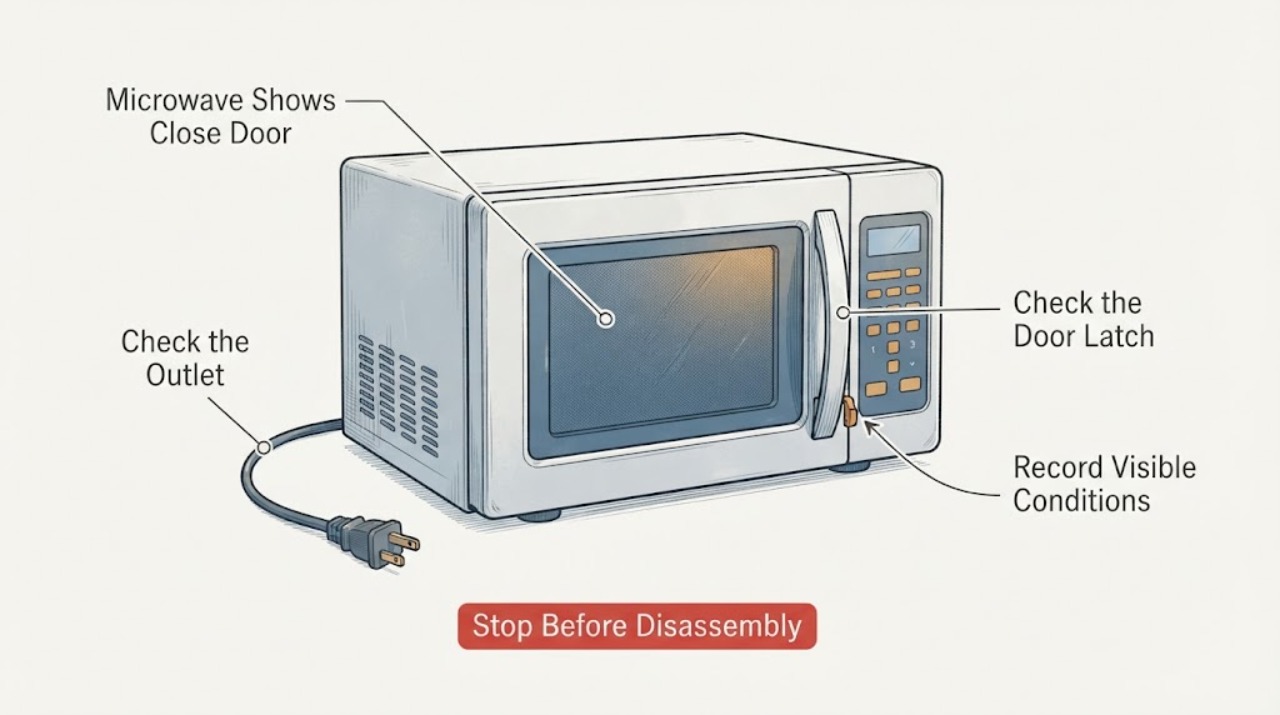
Work through in order
Diagnostic checks
Use only checks that match the exact appliance or system and its official guide.
-
Check 1
Read the complete model and serial labels, then record exactly when Close Door appears relative to the door-interlock assembly replacement. Note whether it appears immediately at startup or only after the door has remained closed.
Expected result: The label shows KMHS120ESS with a suffix that may differ from the assigned 4, and the message either appears immediately or follows a period of standby.
Next step: Use only literature matching the complete label. Tell the service provider that the symptom began after the interlock assembly replacement and include the exact display wording and timing.
Why this matters
Why: KitchenAid's model page confirms the KMHS120ESS base microwave hood combination, while its manuals workflow requires the complete model number. The timing is useful evidence, but it does not identify a particular part.
-
Check 2
Without removing any cover, check the external signs of power: display, interior light when the door is opened, and any normal control response. If the accessible microwave circuit or outlet protection has tripped, restore it once using the normal household control.
Expected result: The display and light are both dead, or they remain available while only the Close Door message prevents a cycle.
Next step: If normal external power does not return, stop and contact an electrician or qualified appliance servicer. If the display is live but Close Door remains, do not open the unit; continue with the visible door check and service handoff.
Why this matters
Why: Dead indicators point first to external power or the household circuit; live controls with a Close Door message keep the door-closure/interlock path in focus. This check cannot distinguish internal electrical parts safely.
-
Check 3
With the appliance idle, inspect only the visible door edges, latch openings, hinges, seal, and the frame where the door meets the oven. Look for an uneven gap, looseness, broken plastic, an obstruction, residue, or a door that no longer closes squarely after the repair.
Expected result: The door closes normally with no visible damage, or it is misaligned, loose, obstructed, or requires force to latch.
Next step: If the fit is abnormal or damaged, stop using the microwave and have the installer or qualified servicer correct the repair. Do not press a switch by hand, force the door, or defeat the interlock.
Why this matters
Why: KitchenAid identifies a firmly closed door, unobstructed latch area, and undamaged hinges, latches, seals, and sealing surfaces as necessary conditions. A changed fit after the replacement makes installation or alignment a service question, not proof that the new assembly itself is defective.
-
Check 4
If the door closes normally and there is no damage, perform only the official user-level action once: open and close the door normally, then try the intended control sequence without forcing the door or repeating tests.
Expected result: Close Door clears and the control starts, or the message remains or returns immediately.
Next step: If it clears, use only normal operation and monitor it. If it remains or returns, stop using the microwave and request qualified service with the post-repair history.
Why this matters
Why: KitchenAid documents the open-and-close step because a door message can remain after the door has been closed in standby; persistence after the step means the condition has not cleared and is not a safe basis for consumer switch diagnosis.
-
Check 5
Check the repair record, replacement assembly description, complete model label, and before/after behavior together. Record whether the door gap, latch feel, display, interior light, or Close Door message changed after the work; do not order another assembly from the symptom alone.
Expected result: The replacement work and the new message are temporally linked, or the same behavior existed before the work.
Next step: Give the complete record to the installer or qualified servicer and ask them to verify the exact model, door/latch alignment, and interlock installation using the correct service information.
Why this matters
Why: A clear post-repair change raises the priority of installation fit and model-specific service documentation, while unchanged behavior leaves external power, controls, and the door path open. Neither pattern identifies a compatible part without exact model confirmation.
Use your observations
Decision map
Find the observation that best matches what you see, then follow the next safe action.
-
PATH 01Next step
What you see
The display and interior light are dead, while the door looks normal.
Do this next
Check the accessible household circuit or outlet protection once. If power does not return, use an electrician or qualified appliance servicer.
Why this path and its safety boundary
Why it matters: The visible pattern is more consistent with an external supply or household circuit issue than with a Close Door-only control state; it still does not justify opening the microwave.
-
PATH 02Next step
What you see
The display is live, Close Door appears immediately after the interlock replacement, and the door gap or latch feel changed.
Do this next
Stop using the microwave and return it to the installer or a qualified servicer with the complete model and repair record. Do not attempt cabinet access or switch testing.
Why this path and its safety boundary
Why it matters: The timing and visible change make a post-repair door, latch, or interlock installation path the priority, but they do not prove which component is at fault.
-
PATH 03Next step
What you see
The door closes squarely, one normal open-and-close clears Close Door, and the control starts normally.
Do this next
Resume normal use only; stop and request service if Close Door returns or the door behavior changes.
Why this path and its safety boundary
Why it matters: This matches KitchenAid's documented standby door-message behavior more closely than a persistent interlock fault.
-
PATH 04Next step
What you see
Close Door remains or returns with a normal-looking door, or there is a loose/broken latch, smoke, arcing, burning odor, damaged door, or repeated household trip.
Do this next
Stop using the microwave and arrange qualified service. Keep the cabinet closed; never bypass the interlock or perform live or high-voltage testing.
Why this path and its safety boundary
Why it matters: The appliance has an unresolved safety or control condition. A normal-looking exterior cannot rule out internal interlock or electrical problems.
Helpful context
Understand the symptom
The repair timing matters as a triage clue, not as proof of a failed switch. A new Close Door message after the interlock assembly was replaced puts door fit, latch engagement, and the exact replacement procedure ahead of guesses about the magnetron or control board. KitchenAid's published guidance does not authorize a consumer to verify switch contacts or enter the cabinet; it says damaged doors, hinges, latches, seals, and sealing surfaces require qualified service.
The official pages consulted identify the base model KMHS120ESS rather than confirming the task's trailing 4 suffix. Keep the complete label and market information with the service request so the technician can match the correct literature and parts.
Only after diagnosis
Potential parts
- model-specific door interlock assembly
Consider this class only if a qualified servicer confirms that the exact model suffix and the installed assembly are mismatched, damaged, or incorrectly fitted.
The opened KitchenAid sources identify the KMHS120ESS base model but do not verify the assigned trailing 4 suffix or a part number; confirm the full label and fit information before ordering. - door latch or hinge hardware
Consider this class only if service inspection finds a visible or measured door-fit problem rather than a power-supply issue.
Do not infer compatibility from the symptom or from another KitchenAid microwave; use the complete model-specific parts information.
When checks do not resolve it
Need a professional?
Stop and arrange qualified service if Close Door persists after the single normal open-and-close instruction, if the door does not close squarely, if hinges or latches are loose or damaged, if the display remains dead after the accessible circuit is checked, or if smoke, arcing, burning odor, repeated breaker trips, or other abnormal operation occurs. KitchenAid states that the microwave should be serviced only by qualified personnel. Do not open the cabinet, bypass the safety interlocks, or perform electrical or high-voltage testing.
Common questions
FAQ
Does Close Door prove the replacement interlock switch is bad?
No. KitchenAid documents that a door message can remain until the door is opened and closed again, and it also directs attention to a firmly closed, unobstructed door. A message that began after repair makes installation and alignment important to review, but only qualified service can identify the internal cause.
What if the microwave display is completely blank?
Treat that as an external-power branch first: check the accessible household circuit or outlet protection once. If the display and interior light remain dead, stop and use an electrician or qualified appliance servicer rather than opening the microwave.
Can I test the door switches or open the microwave to check the wiring?
No. KitchenAid warns against tampering with the safety interlocks and says the microwave should be adjusted or repaired only by qualified service personnel. Keep the cabinet closed and provide the repair record to service.
Read the exact guide
Official sources
- KMHS120ESS | KitchenAidKitchenAid · KitchenAid KMHS120ESS model and Owner Center scope; the page identifies the base model and links model-specific support, while the complete suffix remains a label check.
- Kitchen Appliance Manuals | KitchenAidKitchenAid · KitchenAid KMHS120ESS 4 manual lookup scope; the official manuals page requires the complete appliance model number and does not itself confirm the assigned suffix.
- 30" 1000-Watt Microwave Hood Combination Stainless Steel KMHS120ESS | KitchenAidKitchenAid · KitchenAid KMHS120ESS 4 task identity scope; this official product page identifies the KMHS120ESS base model as a 30-inch 1000-watt microwave hood combination, but does not confirm the trailing 4 suffix.
- Door or Open Door Closed - Error Code - Over-the-Range MicrowaveKitchenAid Product Help · KitchenAid over-the-range microwave DOOR or OPEN/CLOSE DOOR display guidance, including Close Door behavior, latch obstruction, firm closure, and qualified service when the message does not clear.
- Owner's ManualKitchenAid · KitchenAid microwave hood combination door and no-operation guidance, including Close Door behavior, door/latch safety, household power checks, and qualified service boundaries; use only where the complete model literature matches.
- Microwave Display Not Working - No Power - Product Help | KitchenAidKitchenAid Product Help · KitchenAid microwave external no-power triage only: distinguish dead display/light from a live display with a door message; this is not model-specific internal repair guidance for KMHS120ESS 4.
Community feedback
Share a repair observation
Share a plain-text repair observation. Accepted observations are published automatically; this page may take a moment to update.