
On this page
Start here
Quick answer
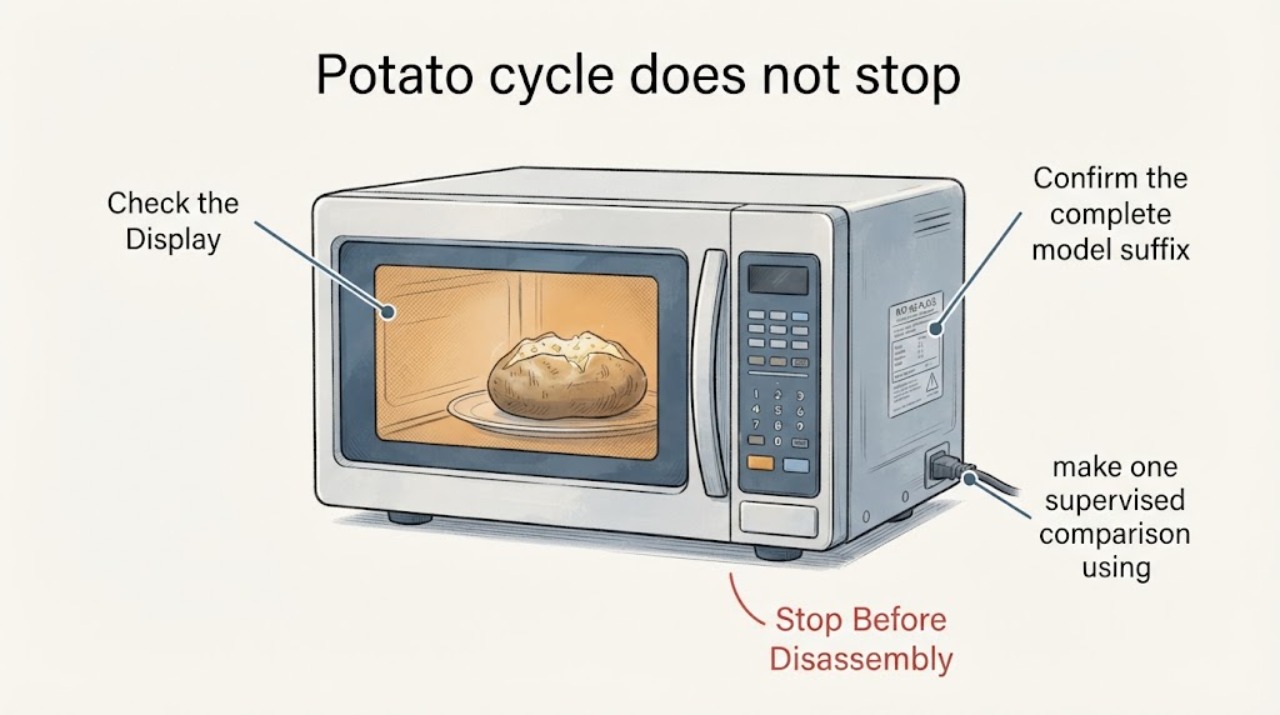
First confirm the full suffix after KMHS120, because KitchenAid's manuals and support are model-specific. On the KMHS120 quick-reference family, Potato is a preset program: pierce the potato, select the correct small/large size and quantity, and let it stand after cooking. The model manual says a completed non-sensor Potato cycle should show END and sound the end tone; a cooling fan may continue for about 3 minutes after cooking longer than 2 minutes. Fan-only operation with END on the display is therefore different from continued microwave heating, a rotating turntable, a cooking countdown, smoke, or a potato burning. If the magnetron appears to keep heating or the controls will not stop the cycle, press Stop/Unlock or open the door only if it opens normally, then disconnect power from a safe location and arrange qualified microwave service. Never remove the cover or attempt high-voltage, interlock, or microwave-leakage testing.
Work through in order
Diagnostic checks
Use only checks that match the exact appliance or system and its official guide.
-
Check 1
From a safe position, note what remains active when the potato program appears finished: the display says END or still shows a time, only the vent/cooling fan runs, the turntable continues, the cavity light stays on, you hear microwave heating, or there is smoke or a burning smell. Do not put your hands inside while the oven is operating.
Expected result: Only airflow remains with END displayed, or heat, turntable motion, a countdown, smoke, scorching, or an unresponsive control remains.
Next step: For fan-only operation, allow the documented cooling period and monitor it without restarting. For continued cooking, smoke, burning odor, or an unresponsive control, press Stop/Unlock or open the door only if it opens normally, then disconnect power from a safe location and arrange service.
Why this matters
Why: END plus fan-only operation can be the documented cooling behavior. Continued heating, turntable motion, an active countdown, smoke, or a burnt potato is not explained by a normal fan delay.
-
Check 2
Confirm the complete model suffix on the rating label and compare the Potato instructions in the matching KitchenAid manual. Check that the potato was pierced, the selected size was correct, the quantity was correct, and the turntable and potato placement matched the KMHS120 quick reference.
Expected result: The full model matches a KMHS120 document, the Potato selection and quantity were correct, or the suffix/setting is uncertain or different.
Next step: Use only the complete model's manual. If the suffix cannot be read or the display/program differs, stop using a borrowed keypad sequence and contact KitchenAid support or qualified service for the exact document.
Why this matters
Why: KitchenAid's KMHS120 quick reference distinguishes small and large potato quantities and requires piercing; a missing suffix or incorrect program selection can make the observed result impossible to compare safely with the manual.
-
Check 3
After the appliance is cool and only if the previous event was fan-only with END, make one supervised comparison using a properly pierced potato and the exact KMHS120 quantity selection. Stay nearby and be ready to use Stop/Unlock; do not repeat a program that previously smoked or overcooked the food.
Expected result: The program ends with END and only the fan runs briefly, the countdown continues beyond the expected end, the turntable keeps rotating, or the potato smokes or burns.
Next step: Stop after the first abnormal comparison. Disconnect power safely and request qualified microwave service; do not remove the outer cover or attempt to test the magnetron, capacitor, relay, or interlock.
Why this matters
Why: A repeatable END/fan-only result supports normal cooling. A repeatable failure to end or continued cooking changes this from a food-preparation issue to a control, relay, door-interlock, or other service-level microwave fault.
-
Check 4
If the fan remains on, determine whether it is the over-the-range vent fan cooling the microwave controls or a cavity/cooling fan described by the manual. Observe whether airflow stops on its own after the documented delay and whether the display has returned to the clock/standby state.
Expected result: Airflow stops after the delay and the microwave is in standby, or airflow continues indefinitely, cycles with heating, or the controls remain in a cooking state.
Next step: Monitor a normal cooling delay once. If it does not stop, operates with heat, or the display will not return to standby, leave the microwave off and schedule qualified service rather than repeatedly power-cycling it.
Why this matters
Why: A fan that finishes its cooling run while the oven is in standby is different from a control that keeps energizing cooking or never exits the program. A fan alone cannot establish a failed part.
-
Check 5
Prepare the service handoff with the full model suffix, Potato size and quantity, whether the potato was pierced, the exact display at the apparent end, fan/turntable/heating behavior, elapsed cooling time, and any smoke, odor, sparking, or door issue. Do not open the microwave cabinet to collect more information.
Expected result: The fault is reproducible, intermittent, or only occurs with the Potato preset while manual timed cooking ends normally.
Next step: Leave the unit out of service for continued-cooking or safety symptoms and give the complete record to KitchenAid or a qualified microwave technician. Do not order a control board or keypad from the symptom alone.
Why this matters
Why: A Potato-only failure with normal manual shutdown points toward a preset/control or sensor-program issue, while failure of manual timed cooking or door-stop behavior raises a broader control/interlock concern. Only a technician can safely test those internal circuits.
Use your observations
Decision map
Find the observation that best matches what you see, then follow the next safe action.
-
PATH 01Next step
What you see
The display shows END, microwave heating and turntable motion have stopped, and only airflow continues briefly before standby.
Do this next
Allow the fan to complete its cooling run and remove the potato after the cycle. Do not disconnect or replace parts for fan-only operation that stops normally.
Why this path and its safety boundary
Why it matters: This matches the KMHS120 manual's documented end state and post-cooking cooling behavior rather than a microwave that is still cooking.
-
PATH 02Next step
What you see
The Potato program shows END but the turntable or microwave heating continues, or the potato smokes, burns, or produces a burning odor.
Do this next
Press Stop/Unlock or open the door only if it opens normally, then disconnect power from a safe location and stop using the microwave. Arrange qualified service without opening the cover or attempting an interlock or high-voltage test.
Why this path and its safety boundary
Why it matters: The end-state safety boundary is not behaving normally; the fan-delay explanation is insufficient.
-
PATH 03Next step
What you see
Manual timed cooking ends normally, but the Potato preset repeatedly fails to end or behaves differently after the full model suffix and quantity are confirmed.
Do this next
Stop using the Potato preset and provide KitchenAid service the exact suffix, quantity, display state, and whether manual cooking shuts off. Do not use another model's sensor procedure or order a board from this pattern alone.
Why this path and its safety boundary
Why it matters: The fault is more localized to the preset/control path than to a general inability to stop microwave cooking, but the internal cause is not identifiable from user observations.
-
PATH 04Next step
What you see
The display remains in a cooking countdown, the fan runs indefinitely with no standby state, the controls do not respond, or a breaker trips repeatedly.
Do this next
Disconnect power from a safe location and request qualified microwave service. Do not remove panels, defeat the door interlock, probe high-voltage parts, or continue testing while energized.
Why this path and its safety boundary
Why it matters: A persistent control, relay, door-interlock, or electrical fault is possible and is not a safe food-preparation troubleshooting branch.
Helpful context
Understand the symptom
What 'not shutting off' can mean
A KitchenAid over-the-range microwave can continue to sound or move air after cooking while its microwave power is already off. The KMHS120 manual describes END at the end of the Potato program and a cooling/forced-convection fan that can run for 3 minutes after a cooking time longer than 2 minutes. The safety question is whether only the fan remains on, or whether the oven is still heating, counting down, turning the table, or producing smoke.
Why the full model suffix matters
KMHS120 is a model family prefix used in KitchenAid documents and products with suffixes such as ESS or EWH. Record the complete rating-label model before applying a keypad sequence or ordering a part. Do not borrow a sensor-cooking behavior, fan timing, or service procedure from another KitchenAid microwave.
When checks do not resolve it
Need a professional?
Request qualified microwave service if Potato cooking continues after END, the turntable or heating remains active, the fan never returns the unit to standby, the controls are unresponsive, the door or interlock is damaged, or the same fault returns. Stop immediately for smoke, burning odor, sparking, a damaged door or seal, repeated breaker trips, or any sign that microwave energy continues after the door is opened; disconnect power only from a safe location. Never remove the microwave cover, test the magnetron/capacitor/relay, bypass the door interlock, or attempt a microwave-leakage test at home.
Common questions
FAQ
Is it normal for a KitchenAid KMHS120 fan to keep running after Potato finishes?
It can be normal for a cooling fan to run briefly after cooking. The KMHS120 manual says that after cooking longer than 2 minutes, the cooling and forced-convection fans can run for 3 minutes. Fan-only operation with END and no heat or turntable motion is different from continued cooking.
Does the KMHS120 Potato program use a sensor?
The KitchenAid manual identifies Potato under the non-sensor menu for this family. Use the full model suffix and matching manual because similar KitchenAid microwaves can have different menus or behaviors.
What should I do if the potato keeps cooking or smokes?
Stop the cycle with Stop/Unlock or open the door only if it opens normally, disconnect power from a safe location, and stop using the microwave. Do not remove the cover or attempt high-voltage or door-interlock repairs.
Read the exact guide
Official sources
- Cooking Functions - Microwave - Product HelpKitchenAid · Official KitchenAid Product Help opened for the Potato control sequence and sensor-function distinction; menu labels can vary by model and the exact KMHS120 suffix remains controlling.
- KitchenAid Microwave Owner's Manual W11695423KitchenAid · Official KitchenAid microwave manual opened for the KMHS120 family behavior; verify the complete suffix on the appliance before applying any procedure.
- KitchenAid Microwave Hood Combination Model KMHS120 Quick Reference GuideKitchenAid · Exact KMHS120-family quick reference opened; it identifies small and large potato quantities, piercing, placement, and standing time, but does not authorize internal repair.
- 30" 1000-Watt Microwave Hood Combination Stainless Steel KMHS120ESSKitchenAid · Official KitchenAid product page for a KMHS120 suffix variant; used only to distinguish the over-the-range vent fan from microwave heating and not to infer every suffix's controls.
Community feedback
Share a repair observation
Share a plain-text repair observation. Accepted observations are published automatically; this page may take a moment to update.