
On this page
Start here
Quick answer
For the KitchenAid KBMS1454SSS-3 built-in microwave, first treat a stationary glass plate as a turntable-support problem that can be checked from the cavity, not as permission to open the microwave. Turn the controls off, let the cavity cool, and make sure the glass is the correct side up and seated securely on the support, hub, and rollers. Remove the plate only for the manual's user-level cleaning check: clean the hub, support, and rollers, reinstall the assembly, and use a cup of water for a supervised test. The KBMS1454 Use & Care Guide says the turntable can rotate in either direction, so a direction change is normal; if the correctly installed assembly still does not move, stop and arrange qualified service. Do not operate without the glass and support, defeat the door interlock, remove covers, or test the high-voltage microwave circuitry.
Before you begin
Safety first
- Do not remove the outer cabinet, perform live electrical or high-voltage tests, discharge or replace a capacitor, inspect the magnetron, bypass the door interlock, or operate the microwave with the turntable/support, door, latch, or seal damaged. Use qualified KitchenAid service for anything beyond the accessible glass, hub, support, and roller check.
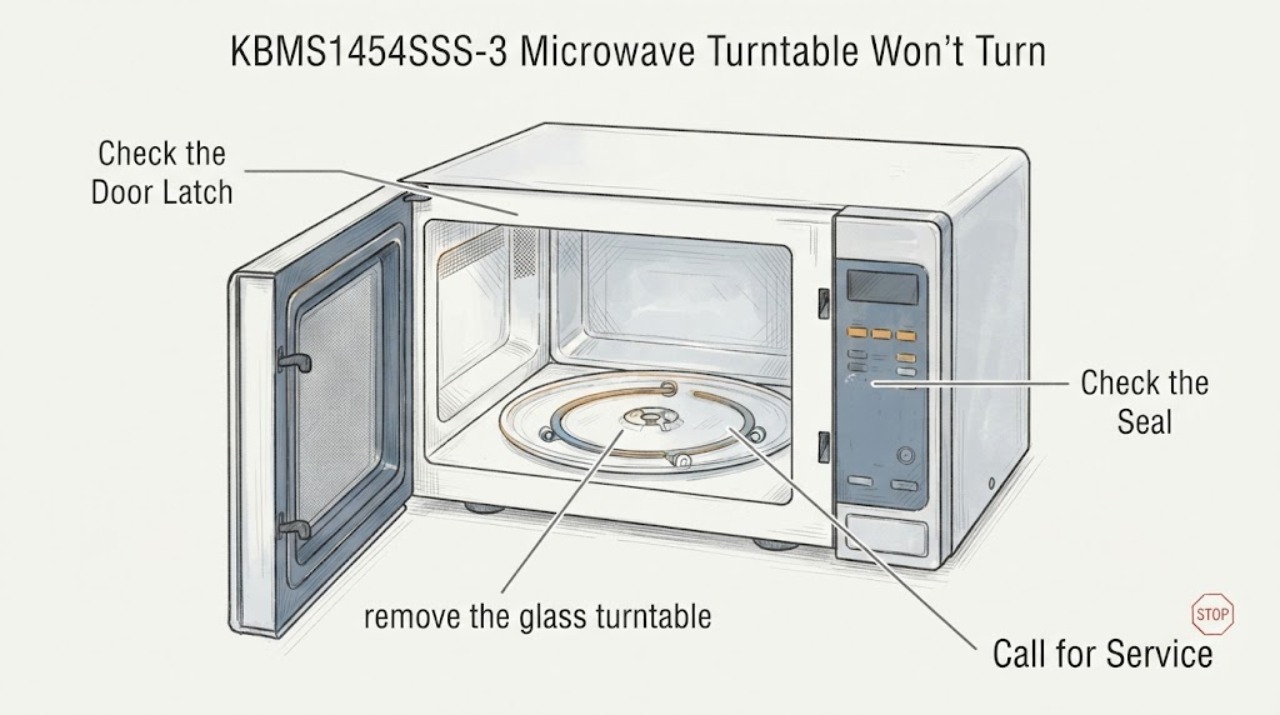
Work through in order
Diagnostic checks
Use only checks that match the exact appliance or system and its official guide.
-
Check 1
Stop the cooking cycle, turn the controls off, allow the cavity to cool, and do not run the microwave with the glass turntable or its support removed. Do not operate it with a damaged door, latch, seal, or cavity, and do not open the cabinet.
Expected result: The glass or support is missing, cracked, visibly damaged, the door does not close normally, or the microwave has smoke, arcing, or an electrical smell; or the cavity and door appear intact.
Next step: For damage, arcing, smoke, or an abnormal electrical smell, disconnect power only if it is safe and arrange qualified service. If the cavity and door are intact, continue with the unpowered seating check.
Why this matters
Why: The KBMS1454 guide says not to operate without the turntable in place and limits adjustment or repair to qualified service personnel. Door or cavity damage and signs of arcing or electrical damage make a turntable test unsafe.
-
Check 2
With the microwave off and cool, remove the glass turntable and inspect the underside, the center hub, the support, and all rollers. Reinstall the support and hub as an assembly, then place the glass on top with the raised curved lines fitted between the three hub spokes and the rollers inside the bottom ridge, as shown in the KBMS1454 guide.
Expected result: The glass was upside down or off-center, a roller or hub was displaced, or the parts are seated correctly and rotate freely by hand without forcing them.
Next step: Correct only the visible seating problem and proceed to cleaning. If a roller, hub, support, or glass is cracked, warped, missing, or does not seat, stop using the microwave and have the exact model and part fit checked by KitchenAid service.
Why this matters
Why: The manual identifies incorrect seating as the first cause of a non-operating turntable and gives the hub/roller seating arrangement. Free movement after correct seating makes a simple installation issue more likely; it does not prove the drive motor is defective.
-
Check 3
Clean the removed hub, support, and rollers with a soft, non-abrasive method, remove food debris from the cavity floor, and reinstall the parts. Keep the inlet cover, door seal, and sealing surfaces clean without using metal scouring pads or abrasive material.
Expected result: Debris or residue was obstructing a roller/hub, the assembly is clean and seated, or the assembly remains rough, jammed, or visibly damaged.
Next step: If cleaning restores free movement and the parts seat correctly, perform one supervised water-cup test. If the assembly remains rough or damaged, do not force it or improvise lubrication; arrange qualified service.
Why this matters
Why: KitchenAid's guide specifically directs removal and cleaning of the hub, support, and rollers for a turntable that will not operate, and warns against abrasive or metal cleaning materials in the cavity. Persistent binding after safe cleaning is outside the documented user correction.
-
Check 4
After the glass and support are correctly installed, place one cup of water on the turntable and run a brief, attended normal cooking test using the appliance controls. Keep the door closed during operation and stop immediately for arcing, smoke, abnormal noise, or a door/seal problem.
Expected result: The turntable rotates and the test is normal, the turntable remains stationary while the microwave otherwise runs, the turntable alternates direction, or the microwave will not operate at all.
Next step: If the turntable remains stationary, stop testing and contact KitchenAid service. If the direction changes between cycles, no repair is indicated for that observation. If the oven will not operate or shows an internal-problem message, use the exact manual/service path rather than repeating tests.
Why this matters
Why: The KBMS1454 troubleshooting section uses a one-cup water test after cleaning and says alternating rotation direction is normal. A stationary turntable after correct seating and cleaning is a service condition; a microwave that will not operate at all is a separate power/control or safety issue and is not diagnosed by the plate alone.
-
Check 5
Before requesting service, record the complete model and serial label, whether the plate was correctly seated, whether the hub/support/rollers were cleaned, whether the one-cup test heated normally, and any display message, arcing, smoke, or unusual noise. Use KitchenAid's model lookup/manual path for the exact suffix.
Expected result: The correctly installed and cleaned turntable still does not rotate, or the appliance has a separate operating, door, power, or internal-problem symptom.
Next step: Leave the microwave out of service and arrange qualified KitchenAid service. Do not remove the outer cover, test capacitors or magnetron, bypass the door interlock, or replace an internal component based on the turntable symptom.
Why this matters
Why: KitchenAid's exact-family guide directs service when the turntable still fails after the support and roller check and says the complete model and serial number help service respond. It does not support a user diagnosis of the turntable motor, switch, control, or high-voltage components.
Use your observations
Decision map
Find the observation that best matches what you see, then follow the next safe action.
-
PATH 01Next step
What you see
The glass was off-center, upside down, or not seated on the hub/support, and it becomes stable after the documented reassembly.
Do this next
Run one attended cup-of-water test with the complete turntable assembly installed. If it rotates normally, resume ordinary use while keeping the assembly correctly seated.
Why this path and its safety boundary
Why it matters: This matches the KBMS1454 manual's first user-level turntable check and does not establish a failed motor or control.
-
PATH 02Next step
What you see
The hub, support, or rollers contain food debris, are rough, or were displaced, but none is cracked or missing.
Do this next
Clean the accessible parts, reinstall them, and perform the supervised water-cup test. Do not force a roller or use metal scouring tools.
Why this path and its safety boundary
Why it matters: The manual specifically directs cleaning and replacement of the turntable assembly before service, so obstruction or seating is still a plausible user-level explanation.
-
PATH 03Next step
What you see
The turntable changes from clockwise to counterclockwise between cycles while the glass, support, and rollers are correctly seated.
Do this next
No repair is needed for direction reversal alone. Continue only with the turntable fully installed and the door and cavity intact.
Why this path and its safety boundary
Why it matters: The KBMS1454 guide says alternating rotation direction is normal and depends on the motor's direction at the beginning of a cycle.
-
PATH 04Next step
What you see
The turntable remains stationary after correct seating, cleaning, and the one-cup test, or the hub/support/rollers are damaged.
Do this next
Stop using the microwave and schedule qualified KitchenAid service with the complete model/serial information. Do not open the cabinet or order a motor, switch, control, or high-voltage part from the symptom alone.
Why this path and its safety boundary
Why it matters: KitchenAid's exact-family troubleshooting path ends at service in this situation; the evidence does not identify which internal component, if any, has failed.
-
PATH 05Next step
What you see
The microwave has smoke, arcing, an electrical smell, a damaged door or seal, an internal-problem message, or will not operate at all.
Do this next
Stop and isolate power only when safe, keep the door closed if something ignites, and arrange qualified service. Do not repeat the test, bypass the interlock, or remove the cover.
Why this path and its safety boundary
Why it matters: These are safety or separate operating conditions, not a simple turntable-seating result. The manual requires qualified service for adjustment or repair and warns against operating a damaged oven.
Helpful context
Understand the symptom
The full model suffix still matters
The opened KitchenAid manual is titled for the KBMS1454 built-in microwave family, while the assigned appliance is KBMS1454SSS-3. KitchenAid's manuals and Product Lookup pages require the complete model number for model-specific documents. Use the full label from the appliance when arranging service or checking a different control feature; the user-level turntable checks below are limited to the mechanism and troubleshooting text in the KBMS1454 guide.
A turntable problem is not a safe reason to open a microwave
KitchenAid's safety instructions say the oven should not be operated if damaged and that it should be adjusted or repaired only by qualified service personnel. The guide's safe user path ends after the glass, hub, support, and rollers are correctly installed and cleaned. It does not authorize cabinet removal, live testing, door-interlock bypass, or magnetron/high-voltage work.
When checks do not resolve it
Need a professional?
Call KitchenAid or qualified appliance service if the turntable still does not rotate after correct seating, safe cleaning, and the documented one-cup test; if any turntable part is damaged; or if the microwave has smoke, arcing, an electrical smell, a damaged door/seal, an internal-problem message, or a separate no-operation symptom. Do not continue testing while any safety condition is present.
Safety scope: Do not remove the outer cabinet, perform live electrical or high-voltage tests, discharge or replace a capacitor, inspect the magnetron, bypass the door interlock, or operate the microwave with the turntable/support, door, latch, or seal damaged. Use qualified KitchenAid service for anything beyond the accessible glass, hub, support, and roller check.
Have this ready
- Provide the complete model and serial number, the exact KBMS1454SSS-3 label, whether the glass was seated correct-side-up, whether the hub/support/rollers were cleaned, the result of the one-cup water test, whether the oven heats, any display message, and any smoke, arcing, abnormal noise, or door/seal damage.
Common questions
FAQ
Is it normal for the KitchenAid KBMS1454SSS-3 turntable to change direction?
Yes. The KBMS1454 Use & Care Guide says the turntable can rotate in either direction and that alternating direction depends on the motor's rotation at the beginning of a cycle. Direction reversal alone is not a fault.
What should I check first when the KBMS1454 turntable does not move?
Turn the controls off and let the cavity cool, then verify that the glass is the correct side up and seated securely on the support, hub, and rollers. The manual also directs removing and cleaning the hub, support, and rollers before reinstalling the assembly.
Can I run the KitchenAid microwave without the glass plate to test it?
No. The KBMS1454 guide says not to operate the microwave without the turntable and support in place. Do not substitute a plate, remove the support, or run the oven with a damaged assembly.
Does a stationary turntable prove the turntable motor is bad?
No. KitchenAid's user troubleshooting path checks seating and cleaning first, then directs service if the assembly still does not work. The guide does not authorize a user diagnosis of the motor or another internal component from the symptom alone.
Why do I need the complete KBMS1454SSS-3 model number for service?
KitchenAid's manuals and Product Lookup pages use the complete model number to locate the applicable documents. The opened guide is labeled for the KBMS1454 family, so provide the full suffix from the appliance label before ordering parts or requesting model-specific instructions.
Read the exact guide
Official sources
- Use & Care Guide — Built-In Microwave Oven, Model KBMS1454KitchenAid, Whirlpool Corporation · KitchenAid KBMS1454 built-in microwave family, including the assigned KBMS1454SSS-3 model prefix: turntable seating, hub/support/roller cleaning, turntable troubleshooting, safety and qualified-service boundaries
- Product Lookup - Product Help | KitchenAidKitchenAid · KitchenAid complete model-number lookup for product manuals, service and model-specific support
- KitchenAid Manuals & LiteratureKitchenAid · KitchenAid appliance manual lookup by complete model number and official support/service documentation
Community feedback
Share a repair observation
Share a plain-text repair observation. Accepted observations are published automatically; this page may take a moment to update.