
On this page
Start here
Quick answer
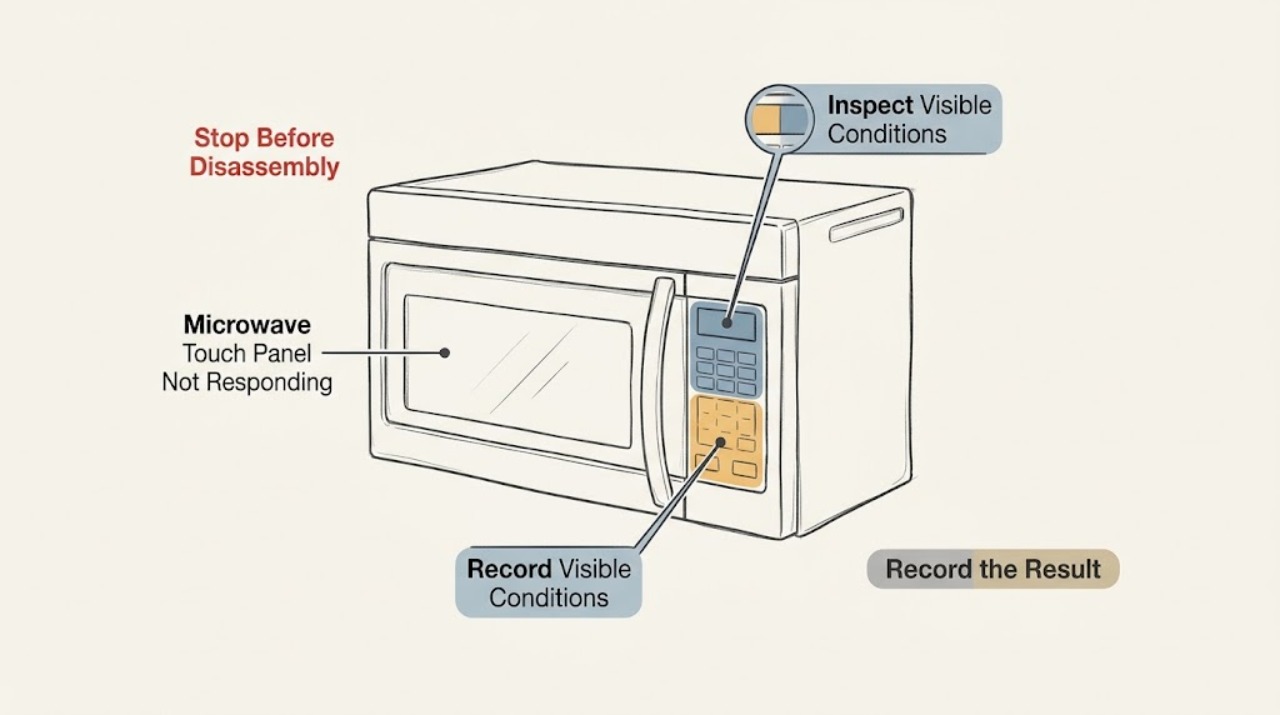
Do not order a control panel from this symptom alone. On the KitchenAid KHMS2040BSS over-the-range microwave, first record whether the display is lit and whether all controls or only a group of touch keys fail. Check for a LOC, L, or padlock indication, make sure the exterior panel is cool and dry, verify accessible power, and perform the KitchenAid one-minute power cycle once. If the display or controls remain unresponsive, or if the door, cord, or cavity is damaged, leave the microwave out of use and have qualified microwave service identify the failed circuit. Never open the cabinet, bypass the door interlock, perform live electrical tests, or replace a control or touch component yourself.
Work through in order
Diagnostic checks
Use only checks that match the exact appliance or system and its official guide.
-
Check 1
Before trying another cycle, stop and look for sparks, smoke, a burning odor, a hot or damaged plug or cord, a bent door, a damaged seal, or scorch marks in the cavity. Do not open the cabinet or operate the microwave to test a questionable door.
Expected result: Any arcing, smoke, burning odor, abnormal heat, cord damage, door damage, or cavity damage is present, or none of those hazards is visible.
Next step: For any hazard, stop using the microwave and isolate power only if that can be done safely; arrange qualified appliance service. If no hazard is visible, continue only with the external checks below.
Why this matters
Why: A visible or odor-based hazard is a safety boundary, not evidence that a touch panel part is the answer. An intact exterior does not make an unresponsive control safe to open or diagnose internally.
-
Check 2
With the controls off and the microwave cool, record the exact display state and test a few clearly different controls without pressing hard: note whether the clock/display is lit, whether a beep occurs, and whether every key fails or only one row, mode group, or start control fails. Do not keep pressing a stuck key.
Expected result: The display is lit and a subset of keys responds, the display is lit but no key responds, or the display is dark and no control responds.
Next step: Photograph the display and note the exact keys that work or fail. Use that pattern in the service request instead of ordering a keypad or control board from the symptom.
Why this matters
Why: A live display with a localized or partial key failure is a distinct input pattern for service triage; it does not identify a replaceable part. A dark display with total nonresponse first keeps power or control-state causes in scope. A live display with total nonresponse keeps lock, control-state, and control-panel faults in scope.
-
Check 3
Look for LOC, L, or a padlock icon and follow only the control-lock instruction in the exact owner material for the KHMS2040BSS. Do not try random key combinations; if the display gives an unlock instruction, follow that single instruction once.
Expected result: LOC, L, or a padlock icon is shown and the controls respond after the documented unlock, or no lock indication is shown or the panel remains unresponsive.
Next step: If unlocking restores normal input, monitor the appliance. If it does not, move to the power check and then service; do not remove the panel to inspect the lock circuit.
Why this matters
Why: KitchenAid says those indications mean Control Lock is enabled and that Control Lock disables the control-panel pads. If there is no lock indication or unlocking changes nothing, the lock explanation is not enough to explain the symptom.
-
Check 4
Verify only the accessible household supply: make sure the microwave is connected to its operational grounded outlet and check whether the supplying breaker has tripped. If the outlet is safely accessible, use a known-working small appliance to check the outlet; do not dismantle the receptacle or microwave wiring.
Expected result: The outlet or breaker is interrupted, the supply is restored without another trip, or the supply is normal but the microwave remains unresponsive.
Next step: Restore a tripped household supply only once if it is safe to do so. If it trips again, disconnect or switch off the microwave circuit and arrange qualified electrical or appliance service. If power is normal, continue to the single reset.
Why this matters
Why: KitchenAid lists the outlet, breaker, Control Lock, and Demo mode among external causes of a microwave that will not start. A breaker that trips again is not a reset invitation; it is a possible electrical fault.
-
Check 5
Perform KitchenAid's external power cycle once: unplug the microwave or turn off its breaker for one minute, then restore power and verify the display and controls. Do not repeat the cycle if the breaker trips, the plug heats, or an odor or spark appears.
Expected result: The display and controls recover, they remain partly or wholly unresponsive, or the supply trips or shows a hazard when power is restored.
Next step: If the panel recovers, test no further than the exact owner instructions and monitor. If it does not, or a hazard occurs, keep the microwave out of use and give the technician the recorded display and key pattern.
Why this matters
Why: KitchenAid describes the one-minute cycle as a restart for a frozen or nonresponsive display. Recovery points to a temporary control-state interruption, not proof that an internal part is healthy; persistent or hazardous behavior remains a service issue.
-
Check 6
If there was recent steam, spray, or cleaning, leave the controls off and cool, then clean the exterior keypad using the over-the-range guidance: a soft cloth with mild soap and water for traditional controls, or cleaner applied to the cloth rather than directly to a glass panel; dry it completely. Do not spray into seams or use abrasive materials.
Expected result: The surface was visibly wet or coated and input returns after it is completely dry, or the panel stays unresponsive despite a clean, dry exterior.
Next step: If drying restores input, avoid direct spray and monitor. If the panel remains unresponsive, stop troubleshooting at the exterior and arrange qualified microwave service; do not remove the control panel.
Why this matters
Why: A wet or residue-covered surface can interfere with touch input or damage the finish, so improvement after external drying is a surface-state clue. It does not prove that moisture reached an internal control or that a panel replacement is required.
Use your observations
Decision map
Find the observation that best matches what you see, then follow the next safe action.
-
PATH 01Next step
What you see
The display is dark, every key is dead, or the breaker trips again after the accessible supply check or one power cycle.
Do this next
Leave the microwave disconnected or switched off and arrange qualified appliance or electrical service. Do not bypass a fuse, open the cabinet, or perform live tests.
Why this path and its safety boundary
Why it matters: The pattern keeps household power interruption or an internal power/control fault in scope. It does not distinguish a fuse, board, keypad, or other component from outside the cabinet.
-
PATH 02Next step
What you see
The display is lit and LOC, L, or a padlock icon appears, then documented unlocking restores the controls.
Do this next
Use the microwave normally only after the exact model instructions show the lock is cleared. If the lock returns or controls remain unreliable, request service and report the display indication.
Why this path and its safety boundary
Why it matters: This matches KitchenAid's Control Lock explanation: the lock disables the control-panel pads. It is a control-state result, not a replacement-part diagnosis.
-
PATH 03Next step
What you see
The display is lit but only a group of touch keys fails, while other keys still respond.
Do this next
Record the exact working and nonworking keys and stop ordering parts from the symptom. Arrange qualified microwave service for model-specific diagnosis.
Why this path and its safety boundary
Why it matters: A partial input pattern is different from a total no-power symptom and gives the technician a more useful observation to reproduce. It still cannot identify whether the keypad surface, its connection, control electronics, or another condition is responsible.
-
PATH 04Next step
What you see
The exterior was wet or had cleaning residue and the controls recover only after the cool, external surface is cleaned and fully dried.
Do this next
Avoid direct spray and abrasive cleaners, monitor for recurrence, and request service if any key remains intermittent or stops again.
Why this path and its safety boundary
Why it matters: The timing makes surface moisture or residue a plausible contributor, but it does not prove an internal failure is absent.
-
PATH 05Next step
What you see
All controls remain unresponsive after the documented lock check, accessible power check, and one-minute cycle, or the door will not close and latch normally.
Do this next
Keep the microwave out of use and give the technician the full model suffix, display state, key pattern, breaker history, and any door or odor observations. Do not open the case or bypass the door interlock.
Why this path and its safety boundary
Why it matters: The user-safe checks have not isolated the cause. Door/interlock and internal control faults require model-specific service, and a symptom alone cannot select a replacement part.
Helpful context
Understand the symptom
A nonresponsive touch panel is an input symptom, not a part number. The first useful split is whether the display is alive and whether the failure affects every key or only a region of the panel. That observation changes what a technician should verify, but it does not prove that the keypad, control board, door interlock, or another internal part is the cause.
The checks below stay outside the microwave enclosure. KitchenAid's opened pages cover the over-the-range form factor, Control Lock, power interruption, and external keypad cleaning. The exact full model suffix should still be given to the technician because a KHMS2040 family guide is not a parts diagnosis for every revision.
When checks do not resolve it
Need a professional?
Arrange qualified microwave service if the panel stays partly or wholly unresponsive after the Control Lock check, accessible power check, and one KitchenAid one-minute power cycle; if the breaker trips again; or if the door does not close and latch reliably. Stop immediately for sparks, smoke, burning odor, abnormal heat, a damaged cord or plug, cavity scorch marks, or a damaged door or seal. Never open the cabinet, remove internal covers, bypass the door interlock, perform live electrical tests, or attempt to replace a keypad, control board, fuse, capacitor, or other microwave component yourself.
Common questions
FAQ
Which part should be replaced when a KitchenAid KHMS2040BSS touch panel stops responding?
No part can be selected safely from nonresponse alone. A technician must first distinguish a lock or power state, a partial versus total input failure, a door/interlock condition, and an internal control fault using the exact full model information. Do not order or install a keypad or control board based only on the symptom.
What does LOC, L, or a padlock icon mean on this over-the-range microwave?
KitchenAid says the Control Lock is enabled and disables the control-panel pads. Use only the unlock instruction shown for the exact model or its owner material; KitchenAid lists more than one model-dependent control, so do not guess a key combination.
Can I reset the microwave or remove the touch panel to test it?
You may perform KitchenAid's one-minute external power cycle once, provided there is no hazard and the breaker is not repeatedly tripping. Do not remove the cabinet or control panel, bypass the door interlock, or perform live tests; persistent nonresponse belongs with qualified microwave service.
Can cleaning or steam make the touch panel seem dead?
A cool exterior panel can be cleaned with a soft cloth using the over-the-range guidance, and it should be dried completely; for a glass panel, put cleaner on the cloth rather than directly on the panel. If the controls remain dead after the surface is dry, stop at exterior checks and arrange service.
Read the exact guide
Official sources
- Not Starting - Has Power - Over-the-Range Microwave - Product Help | KitchenAidKitchenAid Product Help · The page is explicitly for over-the-range microwaves and covers Control Lock, Demo mode, Start selection, and firmly closing the door.
- Display Not Scrolling - Over-the-Range Microwave - Product Help | KitchenAidKitchenAid Product Help · The page is explicitly tagged and titled for over-the-range microwaves and addresses a frozen or nonresponsive display, Control Lock, a one-minute power cycle, and service escalation.
- Not Powering On - Over-the-Range Microwave - Product Help | KitchenAidKitchenAid Product Help · The page is explicitly for over-the-range microwaves and covers a grounded operational outlet, a one-minute power cycle, breaker behavior, Control Lock, and Demo mode.
- Cleaning the Control or Keypad - Over-the-Range Microwave - Product Help | KitchenAidKitchenAid Product Help · The page is explicitly for over-the-range microwave controls and gives external cleaning and drying instructions without opening the appliance.
- LOC or "L" or Padlock Icon - Over-the-Range Microwave - Product Help | KitchenAidKitchenAid Product Help · The page is explicitly for over-the-range microwaves and states that LOC, L, or a padlock indicates Control Lock; it directs the reader to model-specific instructions because the unlock control varies by model.
- Quick Reference ManualKitchenAid · The opened KitchenAid guide identifies the KHMS2040 microwave hood combination controls and operation. It is used here for family/form-factor identity and not as proof of a replacement part or exact suffix-specific internal diagnosis.
Community feedback
Share a repair observation
Share a plain-text repair observation. Accepted observations are published automatically; this page may take a moment to update.