
On this page
Start here
Quick answer
A KitchenAid oven cooling fan commonly runs during cooking and after a cycle to cool the cavity and electronic controls. The run time depends on the oven temperature, cycle duration and surroundings, so noise after shutdown alone does not prove a fault. First record when the sound occurs and whether it stops when the door is opened during a safe cooking observation: KitchenAid uses that distinction to separate convection-fan operation from cooling-fan operation. Do not reach into the oven or remove panels. A rubbing or metal-on-metal sound, a fan that continues abnormally with other control/heat symptoms, smoke, burning odor or a damaged fan area needs the exact manual and KitchenAid service; do not lubricate, bend or replace the fan without model-specific instructions.
Before you begin
Safety first
- Limit owner checks to noting cycle/timing, listening from outside, observing airflow and locating the exact model manual. Do not reach into the oven, remove panels, lubricate or bend blades, probe wiring, or order a fan/control part without model-specific evidence.
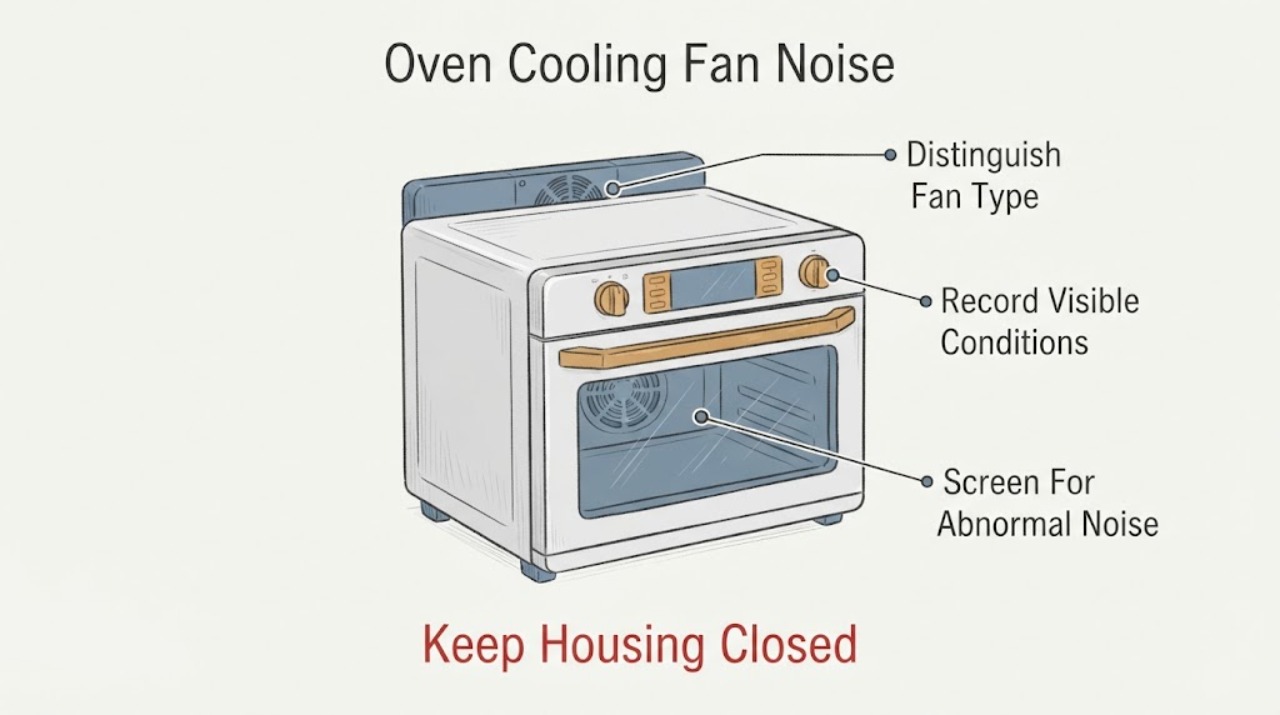
Work through in order
Diagnostic checks
Use only checks that match the exact appliance or system and its official guide.
-
Check 1
From outside the appliance, record whether the sound occurs during preheat, a bake/broil/clean cycle, a convection cycle, immediately after cancellation, or long after the oven has cooled.
Expected result: The fan runs during/after a hot cycle and then stops, or it runs with no recent heat or with another malfunction.
Next step: If it is ordinary air movement during/after a hot cycle, compare with the exact manual; if it occurs cold or with abnormal symptoms, stop testing and arrange service.
Why this matters
Why: KitchenAid says run-on varies with temperature, cycle duration and surroundings; timing alone does not identify a failed fan, but noise with another malfunction needs service triage.
-
Check 2
During a safe cooking observation, note whether the sound stops when the oven door is opened; do not reach toward the fan or use this as a reason to leave the hot door open.
Expected result: The sound stops with the door open, or it continues.
Next step: Use the matching fan section of the exact manual; do not assume either fan has failed from sound alone.
Why this matters
Why: KitchenAid uses this behavior to identify convection-fan operation; a fan that continues is more consistent with the automatic cooling fan, which may run after a cycle.
-
Check 3
Listen for rubbing, scraping or metal-on-metal sound and look only for visible smoke, burning odor, unusual vibration or loss of airflow; do not remove covers or touch the fan.
Expected result: The sound is smooth air movement, or there is rubbing/metal-on-metal noise or another safety/operation symptom.
Next step: For abnormal noise or safety signs, stop the oven, avoid repeated test cycles and arrange KitchenAid service; do not lubricate or bend the fan.
Why this matters
Why: KitchenAid calls ordinary automatic fan movement normal but specifically says rubbing/metal-on-metal cooling-fan noise is not normal.
-
Check 4
Record the complete model number, cycle, set temperature, time from shutdown to stop, whether the door changed the sound, and any recording or visible symptom; use the exact manual and give this information to KitchenAid service.
Expected result: The exact manual resolves the fan behavior, or the noise persists/does not match the documented behavior.
Next step: Follow only the matching manual’s external guidance; otherwise keep the oven out of service if abnormal and arrange qualified repair.
Why this matters
Why: KitchenAid directs owners to model-specific manuals and service; a no-model report cannot establish fan location, part fit or a control fault.
Use your observations
Decision map
Find the observation that best matches what you see, then follow the next safe action.
-
PATH 01Next step
What you see
The fan runs during a hot cycle or for a period after shutdown, moves air smoothly and then stops.
Do this next
No repair is indicated by the run-on alone; use the exact manual if the duration or sound differs from the documented behavior.
Why this path and its safety boundary
Why it matters: KitchenAid describes this as normal cooling-fan operation that protects the cavity and electronic controls.
-
PATH 02Next step
What you see
The sound stops when the door is opened during a safe cooking observation.
Do this next
Check the exact model’s convection guidance and loading/operation instructions; do not access the fan or replace a part from the sound alone.
Why this path and its safety boundary
Why it matters: KitchenAid identifies this behavior with the convection fan; it does not prove a damaged fan.
-
PATH 03Next step
What you see
The fan makes rubbing or metal-on-metal noise, vibrates unusually, loses airflow, or the oven also smells burnt, smokes or malfunctions.
Do this next
Stop using the oven, avoid repeated cycles and arrange qualified KitchenAid service. Do not open panels, lubricate or try to straighten the fan.
Why this path and its safety boundary
Why it matters: KitchenAid says rubbing/metal-on-metal cooling-fan noise is not normal; combined safety or operating symptoms raise the service priority.
-
PATH 04Next step
What you see
The fan runs for a long time but there is no abnormal noise or other oven symptom.
Do this next
Record the cycle and environment, check the exact manual and contact service if it remains significantly different from the model’s documented behavior.
Why this path and its safety boundary
Why it matters: KitchenAid says duration varies with temperature, cycle length and surroundings, so “long” is not a universal fault threshold.
-
PATH 05Next step
What you see
The model number is missing or the controls/fan behavior do not match the online description.
Do this next
Locate the complete model number and obtain the matching manual or service support before any internal inspection.
Why this path and its safety boundary
Why it matters: KitchenAid’s fan behavior and controls can vary by model; no-model evidence cannot establish a part or reset procedure.
Helpful context
Understand the symptom
Know which fan you are hearing
KitchenAid ovens may have a convection fan for cooking airflow and an automatic cooling fan for the cavity and electronic controls. A convection fan can run during preheat or non-convection cooking and should stop when the door is opened; the cooling fan may run while the oven is in use and after the cycle. The sound and timing should be recorded before calling either one defective.
When run-on is normal
A cooling fan that continues after the oven is turned off can be normal. KitchenAid says the fan runs until a safe temperature is reached, and the duration changes with the oven temperature, cycle length and environment. A fan that moves air without rubbing or metal-on-metal noise is not, by itself, evidence of a failed motor or control.
Make a safe external observation
During a normal, supervised cycle, note whether the noise starts during preheat, only with a convection setting, continues after cancellation, and whether it stops when the door is opened. Do not put hands or tools near the fan, remove trim or panels, or deliberately run a high-temperature cycle just to reproduce the noise. A recording from outside the appliance and the exact model number are more useful than a guessed part diagnosis.
Treat rubbing or metal-on-metal noise as abnormal
KitchenAid states that rubbing or metal-on-metal cooling-fan noise is not normal. Stop the test if that sound is present, especially if there is scraping, vibration, a burning smell, smoke, loss of cooling airflow or a control/heat problem. Do not lubricate the fan, straighten a blade or open the control compartment; those steps require model-specific service instructions.
Use the exact manual and service route
No exact KitchenAid model was supplied. Use the complete model number to retrieve the matching manual before interpreting fan behavior or parts. If the fan runs for a significant time with abnormal noise or the oven has another malfunction, provide the model, cycle, temperature, run-on duration and a recording to KitchenAid service.
When checks do not resolve it
Need a professional?
Use KitchenAid or qualified appliance service for abnormal noise, persistent unexplained operation, airflow loss, overheating signs or internal fan/control diagnosis.
Safety scope: Limit owner checks to noting cycle/timing, listening from outside, observing airflow and locating the exact model manual. Do not reach into the oven, remove panels, lubricate or bend blades, probe wiring, or order a fan/control part without model-specific evidence.
Common questions
FAQ
Is it normal for a KitchenAid oven fan to run after shutdown?
Often yes. KitchenAid says the automatic cooling fan can run after a cycle until a safe temperature is reached, with duration affected by temperature, cycle length and surroundings.
How can I tell the convection fan from the cooling fan?
KitchenAid says that if the sound stops when the oven door is opened, it is the convection fan; a sound that continues is more consistent with the cooling fan. Observe from a safe position and do not touch the fan.
When is fan noise not normal?
KitchenAid specifically identifies rubbing or metal-on-metal cooling-fan noise as abnormal. Stop testing and arrange service rather than lubricating or opening the appliance.
Read the exact guide
Official sources
- Fan Noise - Wall OvenKitchenAid Product Help · Official KitchenAid wall-oven guidance for normal cooling-fan air movement, duration factors and abnormal rubbing/metal-on-metal noise.
- Fan Noise - Convection - RangeKitchenAid Product Help · Official KitchenAid range guidance; fan behavior and cycle availability vary by model.
- Fan is Running During Non Convection CyclesKitchenAid Product Help · Official KitchenAid family-level guidance; exact fan features and model controls remain model-dependent.
Community feedback
Share a repair observation
Share a plain-text repair observation. Accepted observations are published automatically; this page may take a moment to update.