
On this page
Start here
Quick answer
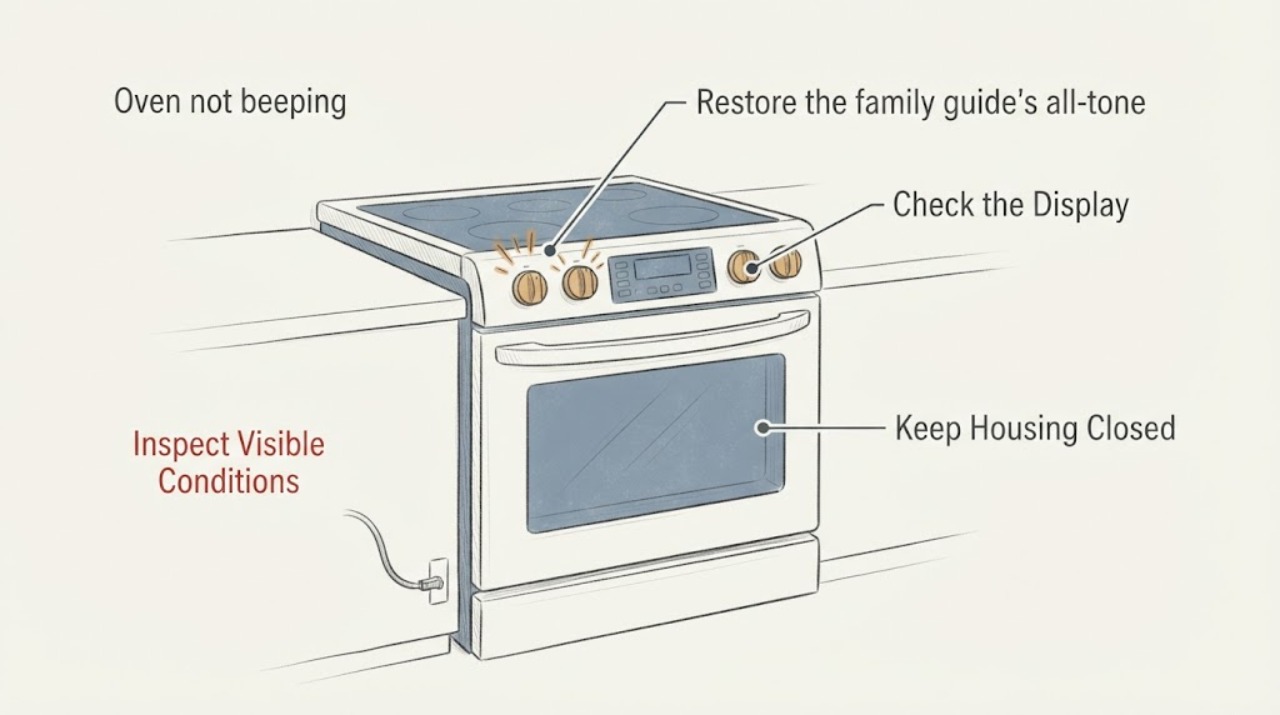
If the display and controls on a KitchenAid YKERS807SS02 respond but button presses, the timer and alarms are silent, start with the user setting rather than a control-board diagnosis. The opened KitchenAid Architect Series II guide covers the YKERS807 family and says all tones can be turned on with OPTIONS, then 2. It separately documents cooking-completion tones on OPTIONS, then 4, so do not change Option 4 when every tone is missing. Check the visible control state for Control Lock or Sabbath Mode, then test the timer without starting a cooking cycle. If tones remain absent after the documented settings are on, stop at the external checks and arrange model-specific service; do not remove the control panel or perform live electrical tests.
Work through in order
Diagnostic checks
Use only checks that match the exact appliance or system and its official guide.
-
Check 1
With the oven idle, press a normal control pad once and observe whether the display responds. Look for a visible CONTROL LOCK message; if it is present, make sure the oven, timer and timed cooking are off, then press and hold START for 5 seconds to unlock the control according to the family guide.
Expected result: The display responds and no CONTROL LOCK message is present; CONTROL LOCK is displayed and clears after the documented hold; or the display/pads remain unresponsive.
Next step: If the lock clears, continue to the tone setting. If controls remain unresponsive, stop using the controls and arrange model-specific service rather than opening the console.
Why this matters
Why: A lockout can suppress normal oven-pad operation, while a responsive display with no lock message keeps the tone setting as the first check. Persistent unresponsiveness is not evidence of a specific failed board.
-
Check 2
Restore the family guide's all-tone setting: press OPTIONS, then 2. The guide specifies that this sequence turns tones ON when they are off; repeat the same OPTIONS-then-2 sequence only when the tone state needs to be changed, and do not substitute Option 3 or 4 for the all-tone setting.
Expected result: A normal pad response or other audible signal returns; the display accepts the sequence but remains silent; or the display does not accept the sequence.
Next step: If a tone returns, continue with a timer-only confirmation. If the sequence is accepted but all sounds remain absent, check Sabbath Mode and then use the service boundary; do not infer a particular internal part.
Why this matters
Why: Option 2 is the documented all-tones control for the YKERS807 family. Option 3 changes volume and Option 4 changes only cooking-time completion tones, so they do not explain every missing button and alarm sound.
-
Check 3
Inspect only the visible display for SABBATH MODE. If it is shown and the oven is not intentionally being used in that mode, press OFF to return to normal operating mode as the guide directs; do not enter or alter the Sabbath setup sequence merely to chase a sound.
Expected result: SABBATH MODE is visible and clears with OFF; no Sabbath indication is visible; or the display does not respond to OFF.
Next step: After returning to normal mode, repeat one safe tone check. If OFF does not respond or the mode returns unexpectedly, leave the range for qualified service and do not remove panels.
Why this matters
Why: The family guide explicitly says no tones sound and normal display messages are suppressed in Sabbath Mode. No indication makes that mode less likely but does not diagnose an internal sound circuit.
-
Check 4
With the oven not cooking, use the documented timer controls to set a short timer and supervise it to zero; do not start a heated cooking cycle solely to test a buzzer. The guide says the timer completion tones sound when the timer reaches zero and can be stopped with TIMER OFF.
Expected result: The timer gives three chimes; the timer counts down but is silent; or the timer cannot be set or canceled normally.
Next step: If the timer remains silent, stop testing and request service with the exact model suffix and the results of the Control Lock, Option 2 and Sabbath checks. Do not live-test or replace a board based on this observation alone.
Why this matters
Why: A timer chime after Option 2 is restored supports a setting-related explanation for the original silence. A silent timer with otherwise responsive controls means the tone problem persists; it does not identify a buzzer, control, or wiring component.
Use your observations
Decision map
Find the observation that best matches what you see, then follow the next safe action.
-
PATH 01Next step
What you see
The display works, the oven accepts pads, and both button feedback and timer/alarm sounds disappeared together.
Do this next
Use OPTIONS, then 2, and confirm with a supervised timer test; if still silent, arrange service without opening the control area.
Why this path and its safety boundary
Why it matters: The symptom pattern is consistent with the family guide's All Tones setting being off, while it does not distinguish a setting from an internal sound fault.
-
PATH 02Next step
What you see
Only the end-of-cooking sound is missing, while a normal pad or timer sound works.
Do this next
Check the documented cooking-time completion setting with OPTIONS, then 4; do not claim a hardware failure unless the setting is on and the symptom persists.
Why this path and its safety boundary
Why it matters: The guide treats cooking-time completion tones as a separate Option 4 setting, so the symptom is narrower than an all-tones failure.
-
PATH 03Next step
What you see
SABBATH MODE is visible, or the oven is operating with no tones and suppressed normal display messages.
Do this next
Press OFF to leave the mode when appropriate, then repeat one safe tone check; service is appropriate if the display or OFF control does not respond.
Why this path and its safety boundary
Why it matters: The family guide says Sabbath Mode intentionally disables tones and normal display changes.
-
PATH 04Next step
What you see
Option 2 is restored, Control Lock/Sabbath Mode are not active, the display responds, and the timer still gives no sound.
Do this next
Stop at the external checks and arrange qualified KitchenAid or appliance service; do not remove the console, bypass a control, or perform energized electrical tests.
Why this path and its safety boundary
Why it matters: The user settings no longer explain the silence, but the available family manual does not identify a failed internal component.
Helpful context
Understand the symptom
The YKERS807 family has separate audible-tone settings
The opened KitchenAid Architect Series II guide is a family manual whose cover names YKERS807 and related models. Its Options section says the audible signals include one beep when a function is entered, three beeps for an invalid pad press, three chimes when the timer reaches zero, and three beeps at the end of a cooking cycle. It then separates the settings: Option 2 is All Tones ON/OFF, Option 3 is volume high/low, and Option 4 is cooking-time completion tones ON/OFF. A report that lost both button and alarm sounds therefore fits the all-tones setting more closely than a timer-only setting, but the setting check does not prove that an internal buzzer or control fault is absent.
Check the visible operating mode before considering service
The same guide says Control Lock shuts down the oven control-panel pads except the timer and oven-light pads, and it identifies a CONTROL LOCK message when the lock is engaged. It also says Sabbath Mode produces no tones and suppresses normal display messages; pressing OFF returns the oven to normal operating mode when Sabbath Mode is active. Those are user-visible mode checks. They are different from opening the console, measuring a live circuit or naming a failed board.
A silent test after the settings are restored needs service-level diagnosis
If the exact family settings are on, the display accepts normal inputs, and a supervised timer test still produces no sound, the manual does not identify which internal control, speaker or wiring element would have failed. Treat that as a service boundary. Keep the range in a safe, normal state, record whether the display and oven functions otherwise work, and give the technician the full YKERS807SS02 model suffix. Do not remove the control panel, bypass a lock, or perform energized electrical testing based only on the silent symptom.
When checks do not resolve it
Need a professional?
Arrange qualified service if the controls do not respond, the tone settings are on but every normal signal remains silent, the display shows a persistent fault, or the range has electrical damage, burning odor, smoke, heat, or a breaker that will not stay set. Do not open the control panel or perform live electrical tests.
Common questions
FAQ
Does pressing OPTIONS then 2 apply to the YKERS807SS02?
The opened KitchenAid Architect Series II guide explicitly covers the YKERS807 family, which is the family identifier matching the assigned YKERS807SS02 model. Confirm the full suffix on the nameplate and use the exact manual for any control-layout difference; the source supports the family tone setting, not every KitchenAid range.
What is the difference between Options 2 and 4?
In the family guide, Option 2 controls all audible tones. Option 4 controls only cooking-time completion tones. If button presses and timer alarms are both silent, start with Option 2 rather than changing only Option 4.
Could Sabbath Mode explain an oven that never beeps?
Yes. The family guide says no tones sound and normal display messages are suppressed in Sabbath Mode. If SABBATH MODE is visible and the oven is not meant to be in that mode, press OFF to return to normal operation; persistent control problems need service.
Should I replace the buzzer or control board because the oven is silent?
No. The family manual documents user tone settings but does not establish which internal component failed. If the settings and visible modes are correct and the timer is still silent, give the model suffix and test results to a qualified technician instead of ordering a generic part or opening the console.
Read the exact guide
Official sources
- Owner's Manual — Electric Range Architect Series II (W10449874A)KitchenAid · Opened official KitchenAid PDF. Its cover names the YKERS807 family; the assigned YKERS807SS02 suffix should still be confirmed on the appliance nameplate. The source directly supports the family electronic-control, tone, Control Lock, timer and Sabbath Mode behavior used here, and does not support a specific internal component diagnosis or part fit.
Community feedback
Share a repair observation
Share a plain-text repair observation. Accepted observations are published automatically; this page may take a moment to update.