
On this page
Start here
Quick answer
Treat “blower fan error” as a description until you capture the complete display. KitchenAid’s opened range service documentation identifies F8E0 as cooling-fan speed too low and F8E2 as cooling-fan speed too high; it does not establish that the words “blower fan error” are the actual code on a KSEG700ESS3. This model family is an electric slide-in convection range, so a fan sound can be normal during preheat, a non-convection cycle, or cooling after a cycle. With the oven cool and no smoke, burning odor, arcing, damaged connection, uncontrolled heat, or other hazard, record the exact display, selected mode, set temperature, cavity, and whether the oven actually warms. Confirm the door and ordinary settings from outside and use Cancel once only if the exact model instructions permit it. If a complete F8E0/F8E2 code returns, the oven stays cold, the display is unclear, or any safety symptom appears, stop using it and arrange qualified KitchenAid appliance service; do not open the range or infer a fan, element, sensor, or control-board replacement from the description alone.
Before you begin
Safety first
- Do not open the range, remove the console or access cover, probe energized circuits, bypass a door or thermal safety, enter service diagnostics, or reach into the fan/heating area. The opened KitchenAid technician documentation is evidence for code terminology, not a homeowner repair procedure.
Work through in order
Diagnostic checks
Use only checks that match the exact appliance or system and its official guide.
-
Check 1
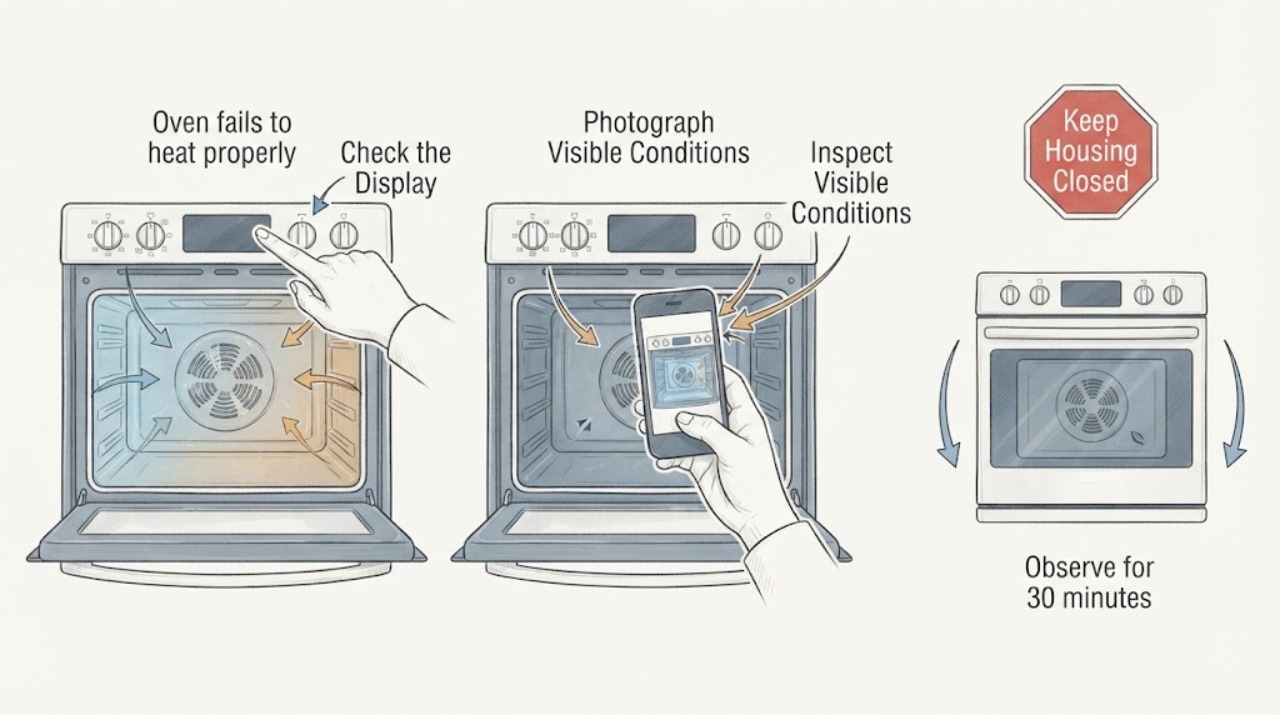
Stop the heating function normally if it will respond, stay clear of a hot cavity, and photograph or write the complete display exactly as shown. Record the full KSEG700ESS3 nameplate model, oven cavity, selected mode, set temperature, and when the message appeared.
Expected result: The display is a complete code such as F8E0/F8E2, only says or appears to say “blower fan error,” is flashing or blank, or changes with the cycle stage.
Next step: Keep the record and compare it with the exact model literature. If there is smoke, a burning or melting odor, arcing, a hot connection, uncontrolled heat, or water near electrical parts, leave the range off and use the appropriate emergency, electrical, or appliance-service route.
Stop if: Do not keep pressing controls or deliberately reproduce smoke, arcing, damaged wiring, uncontrolled heat, or a gas-like odor.
Why this matters
Why: A complete character sequence and operating stage determine which KitchenAid documentation can apply. A description without the characters cannot identify a fan fault or a replacement part.
-
Check 2
Confirm the identity from outside: read the nameplate, verify that the appliance is the KitchenAid KSEG700ESS3 electric slide-in range, and use the exact model’s owner literature rather than a generic blower or another KitchenAid range’s code list.
Expected result: The nameplate is legible and matches KSEG700ESS3, the suffix differs, or the appliance is a different range or wall-oven configuration.
Next step: Use the matching KSEG700ESS3 literature when available. If the suffix or appliance type cannot be confirmed, keep the oven off when it cannot heat or display normally and give the model photo and exact message to qualified service.
Stop if: Do not transfer F8E0/F8E2, a fan procedure, or a part recommendation from a similar-looking KitchenAid model.
Why this matters
Why: KitchenAid product pages identify the KSEG700ESS family as an electric slide-in convection range, but suffix and configuration determine which code entry and user instructions are defensible.
-
Check 3
With the range cool and free of hazard signs, look at the controls and door from outside. Confirm Bake, Broil, or the intended convection mode and temperature are actually selected, the door is fully closed, and there is no ordinary lock, delay, Sabbath, probe, or power-loss indication.
Expected result: The mode or temperature was wrong, a delay or lock state is present, the door does not close normally, controls do not respond, or settings look correct but the cavity remains cold.
Next step: Use one ordinary control action documented for this exact model, such as cancelling a delay or lock, and then stop if the display remains abnormal or the message returns. Do not dismantle the door or control area.
Stop if: Do not force the door, defeat an interlock, run self-clean with a door fault, or reach into a hot cavity.
Why this matters
Why: A control state or door-recognition condition can prevent a heating cycle without proving a fan, element, sensor, or board failure. Correct settings with continuing no heat make the model-specific service path more important.
-
Check 4
Identify which fan behavior is being described without touching the appliance: note whether the sound or message occurs during preheat, Bake, Broil, a convection cycle, immediately after cooking, or while the oven is cool and idle. Note whether the oven warms at all and whether the sound stops when the door is opened as expected for a convection cycle.
Expected result: The fan runs during preheat or a cycle, continues briefly after cooking, runs while cool and idle, or the fan-related message is paired with no heat or an exact F8E0/F8E2 display.
Next step: Treat a normal-timing fan with no complete code as an observation, not a confirmed failed blower. Treat a returning complete fan code, fan behavior while cool and idle, or persistent no heat as a reason to stop and request exact-model service.
Stop if: Do not put hands, tools, or cleaning material into a vent, try to stop the fan, or remove a guard or panel.
Why this matters
Why: KitchenAid says convection-fan operation during preheating or some non-convection cycles can be normal, and its cooling-fan guidance says post-cycle operation can be normal. Timing plus an exact code or no-heat symptom is more informative than sound alone.
-
Check 5
From a safe dry position, look at the home electrical panel only for a clearly tripped range breaker or recent power interruption; do not open the panel or test the receptacle. If the exact model instructions allow one reset, use only that ordinary documented step once after the oven is cool and inactive.
Expected result: The breaker is tripped, the display is blank or flashing after an interruption, the breaker remains stable, or the same message/no-heat symptom returns after the one permitted reset.
Next step: For a repeated trip, hot connection, arcing, or suspected supply-wiring issue, leave the range off and use qualified electrical service. Otherwise provide the reset result and display record to KitchenAid appliance service if the symptom returns.
Stop if: Do not repeatedly reset the breaker, open the electrical panel, use an extension cord, or perform live electrical measurements.
Why this matters
Why: A supply interruption or control state can imitate a heating complaint, but stable power does not rule in a fan or heating part. A returning code or repeated trip is a service/electrical issue, not a reason to keep cycling power.
-
Check 6
Prepare a service handoff if the complete code returns, the oven remains cold or stalls below the selected temperature, the display is unclear or unresponsive, or the fan indication occurs outside a normal cycle. Include the model/serial information, exact display photo, cavity, mode, set and observed temperature, timing, power event, and any one Cancel/reset result.
Expected result: The technician receives a reproducible stage and symptom record, or the issue is accompanied by smoke, burning odor, arcing, uncontrolled heat, damaged glass/connection, or another safety symptom.
Next step: Arrange qualified KitchenAid appliance service; use a qualified electrician for supply wiring or repeated breaker symptoms. Leave the range off for abnormal heat, smoke, arcing, damaged connections, or an unexplained burning odor.
Stop if: Do not remove panels, access the blower or control board, bypass a safety device, take energized measurements, or order a component from the wording “blower fan error.”
Why this matters
Why: The code or sound alone cannot distinguish the cooling fan, convection system, temperature sensing, heating path, control, door recognition, or supply issue. Safety symptoms override further diagnosis.
Use your observations
Decision map
Find the observation that best matches what you see, then follow the next safe action.
-
PATH 01Safety boundary
What you see
Smoke, active fire, burning or melting odor, arcing, a hot/damaged electrical connection, water near electrical parts, uncontrolled heat, or a suspected gas/combustion hazard is present.
Do this next
Stop using the range and leave the area for active smoke, fire, or suspected gas/combustion danger; contact the appropriate emergency, gas, electrical, or appliance professionals from a safe location.
Why this path and its safety boundary
Why it matters: This is a fire, electrical, or heat-safety event, not a fan-code lookup.
Safety stop: Do not press controls in a gas-odor area, reset a breaker to reproduce the event, touch damaged wiring, or restart the oven.
-
PATH 02Safety boundary
What you see
The message is only a description, the oven is cool or heating normally, and the fan runs during preheat, a cooking cycle, or briefly after cooking with no hazard symptom.
Do this next
Record the timing and exact display, confirm the selected mode and temperature, and continue only ordinary cooking if no code or abnormal heat returns. Request service if the fan runs while cool and idle or the oven stops heating.
Why this path and its safety boundary
Why it matters: KitchenAid’s public help pages describe those fan timings as potentially normal; “blower fan error” has not been verified as a complete displayed code.
Safety stop: Do not infer a failed blower from sound alone or run repeated cycles to force a code.
-
PATH 03Safety boundary
What you see
The display clearly shows F8E0 or F8E2 on a confirmed KSEG700ESS3, or an exact-model manual identifies the same cooling-fan fault, and no emergency symptom is present.
Do this next
Keep the oven off and arrange qualified KitchenAid appliance service with the exact code, stage, and no-heat behavior. Follow only an exact-model ordinary Cancel or reset instruction if the owner literature explicitly permits it, once.
Why this path and its safety boundary
Why it matters: The opened KitchenAid range documentation associates F8E0/F8E2 with cooling-fan speed faults, but the technician-only internal procedure does not authorize homeowner access or identify a part without diagnosis.
Safety stop: Do not remove the console or access cover, inspect internal wiring, measure fan circuits, enter service diagnostics, or replace the fan/control from the code alone.
-
PATH 04Safety boundary
What you see
The range powers on, settings and door appear normal, but the oven does not heat or stalls below the selected temperature while the cooktop still operates.
Do this next
Keep the exact mode, set temperature, observed temperature, time to stall, fan timing, and display record for qualified service. Do not use the “blower fan error” wording to select an element, sensor, blower, or board.
Why this path and its safety boundary
Why it matters: The symptom can involve mode/door recognition, supply, sensing, heating, convection, cooling, or control paths; working cooktop elements do not isolate one oven component.
Safety stop: Do not remove elements, panels, sensors, or control parts, and do not take live voltage measurements.
-
PATH 05Safety boundary
What you see
The characters are unclear, the suffix is not confirmed, the code returns after the one permitted ordinary action, the display is unresponsive, or the breaker trips again.
Do this next
Leave the range off and arrange qualified KitchenAid appliance service; use qualified electrical service for repeated trips or suspected supply wiring. Provide the nameplate and display photographs.
Why this path and its safety boundary
Why it matters: There is not enough reliable model-specific evidence for a safe code interpretation or part decision, and persistence raises the need for service.
Safety stop: Do not continue heating tests, repeatedly cycle power, bypass a safety device, or substitute another model’s instructions.
Helpful context
Understand the symptom
The identity of the message is the first decision. “Blower fan error” is not a complete displayed code. In the opened KitchenAid range service document, F8E0 and F8E2 are cooling-fan speed faults, but that technician document does not make every fan-related wording equivalent to either code or prove that every KSEG700ESS3 suffix has identical literature. Photograph every character, including any F/E and digits, before interpreting it.
KSEG700ESS is an electric slide-in convection range. Its convection fan and cooling fan have different jobs, and KitchenAid says fan operation can be normal during preheating, selected cycles, or for a period after cooking. A fan running does not by itself prove that the oven is not heating; likewise, an oven that reaches only part of the requested temperature needs the mode, actual temperature, timing, and display state recorded before a component is considered.
Keep this at the external-user level: confirm the model and display, look at ordinary settings and the closed door, and observe whether the controls respond and whether heat is produced. Do not remove the console or access cover, take live measurements, bypass a door or thermal safety, or repeat heating after smoke, arcing, a hot connection, uncontrolled heat, or an unexplained burning odor.
When checks do not resolve it
Need a professional?
Book qualified KitchenAid appliance service for a returning F8E0/F8E2 or other complete code, persistent no heat, fan behavior while cool and idle, unclear model/code identity, unresponsive controls, or any heating/door fault. Use qualified electrical service for supply wiring, arcing, hot connections, or repeated breaker trips.
Safety scope: Do not open the range, remove the console or access cover, probe energized circuits, bypass a door or thermal safety, enter service diagnostics, or reach into the fan/heating area. The opened KitchenAid technician documentation is evidence for code terminology, not a homeowner repair procedure.
Have this ready
- Provide the exact KSEG700ESS3 nameplate and serial information, market, a photo/transcription of every displayed character, oven cavity, selected mode and temperature, observed temperature and timing, fan timing, whether the cooktop works, any recent power interruption, and the result of at most one exact-model Cancel or reset instruction.
Common questions
FAQ
Is “blower fan error” the same as the KitchenAid F8E0 code?
Not by itself. “Blower fan error” is incomplete wording. KitchenAid’s opened range documentation labels F8E0 as cooling-fan speed too low and F8E2 as cooling-fan speed too high. Photograph the complete display and confirm the exact KSEG700ESS3 literature before interpreting it.
Can the fan run when the oven is not using a convection setting?
Yes. KitchenAid says a convection fan may run during preheating or some non-convection cycles, and its cooling-fan guidance says the fan may continue for a while after a cycle to cool the appliance. Fan sound alone does not prove a failed part.
Why can the cooktop work while the oven does not heat?
The cooktop operating does not identify the oven fault. The oven has its own mode, door-recognition, sensing, heating, cooling, and control paths. Record the exact oven mode, temperature, display, and whether heat starts or stalls, then use qualified service rather than naming a part from the symptom.
Should I replace the blower fan after this message?
No—not from the wording alone. Even when a complete F8E0/F8E2 code is confirmed, the KitchenAid technician documentation describes a diagnostic path involving the fan-speed signal and related controls. Keep the range off for a returning code or no heat and have the exact model diagnosed.
Can I open the control panel to inspect or measure the fan?
No. This is a high-temperature, line-powered range. Do not remove panels, take live measurements, enter service diagnostics, or bypass safety devices. Give the exact model, display, stage, and observations to qualified KitchenAid service.
Read the exact guide
Official sources
- Convection Fan Not Running - Product Help | KitchenAidKitchenAid Product Help · Used for the timing distinction that the convection fan can stop when the door opens and can run during preheating or non-convection cycles on convection-equipped ranges; not used to assign a KSEG700ESS3 fault code.
- Oven Not Shutting Off - Product Help | KitchenAidKitchenAid Product Help · Used only for the normal post-cycle cooling-fan distinction and not as proof of a particular KSEG700ESS3 fan failure.
- Service Manual - W11174814 - RangeKitchenAid · Technician-only source used narrowly to identify F8E0 as cooling-fan speed too low and F8E2 as too high and to establish that internal fan/control procedures are professional work; no internal procedure is given to the homeowner. The source uses complete F8E0/F8E2 code strings and does not present the incomplete phrase “blower fan error” as a code.
- KSEG700ESS | KitchenAidKitchenAid · Used to require matching model literature and nameplate confirmation; the page itself reports that documents may be unavailable without registration and is not used to assign a fan part.
- 30-Inch 5-Element Electric Slide-In Convection Range Stainless Steel KSEG700ESSKitchenAid · Used only for product-family identity, electric fuel type, slide-in configuration, five-element range, and convection feature; it is not treated as proof that every suffix has identical fault-code literature.
- Oven Not Heating - Powering On - Electric - Product Help | KitchenAidKitchenAid Product Help · Used for external distinctions involving door closure, new installation/electrical connection, control lock/demo state, and delayed start; not used for internal measurements or part selection.
Community feedback
Share a repair observation
Share a plain-text repair observation. Accepted observations are published automatically; this page may take a moment to update.