
On this page
Start here
Quick answer
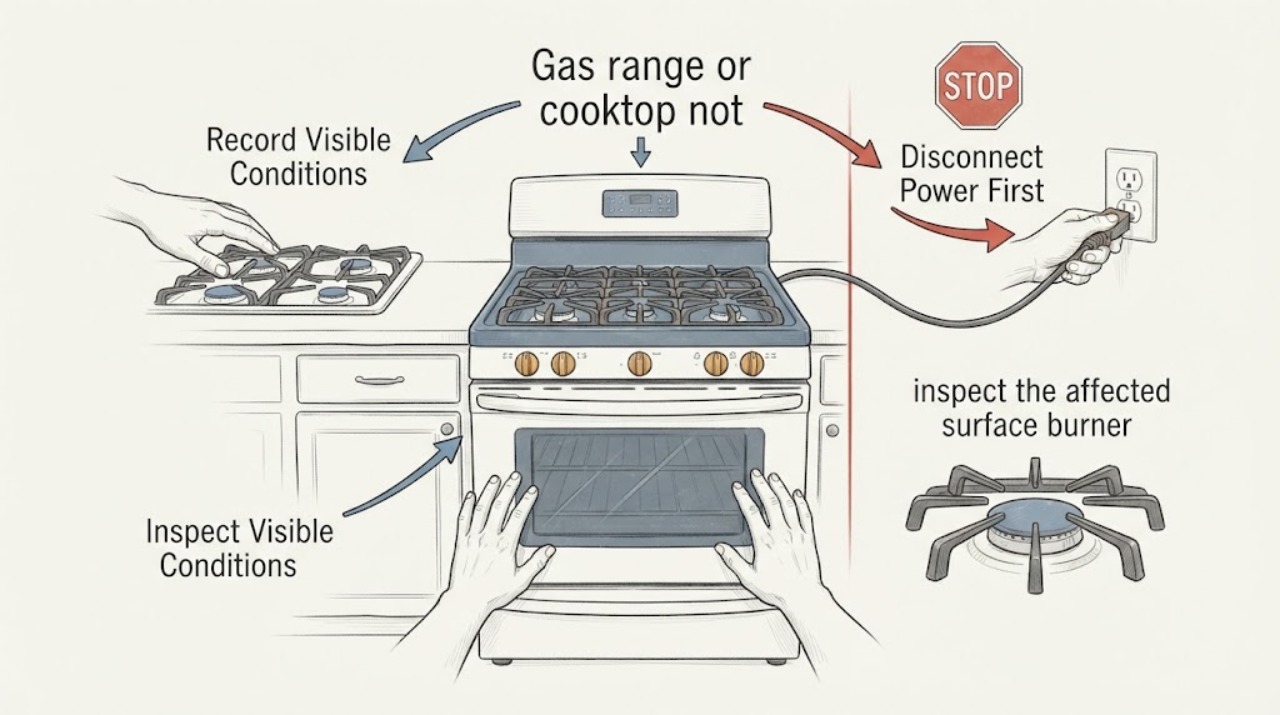
First separate no click/no spark from clicking without ignition, and note whether one burner or every burner is affected. With all controls off and the cooktop cool, check the visible power state, dry and correctly seat the burner cap and base, and clear only visible burner-port debris as the exact manual permits. Never hand-light the burner, bypass an ignition or safety control, open the gas system, or keep trying if there is a gas odor; leave the area and contact the gas supplier or emergency service. KitchenAid's public guidance is for gas cooktop or range surface burners; a standalone wall-oven burner needs its exact manual or qualified service.
Work through in order
Diagnostic checks
Use only checks that match the exact appliance or system and its official guide.
-
Check 1
With the appliance in a safe, observable state, record whether there is no click at all or a click without flame, and whether the problem affects one surface burner or all of them; turn every control to OFF before continuing.
Expected result: KitchenAid treats no igniter click, clicking without lighting, and all-burner failure as different support paths.
Next step: Use the matching branch below. Do not hold a knob open or attempt to create a flame while diagnosing a missing spark.
Why this matters
Why: One-burner and all-burner symptoms narrow which visible checks are relevant, but neither pattern proves a failed internal component.
-
Check 2
Check the appliance's visible electrical supply only: confirm it is connected as designed and look for a tripped breaker or blown fuse without opening the appliance or electrical panel.
Expected result: KitchenAid lists a tripped breaker or blown fuse as a possible cause when an igniter does not click and when none of the burners light.
Next step: If the breaker trips again, the fuse fails again, or the appliance remains without a click, leave the controls OFF and arrange qualified electrical/appliance service; do not repeatedly reset it or perform live tests.
Why this matters
Why: A supply interruption can explain no click on multiple burners, but an intact breaker does not prove that the ignition system or gas supply is healthy.
-
Check 3
After all controls are OFF and the cooktop is cool, inspect the affected surface burner for a wet or dirty cap, an incorrectly positioned cap or base, and visibly clogged ports; clean and dry only the accessible parts using the exact owner manual's method.
Expected result: KitchenAid says moisture, spills, a cap that is not seated, and clogged burner ports can interfere with ignition. It directs users to keep the cap seated and says a straight pin, needle, or small-gauge wire may clear a visible port without enlarging or distorting it; it also says not to use oven cleaner, bleach, or rust removers.
Next step: Reassemble only the visible cap and base in their original positions. If the cap will not sit flush, a port remains blocked, or ignition still fails, stop and use the exact manual or qualified service rather than opening the gas or electrical system.
Why this matters
Why: A cap that sits flush after drying and cleaning can remove a visible ignition cause, but it does not establish that a hidden igniter, switch, valve, or module is good.
-
Check 4
If the issue started after cleaning or a spill, allow the burner area and the control-knob shaft area to dry completely; use only cool moving air and keep all flame and ignition attempts away while it dries.
Expected result: KitchenAid says damp burners can click after cleaning or a spill, and moisture in the switch area can cause clicking with the knobs OFF; it also describes occasional low-setting sparking or reignition in some models after a spill, wind, or a ventilation draft.
Next step: Once fully dry, follow the exact manual for a normal ignition attempt only if there is no gas odor and the burner parts are correctly seated. If clicking persists with controls OFF, the flame is unstable, or gas is present without ignition, stop using the burner and arrange service.
Why this matters
Why: Drying can resolve moisture-related clicking, while continued clicking may be a model-dependent reignition or airflow condition rather than proof of a failed part.
-
Check 5
If every burner is affected, visually confirm that the appliance's gas supply and shutoff are present and in the intended ON position only when there is no gas odor and no sign of a leak; do not manipulate fittings or open the gas line.
Expected result: KitchenAid lists the gas connection and main gas valve as checks for an all-burner no-light condition, and sends unresolved supply or adjustment issues to a trained specialist.
Next step: If the supply is absent, recently changed, uncertain, or the appliance still will not light, leave controls OFF and contact a qualified gas-appliance technician. Never hand-light a burner or test a suspected gas problem by repeated ignition.
Why this matters
Why: An all-burner failure can be consistent with a shared supply, power, or control issue, but the symptom does not identify which one.
-
Check 6
If you smell gas when no surface burner is intentionally operating, stop troubleshooting immediately; do not light any appliance, touch an electrical switch, or use a phone inside the building.
Expected result: KitchenAid says a gas odor away from an intentionally used cooktop requires those precautions and immediate contact with the gas supplier; if the supplier cannot be reached, it directs the reader to call the fire department.
Next step: Leave the area and contact the gas supplier from a neighbor's phone, following its instructions; use emergency services if the supplier cannot be reached. Do not return to appliance troubleshooting until the gas-safety response clears the condition.
Why this matters
Why: An unaccounted-for gas odor is an emergency safety condition, not a normal no-spark branch and not a reason to test the igniter again.
-
Check 7
Record the full model number and whether the symptom is on a surface burner or a wall-oven burner before requesting the exact manual or service.
Expected result: KitchenAid directs users to the model number for manuals and troubleshooting, and its public no-spark guidance is explicitly organized around gas cooktops and surface burners.
Next step: Arrange qualified service if the visible checks do not restore safe ignition, if a burner keeps clicking with controls OFF, if the flame is unstable, or if any internal gas/electrical diagnosis would be required. Do not remove panels, bypass interlocks, hand-light, or perform live measurements.
Why this matters
Why: A model number and appliance location prevent a cooktop instruction from being applied to a different oven ignition design and are needed to scope any part or internal procedure.
Use your observations
Decision map
Find the observation that best matches what you see, then follow the next safe action.
-
PATH 01Next step
What you see
If one surface burner has no click while the others click normally
Do this next
With controls OFF and the cooktop cool, dry and correctly reseat that burner's visible parts and follow its exact manual; arrange service if no click remains.
Why this path and its safety boundary
Why it matters: The visible pattern is localized; moisture, cap/base placement, or a clogged port remains possible, but no internal part is established.
-
PATH 02Next step
What you see
If all surface burners have no click
Do this next
Check only the visible supply state, without repeated resets or gas-line work; leave controls OFF and use qualified service if the supply is uncertain or the no-click condition persists.
Why this path and its safety boundary
Why it matters: KitchenAid's support path includes a shared electrical supply and gas-supply check, so a single burner-part explanation is not enough.
-
PATH 03Next step
What you see
If the igniter clicks but no flame appears
Do this next
Turn the control OFF, allow visible parts to dry, check the seated cap and visible ports, and stop if gas is present without ignition. Never hand-light or open the gas system.
Why this path and its safety boundary
Why it matters: KitchenAid lists moisture, burner-port obstruction, cap/base placement, gas supply and model-specific conditions as possibilities; clicking alone does not prove a defective igniter.
-
PATH 04Next step
What you see
If gas is smelled when no burner is intentionally operating, or the smell continues after controls are OFF
Do this next
Do not light appliances, touch switches, or use a phone in the building; leave and contact the gas supplier from a neighbor's phone, or the fire department if the supplier cannot be reached.
Why this path and its safety boundary
Why it matters: KitchenAid treats an unaccounted-for gas odor as a gas-safety emergency rather than an ignition troubleshooting step.
-
PATH 05Next step
What you see
If this is a wall-oven burner rather than a gas range or cooktop surface burner
Do this next
Use the exact model manual or qualified service with the appliance controls OFF; do not transfer surface-burner or hand-lighting instructions to the oven.
Why this path and its safety boundary
Why it matters: The opened KitchenAid pages used here are surface-burner/cooktop guidance and do not establish a wall-oven ignition procedure or component diagnosis.
Helpful context
Understand the symptom
This guide is scoped to the gas range or cooktop surface-burner ignition described by the task. KitchenAid's support articles separate a burner that makes no click, a burner that clicks but does not light, and a burner that keeps clicking after lighting. Those observations support visible checks, but they do not identify an igniter, switch, module, valve, or other internal part. If the complaint is specifically a wall-oven burner that will not ignite, stop at the exact model manual and qualified service boundary instead of transferring surface-burner instructions.
When checks do not resolve it
Need a professional?
Stop and arrange qualified gas-appliance service when there is an unexplained gas odor, a burner releases gas without lighting, a breaker trips again, all burners remain without a click, a flame is unstable, clicking continues with controls OFF, or the exact model procedure would require opening panels, testing live circuits, adjusting gas, or handling an oven ignition system.
Common questions
FAQ
Can I light the burner with a match if the igniter does not spark?
No. Do not hand-light a burner or bypass the ignition or safety system. Turn the control OFF and use the visible checks or qualified service path; any gas odor without ignition requires the emergency gas-safety response.
Does a clicking sound prove the igniter is bad?
No. KitchenAid also identifies moisture, burner-cap/base placement, clogged visible ports, gas supply and model-dependent reignition or airflow conditions. The symptom does not identify a particular internal part.
Why does the article ask for the model number if the burner problem is visible?
KitchenAid uses model-specific manuals and support paths, and the public material opened for this page is organized around gas cooktop surface burners. The model number is needed before applying an oven-specific procedure or selecting a component.
Read the exact guide
Official sources
- Gas Burners are Clicking but Not LightingKitchenAid Product Help · Official KitchenAid cooktop support guidance used for surface-burner symptoms; exact model instructions remain controlling.
- Odors or SmellsKitchenAid Product Help · Official KitchenAid gas cooktop safety guidance, used for the no-odor/no-light emergency boundary and visible cap guidance.
- None of the Burners are LightingKitchenAid Product Help · Official KitchenAid support page for gas cooktop surface burners; it does not establish a wall-oven ignition procedure or internal component diagnosis.
- Burner(s) Sparking or Clicking - Gas CooktopKitchenAid Product Help · Official KitchenAid support page for gas cooktop surface burners; no model number was supplied, so it is used only for family-level visible checks and safety boundaries.
Community feedback
Share a repair observation
Share a plain-text repair observation. Accepted observations are published automatically; this page may take a moment to update.