
On this page
Start here
Quick answer
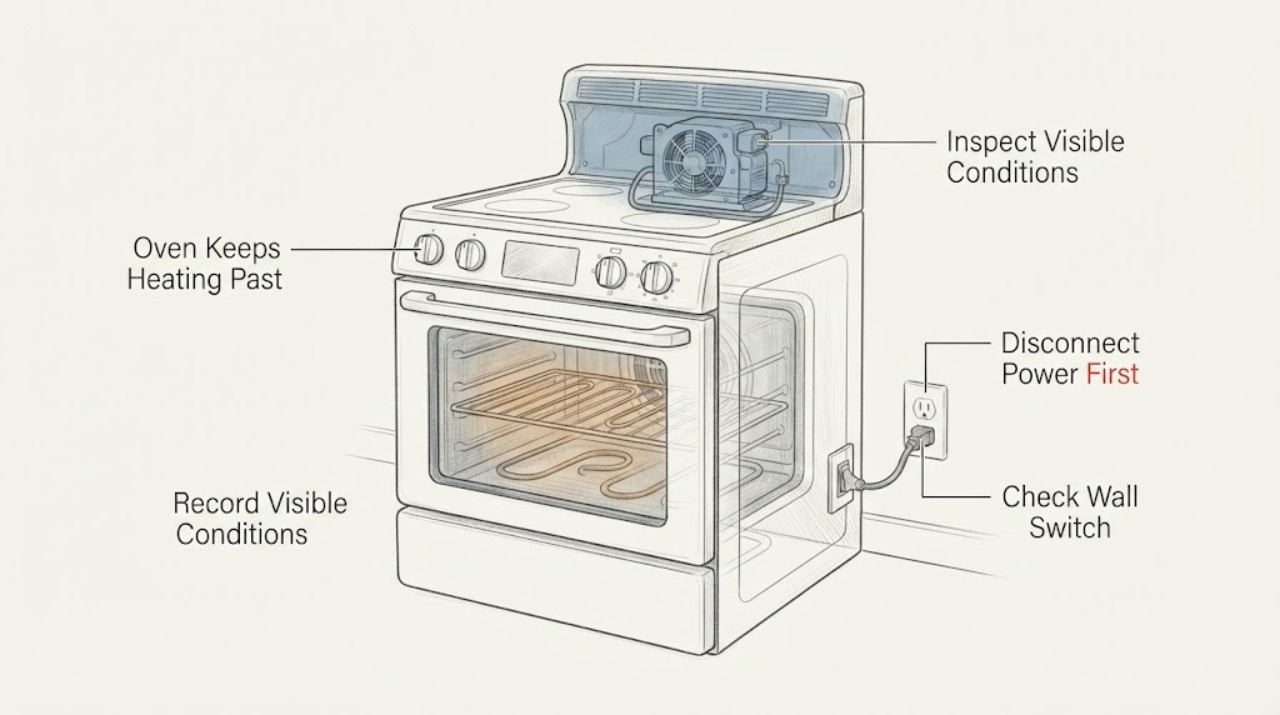
First separate normal operation from a runaway overheat. KitchenAid says bake and broil elements normally cycle on and off, and a cooling fan may continue after a cycle to cool the appliance. If the KFED500 keeps heating after Cancel or the set temperature, the temperature continues rising, or an overheat message appears, stop using it; if it continues heating after the controls are off, shut off the range at the household electrical control panel and leave it de-energized. Let it cool without repeating a heat test, then arrange KitchenAid or qualified appliance service. Do not swap sensors, open the rear cover, probe live wiring, or guess that a relay or control board is the cause.
Work through in order
Diagnostic checks
Use only checks that match the exact appliance or system and its official guide.
-
Check 1
If the oven is currently heating abnormally, press Cancel or turn the control off only if you can do so without reaching across a hot or smoking area. Do not open the door repeatedly to check the heat. Observe whether only the cooling fan remains audible or whether the oven continues producing heat and the temperature keeps rising.
Expected result: The elements are no longer heating and only the cooling fan runs, or the cavity continues heating after Cancel and/or shows an overheat condition.
Next step: If heat continues or an overheat message appears, proceed to the power-isolation step and do not restart the oven. If only the fan runs and the cavity is cooling, keep the oven off until it is safe to handle.
Why this matters
Why: KitchenAid identifies a continuing cooling fan as normal after a cycle, while continuing heat after switch-off is a condition that needs power isolation and professional inspection.
-
Check 2
If heating continues after the controls are off, switch off the range's household circuit at the electrical control panel. Do not remove panels or touch terminals. Keep people away from the hot cavity and allow the appliance to cool completely before any visual check; do not restore power just to see whether the error returns.
Expected result: The oven stops heating after the breaker is off, or it remains hot only because the cavity is cooling; alternatively, smoke, flames, damaged wiring or a burning smell is present.
Next step: Leave the breaker off and arrange qualified service. If there is fire or smoke, keep the door closed if safe, leave the area and contact emergency services; do not re-energize the range.
Why this matters
Why: Removing power stops an electrically controlled heating circuit from continuing while the appliance is awaiting service. Smoke, flames or visible electrical damage is an emergency condition rather than a troubleshooting opportunity.
-
Check 3
After the oven is fully cool and remains de-energized, record the exact KFED500 suffix, which cavity was used, the selected mode and temperature, whether the display showed an overheat error, whether the elements were visibly cycling before the event, and whether foil, an oven liner, bakeware or grease was blocking a vent. Do not run another bake, broil or self-clean cycle to confirm the symptom.
Expected result: A blocked vent or liner is visible, the model suffix is incomplete, or there is no external obstruction and the oven still had a confirmed runaway-temperature event.
Next step: Remove only loose, cool items that the owner manual identifies as removable, then keep the oven off and give the documented pattern to service. Do not reach behind panels or attempt sensor, relay or control-board tests.
Why this matters
Why: KitchenAid identifies blocked venting and liners as possible contributors to overheating, but a visible external factor does not prove that it caused a repeated overheat. An incomplete model suffix prevents reliable transfer of settings or parts.
-
Check 4
Use the model information and event record to schedule KitchenAid or qualified appliance service. Tell the technician that the KFED500 lower or upper oven continued heating past the selected temperature or generated an overheat error, whether power cycling had already occurred, and whether the appliance remains disconnected.
Expected result: The event was a single questionable temperature reading without continued heating, or the oven repeatedly overshoots, continues heating, trips an overheat safeguard, or burns food.
Next step: Keep the oven out of service until it is assessed. Let the technician use the correct full model documentation and safe test equipment; do not order a sensor, relay or control board from the symptom alone.
Why this matters
Why: A single measurement can reflect normal cycling or calibration variation, but persistent rising temperature or a safety shutdown is not safely resolved by a guessed sensor or relay. KitchenAid directs professional inspection when the oven remains hot after being switched off.
Use your observations
Decision map
Find the observation that best matches what you see, then follow the next safe action.
-
PATH 01Next step
What you see
The set cycle has ended, the heating elements are off, and only the cooling fan continues for several minutes while the cavity cools.
Do this next
Leave the oven available to cool and do not treat fan noise alone as evidence that the oven is still heating. Escalate if actual heating resumes or the temperature continues to rise.
Why this path and its safety boundary
Why it matters: KitchenAid describes this as normal cooling behavior that protects the appliance and electronic controls.
-
PATH 02Next step
What you see
Bake or broil elements cycle on and off around the set temperature without a continuous rise, smoke, safety error or runaway heating.
Do this next
Do not repeatedly open the door or alter parts. If food is consistently over- or under-cooked, record the full model and consult the owner manual or service about calibration without opening the appliance.
Why this path and its safety boundary
Why it matters: KitchenAid says element cycling is normal and uses a limiter to reduce overheating and appliance damage; this pattern is different from a confirmed overheat.
-
PATH 03Next step
What you see
The cavity keeps heating after Cancel or the temperature rises until an overheat error or safety shutdown occurs, as reported for the KFED500 case.
Do this next
Shut off power at the household electrical control panel, leave the oven out of service, and arrange qualified KitchenAid service. Do not swap sensors, inspect live wiring, or guess at a stuck relay.
Why this path and its safety boundary
Why it matters: This is a genuine unsafe overheat pattern, not normal element cycling or a cooling-fan run-on.
-
PATH 04Next step
What you see
The exact suffix is unknown, or the only evidence is one thermometer/food result without a continuing-heat event.
Do this next
Record the rating-label suffix and symptoms, consult the matching owner documentation or service channel, and keep the oven out of use if there was any persistent heat, damage or safety error.
Why this path and its safety boundary
Why it matters: KFED500 variants and measurement conditions can differ, and the evidence does not identify a part failure or justify a hazardous repeat test.
Helpful context
Understand the symptom
Do not confuse cooling with continued heating
KitchenAid says elements normally turn on and off during a cycle, and a cooling fan may run for several minutes after a cycle to protect the appliance and controls. Those behaviors alone do not prove a fault. A different safety decision applies when the cavity keeps getting hotter after Cancel, the set temperature is passed continuously, or an overheat message appears. Treat that as an unsafe operating condition and remove power rather than repeating the test.
Keep the KFED500 family and suffix clear
The task gives KFED500 but not the complete suffix. KitchenAid's opened Owner Center page is for KFED500ESS, an electric double-oven range, and shows that model-specific manuals and service resources are selected by the full model number. Record the rating-label suffix and which oven cavity overheated for the service call; do not carry a setting, sensor test or wiring instruction from another KFED500 variant into this one.
When checks do not resolve it
Need a professional?
Keep the KitchenAid KFED500 out of service and arrange qualified appliance service if it continues heating after Cancel, rises continuously past the set temperature, displays an overheat error, trips a safety device, burns food repeatedly, or requires access behind panels. If there is smoke or fire, leave the area and contact emergency services.
Common questions
FAQ
Is it normal for a KitchenAid oven to keep running after I turn it off?
The cooling fan may run for several minutes after a cycle, and the elements normally cycle during cooking. It is not normal for the cavity to keep heating after Cancel or for the temperature to rise into an overheat condition. Shut off power at the household control panel and call for service if heating continues.
Should I reset the breaker to see if the KFED500 works now?
Do not restore power as a repeat test after a confirmed runaway overheat. KitchenAid says to shut off the oven at the electrical control panel and consult a professional when it remains hot after being switched off. Leave the breaker off until the appliance is assessed.
Is the temperature sensor or relay definitely bad?
No. KitchenAid lists several possible contributors to overheating, and the symptom alone cannot identify a sensor, relay, control board, element or venting problem. Do not swap parts or open the range; provide the full model and event record to a qualified technician.
Does the KFED500 label identify one exact model?
The task identifies the KFED500 family, while KitchenAid's opened Owner Center page is for KFED500ESS. Read the complete suffix from the rating label before looking up manuals or service information; do not transfer another suffix's instructions or parts.
Read the exact guide
Official sources
- Why Is My Oven Overheating & How Can I Fix It?KitchenAid · Used for KitchenAid oven overheat and overheating guidance: normal cooling time, possible external contributors, the distinction between continued heating and cooling, power isolation at the household control panel, and professional service. It is not used to diagnose the KFED500's specific part or define an electronic display-code meaning.
- Oven Elements Turning On/Off - Electric RangeKitchenAid Product Help · Used only to distinguish normal bake/broil cycling from continuous heating; it is not a repair procedure or model-specific diagnosis.
- Oven Not Shutting OffKitchenAid Product Help · Used to distinguish a fan continuing after cooking from continued heating and to route unresolved cases to service. It is not used to infer a KFED500 control fault.
- KFED500ESS | KitchenAidKitchenAid · Used to verify the KFED500 electric double-oven family and the need to confirm the full suffix before using manuals or service documents. KFED500ESS-specific materials are not transferred to every KFED500 variant.
- Oven won't stop at temperature/overheatReddit r/Appliances · Exact Reddit case used only as a paraphrased symptom/context report and not as repair or component evidence.
Community feedback
Share a repair observation
Share a plain-text repair observation. Accepted observations are published automatically; this page may take a moment to update.