
On this page
Start here
Quick answer
For the Canadian KitchenAid YKESA907PS00, do not assume F2E0 means a stuck key or that it calls for a control-board replacement. The opened KitchenAid Canada tech sheet lists F2E0 as “Keypad Disconnected” and F2E1 as “Stuck Keypad”; the full model and control-family match still need to be confirmed through KitchenAid's Canadian manual lookup. First stop cooking, let the oven cool, and photograph the complete display. With power on and no heat, smoke, odor, or other hazard, inspect and gently clean and dry only the accessible control surface using the care instructions for the exact model. If the keys remain self-triggering, unresponsive, or F2E0 returns, perform at most one ordinary power reset only as allowed by the owner's guide, then leave the range off and arrange qualified appliance service. Do not enter service diagnostics, remove the console, measure energized circuits, or replace a keypad or control from the code alone.
Before you begin
Safety first
- Do not enter service diagnostics, remove the control console, probe live voltage, perform continuity tests, bypass an interlock, or replace a keypad, harness, or control from F2E0 alone. Stop use for self-triggering keys, a blank or unstable display, smoke, burning odor, arcing, uncontrolled heat, a hot or damaged connection, or repeated breaker operation.
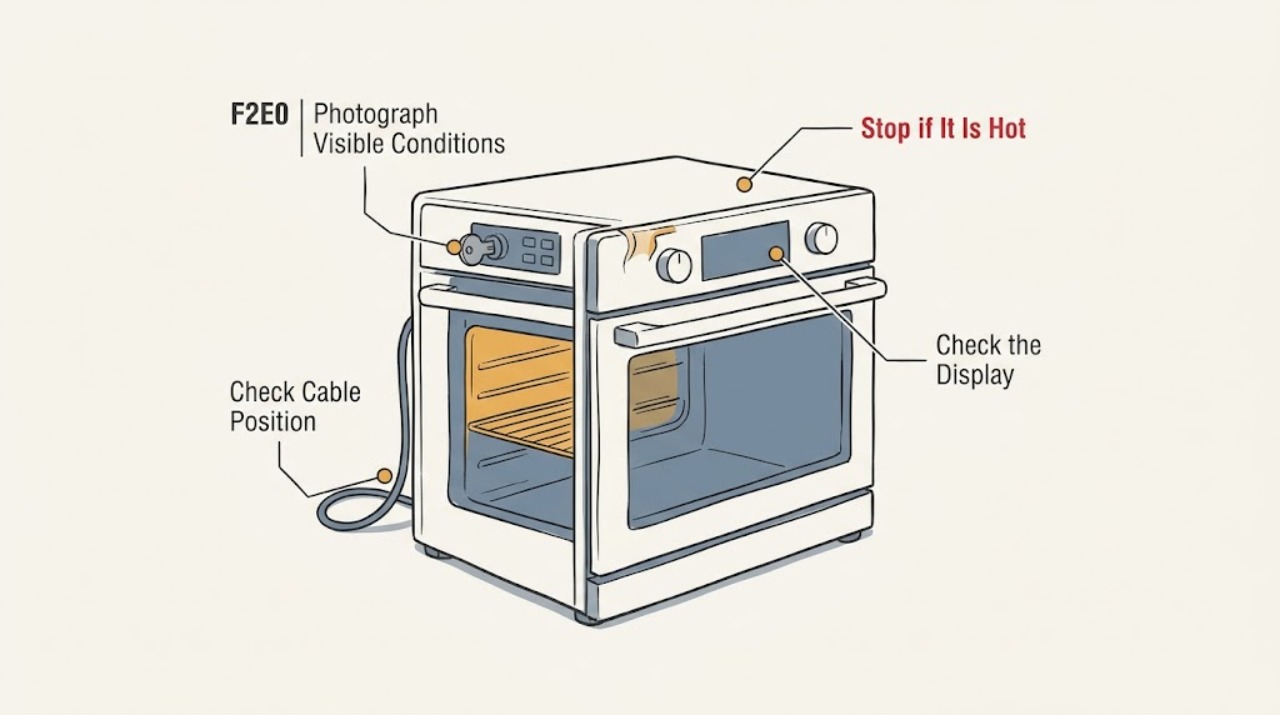
Work through in order
Diagnostic checks
Use only checks that match the exact appliance or system and its official guide.
-
Check 1
Stop the oven function using the normal external control if it is responding, stay away from a hot cavity, and let the oven cool. Photograph or write the full display exactly, including the F2E0 characters and any other code or flashing indicator.
Expected result: F2E0 is steady or flashing, the display is blank, the panel repeats inputs, or the code appeared after a spill, cleaning, power event, or cooking cycle.
Next step: Keep the photograph and record the oven mode, cavity, and recent event for the exact Canadian model lookup or service request.
Stop if: Stop immediately for smoke, burning or melting odor, arcing, uncontrolled heat, a hot or damaged connection, or suspected fire; do not press more keys to reproduce it.
Why this matters
Why: The complete display and timing distinguish a keypad symptom from a power, temperature, or other control symptom. A hot cavity or unsafe symptom takes priority over code lookup.
-
Check 2
Read the complete rating label and compare YKESA907PS00, the Canadian market, and the control layout with KitchenAid Canada's model lookup. Confirm that the opened tech sheet is the applicable control family before using its F2E0/F2E1 wording.
Expected result: The label matches YKESA907PS00, the suffix or market differs, or KitchenAid's lookup does not return a matching manual or literature record.
Next step: Give KitchenAid or a qualified technician a clear label photograph and the code photo. Until the document match is resolved, use only the safe external panel steps below.
Stop if: Do not import a US or another model's keypad sequence, service-mode entry, or part recommendation.
Why this matters
Why: KitchenAid groups manuals and tech sheets by model and notes that discontinued products may require assistance. A similar-looking range or a different control family can use different code meanings and reset behavior.
-
Check 3
With the oven cool and power otherwise behaving normally, inspect the control surface from outside. Wipe visible food film or moisture with the exact model's permitted soft, dry or lightly damp method, then dry the surface fully; do not spray cleaner onto the panel or work liquid into a key.
Expected result: The panel had visible moisture or residue and then responds normally, the same key still self-triggers, or the panel stays unresponsive and F2E0 remains.
Next step: If the code or abnormal key behavior persists, leave the oven off and arrange qualified KitchenAid appliance service. Preserve the before-and-after observations.
Stop if: Do not pry a key, remove the glass or console, use a sharp tool, flood the surface, or use the oven while controls are self-triggering.
Why this matters
Why: A surface condition can interfere with touch or membrane input, but improvement after cleaning does not prove the underlying F2E0 condition is repaired. A persistent code after an external clean is not evidence for a particular board or keypad.
-
Check 4
If the oven is cool, dry, inactive, and free of smoke, burning odor, arcing, uncontrolled heat, or damaged wiring, perform at most one ordinary power reset only as described in the exact owner's guide. Use the normal disconnect available to the installation and restore power once; do not enter service diagnostics.
Expected result: The display returns normally, F2E0 returns immediately, the panel remains unresponsive or self-triggering, or the breaker trips again.
Next step: If the code or key behavior returns, stop using the range and arrange qualified appliance service. Use qualified electrical service as well for a hot connection, arcing, damaged wiring, or repeated breaker operation.
Stop if: Do not repeat the reset, remove the control console, measure live voltage, or continue after any hazard symptom.
Why this matters
Why: A reset may clear a transient control state, but it cannot establish that a keypad connection, user interface, harness, or control fault is fixed. Recurrence or a trip is a professional boundary.
-
Check 5
After a single reset only if the exact guide permits it, observe the range without deliberately starting a heating cycle. Note whether the display is stable, whether ordinary keys respond once per press, and whether F2E0 appears at power-up or only after a mode selection.
Expected result: The code appears before any function, only after a key or mode is selected, or not at all after the panel is dry and the reset is complete.
Next step: Send the timing and panel behavior to KitchenAid support or a qualified technician. Do not use self-clean or a heating cycle as a stress test.
Stop if: Do not deliberately hold keys, enter diagnostic mode, bypass an interlock, or operate unattended to see whether the code returns.
Why this matters
Why: Power-up recurrence points to a persistent control or keypad communication problem; input-linked recurrence keeps the keypad or interface path in scope; clearing once remains inconclusive.
-
Check 6
Prepare a service handoff with the full YKESA907PS00 model and serial, Canadian market, exact code photo, oven cavity and mode, whether the panel was wet or dirty, key behavior, any recent power interruption or cleaning, the one reset result, and every safety symptom.
Expected result: The code is confirmed as F2E0, the model or document match is uncertain, or the code is paired with repeated self-input, heat, odor, smoke, arcing, or power behavior.
Next step: Arrange qualified KitchenAid appliance service; request qualified electrical service for suspected supply wiring or arcing. Keep the range off until the abnormal control behavior is assessed.
Stop if: Do not replace a keypad or control, open the console, perform continuity or voltage tests, or return the oven to use while it self-triggers or heats abnormally.
Why this matters
Why: F2E0 alone does not select a control board or keypad. The service provider needs the identity and behavior record to decide whether the issue is an interface connection, surface condition, control, power, or another model-specific fault.
Use your observations
Decision map
Find the observation that best matches what you see, then follow the next safe action.
-
PATH 01Next step
What you see
The complete label and control match the Canadian YKESA907PS00 record, the panel had visible moisture or residue, and the keys respond normally after the surface is cleaned and dried.
Do this next
Keep the code and cleaning record, use the range only with normal stable controls, and arrange service if F2E0 or self-triggering returns.
Why this path and its safety boundary
Why it matters: A surface interference is plausible, but the cleared code does not prove the keypad connection or control electronics are sound.
-
PATH 02Next step
What you see
F2E0 returns at power-up or after one permitted reset, the panel remains unresponsive, or keys continue to self-trigger after the surface is dry.
Do this next
Leave the range off and arrange qualified KitchenAid appliance service with the exact code, model, and panel-behavior record. Do not enter service diagnostics.
Why this path and its safety boundary
Why it matters: A persistent keypad-disconnect or interface/control fault is more likely than a simple surface condition, but the code still does not name a replaceable part.
-
PATH 03Next step
What you see
The display actually shows F2E1, or the user description says “stuck key” but the recorded characters are incomplete or uncertain.
Do this next
Photograph the display, stop pressing the suspect key, and use the exact KitchenAid model service path if the code persists. Do not infer a keypad or board replacement.
Why this path and its safety boundary
Why it matters: The opened Canadian tech sheet distinguishes F2E1 Stuck Keypad from F2E0 Keypad Disconnected; the first step is to preserve the exact display and match the correct document, not to merge the two codes.
-
PATH 04Safety boundary
What you see
The model suffix or Canadian document cannot be matched, or F2E0 appears with a blank display, repeated breaker trip, hot connection, smoke, burning odor, arcing, or uncontrolled heat.
Do this next
Stop using the range. Keep clear and isolate power only if safe; arrange qualified appliance or electrical service, and leave the area for smoke or fire according to local emergency guidance.
Why this path and its safety boundary
Why it matters: The identity or safety boundary prevents reliable code interpretation. A hazard overrides any ordinary cleaning or reset step.
Safety stop: No service-mode entry, console removal, live testing, repeated breaker reset, or deliberate reproduction.
-
PATH 05Next step
What you see
F2E0 clears once, the controls respond normally, no hazard returns, and the exact manual permits normal use after the reset.
Do this next
Keep the code photo and reset record, remain nearby for a limited normal observation, and stop and call service at the first recurrence or abnormal control behavior.
Why this path and its safety boundary
Why it matters: A transient control state is possible, but clearing the code is not proof that a keypad connection or interface fault is repaired.
Helpful context
Understand the symptom
F2E0 is not the same code as a stuck keypad
The opened KitchenAid Canada tech sheet separates F2E0, “Keypad Disconnected,” from F2E1, “Stuck Keypad.” That distinction matters for this YKESA907PS00 topic: a key that feels stuck, a wet or contaminated control surface, and a keypad or connection fault can look similar to the user, but the code alone does not prove which condition is present. Do not turn either code into a control-board or keypad order.
Start with a cool, dry, external panel
Stop the cooking function normally and allow the oven to cool. Photograph the complete display and note whether the panel is responding, repeating key presses, or showing the error at power-up. If the panel has visible moisture or food residue, clean and dry only the accessible surface according to the exact Canadian owner's guide. Do not spray liquid directly onto controls, push harder on a key, remove trim, or open the console.
One ordinary reset is a limit, not a repair
If the oven is cool, dry, inactive, and free of heat, smoke, burning odor, or electrical damage, one normal power interruption may be used only if the exact owner guide permits it. A cleared display does not prove that the keypad connection or control fault is repaired. If F2E0 returns, keys self-trigger, or the panel remains unresponsive, leave the range off and give the technician the code photo, full model, panel behavior, and reset result.
When checks do not resolve it
Need a professional?
Arrange qualified KitchenAid appliance service when F2E0 returns after the one permitted ordinary reset, the panel remains unresponsive or self-triggers, the exact Canadian document cannot be matched, or internal diagnosis would be required. Use qualified electrical service for supply wiring, arcing, hot connections, or repeated trips. Leave the area for smoke or fire and contact local emergency help from a safe location.
Safety scope: Do not enter service diagnostics, remove the control console, probe live voltage, perform continuity tests, bypass an interlock, or replace a keypad, harness, or control from F2E0 alone. Stop use for self-triggering keys, a blank or unstable display, smoke, burning odor, arcing, uncontrolled heat, a hot or damaged connection, or repeated breaker operation.
Have this ready
- Provide the complete YKESA907PS00 model and serial, Canadian market, exact display photo, oven cavity and mode, timing, visible moisture or residue, key behavior, recent cleaning or power event, one reset result, and any heat, odor, smoke, arcing, or breaker symptom.
Common questions
FAQ
Does KitchenAid F2E0 mean a stuck key?
Not in the opened KitchenAid Canada tech sheet. It lists F2E0 as Keypad Disconnected and F2E1 as Stuck Keypad. Photograph the exact display and match the full Canadian model before taking action.
Can I clean the KitchenAid control panel?
You may inspect and gently clean and dry only the accessible surface using the exact owner's guide's care method, with the oven cool and inactive. Do not spray liquid on the controls, pry a key, remove the console, or use cleaning as a reason to enter service mode.
What if F2E0 disappears after turning the power off once?
A single reset may clear a transient control state, but it does not prove the keypad connection or electronics are repaired. Keep the record, observe only with normal stable controls, and stop using the range if the code or self-triggering returns.
Can I replace the control board because F2E0 came up?
No. F2E0 does not select a control board or keypad by itself. Have KitchenAid or a qualified technician confirm the Canadian model documentation and perform the internal diagnosis safely.
Read the exact guide
Official sources
- Tech Sheet - W11565454 - Rev AKitchenAid Canada · Opened the official Canadian KitchenAid tech sheet. It lists F2E0 as Keypad Disconnected and F2E1 as Stuck Keypad, and marks the diagnostic material for service use. It is not used to authorize user diagnostics, live testing, or part replacement.
- Kitchen Appliance Manuals | KitchenAidKitchenAid Canada · Opened KitchenAid Canada's manuals and literature page. It directs owners to enter the appliance model to retrieve matching documents, says model numbers should end in a letter, and notes that discontinued products may require assistance.
Community feedback
Share a repair observation
Share a plain-text repair observation. Accepted observations are published automatically; this page may take a moment to update.