
On this page
Start here
Quick answer
Start with Control Lock and paddle engagement, then check the filter, water line, and supply. KitchenAid says a clogged or incorrectly installed filter, kinked line, low pressure, or incomplete paddle engagement can stop flow. If the checks do not restore water, request service.
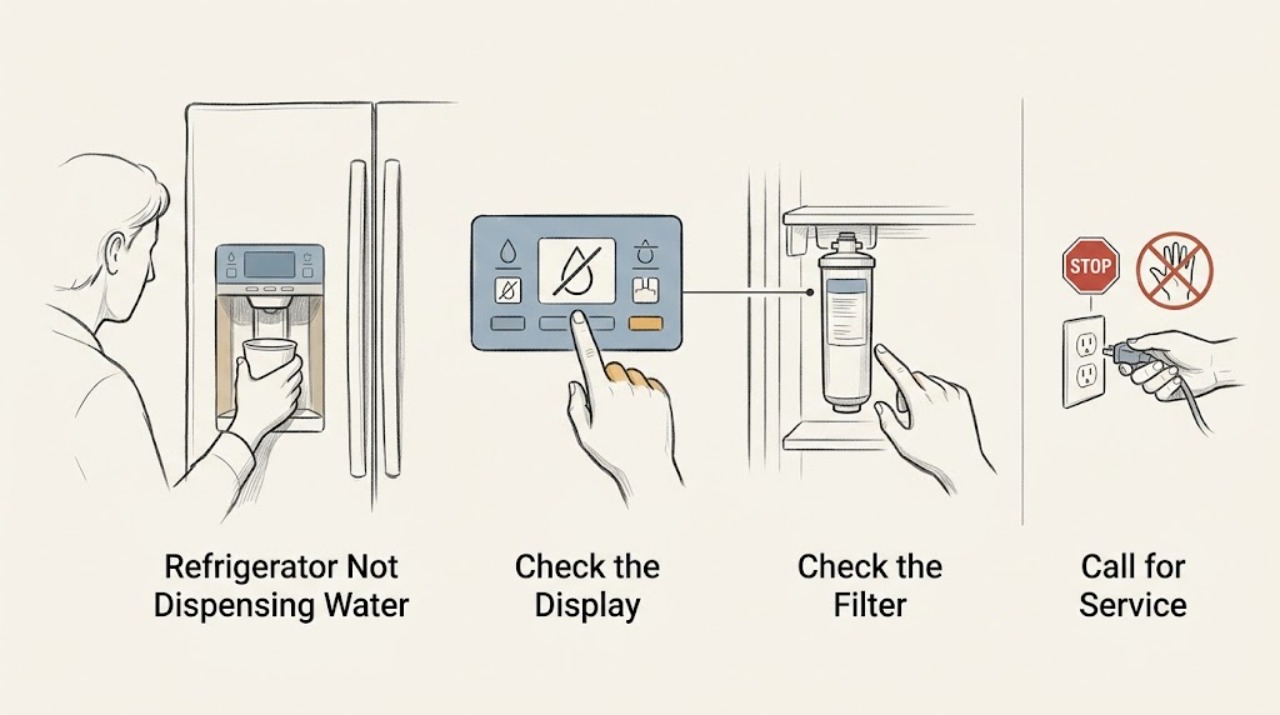
Work through in order
Diagnostic checks
Use only checks that match the exact appliance or system and its official guide.
-
Check 1
Check that Control Lock is off, select water, and press a sturdy glass firmly against the dispenser paddle.
Expected result: Controls respond and water flows, or the lock or paddle does not actuate.
Next step: Unlock or engage the paddle as the manual shows; continue if flow remains absent.
Why this matters
Why: A lock or incomplete engagement disables dispensing without proving a plumbing failure.
-
Check 2
Inspect the visible cold-water line for a kink and confirm the shutoff is open without pulling the refrigerator hard.
Expected result: The line is kinked or shutoff is closed, or the path is clear.
Next step: Correct only a visible kink or open the shutoff if safe; use plumbing help for uncertain supply.
Why this matters
Why: KitchenAid says a kink or missing supply can reduce or stop flow.
-
Check 3
If the model allows it, remove the filter and briefly compare dispenser flow in the approved bypass state.
Expected result: Flow increases without the filter, or remains absent.
Next step: Reseat or replace the model-approved filter and flush it as directed.
Stop if: Stop for a leak or a dispenser that remains active after releasing the paddle.
Why this matters
Why: Increased flow indicates a clogged or incorrectly seated filter.
Use your observations
Decision map
Find the observation that best matches what you see, then follow the next safe action.
-
PATH 01Next step
What you see
Unlocking or fully engaging the paddle restores flow.
Do this next
Monitor for recurrence.
Why this path and its safety boundary
Why it matters: The control path was the immediate cause.
-
PATH 02Next step
What you see
Flow improves only with the filter removed.
Do this next
Install the correct filter and flush the system.
Why this path and its safety boundary
Why it matters: The filter is clogged or not seated correctly.
-
PATH 03Next step
What you see
Controls, filter, line, and supply are normal but flow remains absent.
Do this next
Request qualified appliance service.
Why this path and its safety boundary
Why it matters: An internal water path or valve needs diagnosis.
Only after diagnosis
Potential parts
- refrigerator water filter
Consider only if flow improves with the filter removed or replacement is due according to model guidance.
Confirm the exact refrigerator model and approved filter fit before ordering.
When checks do not resolve it
Need a professional?
Request service for persistent no-flow after the control, line, supply, and filter checks, or for any leak or stuck dispenser.
Common questions
FAQ
How can I tell if the KitchenAid filter blocks water?
Use the model-approved bypass test. If flow increases with the filter removed, reseat or replace the correct filter and flush the system.
Read the exact guide
Official sources
- Does the Water Filter Need to be Replaced?KitchenAid · KitchenAid refrigerators with a filter and dispenser
- Not Dispensing Water - RefrigeratorKitchenAid · KitchenAid full-size refrigerators with water dispenser
Community feedback
Share a repair observation
Share a plain-text repair observation. Accepted observations are published automatically; this page may take a moment to update.