
On this page
Start here
Quick answer
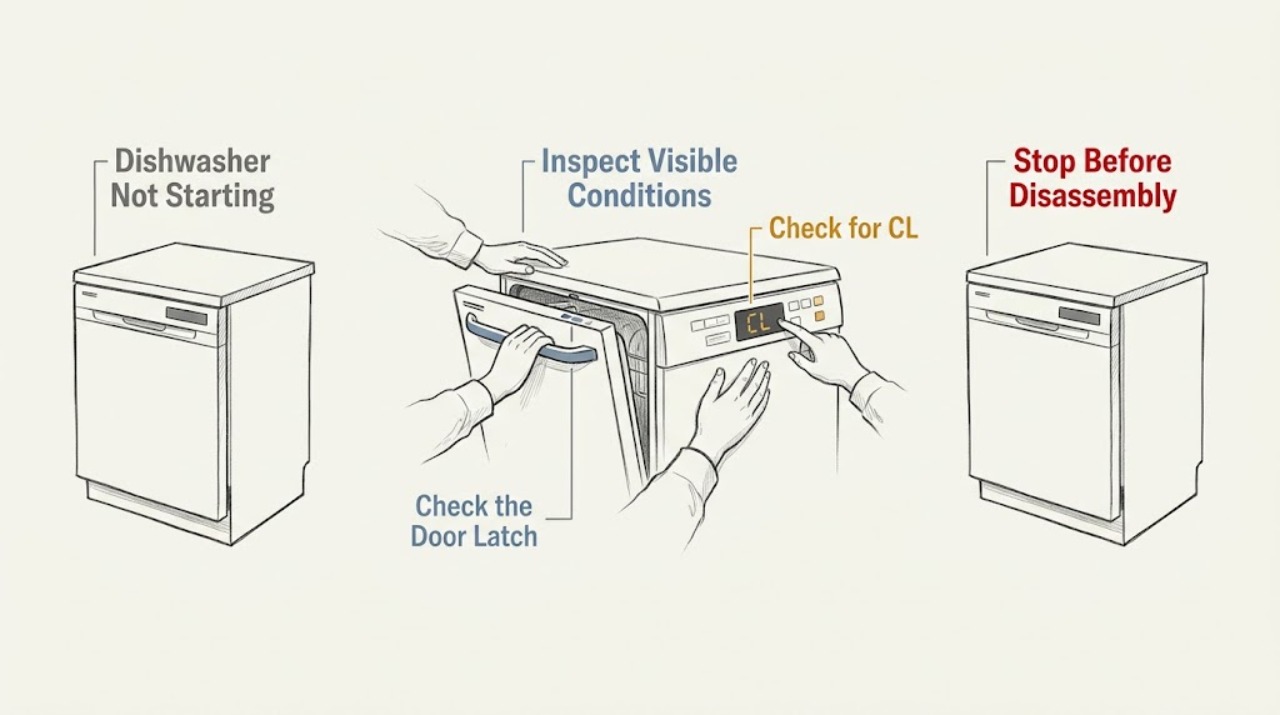
Check power and the door latch, make sure Control Lock is off, and confirm that a previous cancellation or drain sequence has finished. If the dishwasher powers on but will not start after these checks, record any code and request service.
Work through in order
Diagnostic checks
Use only checks that match the exact appliance or system and its official guide.
-
Check 1
Check the breaker and power connection, then press Power once and observe the panel.
Expected result: the panel stays dark or lights normally
Next step: If the breaker trips again, stop and arrange electrical inspection.
Why this matters
Why: A dark panel after confirmed power is a power or control concern; a lit panel allows function checks.
-
Check 2
Close the dishwasher door firmly and check that racks or dishes are not preventing the latch from engaging.
Expected result: the cycle starts or the panel still refuses Start
Next step: Do not bypass the latch; request service if proper closure does not change the symptom.
Why this matters
Why: The control generally requires a closed, latched door before starting; persistent failure points beyond loading position.
-
Check 3
Check for CL or a lock icon and use the exact model's unlock procedure; LG DIOS models may use Half Load and Energy Saver held for three seconds.
Expected result: the lock clears or remains
Next step: Select the cycle and press Start once after the lock clears.
Why this matters
Why: A cleared lock identifies a setting issue; a persistent lock needs model-specific support.
-
Check 4
If dashes or leftover water appear after a cancelled cycle, wait for draining to finish and inspect the filter and drain hose only as the manual permits.
Expected result: the cycle starts after draining or an error returns
Next step: Use the model error-code guide and request service if the code persists.
Why this matters
Why: The appliance may have been completing cancellation, or a drain condition may be preventing the next cycle.
Use your observations
Decision map
Find the observation that best matches what you see, then follow the next safe action.
-
PATH 01Next step
What you see
CL is shown and buttons otherwise respond
Do this next
Unlock using the model procedure and retry.
-
PATH 02Next step
What you see
The door is firmly latched but the unit stays dark or a code returns
Do this next
Stop repeated resets and request service.
Helpful context
Understand the symptom
Use the panel state as the first branch
A dishwasher that is dark has a different path from one showing CL, dashes, or an error code. Do not hold Start repeatedly while a cancellation is draining.
Only after diagnosis
Potential parts
- door latch assembly
Only consider it after correct loading and door alignment checks show the latch does not engage.
Confirm the complete model and use qualified service for any wiring or interlock work.
When checks do not resolve it
Need a professional?
Stop for a repeated breaker trip, damaged cord, burning smell, leaking water near electrical parts, a door that will not latch, or a recurring error code. Contact a qualified technician.
Common questions
FAQ
Why does my LG dishwasher show dashes instead of starting?
LG says dashes can indicate that a cancelled wash cycle is draining. Wait for that sequence to finish before trying another cycle.
What if the door closes but Start still does nothing?
Check power, Control Lock, and any code. If the panel responds but the cycle still will not start, request inspection rather than bypassing the latch.
Read the exact guide
Official sources
- [LG Dishwasher] Guide to Error CodesLG USA Support · LG dishwasher error and drain guidance
- [LG DIOS Dishwasher] Panel Buttons UnresponsiveLG USA Support · LG dishwasher power, Control Lock, and cancellation states
Community feedback
Share a repair observation
Share a plain-text repair observation. Accepted observations are published automatically; this page may take a moment to update.