
On this page
Start here
Quick answer
If an LG dryer leaves clothes wet, first separate a load problem from no heat, an early sensor-cycle stop, or a long cycle. Use laundry that has completed its washer spin, reduce a bulky load to about half the drum, separate thick and thin items, and choose a cycle that fits the fabric. Clean and reseat the lint filter, then inspect the accessible exhaust hose and outside flap for crushing, kinks, lint, or a Flow Sense/d80/d90/d95 warning. A gas dryer can also show gAS when gas is not reaching the appliance; an electric dryer can show nP or PS when heater current or cord voltage is not correct. Stop immediately for gas odor, smoke, burning smell, sparks, unusual heat, or repeated breaker trips. If airflow is clear, the correct cycle and load do not solve the problem, or a code returns, arrange LG or qualified appliance service rather than opening the cabinet.
Before you begin
Safety first
- This article supports ordinary-access observation, filter care, and visible exhaust checks only. Do not open the cabinet, access energized wiring, measure live voltage, alter gas parts, bypass safety controls, or continue heated operation with a severe airflow warning.
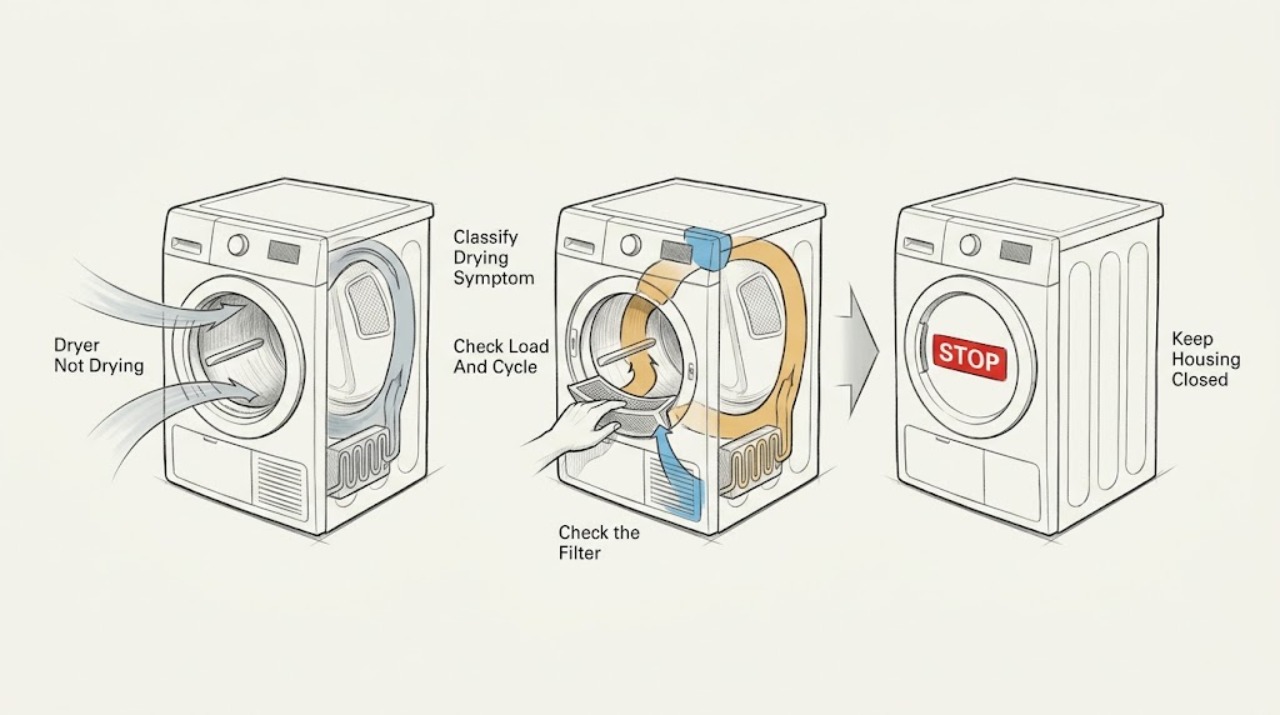
Work through in order
Diagnostic checks
Use only checks that match the exact appliance or system and its official guide.
-
Check 1
With the dryer stopped and cool, record whether clothes are still wet, the drum has no warmth, the automatic cycle ends unusually early, or the cycle takes much longer than normal; record the exact display text and whether the drum turns.
Expected result: Note the load size and fabric mix, whether the clothes completed a washer spin, whether the display shows d80, d90, d95, Flow Sense, nP, PS, gAS, or another code, and whether there is any gas odor, burning smell, smoke, spark, or abnormal heat.
Next step: If a safety symptom is present, follow the safety branch and do not restart. Otherwise continue to the load and cycle check, keeping the exact code and model information for later service.
Stop if: Stop immediately for gas odor, smoke, a burning smell, sparks, unusual heat, visible damage, water near electrical parts, or a breaker that trips again.
Why this matters
Why: Wet clothes with normal tumbling can point to load setup, airflow, heating, or gas/electric conditions. An early stop points toward a small load or sensor decision, while a long cycle points first toward load moisture or restricted airflow. A safety symptom overrides all other checks.
-
Check 2
Remove the load and check that every item completed a washer spin; reload only a moderate amount, separate thick items from thin items, and select the cycle that matches the fabric care label. Avoid testing with one tiny item or one tightly rolled bulky item.
Expected result: Record whether the load is around half the drum, mixed or single-fabric, very bulky, or unusually wet before drying. Note whether the automatic cycle ends early, completes with evenly dry items, or still leaves damp sections.
Next step: Run one correctly sized, properly spun load on a suitable cycle. For a suitable load that still needs a controlled comparison, use Manual or Time Dry according to the model instructions; if there is no heat or a warning returns, move to airflow or service checks.
Stop if: Stop if the load or drum is unusually hot, fabric is scorched, the door or drum is damaged, or a safety symptom appears.
Why this matters
Why: Unspun laundry adds excess moisture. An overloaded drum slows drying, while a very small or uneven load may not maintain contact with the moisture sensors and can end an automatic cycle early. Mixed thickness can leave heavy items wet after thin items are dry.
-
Check 3
When the dryer is off and cool, remove lint from the filter as the owner's manual describes and make sure the clean, dry filter is seated. From ordinary safe access, inspect the visible exhaust hose for crushing, kinks, holes, loose joints, or compression, and look at the outside exhaust flap for lint or a blockage.
Expected result: Record whether the filter is coated, the hose is restricted, the outside flap opens freely during an air-only check, or the path cannot be inspected without moving the appliance or opening a wall.
Next step: Clean only accessible lint and restore a clear hose path. If the restriction indication remains, stop heated use and arrange a qualified vent or LG service inspection; do not dismantle the dryer or wall duct.
Stop if: Do not reach into the duct, run the dryer with a disconnected or damaged exhaust path, use heated operation with a severe airflow warning, or continue after smoke, burning odor, or abnormal heat.
Why this matters
Why: A dirty filter or restricted hose/outlet can keep moist air from leaving and make drying slow or ineffective. If the filter is clean but Flow Sense or d80/d90/d95 remains, the restriction may be farther along the duct or inside the wall rather than in the cabinet.
-
Check 4
If the display shows Flow Sense, d80, d85, d90, or d95, compare the warning with the filter, hose, and outside-flap observations without attempting a full heated cycle to prove the warning wrong.
Expected result: Note whether the warning clears after the accessible filter and outlet are clear, whether drying time remains extended, or whether d90/d95 ends the cycle while clothes are damp.
Next step: Keep the dryer out of heated use until the airflow path is inspected and cleared by a qualified vent professional or LG technician. Give the technician the code, hose condition, outlet observation, and whether the warning returned.
Stop if: Do not bypass Flow Sense, disable a warning, run repeated long cycles, or open the cabinet or wall duct to reach lint.
Why this matters
Why: LG describes these indications as restricted airflow. A persistent warning after accessible cleaning points to the exhaust duct, outside termination, or concealed vent path; d90/d95 can stop drying even when the load is not dry.
-
Check 5
Only when the area is dry, odor-free, and free of heat or visible damage, inspect the accessible plug and cord seating, the clearly labeled dryer breaker, and on a gas model the visible gas valve and line for an obvious closed valve or kink; do not remove covers or touch terminals.
Expected result: Record whether the plug is seated, the breaker is on and remains on, the display shows nP or PS, the gas valve appears open, the visible line is kinked, or the display shows gAS.
Next step: If a clearly labeled breaker was found off and there is no damage or safety symptom, follow the owner's reset procedure once and observe whether the code returns. Otherwise leave the unit off and arrange the appropriate qualified service; never test live voltage or open the gas circuit.
Stop if: Stop for gas odor, a hot or damaged cord, arcing, smoke, water at the outlet, a repeated breaker trip, a damaged gas line, or any need to remove a terminal or access panel.
Why this matters
Why: LG associates nP with no heater current and PS with improper cord voltage; gAS indicates that a gas dryer is not receiving gas. A breaker that will not stay on, an outlet concern, a cord fault, a gas-line issue, or a repeated code needs licensed electrical, gas, or appliance service rather than cabinet access.
-
Check 6
After the load, filter, and exhaust checks are complete and no warning or safety symptom is present, compare one correctly sized load on its suitable Sensor Dry cycle with a permitted Manual or Time Dry setting from the owner's manual.
Expected result: Record whether Sensor Dry ends early while items remain damp, whether Time Dry produces heat and tumbles but leaves the load damp, or whether neither setting produces normal drying.
Next step: Correct the load and cycle when the controlled result points to sensor contact. If the same correctly prepared load remains wet or the dryer has no normal heat, stop repeated testing and provide the result and display record to LG or a qualified appliance technician.
Stop if: Stop if clothing becomes too hot, scorched, smoky, or unusually damp with a restricted-airflow warning; do not bypass a sensor or safety control.
Why this matters
Why: Sensor Dry uses contact with clothing to detect moisture and can end early when contact is poor or a load reaches the cutoff. If a controlled Time Dry run heats and tumbles but Sensor Dry ends early, load arrangement or sensor contact is more likely; if neither setting dries, airflow, heat, power, gas, or a service fault remains more likely.
-
Check 7
If a code returns after the relevant low-risk check, stop and document the exact code, the model number, the selected cycle, load type, filter and exhaust observations, and whether the drum turned or produced heat.
Expected result: Record a stable repeatable code such as nP, PS, gAS, d80/d90/d95, tE/tE2, a door or filter code, or a blank/no-code no-heat result; do not replace the code with a guess based on a similar display.
Next step: Arrange LG or qualified appliance service and provide the exact code, model, symptom timeline, safe checks performed, and any photos of the filter, hose, outlet, and display. Keep the dryer off when the code is accompanied by a safety symptom.
Stop if: Do not open the cabinet, bypass a thermal or door control, probe energized wiring, adjust gas components, or keep running the dryer to see whether a dangerous symptom repeats.
Why this matters
Why: The code narrows the next service path: airflow warnings point to venting, nP/PS to electric supply or heater-current diagnosis, gAS to gas supply or appliance service, and thermistor or sensor codes to model-specific service. A no-code failure still needs appliance diagnosis when setup and airflow are clear.
Use your observations
Decision map
Find the observation that best matches what you see, then follow the next safe action.
-
PATH 01Safety boundary
What you see
There is gas odor, smoke, a burning smell, a spark, unusual heat, visible damage, water near electrical parts, or a breaker trips again.
Do this next
Stop the dryer. If it is safe to do so without entering a hazardous area or touching wet electrical parts, leave power and gas controls alone or isolate them from a safe position; leave the area for gas odor, smoke, or fire and contact local emergency or utility response from outside the affected area. Arrange qualified service before any restart.
Why this path and its safety boundary
Why it matters: This is not a routine drying adjustment. Fire, shock, gas, or overheating risk takes priority over restoring a cycle.
Safety stop: Do not restart, test a cycle, operate a switch in a gas-filled area, open panels, or attempt a gas, heating, or electrical repair.
-
PATH 02Safety boundary
What you see
The dryer tumbles and heats, but a very small, bulky, or mixed-thickness load ends early or leaves damp sections without an airflow warning.
Do this next
Use a properly spun moderate load, separate thick and thin items, select the correct fabric cycle, and use the model-approved Manual or Time Dry comparison when needed.
Why this path and its safety boundary
Why it matters: Sensor contact and uneven moisture can make an automatic cycle decide that the load has reached its cutoff while another item remains damp.
Safety stop: Stop if the load becomes too hot, scorched, smoky, or the same problem occurs with a properly prepared load.
-
PATH 03Safety boundary
What you see
The filter or exhaust path is dirty, crushed, kinked, blocked, or the display shows Flow Sense, d80, d85, d90, or d95.
Do this next
Clean the accessible filter and visible outlet, restore a clear hose path, and arrange professional vent or LG service when the warning remains or the concealed duct needs cleaning.
Why this path and its safety boundary
Why it matters: Moist warm air is not leaving at the expected rate. LG notes that severe restriction can extend drying and can end a cycle while clothing remains damp.
Safety stop: Do not use heated cycles with a severe airflow warning, bypass the warning, open a wall, or continue repeated cycles while the path is restricted.
-
PATH 04Safety boundary
What you see
An electric dryer has no heat and shows nP or PS, the breaker will not stay on, the cord or outlet is damaged, or a safe controlled cycle still has no heat.
Do this next
Leave the dryer off and arrange licensed electrical or qualified appliance service. Provide the code, rating-plate information, breaker behavior, and cord/outlet observations.
Why this path and its safety boundary
Why it matters: The issue may involve the supply, cord installation, heater-current path, or another electrical component. A display code is not permission to access energized wiring.
Safety stop: Do not remove the terminal cover, measure live voltage, bypass a breaker or thermal control, or retry after a repeated trip.
-
PATH 05Safety boundary
What you see
A gas dryer shows gAS, the visible valve appears closed, the line is kinked, or a gas dryer has no heat without a safe explanation.
Do this next
Only when there is no gas odor or damage, report the visible valve and line observation to a qualified gas or appliance technician. If gas odor is present, follow the immediate safety branch and leave the area.
Why this path and its safety boundary
Why it matters: LG defines gAS as no gas being received by the dryer; the cause may be an accessible supply condition or an appliance gas/heating fault.
Safety stop: Do not relight, purge, disconnect, adjust, or open gas components; do not run a cycle to test a suspected gas fault.
-
PATH 06Safety boundary
What you see
The load is properly spun and sized, the selected cycle is suitable, accessible airflow is clear, and the dryer still leaves clothes wet or has no normal heat.
Do this next
Arrange LG or qualified appliance service with the exact model, symptom, cycle, display, load, airflow, power or gas observations, and any safety event. Keep the unit off if heat or odor is abnormal.
Why this path and its safety boundary
Why it matters: A heating, sensor, control, motor, thermistor, or concealed duct fault remains possible, and the safe user checks are exhausted.
Safety stop: Do not continue long cycles, open the cabinet, bypass a control, or install a part before a model-specific diagnosis.
Helpful context
Understand the symptom
Identify what not drying means on this LG dryer
Check whether the clothes are wet at the end of a normal cycle, the drum has no warmth at all, a Sensor Dry cycle ends unusually soon, or the cycle runs much longer than expected. Record the full display, including d80, d90, d95, Flow Sense, nP, PS, gAS, or another code, plus whether the drum turns and whether the load came from a strong washer spin. These observations send the diagnosis toward load and cycle setup, airflow, electric supply, gas supply, or a service-level fault.
Load and cycle setup can mimic a dryer fault
LG advises putting only spun laundry into the dryer, filling the drum about halfway, sorting thick and thin fabrics, and choosing a cycle suited to the fabric care label. A very small load may lose steady contact with the moisture sensors and end an automatic cycle early, while a bulky item can dry on the outside while remaining damp inside. Manual or Time Dry can be a useful controlled comparison for a suitable load, but it does not repair a no-heat or restricted-airflow condition.
Airflow is a priority check for wet or slow-drying laundry
Lint at the filter, a crushed or kinked exhaust hose, a blocked outside flap, or lint inside the wall can keep warm moisture from leaving the dryer. LG's Flow Sense and d80/d90/d95 indications are airflow warnings: severe restriction can lengthen drying and can end a cycle while clothing is still damp. Clean only the accessible filter and visible outlet area, keep the hose path open, and arrange professional vent or appliance service when the warning remains.
Treat power, gas, and heat symptoms as separate safety paths
An electric LG dryer may report nP when heater current is not detected or PS when cord voltage is improper. A gas model may show gAS when the unit is not receiving gas. Only inspect an accessible plug, the visible condition of the cord, and a clearly labeled breaker or gas valve when the area is dry, odor-free, and safe; do not remove a terminal cover, measure live voltage, open the gas path, or bypass a safety device. Smoke, a burning smell, sparks, unusual heat, gas odor, or a breaker that trips again ends home troubleshooting.
Safety boundary
Stop conditions
- Stop immediately for gas odor, smoke, burning smell, sparks, unusual heat, visible damage, water near electrical parts, or a breaker that trips again.
- Do not operate a gas dryer or any electrical control in a gas-filled area; leave for a safe location and request emergency or utility help from outside the affected area.
- Do not open the dryer cabinet, remove a terminal cover, measure live voltage, access energized wiring, bypass a thermal or door control, or alter gas components.
- Do not bypass Flow Sense or run repeated heated cycles with d80, d90, d95, or another severe airflow warning.
- Keep the dryer off and arrange qualified service when safe load and airflow checks do not restore drying or when a code returns.
Only after diagnosis
Potential parts
- lint filter
Consider this category only if the filter is damaged, does not seat correctly, or cannot be restored by the model's cleaning procedure.
Confirm the exact LG dryer model and filter design before ordering; a cleanable filter is not evidence that an internal heating or airflow part needs replacement. - humidity sensor
Consider this category only when a properly sized load and clear airflow make a Sensor Dry cycle end early and model-specific diagnosis identifies the sensor path.
Confirm the exact model and the technician's diagnosis before ordering; do not bypass or alter sensor contacts. - thermistor
Consider this category only when a returned thermistor-related code or service diagnosis links the no-heat or temperature symptom to that component.
Confirm the exact model and service documentation before ordering; do not access the component while the dryer is connected to power.
When checks do not resolve it
Need a professional?
Arrange LG or qualified appliance service when the dryer has no normal heat after safe load and airflow checks, nP, PS, gAS, thermistor, sensor, or other codes return, a breaker trips again, a cord or gas line is damaged, Flow Sense or d80/d90/d95 remains, the concealed vent path needs inspection, or the dryer overheats or produces an odor.
Safety scope: This article supports ordinary-access observation, filter care, and visible exhaust checks only. Do not open the cabinet, access energized wiring, measure live voltage, alter gas parts, bypass safety controls, or continue heated operation with a severe airflow warning.
Common questions
FAQ
Why does my LG dryer run but leave clothes wet?
Check whether the load completed a washer spin, is too large or uneven, or is running on a cycle that does not fit the fabric. Then clean the lint filter and inspect the visible exhaust path. If the dryer has no heat, an airflow warning, or a returned code, stop repeated cycles and arrange service.
Why does my LG dryer stop early with damp clothes?
A very small or uneven load may not keep steady contact with the moisture sensors, so an automatic cycle can reach its cutoff while another item remains damp. Try a properly sized, properly spun load with the correct fabric cycle. If a suitable load still stops early, record the model and result for service.
What do Flow Sense, d80, d90, and d95 mean on an LG dryer?
They indicate restricted airflow in the dryer or exhaust path. Clean the accessible filter, check for a crushed or kinked visible hose, and inspect the outside flap. If the warning remains, avoid heated operation and arrange a qualified vent or LG service inspection; d90 or d95 can end a cycle while laundry is still damp.
What should I do if an LG gas dryer shows gAS?
LG defines gAS as gas not reaching the dryer. If the area is odor-free and safe, record the visible valve and line condition without opening or adjusting gas parts, then arrange qualified gas or appliance service. If you smell gas, stop, leave the area, and request emergency or utility help from outside the affected area.
What if an electric LG dryer shows nP or PS and does not heat?
LG associates nP with no current detected at the heater and PS with improper cord voltage. You may record the exact code and safely observe the accessible plug and breaker, but do not remove a terminal cover or measure live voltage. Leave the dryer off and arrange licensed electrical or qualified appliance service.
When should I stop using an LG dryer that is not drying?
Stop immediately for gas odor, smoke, burning smell, sparks, unusual heat, visible damage, water near electrical parts, or a breaker that trips again. Also stop heated use when a severe airflow warning remains. Do not open the cabinet or bypass a safety control; arrange qualified service.
Read the exact guide
Official sources
- Dryer - Clothing Too HotLG USA Support · LG USA dryer troubleshooting guidance; exact cycle behavior varies by model.
- [LG Dryer] [Gas type] A display saying that the exhaust pipe is clogged appearsLG USA Support · LG USA gas-dryer guidance for models that display an exhaust blockage indication; display behavior varies by model.
- [LG Dryer] [Electric] Laundry is not drying wellLG USA Support · LG USA general electric-dryer guidance; model features and controls vary, and related load principles may also apply to other LG dryer types.
- LG Dryer - Error Code List(New) | LG USA SupportLG USA Support · LG USA error-code reference; code availability and reset steps vary by model.
- LG Dryer – Why is My Dryer Not Heating, Not Drying or Taking a Long Time Drying?LG USA Support · LG USA general dryer troubleshooting guidance; button sequences and display behavior vary by model.
Community feedback
Share a repair observation
Share a plain-text repair observation. Accepted observations are published automatically; this page may take a moment to update.