
On this page
Start here
Quick answer
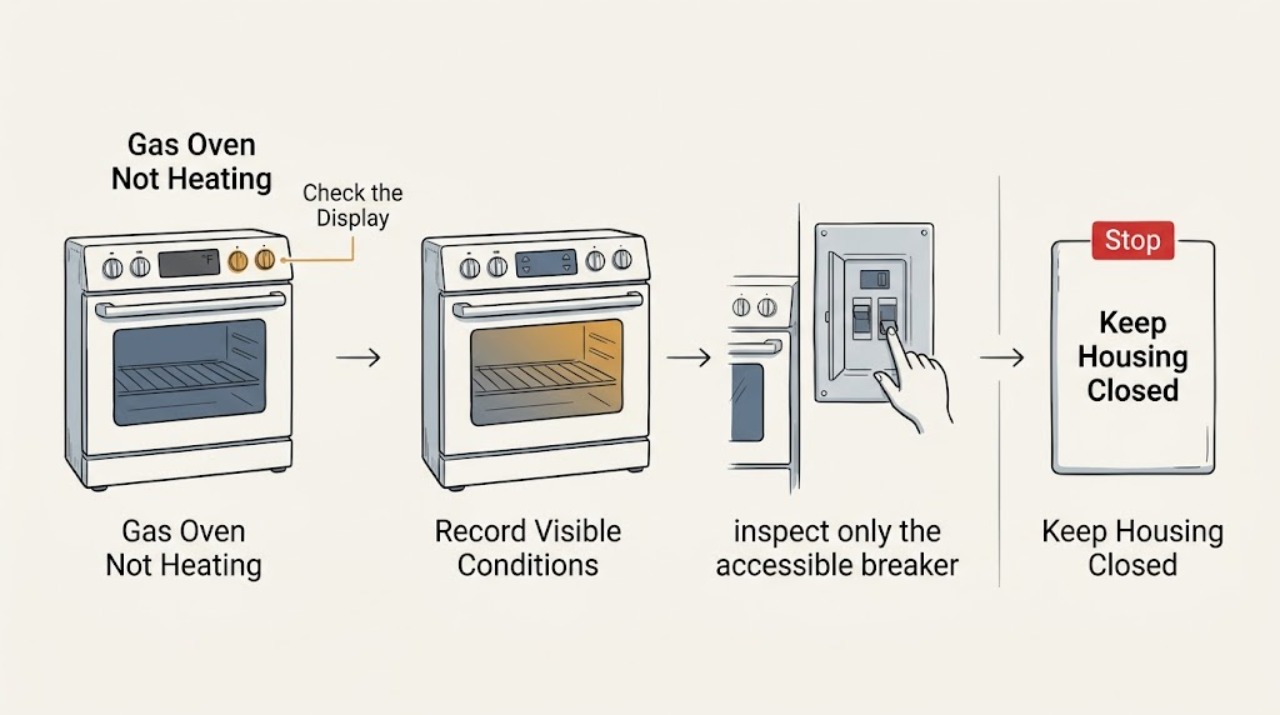
If an LG gas oven is not heating, first stop for gas odor or hissing, delayed ignition or a bang, abnormal flame, smoke, arcing, water near electrical parts, or a repeated breaker trip. If there is no hazard, record the exact model and any displayed code, confirm the breaker and direct power connection, select the intended oven mode and temperature, press START to confirm it, and check that Oven Lockout or Child Lock and Delay Start are not active. LG's gas-range guidance also says to confirm the gas valve is open and to observe whether the hot-surface igniter glows during a bake start; do not remove panels, adjust the regulator, manually light the burner, or keep retrying an unsafe ignition. If the display is live but the burner does not establish heat after these external checks, arrange qualified gas-appliance service.
Work through in order
Diagnostic checks
Use only checks that match the exact appliance or system and its official guide.
-
Check 1
Before another heating attempt, look and smell from a safe position for gas odor or hissing, a delayed ignition or bang, abnormal flame, smoke, sparks or arcing, a hot or discolored cord, water around controls, damaged glass, or a breaker that has tripped again.
Expected result: Any gas, smoke, electrical, water, heat-damage, or repeated-trip warning is present.
Next step: Stop using the oven. If gas is suspected, leave immediately without operating switches or creating a flame and contact local gas or emergency services from outside. For smoke, arcing, water, or electrical damage, keep clear and arrange qualified help.
Stop if: Do not retry ignition, reset the breaker repeatedly, touch wet equipment, or remove an oven panel.
Why this matters
Why: This is a gas, fire, electric-shock, or water-ingress hazard rather than an ordinary temperature-setting problem.
-
Check 2
Record the full LG model and the display state before troubleshooting: note whether the panel is dark, whether the oven is lit but idle, and the exact code or lock message if one appears.
Expected result: A model and energy identity are available, and the display shows normal settings, a code, Oven Lockout or Child Lock, or another message.
Next step: Use the manual or LG support instructions for that exact model and preserve the code for service. Do not translate an F-number using a different LG oven model.
Why this matters
Why: LG says error codes require their own model-appropriate instructions; a lock or code can prevent a cycle from running even when the display has power.
-
Check 3
If the panel is dark or the issue followed an outage, inspect only the accessible breaker or fuse and the visible plug or cord; confirm the range is connected directly as specified and make at most one safe breaker reset when there is no odor, wetness, or damage.
Expected result: The display returns, remains dark, or the breaker trips again.
Next step: If the reset restores normal operation without a hazard, continue to the control check. If the display stays dark or the breaker trips again, leave the appliance off as safely possible and arrange a qualified electrician or appliance technician.
Stop if: Do not open the terminal area, test live voltage, change wiring, use an extension cord, or keep resetting the breaker.
Why this matters
Why: A gas oven still depends on its electrical supply for controls and ignition. A continuing blank display or second trip points to supply, wiring, or an internal fault.
-
Check 4
Cancel the current cycle, select the model's normal Bake mode, enter a temperature above room temperature, and press START to confirm the setting; check that Delay Start, Oven Lockout, or Child Lock is not active.
Expected result: The oven begins a preheat, the setting was not confirmed, a lock or delay is shown, or the display accepts a valid cycle but the cavity remains cold.
Next step: Clear the lock or delay only with the exact model's instructions, then supervise one normal preheat. If it still remains cold, stop changing settings and arrange service.
Why this matters
Why: LG states that an unconfirmed setting, lockout, or delay can make a powered oven appear not to run. A confirmed cycle with no heat moves the investigation toward gas supply, ignition, sensing, or control.
-
Check 5
Without moving the range or touching gas tubing, check the user-accessible gas supply state described in the model manual; if safe and appropriate, note whether a surface burner ignites normally and whether the oven has any ignition response.
Expected result: Surface burners work but the oven does not respond, both the surface burners and oven are affected, or gas odor, hissing, delayed ignition, or an abnormal flame appears.
Next step: For gas odor, hissing, delayed ignition, or abnormal flame, stop immediately, leave without operating electrical switches, and seek gas-emergency help from outside. Without those hazards, record the result and request qualified gas-appliance service; do not adjust a valve or regulator.
Stop if: Never move the appliance to inspect a connector, remove gas tubing, adjust a regulator, or manually light the oven burner.
Why this matters
Why: The oven gas and ignition path may differ from the surface burners. Gas odor, delayed ignition, or an abnormal flame is unsafe to investigate by repeated attempts.
-
Check 6
With the door closed and only after the prior safety checks, supervise one bake start from outside the cavity and note whether the hot-surface igniter glows, whether the burner establishes a normal flame, and whether the oven produces a code, odor, smoke, or unusual sound; do not reach toward the burner.
Expected result: The igniter glows and heat begins, the igniter does not glow, the burner does not establish heat, or any abnormal symptom appears.
Next step: Stop for any abnormal symptom. If the igniter or burner does not establish heat with a valid cycle, arrange qualified gas-appliance service with the model, code, and observed sequence.
Stop if: Do not keep cycling the igniter, manually light the burner, bypass flame sensing, or test live components.
Why this matters
Why: LG describes the hot-surface igniter as the component that lights the bake burner and notes that an ignition failure may produce a model-dependent error code. An observation cannot identify whether the igniter, valve, sensor, wiring, or control is at fault.
-
Check 7
Check that the oven door closes normally and is not held open by a rack, dish, or visible obstruction; inspect the seal and hinge area from outside without forcing or dismantling the door.
Expected result: The door closes fully and the oven heats, or it remains misaligned, damaged, or indicated as open.
Next step: Retry only after a normal unobstructed closure. If the door, latch, hinge, or seal is damaged or the indication remains, stop using the oven and arrange service rather than bypassing an interlock.
Why this matters
Why: LG warns that open-door operation loses heat and delays or restarts cooking; a door that cannot close or be sensed correctly can prevent a safe heating cycle.
Use your observations
Decision map
Find the observation that best matches what you see, then follow the next safe action.
-
PATH 01Next step
What you see
Gas odor or hissing, delayed ignition or a bang, abnormal flame, smoke, arcing, wet electrical area, or repeated breaker trip
Do this next
Stop immediately. Leave for suspected gas without operating switches and seek gas or emergency help from outside; otherwise keep clear and obtain qualified electrical or appliance service.
-
PATH 02Next step
What you see
The display is dark or remains dark after a single safe power check
Do this next
Stop and arrange electrician or appliance service, especially if the breaker trips again; do not open the range or keep resetting protection.
-
PATH 03Next step
What you see
The display shows a code, Oven Lockout, Child Lock, or Delay Start
Do this next
Record the exact message and use the matching LG model manual to clear the setting or interpret the code; do not use another model's code table.
-
PATH 04Next step
What you see
The display is normal but the chosen cycle was not confirmed or the door is not fully closed
Do this next
Press START as required by the model and close the door normally; persistent door sensing or control problems require service.
-
PATH 05Next step
What you see
Surface burners work but the oven has no ignition response or the igniter does not glow
Do this next
Stop repeated ignition attempts and arrange qualified gas-appliance service with the model and observed sequence.
-
PATH 06Next step
What you see
A valid bake cycle runs but the cavity remains cold after the gas and control checks
Do this next
Stop user diagnosis and request service; provide the model, code, settings, door state, gas-supply observation, and ignition behavior.
Helpful context
Understand the symptom
Separate a no-heat symptom from a no-start symptom
A lit display that completes a bake selection but leaves the cavity cold points toward settings, gas supply, ignition, sensing, or control. A dark display or a breaker that will not stay on points first toward power or installation. Write down the full model and exact display message before using an error-code guide; LG notes that code meanings and procedures are model-specific.
Gas and electrical safety boundary
An LG gas oven still needs electrical power for its controls and ignition, as well as a working gas supply. The checks here stop at the user-accessible control panel, door, household breaker, and visible observations. Igniters, burner valves, regulators, wiring, sensors, and control boards require qualified diagnosis; never bypass an ignition or door safety device.
Only after diagnosis
Potential parts
- gas oven igniter
Only consider this category after qualified diagnosis finds that the exact gas-oven model has an ignition fault; a cold cavity alone does not identify the igniter.
Confirm the full model number and approved fit information before ordering; do not test, bypass, or manually light the ignition system. - oven gas valve or burner assembly
Only consider this category after a qualified technician confirms a gas-supply or burner-valve fault rather than a setting, igniter, sensor, or control problem.
Gas components are model-specific and must be selected and installed by qualified gas-appliance personnel. - oven temperature sensor
Only consider this category if model-specific fault evidence or qualified testing points to temperature feedback rather than ignition or gas supply.
Confirm the exact model and manufacturer fit information; do not infer compatibility from a similar-looking sensor. - oven control or relay module
Only consider this category after power, settings, door, gas supply, ignition, and sensor paths have been evaluated by qualified service.
Control modules are model-specific and cabinet-level electrical work requires qualified personnel.
When checks do not resolve it
Need a professional?
Have this ready
- The full LG model number, display and code, selected mode and temperature, whether START was confirmed, lock or delay indication, door state, breaker result, whether surface burners work, gas-supply observation, and the ignition sequence.
Common questions
FAQ
Why does my LG gas oven have power but not heat?
Check the exact model's START confirmation, lock or delay state, door closure, gas-valve state, and ignition response. If the display runs a valid cycle but the burner does not establish heat, the igniter, valve, sensor, wiring, or control needs qualified diagnosis rather than a symptom-based part swap.
Can the cooktop burners work while an LG gas oven does not heat?
Yes. LG treats the oven ignition and heating path separately from the surface burners. Record whether the surface burners work, but stop for gas odor, hissing, delayed ignition, or abnormal flame instead of repeatedly trying the oven.
When should I stop troubleshooting an LG gas oven?
Stop for gas odor or hissing, a delayed ignition or bang, abnormal flame, smoke, arcing, wet electrical areas, a damaged cord or glass panel, a repeated breaker trip, or a door that cannot close safely. Leave a suspected gas leak without operating electrical switches and seek help from outside.
Read the exact guide
Official sources
- LG Range, Oven, Electric Cooktop: Powers On, Won't RunLG USA Support · Official LG control guidance with separate gas-cooking-appliance path; use the exact model manual for button sequences.
- Oven Not Heating - Gas RangesLG USA Support · Official LG guidance for gas ranges; model controls, codes, and installation details can vary.
- CPSC Urges Flood Victims to Take Steps to Prevent CO Poisoning, Electrocution, Explosion and FiresU.S. Consumer Product Safety Commission · General safety guidance: do not touch wet plugged-in appliances and leave immediately if gas is smelled or heard leaking.
Community feedback
Share a repair observation
Share a plain-text repair observation. Accepted observations are published automatically; this page may take a moment to update.