
On this page
Start here
Quick answer
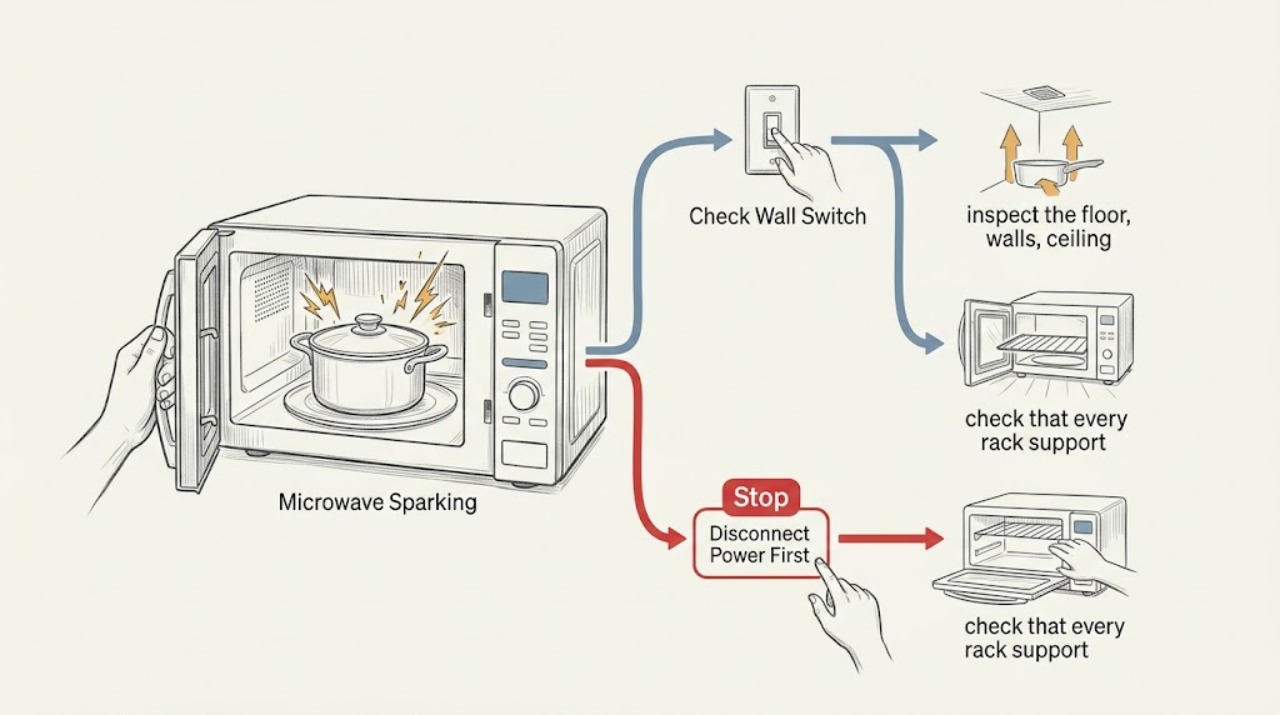
Stop the cycle and let the LG microwave cool. Remove any metal or non-microwave-safe item, look for food residue or cavity damage, and check that an included rack sits on all of its supports. A clean cavity that still sparks, or any charring or damaged interior, needs qualified service rather than repeated testing.
Before you begin
Safety first
- Keep the cabinet closed; do not work on high-voltage microwave components.
Work through in order
Diagnostic checks
Use only checks that match the exact appliance or system and its official guide.
-
Check 1
Stop the cycle, switch the controls off, and identify what was inside when the spark occurred: metal, metallic trim, foil, a rack, or an ordinary microwave-safe container.
Expected result: The spark occurred with metal or a metallic-trim item, with an empty cavity, or with no such item present.
Next step: Remove the suspect item and do not repeat a test with it. If the cavity was empty or visibly scorched, keep the microwave off and inspect only after it cools.
Why this matters
Why: Metal can arc, and LG warns that operating empty can burn or scorch the cavity; a spark with an ordinary load needs the cavity and rack checks.
-
Check 2
With power off and the cavity cool, inspect the floor, walls, ceiling, turntable, and any waveguide-cover area for dried food, carbonized splashes, pinholes, peeling, melted material, or dark marks.
Expected result: Food soil is removable and the interior coating appears intact, or there is a burn mark, hole, peeling, or other cavity damage.
Next step: Wipe accessible residue with the model-approved method. Do not scrape, paint, or use the unit if the interior is damaged.
Why this matters
Why: Food residue can overcook and spark; actual cavity damage is a service condition, not a cleaning result.
-
Check 3
If the model includes a metal rack, check that every rack support is present, intact, and seated so the rack cannot touch the cavity wall; also verify that the turntable is correctly positioned.
Expected result: A rack support is missing or damaged, the rack touches the wall, or the rack and supports are correctly positioned.
Next step: Do not use a rack with a damaged support. Reinstall it only as the owner's instructions show, then seek service if sparking returns.
Why this matters
Why: LG says an improperly supported rack can contact the wall and cause sparking; correct seating removes that specific cause but does not prove the oven safe if it still arcs.
-
Check 4
Only after the cavity is clean, intact, and free of suspect cookware, follow the model instructions for a brief supervised test with a microwave-safe container holding water; watch through the closed door.
Expected result: The test is quiet, or sparking, smoke, crackling, or a new scorch appears again.
Next step: Stop immediately for recurrence, smoke, or scorching and arrange qualified service. Never remove the cabinet or touch high-voltage parts.
Why this matters
Why: A quiet test supports a load, residue, or rack explanation; recurrence with a safe load indicates a fault or damage that cannot be identified from outside.
Use your observations
Decision map
Find the observation that best matches what you see, then follow the next safe action.
-
PATH 01Next step
What you see
Sparking stops after a metal or metallic-trim item is removed and the cavity is clean
Do this next
Use only the cookware permitted by the model and clean new spills promptly.
Why this path and its safety boundary
Why it matters: The load or residue is more likely than an internal failure.
-
PATH 02Next step
What you see
Sparking tracks a loose rack or missing support
Do this next
Leave the rack out if its support is damaged and obtain model-specific service or replacement guidance.
Why this path and its safety boundary
Why it matters: Rack-to-wall contact is a supported explanation.
-
PATH 03Next step
What you see
A clean, intact cavity sparks again with microwave-safe cookware
Do this next
Stop using the microwave and request qualified service; do not open its cabinet.
Why this path and its safety boundary
Why it matters: The external causes have not explained the symptom and continued use may damage the oven.
Helpful context
Understand the symptom
Treat a spark as a cause-finding check
The useful distinction is whether the spark followed the load, a rack position, or a visible cavity condition. Do not keep running the oven to reproduce an arc once damage or smoke is present.
When checks do not resolve it
Need a professional?
Request qualified service when sparking cannot be tied to the load, residue, or rack installation, or when the cavity is damaged.
Safety scope: Keep the cabinet closed; do not work on high-voltage microwave components.
Have this ready
- Provide the model, cookware used, whether the oven was empty, spark location, rack condition, and any visible damage.
Common questions
FAQ
Can I keep using an LG microwave after one spark?
Only resume if the spark was clearly caused by a removable load or rack-position issue, the cavity is clean and undamaged, and the model's safe test is quiet. Repeated arcing or any cavity damage calls for service.
Why does an LG microwave spark with a rack?
LG says the rack must sit on all of its supports; if it touches the cavity wall, arcing can occur. A damaged support or recurring spark should not be bypassed.
Read the exact guide
Official sources
- LG Microwave: Why is my Microwave Arcing or Sparking?LG USA Support · LG microwave sparking causes and service boundary
- LG Microwaves - How to Prevent SparkingLG USA Support · LG microwave residue and cookware checks
Community feedback
Share a repair observation
Share a plain-text repair observation. Accepted observations are published automatically; this page may take a moment to update.