
On this page
Start here
Quick answer
First determine whether the LG oven has no power, has power but a blank display, or has a partial/flashing display with buttons that still respond. Check the accessible power connection and circuit breaker without opening the appliance, and use the exact model manual to check Control Lock or Child Lock. LG's range guidance allows one brief 30-second breaker reset for control-panel problems; if the display remains blank, incomplete, distorted or unresponsive, LG directs the user to service. Do not remove the control panel, probe wiring, bypass a lock, or replace a display or board based only on the symptom.
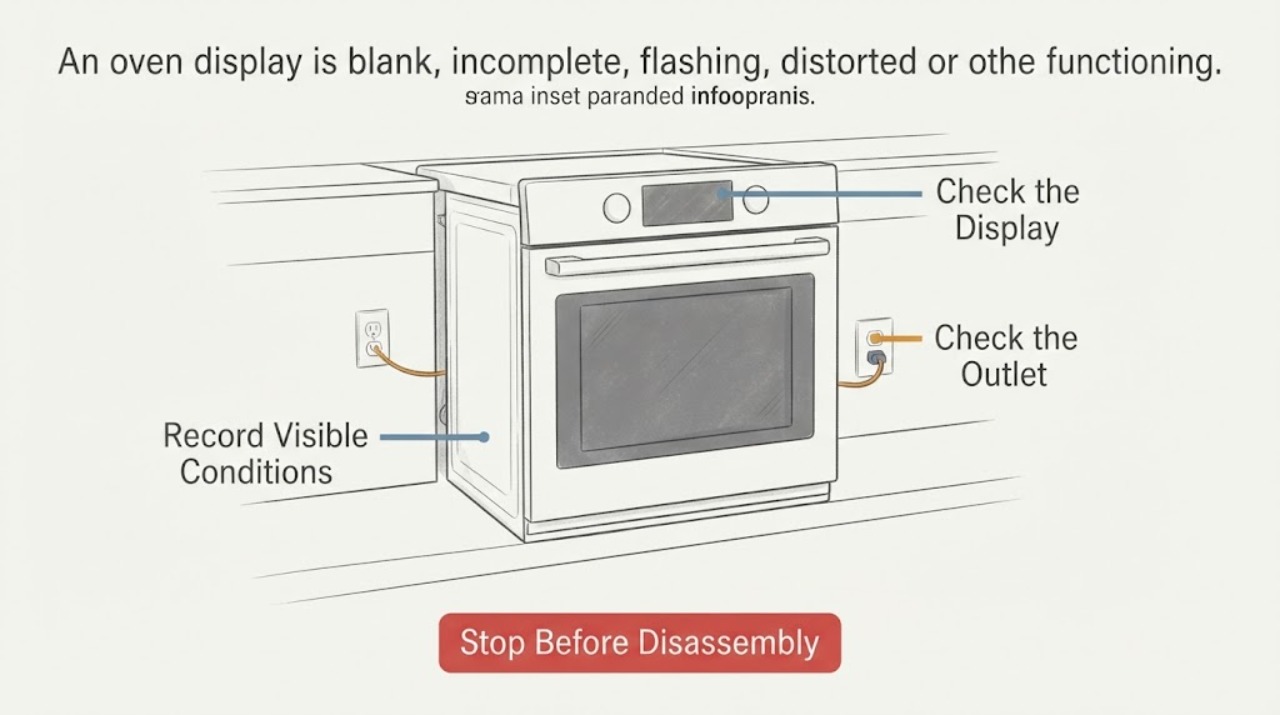
Work through in order
Diagnostic checks
Use only checks that match the exact appliance or system and its official guide.
-
Check 1
Record the complete LG model number and classify the symptom: no display at all, incomplete or missing digits, flashing or distorted text, a lock indicator, a visible error code, or a display that works while oven functions do not. Note whether the interior light, cooktop or other accessible function responds.
Expected result: The oven is completely without signs of power; the display is blank but another function works; the display is partial/flashing; or a code is visible.
Next step: Continue with the matching branch. If a code is visible, use the exact model or LG range error-code guidance instead of treating the blank/partial display as a generic code.
Why this matters
Why: These observations separate an external power problem from a display/control-panel problem and from an error-code workflow. They do not identify a specific board, harness or display component.
-
Check 2
From a safe external position, check that the oven's plug or accessible connection is seated as designed and inspect the household circuit breaker for a tripped position. Do not remove the range, open an outlet, use an extension cord, or touch exposed conductors.
Expected result: The breaker is tripped, the accessible connection is loose, the household outlet has no power, or power appears present while the display remains abnormal.
Next step: Restore only an obvious tripped breaker once, if it can be done safely and no hazard is present. If it trips again, the connection is damaged, or power is present but the display remains abnormal, stop and arrange qualified service.
Why this matters
Why: LG says no-power range problems can involve the power supply, breaker or cord connection, while a display that remains blank despite an operating appliance follows the display/service path. A breaker position alone does not prove an oven control fault.
-
Check 3
Check the exact model manual and visible display for Control Lock, Child Lock or Oven Lockout. Clear the lock only with the documented model control sequence; do not copy a button combination from another LG oven or force the touch panel.
Expected result: A lock indicator is shown and clears with the model-documented control, or no lock indicator is shown and the display/buttons remain abnormal.
Next step: If the lock clears, test the intended function once using the model manual. If no lock is shown, the lock cannot be cleared, or the display remains blank/partial, proceed to the limited reset and service boundary.
Why this matters
Why: LG says a lock feature can stop control-panel functions, while a persistent unresponsive or incomplete display after the lock state is cleared requires service. The absence of a lock indicator does not establish a failed board.
-
Check 4
If the model's LG control-panel guidance applies and no electrical hazard is present, switch the oven circuit breaker off for 30 seconds and back on once. Observe whether the display returns normally; do not cycle the breaker repeatedly or use the reset to bypass a recurring fault.
Expected result: The display returns and remains normal, or it stays blank, incomplete, flashing, distorted or unresponsive after the reset.
Next step: If the symptom persists or returns, keep the oven out of service as appropriate and arrange LG or qualified appliance service. Do not remove the console or probe the display circuit.
Why this matters
Why: LG documents this as a limited control-panel reset. A return to normal suggests a temporary control state, but a recurrence or no improvement is a service condition and does not prove which internal component failed.
-
Check 5
If a code remains visible or the display is still defective, document the exact code or display pattern, whether the oven can heat, and any recent power interruption, moisture, spill or physical damage. Stop if there is smoke, burning odor, arcing, heat damage or exposed wiring.
Expected result: A code persists, the display is blank while the oven still operates, the display is distorted/flashing, or a safety symptom is present.
Next step: Turn the oven off, isolate power from a safe location if needed, and arrange LG or qualified service. Do not bypass a lock or interlock, open the control panel, or continue cooking with a damaged or overheating display assembly.
Why this matters
Why: LG routes persistent display and control-panel symptoms to service, and its error-code page provides code-specific paths only when a code is actually displayed. A visible hazard requires a safety stop rather than further display testing.
Use your observations
Decision map
Find the observation that best matches what you see, then follow the next safe action.
-
PATH 01Next step
What you see
The display and other accessible oven functions are dead, and the breaker or accessible power connection is abnormal.
Do this next
Check the breaker and accessible connection once without opening the appliance. If the breaker trips again, the outlet/cord is damaged, or power cannot be safely confirmed, use a qualified electrician or appliance service.
Why this path and its safety boundary
Why it matters: The first supported path is external power, not a display-part diagnosis.
-
PATH 02Next step
What you see
The LG oven or another function operates, but the display is blank or text is missing/distorted.
Do this next
Do not continue using an appliance whose controls or safety status cannot be read reliably. Arrange LG or qualified service and provide the exact model and display behavior.
Why this path and its safety boundary
Why it matters: LG treats this as a display/control-panel service issue after external power and model-specific settings are checked; it does not establish a particular display board or wiring fault.
-
PATH 03Next step
What you see
A lock indicator is present or the display returns after the exact model lock procedure or one documented 30-second breaker reset.
Do this next
Use the model manual for normal operation and monitor the display. Arrange service if the lock will not clear, the display becomes abnormal again, or controls remain unreliable.
Why this path and its safety boundary
Why it matters: The symptom can fit a control lock or temporary control state, but the reset does not prove that the underlying panel is healthy if the fault returns.
-
PATH 04Next step
What you see
The display remains blank, incomplete, flashing or unresponsive after the external checks, or there is smoke, burning odor, arcing, heat damage or exposed wiring.
Do this next
Stop using the oven, isolate power only from a safe location, and arrange LG or qualified appliance service. Do not open the control panel or attempt a part replacement.
Why this path and its safety boundary
Why it matters: This is beyond the safe user-level troubleshooting supported by LG's general pages.
Helpful context
Understand the symptom
Classify what the display is doing
A blank display with an oven that still operates is a different observation from a completely dead oven. Also distinguish missing digits, flashing or distorted text, a lock indicator, and a displayed error code. LG's control-panel page lists these as separate panel symptoms and says to use the model-specific error-code guidance when a code is present.
Model scope matters
The task has no LG model number. LG states that its support images or content may differ by model, and its oven/range support routes users to model-specific help. Record the complete model number before applying a lock sequence, interpreting an error code, or ordering a display or control component.
Do not open the control panel
The display and control panel are electrical assemblies. The external checks below stop at the outlet, breaker, visible display state and model-documented lock/reset behavior. A persistent panel fault requires LG or qualified appliance service; the general pages do not support opening the console or testing live wiring.
When checks do not resolve it
Need a professional?
Arrange LG or qualified appliance service when the display remains blank, incomplete, flashing, distorted or unresponsive after the model-specific lock check and one documented reset., Stop using the oven for smoke, burning/electrical odor, arcing, heat damage, exposed wiring or a display that prevents reliable reading of oven status., Do not open the control panel, probe wiring, bypass a lock or interlock, or order a display, board or harness based only on a blank-display symptom.
Have this ready
- complete LG oven or range model number
- whether the oven, light or other accessible function still operates
- blank, partial, flashing, distorted or error-code display description
- breaker/reset result and any recent power event, spill or physical damage
- whether smoke, burning odor, arcing, heat damage or exposed wiring is present
Common questions
FAQ
Why is my LG oven display blank but the oven still works?
LG's support guidance treats a blank display on an otherwise operating gas range/cooktop as a service issue. Check only the accessible power and model-specific lock state; do not assume the display board or wiring is defective without service diagnosis.
Can I reset an LG oven display at the breaker?
LG's control-panel page documents turning the circuit breaker off for 30 seconds and back on for the listed panel problem. Use it once only when there is no hazard; if the display remains abnormal or the problem returns, LG directs the unit to service.
Could Control Lock make the LG oven display seem not to work?
A lock can prevent control-panel operation. Check the exact model manual and visible lock indicator, then use only the documented unlock sequence. A persistent blank, incomplete or unresponsive display after unlocking still requires service.
Should I replace the LG display or control board?
No. A display symptom does not identify a compatible part or prove which internal assembly failed. LG's general guidance routes persistent display and control-panel problems to service, so provide the exact model and symptom pattern instead.
Read the exact guide
Official sources
- LG Gas Range/Cooktop - The Display Does Not Light Up or the Text Appears DistortedLG USA · Official LG US guidance for the named gas range/cooktop family; used only for the blank/display service boundary and external power distinction, not to claim every LG oven shares the same display hardware.
- LG Electric Range / Gas Range: Power IssuesLG USA · Official LG US support page for range power and operation checks; model-specific supply requirements and controls must be confirmed from the owner's manual.
- LG Range - Troubleshooting the Control PanelLG USA · Official LG US support page for range control-panel symptoms; support content and controls can differ by model, so use the exact manual for the assigned oven.
- LG Range - Error Codes ListLG USA · Official LG US range error-code page; code meanings and applicable range type must be matched to the exact model and actual displayed code.
- LG Product Support and Help LibraryLG USA · Official LG US support entry point used to direct the reader to model-matched help; it does not itself establish a display diagnosis.
Community feedback
Share a repair observation
Share a plain-text repair observation. Accepted observations are published automatically; this page may take a moment to update.