
On this page
Start here
Quick answer
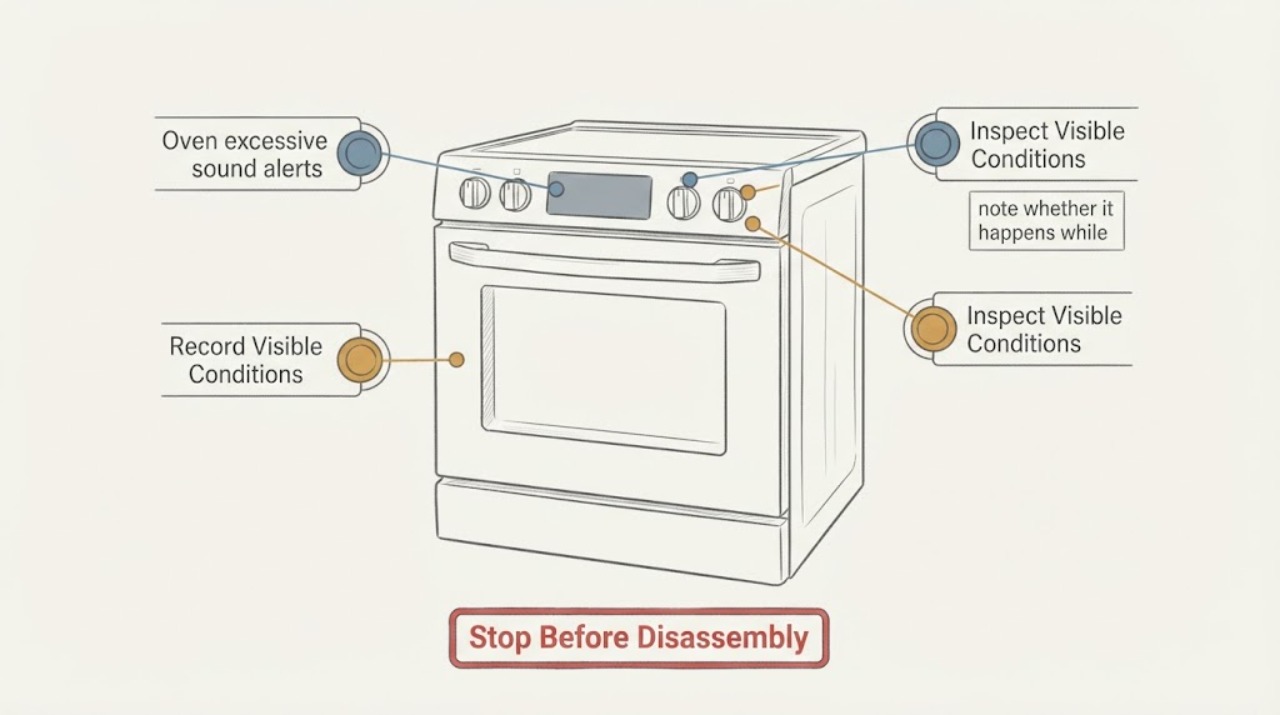
First separate a control beep from a mechanical oven noise and record whether the display shows a code or the oven stops. LG says a convection fan hum and occasional cavity expansion knocks or pops can be normal, while rattling, clanking, scraping, or noise loud enough to interrupt conversation needs service. On a gas range, three beeps followed by shutdown indicate the high-heat protection condition described by LG and also require service. Do not open the oven, reach near a hot fan or burner, or repeatedly restart an appliance that shuts down; use the exact model manual for any sound or beeper setting.
Work through in order
Diagnostic checks
Use only checks that match the exact appliance or system and its official guide.
-
Check 1
Listen and record the pattern from a safe position: note whether it is a beep, hum, knock/pop, rattle, clank, or scrape; when it starts; which cooking mode is active; and whether the display shows a code or the oven stops.
Expected result: The sound is a control beep with a code or shutdown, a steady/periodic fan-like hum, a temperature-related knock or pop, or a rattling/clanking/scraping noise.
Next step: Keep the oven off if there is a code, shutdown, burning smell, smoke, or a harsh mechanical sound. Otherwise continue only with the matching external check below; do not open the appliance to locate the sound.
Why this matters
Why: These patterns lead to different LG guidance. A sound label by itself does not prove a failed part, and a code or shutdown must be handled through the relevant LG model/range path.
-
Check 2
If the sound occurs only during convection bake or roast, observe whether it is a fan-like hum that cycles on and off rather than a metallic contact sound.
Expected result: The sound is a periodic, non-metallic hum during convection, or it is a new rattle, clank, or scrape that changes with fan operation.
Next step: A normal convection hum can be monitored. For a rattle, clank, or scrape, stop using the affected mode and arrange service; do not reach through the cavity or remove the fan cover.
Why this matters
Why: LG describes the internal convection-fan hum as normal during convection bake and roast. LG says rattling can indicate the fan motor or housing, while clanking or scraping can indicate fan-blade interference and requires service diagnosis.
-
Check 3
If the sound is a knock or pop, note whether it happens while bake or broil heats the oven, roughly near the beginning or end of the cycle, and whether the sound is otherwise quiet and non-metallic.
Expected result: The knock or pop occurs during heat-up or cool-down, or it is loud, continuous, accompanied by scraping, or unrelated to temperature changes.
Next step: Monitor only the expected heat-related pattern. If the sound is loud, persistent, or accompanied by another symptom, stop the cycle and request service rather than testing internal parts.
Why this matters
Why: LG describes temperature-related cavity expansion and contraction as a normal source of knocking or popping. A loud or mechanically changing sound does not fit that normal description and should not be diagnosed from sound alone.
-
Check 4
When a beep occurs, read the complete display before clearing or resetting anything, and note whether a gas range actually shuts off after three beeps.
Expected result: A code is displayed, the appliance does not stop, or a gas range beeps three times and turns off during operation.
Next step: Record the code and model number for service. For the three-beep shutdown, stop using the range and arrange service; do not repeatedly relight or restart it. Do not apply a code meaning from another LG model.
Why this matters
Why: LG directs owners to its range error-code guidance for displayed codes. LG specifically attributes three beeps followed by a gas-range shutdown to a high-heat protection sensor and says service is required; a beep without that pattern has not been assigned a universal oven meaning.
-
Check 5
For a control-panel sound or alert with no mechanical noise, confirm the intended cycle and check externally whether Control Lock/Child Lock or Delay Start is shown; use only the exact model manual for alert-volume or tone settings.
Expected result: A lock or delay indicator is shown, the panel does not respond, or settings and power are correct but the sound persists or the oven will not run.
Next step: Follow the exact model manual for any setting change. If the panel remains abnormal, the sound is continuous, or the oven will not run after external settings/power checks, turn it off and arrange service rather than opening the control panel.
Why this matters
Why: LG says lock and delay settings can prevent operation and that persistent control-panel problems require service. The existence and button sequence for beeper settings vary by model and are not established by the family pages.
Use your observations
Decision map
Find the observation that best matches what you see, then follow the next safe action.
-
PATH 01Next step
What you see
The sound is a periodic hum only during convection bake or roast, with no code, shutdown, scraping, or unusual heat.
Do this next
Continue normal use while monitoring for a change in sound quality or operation. Request service if it becomes rattling, clanking, scraping, or unusually loud.
Why this path and its safety boundary
Why it matters: LG describes the internal convection-fan hum and its cycling as normal oven operation.
-
PATH 02Next step
What you see
The sound is a knock or pop near heat-up or cool-down and is not accompanied by another symptom.
Do this next
Monitor the expected pattern. If it becomes continuous, harsh, or loud enough to interrupt conversation, stop using the oven and arrange service.
Why this path and its safety boundary
Why it matters: This matches LG's description of cavity materials expanding and contracting as temperature changes.
-
PATH 03Next step
What you see
The oven rattles, clanks, scrapes, becomes loud enough to interrupt conversation, or shows visible damage, smoke, or a burning smell.
Do this next
Turn the oven off, allow it to cool without touching internal parts, and arrange qualified service. Do not remove panels or substitute a fan, blade, sensor, or control part from a different model.
Why this path and its safety boundary
Why it matters: LG treats abnormal mechanical or disruptive oven noise as requiring service diagnosis; visible smoke, burning odor, or damage adds a safety reason to stop.
-
PATH 04Next step
What you see
A gas range beeps three times and shuts off during operation.
Do this next
Stop using the range and arrange service. Do not repeatedly restart or relight it to reproduce the alert.
Why this path and its safety boundary
Why it matters: LG attributes this exact pattern to the overheating protection sensor detecting high heat and says service is required.
-
PATH 05Next step
What you see
A beep or alert occurs with an error code, lock/delay indicator, unresponsive panel, or no clear model-specific explanation.
Do this next
Record the code, model number, cycle and timing, then use the exact manual or qualified service. Avoid cross-model reset or beeper-setting instructions.
Why this path and its safety boundary
Why it matters: LG's family pages route codes and persistent control problems through the relevant model/range support path; the sound alone does not identify a component.
Helpful context
Understand the symptom
Identify the sound before deciding whether it is an alert or a fault
An LG oven can make a normal convection hum or temperature-related knock, while a control beep may accompany a code, a lock state, or a gas-range protection shutdown. A sound that is new, metallic, scraping, repeatedly accompanied by a code, or loud enough to interrupt conversation should be treated as a service symptom. The exact model manual controls any beeper-volume or alert-setting option; the family guidance does not justify a universal button sequence.
Keep the check external and cool
Do not remove panels, touch a fan or heating element, reach into a hot cavity, defeat a door or control lock, or keep restarting a gas range that beeps and shuts off. If there is smoke, a burning smell, visible damage, gas odor, or an electrical fault, turn the appliance off if safe, leave it unused, and arrange qualified service.
Use timing and sound quality to choose the next step
A hum during convection or a brief knock while the cavity heats and cools follows LG's normal-noise description. A rattle or scrape that follows the fan, a sound that interrupts conversation, or a beep with a displayed error or gas shutdown points to service. A sound alone does not identify a fan motor, blade, sensor, or control-board part.
When checks do not resolve it
Need a professional?
Arrange qualified service for rattling, clanking, scraping, noise loud enough to interrupt conversation, a persistent or unexplained alert, any displayed error code that returns, an unresponsive control panel, or three beeps followed by a gas-range shutdown. Turn the oven off and leave it unused for smoke, burning smell, visible damage, gas odor, or electrical symptoms; do not open the appliance or repeatedly restart it.
Common questions
FAQ
Is a humming LG oven fan normal?
LG says a humming sound from the internal convection fan can be normal during convection bake and roast, and the fan can cycle on and off. A rattle, clank, scrape, or disruptive noise needs service diagnosis.
Why does my LG oven knock or pop while heating?
LG describes knocking or popping near the beginning or end of bake or broil as cavity expansion and contraction as the temperature changes. A new harsh or persistent mechanical noise does not fit that normal pattern and should be checked by service.
What does three beeps followed by a gas-range shutdown mean?
LG says this pattern indicates the overheating protection sensor detected high heat and requires service. Stop using the range rather than repeatedly restarting or relighting it.
Can I change the LG oven beep volume with a generic button sequence?
Do not assume a universal sequence. LG's family troubleshooting pages route controls, codes, and persistent operation problems through the model-specific support path. Use the exact owner's manual for any alert-setting option; if the panel is abnormal, arrange service.
Read the exact guide
Official sources
- LG Range - Error Codes ListLG Electronics USA · LG range and oven displayed error-code handling, model/range selection, and service escalation
- LG Range – Troubleshooting Noises During OperationLG Electronics USA · LG ranges and ovens: normal oven hum/knock or pop, abnormal rattle/clank/scrape, disruptive-noise service boundary, and three-beep gas-range shutdown
- LG Range – Troubleshooting the Control PanelLG Electronics USA · LG range and oven control-panel lock, response, reset, and service boundaries
- LG Range, Oven, Electric Cooktop: Powers On, Won't RunLG Electronics USA · LG electric cooking appliances: settings, breaker, lockout, delay-start, and repair escalation
Community feedback
Share a repair observation
Share a plain-text repair observation. Accepted observations are published automatically; this page may take a moment to update.