
On this page
Start here
Quick answer
LG identifies the LSSG3017ST as a gas slide-in range with a GoCook Smart Oven Light and an exact owner-manual listing. First determine whether the display, cooktop and oven controls still have power. If the range is otherwise operating, do not open the gas range or guess a bulb or part: turn the oven off, let the oven and lamp cool, disconnect electrical power safely, and use only the LSSG3017ST owner manual or LG service guidance for any lamp access. If the display and other controls are also dead, check the breaker and outlet from the outside; if power is present but the light remains out, arrange service.
Before you begin
Safety first
- Do not open the rear cover or control panel, touch gas components, probe wiring, work while hot or energized, force a glass cover, substitute an unverified bulb or repeatedly reset a tripping breaker.
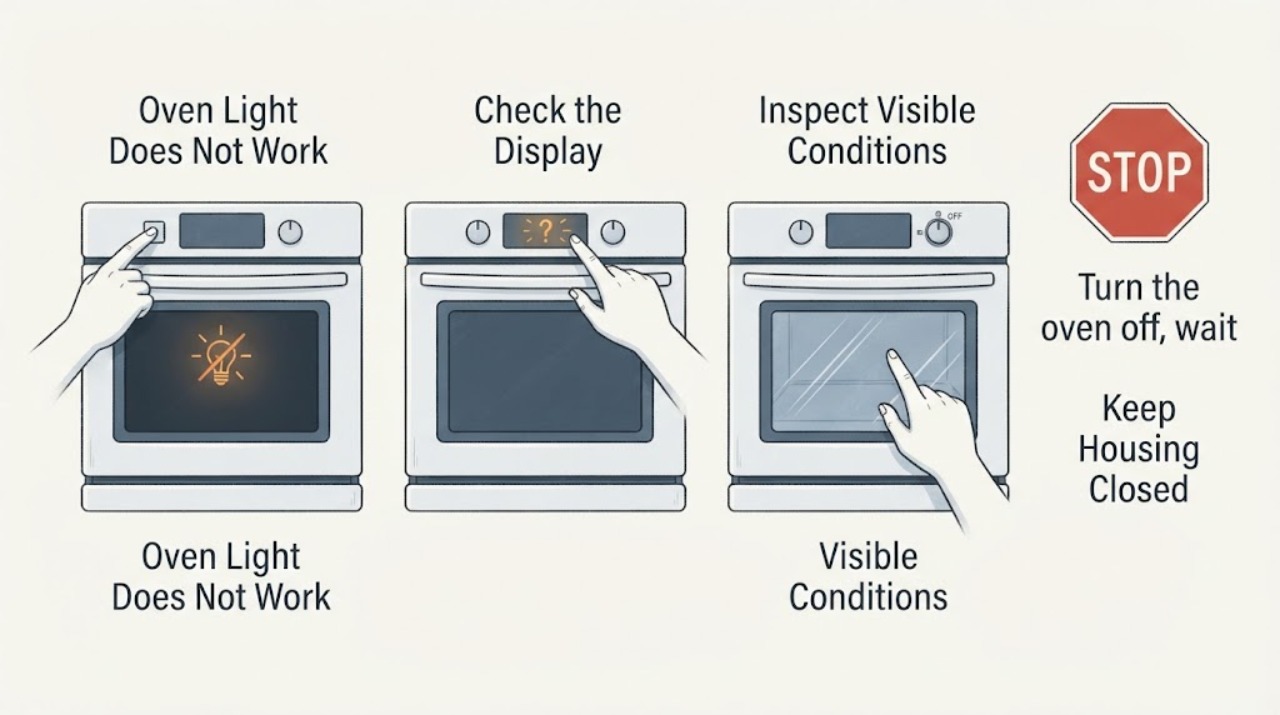
Work through in order
Diagnostic checks
Use only checks that match the exact appliance or system and its official guide.
-
Check 1
With the oven off and the door closed, note whether the display, touch controls, cooktop ignition and other range functions still operate. Do not start a heating cycle solely to test the light.
Expected result: Only the oven light is dark, or the display and other controls are also dead.
Next step: For a light-only symptom, continue with the cold, de-energized checks. For a dead range, inspect the breaker and outlet externally and stop if power remains absent.
Why this matters
Why: A light-only symptom points toward the lamp/control path; a fully dead range first needs an external power check.
-
Check 2
If the range is otherwise dead, look at the circuit breaker and confirm from outside that the power cord is securely connected to the properly powered outlet, only if the outlet and cord are cool and undamaged. Do not remove an outlet cover or access the electrical panel interior.
Expected result: The breaker is tripped, the outlet/cord is damaged or warm, or the breaker and outlet appear normal but the display remains dead.
Next step: For heat, damage or a breaker that trips again, leave the range off and call a qualified electrician or appliance service. If external power is normal but the range is dead, request LG service.
Why this matters
Why: LG routes no-power conditions through the supply, breaker and cord before repair service; heat or damage is not a bulb-replacement problem.
-
Check 3
Turn the oven off, wait until the cavity and lamp are completely cool, then disconnect electrical power at the breaker or unplug only if the plug is safely accessible. Do not reach through a hot cavity and do not work with power connected.
Expected result: The oven is still hot, the lamp cover or glass is damaged, or power cannot be disconnected safely.
Next step: Wait for a safe cool condition only if there is no other hazard. If the cover/glass is damaged or power isolation is uncertain, keep the range out of service and request qualified service.
Why this matters
Why: Heat, broken glass and energized wiring create burn, cut and shock hazards; a gas range also contains gas components that must remain untouched.
-
Check 4
With power disconnected and the oven cold, inspect only the visible interior light area for a loose-looking or darkened bulb, a cracked glass cover or signs of scorching. Do not remove the cover, bulb or panels unless the exact LSSG3017ST owner manual explicitly provides that operation and the part is identified there.
Expected result: The bulb/cover is visibly damaged, the area is scorched, or there is no visible defect.
Next step: Do not force the cover or substitute a bulb. Use the exact LSSG3017ST manual for the next permitted step or schedule LG service, especially for scorching or damaged glass.
Why this matters
Why: A visible defect is a service/approved-manual question; no visible defect does not prove a bulb, socket, wiring or control failure.
-
Check 5
If the exact manual does not clearly identify the lamp and access procedure, or if the light remains out after the manual-permitted cold replacement check, give LG service the full model LSSG3017ST, serial number, whether the display/cooktop work, the breaker result and any visible glass or scorch damage. Do not remove the rear cover, control panel, gas parts or wiring.
Expected result: The manual is unavailable, the lamp still does not work, the control is unresponsive, or any gas/electrical warning sign is present.
Next step: Keep the range off when a warning sign or unresolved electrical fault remains and arrange qualified LG/appliance service; use local gas-emergency procedures for a gas odor.
Why this matters
Why: The remaining possibilities include a socket, control, wiring or supply issue that is not safely diagnosed from the lamp symptom alone.
Use your observations
Decision map
Find the observation that best matches what you see, then follow the next safe action.
-
PATH 01Next step
What you see
The display, touch controls and cooktop operate normally, but the oven cavity light alone remains dark.
Do this next
Turn the oven off, let it cool, disconnect power, and follow only the exact LSSG3017ST owner manual's lamp procedure; otherwise request service.
Why this path and its safety boundary
Why it matters: The symptom is limited to the lamp/control path rather than proving a whole-range power loss.
-
PATH 02Next step
What you see
The display and other range functions are also dead, or the breaker is tripped.
Do this next
Check only the breaker and accessible cord/outlet condition from outside. If the breaker trips again, the outlet is hot/damaged, or power is uncertain, keep the range off and call qualified service/electrical help.
Why this path and its safety boundary
Why it matters: LG treats this as a power-supply, breaker or cord branch before appliance repair.
-
PATH 03Next step
What you see
There is a gas odor, burning smell, arcing, smoke, damaged glass, or a breaker trips repeatedly.
Do this next
Stop using the range, leave the area for an active gas/fire hazard and use local emergency or gas-utility procedures. Do not restart, open panels or touch gas/electrical internals.
Why this path and its safety boundary
Why it matters: This is no longer a routine lamp replacement; it may involve gas, fire, shock or electrical protection hazards.
-
PATH 04Next step
What you see
The label does not confirm LSSG3017ST or the exact owner manual cannot be obtained.
Do this next
Stop model-specific replacement work, confirm the label and obtain the correct manual or LG service before ordering or installing a bulb.
Why this path and its safety boundary
Why it matters: A different LG range may use a different lamp, cover, control or access method.
Helpful context
Understand the symptom
Start by separating a lamp fault from a range power fault
The exact LG product page identifies LSSG3017ST as a gas slide-in range, while the specification sheet lists the GoCook Smart Oven Light and a 120 V supply. A dark cavity with a working display is a different decision from a range with no display, no controls and no burner ignition. Make that distinction without opening the appliance or touching gas hardware.
Do not borrow a bulb or access procedure from another range
LG's support page lists the LSSG3017ST owner manual, and LG separately provides a light-bulb help article. The public material does not establish that another LG model's bulb wattage, cover, socket or removal sequence fits this exact range. Confirm the full LSSG3017ST manual before any lamp replacement; if it is unavailable or the cover will not release without force, stop and request service.
Keep gas and electrical work outside the user check
The LSSG3017ST is a gas range with an electrical supply. A failed interior lamp does not justify removing panels, probing wiring, adjusting ignition or gas parts, or testing the appliance while energized. A burning smell, sparks, damaged lamp glass or gas odor changes the problem to a stop-and-service or emergency situation.
When checks do not resolve it
Need a professional?
Call qualified LG/appliance service if the exact manual is unavailable, the light remains out after its permitted cold check, the control panel is unresponsive, the breaker trips, or there is scorching, smoke, damaged glass, burning odor or gas odor.
Safety scope: Do not open the rear cover or control panel, touch gas components, probe wiring, work while hot or energized, force a glass cover, substitute an unverified bulb or repeatedly reset a tripping breaker.
Have this ready
- Provide model LSSG3017ST, serial number, whether the display/cooktop work, breaker/outlet observations, whether the light failed suddenly, and any visible cover, bulb or scorch damage.
Common questions
FAQ
Can I use any 40-watt or other LG oven bulb?
Do not choose a bulb from another model or an online listing based only on wattage. Confirm the LSSG3017ST owner manual or have LG service identify the approved lamp and access method.
Does a working cooktop prove the oven light circuit is fine?
No. It only shows that some range functions have power. The light can remain out while the display and cooktop work, and the lamp, control or wiring still needs the exact manual or service path.
Is it safe to change the lamp while the oven is warm?
No. Turn the oven off, let the oven and lamp cool completely and disconnect electrical power before any operation allowed by the exact manual. Do not touch the gas or electrical internals.
What if the range display is also blank?
Treat it as a power branch first: check the breaker and accessible cord/outlet condition from outside. LG says a persistent no-power condition requires repair service; do not open the panel or repeatedly reset a tripping breaker.
Read the exact guide
Official sources
- LG LSSG3017ST.BSTESTD Product SupportLG Electronics USA · Opened exact LG support page. It identifies LSSG3017ST as a 6.3 cu. ft. gas slide-in range and lists an English/Spanish owner manual dated 07/07/2022. The page does not expose the manual's full maintenance text in the opened HTML, so no cross-model bulb specification is inferred.
- LG LSSG3017ST Builder Specification SheetLG Electronics USA · Opened exact-model official PDF. It identifies the GoCook Smart Oven Light, gas fuel type, 120 V/60 Hz supply and attached 3-prong cord; it is not a repair manual and does not establish a replacement bulb part.
- LG Electric Range / Gas Range: Power IssuesLG Electronics USA · Opened LG range support article. Its gas-range branch supports external breaker/power checks and service escalation; it does not diagnose the assigned light circuit or authorize internal electrical work.
- How To Replace The Light Bulb In An LG OvenLG Electronics USA · Opened LG's official light-bulb help page. The opened HTML presents the official maintenance topic and repair route but embeds the instructional video; it is used here to reinforce cool/de-energized handling and to require the exact LSSG3017ST manual for the actual bulb/access procedure.
Community feedback
Share a repair observation
Share a plain-text repair observation. Accepted observations are published automatically; this page may take a moment to update.