
On this page
Start here
Quick answer
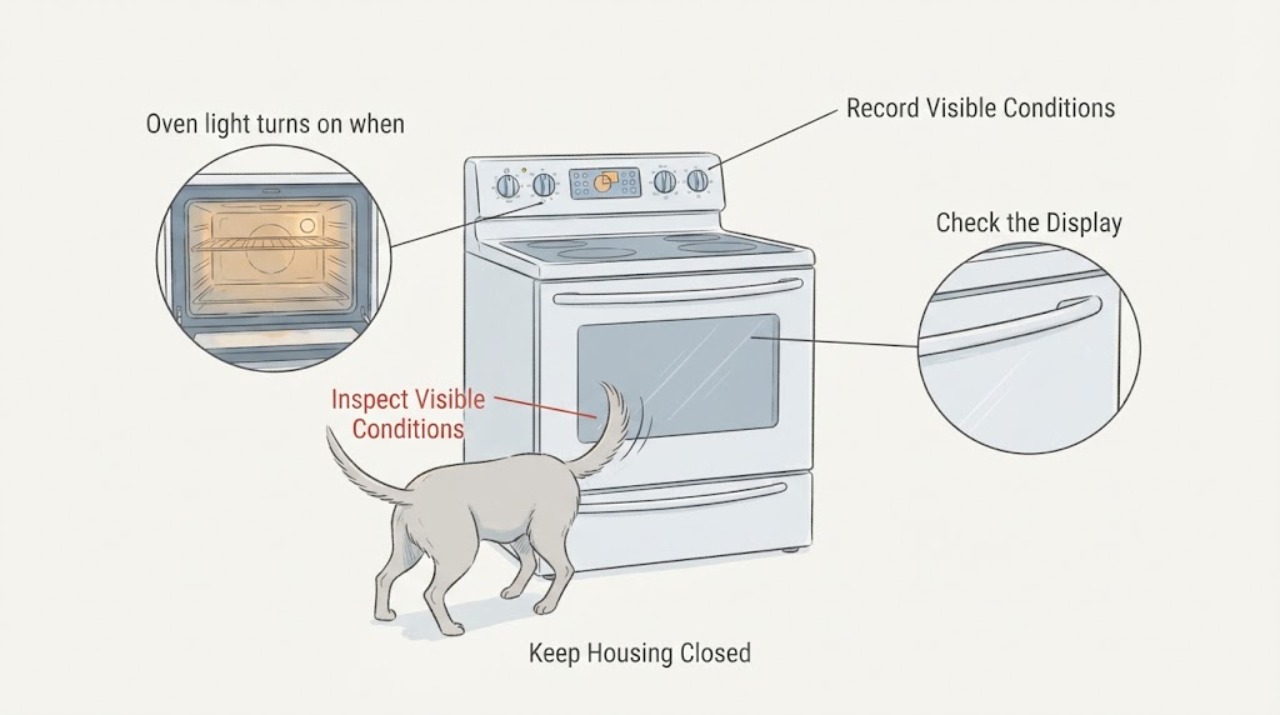
On the LG LREL6325F, two taps on the InstaView oven glass are an intended way to toggle the interior light, so a dog's tail can trigger the feature without proving that the door switch is faulty. Turn the light off with the Light control or a gentle double tap. LG's public product and support pages confirm the LREL6325F InstaView feature and provide the model manual, but I could not verify a dedicated permanent-off setting in eligible LG material. If the exact manual documents Control Lock for this build, it can be used as a broad child/pet-safety lock when the oven is idle; it also restricts normal controls, so unlock it before cooking. Keep pets away from the hot range and do not strike, tape, disconnect, or modify the door.
Before you begin
Safety first
- Do not strike or deliberately impact the glass, tape or brace the door, disconnect the lamp, loosen the bulb, bridge a door switch, open the control panel, alter wiring, or remove the door. Stop use for cracked glass, an uneven or loose door, a lamp that stays on, unrelated control activation, smoke, burning odor, arcing, or abnormal heat.
Work through in order
Diagnostic checks
Use only checks that match the exact appliance or system and its official guide.
-
Check 1
Read the rating label and compare it with the opened LG support page; confirm that the appliance is LREL6325F and note the full suffix and market. From a safe, cool position, record whether the light changes only after two taps on the glass or after a single light touch, and whether the oven controls otherwise behave normally.
Expected result: The label and control layout match LREL6325F and the light responds after a two-tap event, or the suffix/layout differs, the light responds to ordinary contact, or other controls misfire.
Next step: Use the exact model manual for any control-lock or light-setting instruction. If identity or behavior does not match, stop experimenting and request LG model-specific support.
Stop if: Do not strike the glass deliberately, remove the door, or open a control panel to identify a switch.
Why this matters
Why: A matching model with a two-tap response fits the advertised InstaView function. A different build, single-touch response, or unrelated control behavior needs model-specific interpretation rather than a copied setting or part diagnosis.
-
Check 2
When the oven is cool and no cooking cycle is active, press the labeled Light control once to toggle the interior lamp. If using the glass, use only the normal gentle double-tap behavior described for InstaView; do not repeat taps against a closed door to reproduce the pet trigger.
Expected result: The Light control turns the lamp off and on normally, the lamp toggles after a gentle double tap, or the lamp does not respond or stays on.
Next step: Leave normal behavior alone and manage the pet's access to the range. If the lamp or controls behave abnormally, keep the appliance out of questionable use and arrange LG service.
Stop if: Do not remove or loosen the bulb, disconnect the lamp, bridge a door switch, or modify wiring.
Why this matters
Why: Normal Light-button and double-tap response supports an intended user feature. A lamp that cannot be controlled from the labeled control, stays on, or changes without a recognizable tap is not explained by the ordinary feature alone.
-
Check 3
Open the LREL6325F owner's manual from LG's exact support page and look for the model's Control Lock/Lockout instructions. If that documented lock is available, engage it only while the oven is idle, cool, and safe; record whether the display shows the lock state and whether the knock no longer toggles the light.
Expected result: The exact manual documents a lock and the locked display no longer responds to the knock, the lock prevents too many controls for the household, or the manual/build does not match.
Next step: Use the lock only as the manual permits and unlock it before cooking. If it is too restrictive or does not block the trigger, do not invent a button sequence; use the Light control and ask LG whether a software or service option exists.
Stop if: Do not enable a lock while a cooking or self-clean cycle is running, force an unlock, or use a guessed combination from another LG range.
Why this matters
Why: A lock can be a practical broad control restriction for a pet-heavy area, but it is not evidence that InstaView itself has been disabled and it may also restrict cooking controls. An unmatched manual or unexpected control response means the workaround is not established for this unit.
-
Check 4
Inspect the closed door and glass only from outside after the incident. Keep the dog and children away from the range, especially during and after cooking, and look for a crack, loose trim, door that no longer closes evenly, a light that remains on, or a control response without a knock.
Expected result: The glass and door are intact and aligned with only the intended light toggle, or there is visible damage, a changed door fit, persistent lamp operation, or unrelated control activity.
Next step: For normal behavior, use distance, supervision, and pet management to prevent contact. For damage or abnormal operation, stop using the affected functions and arrange qualified LG appliance service.
Stop if: Do not tape the glass, brace the door, force the latch, run a deliberate impact test, or continue cooking with cracked glass or a door that does not close correctly.
Why this matters
Why: An intact door with a two-tap light toggle is consistent with normal InstaView behavior. Door damage or an abnormal response changes this from a convenience issue to a safety/service assessment.
Use your observations
Decision map
Find the observation that best matches what you see, then follow the next safe action.
-
PATH 01Next step
What you see
The LREL6325F label matches, the door and glass are intact, and the light toggles only after the same two-tap contact described by LG's InstaView feature.
Do this next
Turn the lamp off with the Light control or a gentle double tap, then prevent further contact with supervision, distance, or pet access management. Do not seek a replacement part from this symptom alone.
Why this path and its safety boundary
Why it matters: This is the expected knock-to-illuminate behavior; the dog's tail is acting like the documented tap input, not identifying a failed door switch.
-
PATH 02Next step
What you see
The knock activates the light, but the household wants to block accidental inputs while the oven is idle and the exact manual documents Control Lock.
Do this next
Follow only the exact LREL6325F manual sequence, verify the lock indicator, and unlock before cooking. If the lock is too broad or the behavior differs, ask LG for model-specific confirmation rather than altering the door.
Why this path and its safety boundary
Why it matters: Control Lock may be a broad control restriction, and community reports describe it as stopping accidental light activation, but it is not a dedicated InstaView-off setting and can restrict other controls.
-
PATH 03Next step
What you see
The lamp changes after a single light touch, without a clear double tap, remains on, or other controls activate or misbehave when the door is bumped.
Do this next
Stop trying to reproduce it, keep pets and children away, and arrange qualified LG appliance diagnosis with the model, suffix, and exact trigger recorded.
Why this path and its safety boundary
Why it matters: The intended two-tap feature alone does not explain the broader response. A door, touch-control, or control-system issue is possible, but the outside symptom cannot identify a part safely.
-
PATH 04Safety boundary
What you see
The glass is cracked, the door is loose or no longer closes normally, the range becomes abnormally hot, or there is smoke, burning odor, arcing, or visible electrical damage.
Do this next
Stop using the range, keep people and pets clear, and obtain qualified appliance service; seek emergency help from a safe location for active smoke or fire.
Why this path and its safety boundary
Why it matters: This is a safety stop, not a light-setting problem. Further contact or operation could create burn, glass, fire, or electrical risk.
Safety stop: Do not cook, self-clean, strike the door, tape damage, open panels, or attempt a switch or wiring repair.
Helpful context
Understand the symptom
Why the dog's bump can turn the light on
The LREL6325F is an electric LG range with an InstaView window. LG markets the window as a two-knock way to illuminate the oven interior without opening the door. The matching report describes the same result when a dog's tail contacts the glass, so the light event by itself is consistent with the intended feature rather than evidence of an oven heating or door-switch failure. The exact model support page should still be used for the owner's manual because suffix, market, and control-lock behavior must match the rating label.
There may not be a separate InstaView-off setting
The eligible LG pages opened for this model confirm the InstaView feature and link the exact model literature, but do not expose a dedicated switch that permanently disables knock activation. The matching community thread contains reports of other accidental triggers and one suggestion to use Control Lock; that is a broad lock which can restrict normal operation, not proof of a model-specific permanent-off menu. Treat the owner's manual as the authority for the exact control sequence and use the lock only when the oven is idle and the resulting control restrictions are acceptable.
When checks do not resolve it
Need a professional?
Arrange qualified LG appliance service when the light responds to ordinary contact rather than a clear double tap, stays on, other controls misfire, the door or glass is damaged, or the exact manual does not explain the behavior. Request model-specific guidance before assuming that a permanent InstaView-off option or replacement part exists.
Safety scope: Do not strike or deliberately impact the glass, tape or brace the door, disconnect the lamp, loosen the bulb, bridge a door switch, open the control panel, alter wiring, or remove the door. Stop use for cracked glass, an uneven or loose door, a lamp that stays on, unrelated control activation, smoke, burning odor, arcing, or abnormal heat.
Have this ready
- Provide LREL6325F, the complete rating-label suffix and market, serial information, whether the event required two taps or one bump, Light-button behavior, whether Control Lock was documented and tested, and any visible door or glass damage.
Common questions
FAQ
Is the LG LREL6325F broken if my dog's tail turns on the oven light?
Not necessarily. LG documents the LREL6325F InstaView window as responding to two knocks, and the matching report describes a dog's tail supplying that input. If the door is intact and the light changes only after a two-tap event, treat it as intended feature behavior rather than a proven switch failure.
How do I turn the light off after the dog triggers it?
Use the labeled Light control. A normal gentle double tap is also described as the InstaView toggle, but do not keep tapping the glass to reproduce the trigger. If the lamp will not turn off from the normal control, stop and request model-specific support.
Can I permanently disable InstaView on this range?
I could not verify a dedicated permanent-off setting in the eligible LG pages opened for LREL6325F. The exact support page provides the owner's manual, and a matching community thread discusses Control Lock as a broad workaround; use it only if the exact manual confirms it and remember that it can restrict normal controls. Do not disconnect the lamp or modify the door.
When is this more than an annoying feature?
Arrange service if a single light touch triggers it, the lamp stays on, other controls activate, the door no longer closes normally, or the glass is damaged. Stop using the range for smoke, burning odor, arcing, abnormal heat, or visible electrical damage, and keep children and pets away.
Read the exact guide
Official sources
- 6.3 cu. ft. Electric Range with Air Fryer LREL6325FLG USA · Exact LG USA product page for the assigned base model; it identifies the electric range and advertises the InstaView window. Confirm the complete rating-label suffix and market for a particular unit.
- I noticed when my dogs tail hits the new LG oven door twice, it turns the oven light on. Any advice for how to turn this setting off?Reddit r/Appliances · Exact Reddit post names LREL6325F and matches the assigned dog-tail/two-tap symptom. Community comments are used only to document lived behavior and an unverified broad Control Lock workaround, not as LG authority.
- LG LREL6325F.FRSLLGA Support, Manuals, Warranty & MoreLG USA · Exact LG support page for the LREL6325F base model and a US finish/market suffix; it provides the model's online manual and owner's manual links. It does not itself expose a dedicated InstaView-off control, so the complete unit suffix and manual must be checked.
Community feedback
Share a repair observation
Share a plain-text repair observation. Accepted observations are published automatically; this page may take a moment to update.