
On this page
Start here
Quick answer
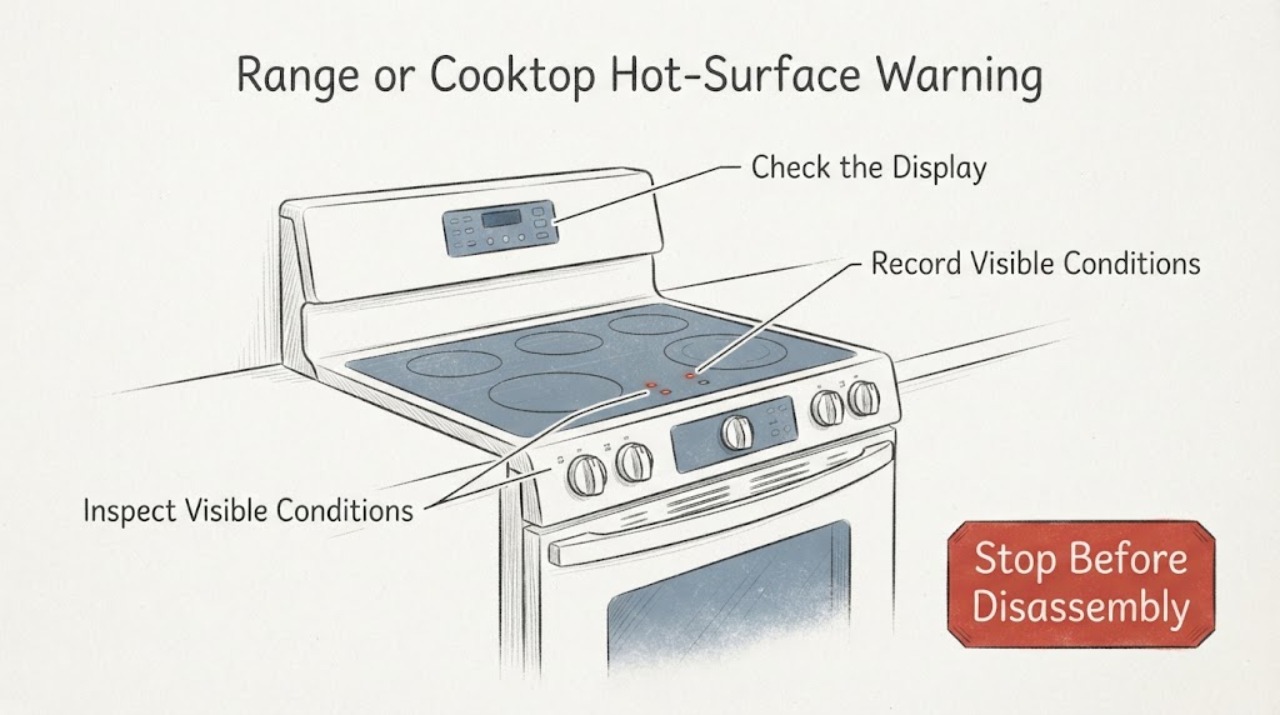
Do not use a missing hot-surface warning as proof that an LG range or cooktop is safe to touch. First identify whether the appliance is an electric radiant or induction model that actually has a residual-heat indicator, and record the exact model. LG's opened support material describes HS or a residual-heat indication as a warning that the surface remains hot after a cooking area is turned off. If the correct model should display that warning but it is absent after a surface has been used, keep hands and cookware away from the surface, stop using the affected cooktop, and arrange model-specific service. Gas models and different LG control designs must be checked against their own manual rather than given the same indicator diagnosis.
Work through in order
Diagnostic checks
Use only checks that match the exact appliance or system and its official guide.
-
Check 1
Keep hands, children, and heat-sensitive items away from the cooking surface. From outside the appliance, note whether a surface element or zone was recently used, whether any control still shows an active setting, and whether the warning is absent; do not touch the glass or use water to test its temperature.
Expected result: A zone was recently used or is still selected, but no HS, H, or residual-heat indication is visible; no zone was used recently; or the surface is of unknown thermal state.
Next step: Treat the surface as hot until it has cooled under the exact model instructions. If the warning was absent after recent use, do not resume cooking on the affected surface and continue with model and service checks.
Why this matters
Why: A recently used or uncertain surface remains a burn hazard even when the indicator is dark. An unused, cooled surface does not establish that the indicator circuit is healthy during operation.
-
Check 2
Identify the appliance from its rating label and record the complete LG model suffix. Confirm whether it is a radiant electric range, a radiant or induction cooktop, or a gas model, and compare the control symbol or display with the exact model's owner information; do not assume that every LG oven or range uses the same HS display.
Expected result: The model documentation explicitly lists a hot-surface or residual-heat indicator; it lists a different symbol or control arrangement; or the model cannot be read.
Next step: Use only the matching model documentation for the expected indication. If the model or appliance type cannot be confirmed, stop at safe external observation and arrange LG or qualified appliance service rather than diagnosing a failed lamp or sensor.
Why this matters
Why: An indicator can be expected on one LG model and implemented differently on another. LG's opened product pages show a radiant range with multiple hot-surface indicators and an induction cooktop with residual-heat indication, while the task does not identify which family is present.
-
Check 3
With all controls off and without touching the surface, record the display state and any error message or flashing indicator. Compare only the observed symbol with the exact LG model support information; do not enter a service mode, remove a panel, or perform live electrical measurements.
Expected result: The panel shows an error, no warning appears after a documented hot-surface event, the warning remains after the surface is known to be cool, or the display is normal but the model's manual expects a warning.
Next step: Photograph the display and provide the exact model and symptom to service. Keep the cooktop out of use if the warning is missing during a condition in which the matching manual says it should appear, and do not bypass the indicator or open the control area.
Why this matters
Why: An error or a model-confirmed missing safety indication needs model-specific diagnosis. LG separately states that HS is not an error code and gives a service boundary when the indication does not turn off at room temperature; that guidance does not authorize a user to repair the indicator when it is absent.
-
Check 4
Check the surrounding glass and controls from a safe distance for a crack, liquid intrusion, scorch mark, melted control, or other visible damage. Do not wipe across a hot surface, pour liquid on it, or continue testing a damaged cooktop.
Expected result: The glass or control area is damaged; liquid has entered the controls; there is an odor, smoke, sparking, or repeated electrical trip; or there is no visible damage.
Next step: Stop use and isolate power only if it is safe to do so when damage, smoke, sparking, or repeated tripping is present, then arrange qualified appliance or electrical service. For an intact but non-indicating surface, keep it unused and provide the model details to service.
Why this matters
Why: Visible damage or an electrical warning increases the risk beyond a missing display and cannot be safely separated from the indicator issue by external testing. No visible damage does not prove that the warning circuit works.
-
Check 5
Prepare a service handoff with the complete model and serial information, appliance type, which zone was used, whether the warning was ever seen, the display or error text, and whether the surface was still warm when the warning was absent. Do not repeatedly heat the surface just to reproduce the complaint.
Expected result: The warning failure is repeatable after normal use; it occurs only on one zone; it occurs across the whole appliance; or it cannot be reproduced safely.
Next step: Keep the affected cooktop out of service until the exact model's safety indication is assessed. If the symptom cannot be reproduced without heating the surface, do not create another heat cycle; give service the recorded circumstances instead.
Why this matters
Why: The pattern helps the technician distinguish a zone-specific indication from a control-wide issue, but it does not identify a sensor, lamp, board, or wiring fault for the user.
Use your observations
Decision map
Find the observation that best matches what you see, then follow the next safe action.
-
PATH 01Next step
What you see
The exact LG model is a radiant or induction appliance whose manual or product information specifies a hot-surface or residual-heat indicator, and the warning is absent after a surface was recently used.
Do this next
Keep the surface unused and arrange model-specific service. Do not touch it to verify temperature, repeat heating cycles, or open the controls.
Why this path and its safety boundary
Why it matters: The missing indication is outside the documented safety behavior for that model. A dark indicator does not show that the surface is cool.
-
PATH 02Next step
What you see
The model is unknown, is a gas appliance, or its documentation does not show the same HS or residual-heat indication.
Do this next
Read the rating label and obtain the exact regional manual before making a diagnosis. Until the thermal state is known, treat a recently used surface as hot and use qualified service for an unresolved safety warning.
Why this path and its safety boundary
Why it matters: The assigned symptom cannot yet be mapped to a confirmed LG indicator fault. Similar-looking control panels do not establish the same warning behavior.
-
PATH 03Next step
What you see
The HS indication stays on after the surface is genuinely cool, rather than failing to appear while the surface is hot.
Do this next
Follow the exact model's instructions; where LG's matching support guidance applies, a safe power isolation may be attempted once, but if the indication persists or the steps cannot be performed, leave the appliance for service. Do not transfer this stuck-on guidance to a different model without checking its manual.
Why this path and its safety boundary
Why it matters: LG's support page treats HS as a hot-surface indication, not a general error code, and provides a limited power-cycle and service path for an indication that does not turn off at room temperature.
-
PATH 04Next step
What you see
The glass or control area is cracked, wet inside the control area, scorched, sparking, smoking, or repeatedly trips electrical protection.
Do this next
Stop using the appliance, keep clear of smoke or sparks, and isolate power only if safe before arranging qualified appliance or electrical service. Do not reset protection repeatedly or remove covers.
Why this path and its safety boundary
Why it matters: The issue has an immediate electrical or burn hazard beyond the missing warning display.
Helpful context
Understand the symptom
A hot-surface warning is a safety reminder, not a substitute for checking the appliance identity or the actual thermal state. LG's support article describes HS as a reminder not to touch a hot cooktop surface, while LG's product pages show different indicator implementations on radiant and induction products. Treat any recently used cooking surface as hot until it has cooled according to the exact model instructions.
The assigned topic has no model number. That matters here because an LG radiant range, an induction cooktop, and a gas range can use different controls and warning systems. The checks below establish whether the warning is expected, whether it is absent during a genuinely hot-surface condition, and when to stop using the cooktop without opening the appliance.
When checks do not resolve it
Need a professional?
Arrange qualified LG appliance service when a model-confirmed hot-surface warning is absent after a surface was used, when the display behavior is inconsistent, or when the model and appliance type cannot be safely matched to the indicator guidance. Provide the full model suffix, appliance type, affected zone, display or error text, and whether the surface had recently been used.
Common questions
FAQ
Can I touch the LG cooktop if the hot-surface light is not on?
No. A dark warning does not prove that a recently used surface is cool. LG describes HS or a residual-heat indicator as a reminder that the cooktop can still burn; keep away from the surface until it has cooled according to the exact model instructions.
Do all LG ovens and ranges use the same hot-surface warning?
No universal behavior should be assumed. LG's opened product pages show indicator arrangements on specific radiant and induction models, while the assigned topic has no model number. Confirm the full model and use its matching manual before deciding that a warning is missing.
What if the LG hot-surface indication stays on after cooling?
LG's support guidance distinguishes HS from an error code and gives a limited power-isolation step for an indication that remains when the surface is at room temperature, followed by service if it continues. Apply that only when the support page matches the appliance; do not use it as a repair for a warning that is absent while the surface is hot.
Read the exact guide
Official sources
- CBIS3018BE | LG STUDIO 30-inch Smart Induction CooktopLG Canada · LG CBIS3018BE induction cooktop residual-heat indication and safe operating behavior.
- 30" Elec. 6.3 cu. ft. Range | Self Clean, EasyClean® & Smart, Stainless, Slide-in - LSEL6331XELG Canada · LG LSEL6331XE radiant electric range product specifications, including hot-surface indicator and safety function.
- LG Range - Error Codes ListLG USA Support · LG range support distinction between HS hot-surface indication and error codes, including service boundary when HS remains after cooling.
- 6.3 cu.ft. Large Capacity Electric Range - LRE6321STLG Canada · LG LRE6321ST electric radiant range product specifications, including four hot-surface indicators.
- Electric Cooktop Elements Cycles ON and OFF - RangesLG USA Support · LG electric range and cooktop hot-surface indicator behavior and the reminder not to touch a hot cooktop surface.
Community feedback
Share a repair observation
Share a plain-text repair observation. Accepted observations are published automatically; this page may take a moment to update.