
On this page
Start here
Quick answer
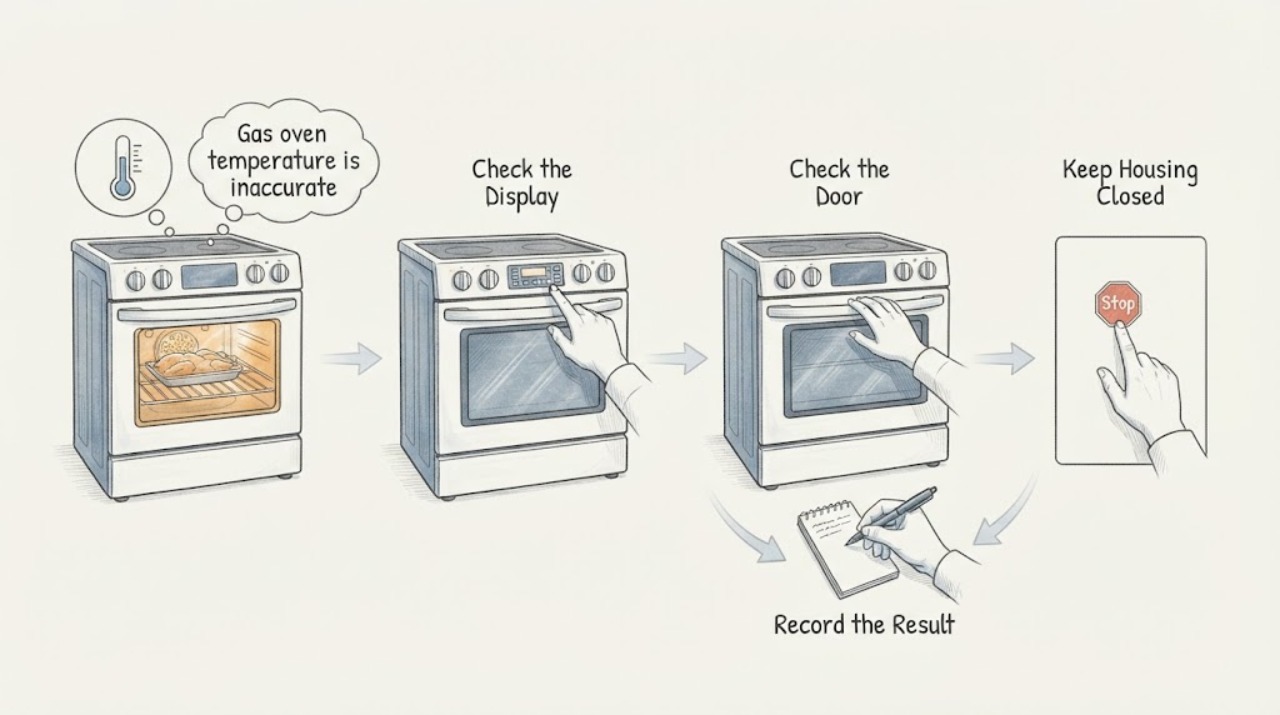
For the LG LSG4511ST, do not diagnose a sensor or igniter from one temperature reading. First confirm the exact model and use the Bake mode with the temperature change accepted by pressing START. Measure only after the oven has completed its preheat indication and has had time to settle; LG says a gas range can run hotter during preheating, while the baking cycle is intended to maintain the set temperature. Compare repeated readings in the same rack position and mode. If the error is consistent during baking, the LSG4511ST is listed in LG's calibration table as a type 12 model, and the thermostat adjustment is limited to plus or minus 35 degrees Fahrenheit (19 degrees Celsius). If calibration cannot bring results within a usable range, the oven has abnormal flames, a gas odor, ignition trouble, or a fault that requires opening the range, stop using it and arrange qualified LG appliance service.
Work through in order
Diagnostic checks
Use only checks that match the exact appliance or system and its official guide.
-
Check 1
Read the rating label and confirm the range is LG LSG4511ST, then note whether the installation uses natural gas or LP and whether the display and controls behave normally. Do not remove the range or disturb the gas connection to find the label.
Expected result: The label matches LSG4511ST and the fuel setup is known; the suffix or model differs; the range was recently installed or converted; or the display/control has a fault.
Next step: Use the exact product support record and installation documentation. If the range is on LP without confirmed conversion, or the model cannot be confirmed, stop making adjustments and have the installer or qualified gas technician verify it.
Why this matters
Why: Exact identity and fuel configuration control which manual and calibration procedure apply. A different suffix, an unverified conversion, or a control fault prevents a safe model-specific conclusion.
-
Check 2
For a measurement, use the same Bake mode and rack position each time. Place an oven-rated thermometer where it cannot touch a rack, wall, door, or cookware; keep hands and face away from the hot cavity and compare only after the oven's preheat indication has completed and the temperature has had time to cycle.
Expected result: The reading is different only during preheat; it settles near the selected temperature during Bake; or it remains consistently high or low across repeated Bake observations.
Next step: Repeat the same measurement rather than changing parts. If the steady-Bake error persists, record the mode, rack position, selected temperature, observed pattern, and whether the preheat alarm occurred before requesting service or applying the documented calibration.
Why this matters
Why: A preheat-only overshoot can be normal for an LG gas range. A repeatable steady-Bake difference is a stronger calibration or service signal, while one reading cannot distinguish measurement placement from an appliance fault.
-
Check 3
Confirm the selected temperature change by pressing START after setting it, and confirm that no delay, lockout, or other control state is active. Do not repeatedly change settings while the oven is hot.
Expected result: The setting is accepted and the oven enters Bake; the setting was not confirmed; a delay or lockout is shown; or the oven still behaves incorrectly after the setting is accepted.
Next step: Correct the accessible setting once and observe the same Bake cycle. If the control will not accept the setting or the error remains, stop experimenting and arrange service with the display behavior recorded.
Why this matters
Why: LG states that a temperature change must be confirmed with START and that an unconfirmed change can be canceled. A confirmed setting with a persistent error moves the question from control entry to measurement, calibration, installation, or service.
-
Check 4
Compare ordinary Bake with the cooking mode required by the recipe, keeping the rack position and cookware consistent. Do not use a convection result to calibrate ordinary Bake or treat the different mode as proof of a failed sensor.
Expected result: Only Convection Bake differs; only one rack position cooks poorly; both modes show the same steady temperature error; or the oven mode itself will not operate normally.
Next step: Use the rack and mode specified by the LSG4511ST guide for the food. If the oven cannot hold temperature in the intended Bake mode, record the comparison and stop changing hardware settings.
Why this matters
Why: LG identifies rack position and cooking mode as factors in results, and the LSG4511ST has multiple oven modes. A mode-specific result is not enough to identify a component; a repeatable error in both relevant modes needs service or documented adjustment.
-
Check 5
If repeated steady-Bake measurements show a consistent offset and the range has no gas or electrical hazard, use only the official LSG4511ST calibration route: LG's table places LSG4511* in type 12, whose procedure enters AdJU through Timer On/Off and then accepts the desired adjustment. Keep the adjustment within the documented plus or minus 35 degrees Fahrenheit (19 degrees Celsius).
Expected result: The display reaches AdJU and accepts an adjustment; the control sequence does not match; the required correction would exceed the documented limit; or the same error remains after one documented adjustment.
Next step: Return the control to a safe state and arrange qualified service rather than opening the range or replacing a sensor, igniter, valve, or control board. Do not calibrate broil or self-clean behavior from a Bake result.
Why this matters
Why: A type 12 calibration is a bounded user setting, not an internal repair. A missing AdJU state, an out-of-range error, or a persistent error after calibration means the official procedure did not resolve the complaint.
-
Check 6
From outside the appliance, note burner behavior only during ordinary use that is already safe: a stable blue flame, persistent yellow flame, delayed ignition, flame failure, gas odor, smoke, or an error display. Do not relight, adjust, or test gas fittings yourself.
Expected result: The flame is abnormal, ignition is delayed or fails, gas is smelled, smoke appears, or the flame and ignition appear normal while the temperature error persists.
Next step: Turn the appliance off. For a gas odor, do not operate electrical switches or ignite anything; leave the area and contact the gas supplier or emergency service from a safe location. For other abnormal flames or ignition behavior, arrange qualified gas-range service.
Why this matters
Why: Abnormal combustion or gas odor is a fuel-safety issue, not a thermostat-calibration issue. Normal visible operation still does not prove the sensor, igniter, valve, or control is healthy.
Use your observations
Decision map
Find the observation that best matches what you see, then follow the next safe action.
-
PATH 01Next step
What you see
The oven reads high only before the preheat indication completes, then cooks near the selected temperature during steady Bake.
Do this next
Allow the documented preheat to finish and judge the food result during Bake. Do not calibrate from the preheat-only reading.
Why this path and its safety boundary
Why it matters: This matches LG's documented gas-range preheating behavior more closely than a failed temperature sensor.
-
PATH 02Next step
What you see
The same thermometer setup shows a repeatable high or low offset during steady Bake, with the correct setting confirmed by START.
Do this next
Apply at most the official calibration procedure within plus or minus 35 degrees Fahrenheit (19 degrees Celsius). If the result remains wrong, request service rather than changing parts.
Why this path and its safety boundary
Why it matters: A consistent Bake offset supports using the LSG4511ST's documented type 12 thermostat adjustment, but it still does not identify an internal failed part.
-
PATH 03Next step
What you see
The discrepancy appears only in Convection Bake, with a different rack position, or when the recipe's mode is not the mode being measured.
Do this next
Use the LSG4511ST rack and mode guidance for the recipe and repeat one controlled comparison. Escalate if the intended mode still has a repeatable error.
Why this path and its safety boundary
Why it matters: Mode, rack placement, cookware, or convection behavior may explain the cooking result; this is not enough evidence for a sensor or igniter diagnosis.
-
PATH 04Next step
What you see
The display will not accept the temperature, the calibration screen does not match the type 12 procedure, or the error would require more than the documented adjustment range.
Do this next
Stop changing settings and arrange LG or qualified appliance service with the exact model, display behavior, measured pattern, and installation fuel type.
Why this path and its safety boundary
Why it matters: The accessible setting path is not a safe substitute for model-specific service diagnostics.
-
PATH 05Next step
What you see
There is gas odor, delayed ignition, flame failure, persistent yellow flame, smoke, abnormal heat, or an electrical fault.
Do this next
Turn the range off and leave the area if gas is smelled. Do not touch switches, relight burners, open panels, or adjust gas connections; contact the gas supplier, emergency service, or a qualified technician from a safe location.
Why this path and its safety boundary
Why it matters: This is an immediate gas, fire, or electrical safety boundary, not a calibration problem.
Helpful context
Understand the symptom
The LSG4511ST is a 6.3 cu. ft. LG gas slide-in range with Bake, Broil, Convection Bake, and other cooking modes. A new oven may appear inaccurate if the comparison is made before preheat is complete, if the rack position differs from the recipe, or if a convection mode is compared with ordinary Bake. Use one mode, one rack position, and repeated observations before changing a setting.
LG's gas-range guidance says the oven may intentionally run hotter during preheating and then cook at the set temperature during the baking cycle. That makes the first useful question when a new LSG4511ST seems hot or cold: does the difference remain after preheat and during steady Bake, or only appear during the preheat phase? Do not open gas connections, adjust burner valves, or remove panels to chase a temperature difference.
When checks do not resolve it
Need a professional?
Arrange qualified LG gas-range service when the LSG4511ST has a repeatable steady-Bake temperature error after correct preheat, measurement, and the single documented calibration; when the calibration control does not match type 12; or when the oven has ignition, flame, control, or power symptoms. Provide the exact model, fuel type, mode, rack position, selected setting, repeated observations, and calibration result.
Common questions
FAQ
Is it normal for this LG gas oven to run hotter during preheat?
LG says gas ranges can run hotter during the preheating cycle to improve baking performance, then cook at the set temperature during Bake. Judge the oven after preheat rather than from the first reading.
How far can the LSG4511ST thermostat be calibrated?
LG's calibration table places LSG4511* in type 12, and the official procedure permits an adjustment up to plus or minus 35 degrees Fahrenheit (19 degrees Celsius). A larger correction is a service issue, not a reason to open the range.
Should I replace the temperature sensor or igniter because one bake was wrong?
No. First control the mode, rack, preheat, setting confirmation, and repeated measurement. A single error does not identify a part, and gas or electrical components require qualified diagnosis.
Read the exact guide
Official sources
- LSG4511ST Gas Slide-In Range — LG Cooking Home AppliancesLG Electronics USA · The opened specification sheet identifies the LSG4511ST as a gas slide-in range with Bake and Convection Bake modes; it is not a repair diagnosis or permission to work on gas connections.
- Oven Over Cooking - Gas RangesLG USA · Use for controlled setting and cooking comparisons. LG states preheat can run hotter and then baking uses the set temperature; rack distribution varies by model, so the LSG4511ST guide controls placement.
- LG Range – How to Install a Gas RangeLG USA · Use only for safety and installer/service boundaries. LG says gas connections and lines should not be handled by the user and LP conversion must be performed by a qualified installer.
- Burner Flames Yellow or Red - Gas Cooktops - RangesLG USA · Use for visible abnormal flame and LP-conversion boundaries only; do not infer an oven component from a surface-burner observation or advise gas-valve adjustment.
- LSG4511ST.BSTELGA — 6.3 cu. ft. Gas Single Oven Slide-in Range with ProBake Convection® and EasyClean®LG USA · The opened LG product page identifies the LSG4511ST product family and links its manuals; use the rating-plate suffix to confirm the exact unit before applying a control sequence.
- LG Electric Range / Gas Range: Power IssuesLG USA · Use only for display, settings, breaker, and dedicated-circuit screening; do not perform live measurements or open the range.
- How can I calibrate the oven temperature? (1/2)LG USA · The opened PDF maps LSG4511* to calibration type 12 and supplies the model-specific control route; it supports a bounded user adjustment, not internal gas or electrical repair.
Community feedback
Share a repair observation
Share a plain-text repair observation. Accepted observations are published automatically; this page may take a moment to update.