
On this page
Start here
Quick answer
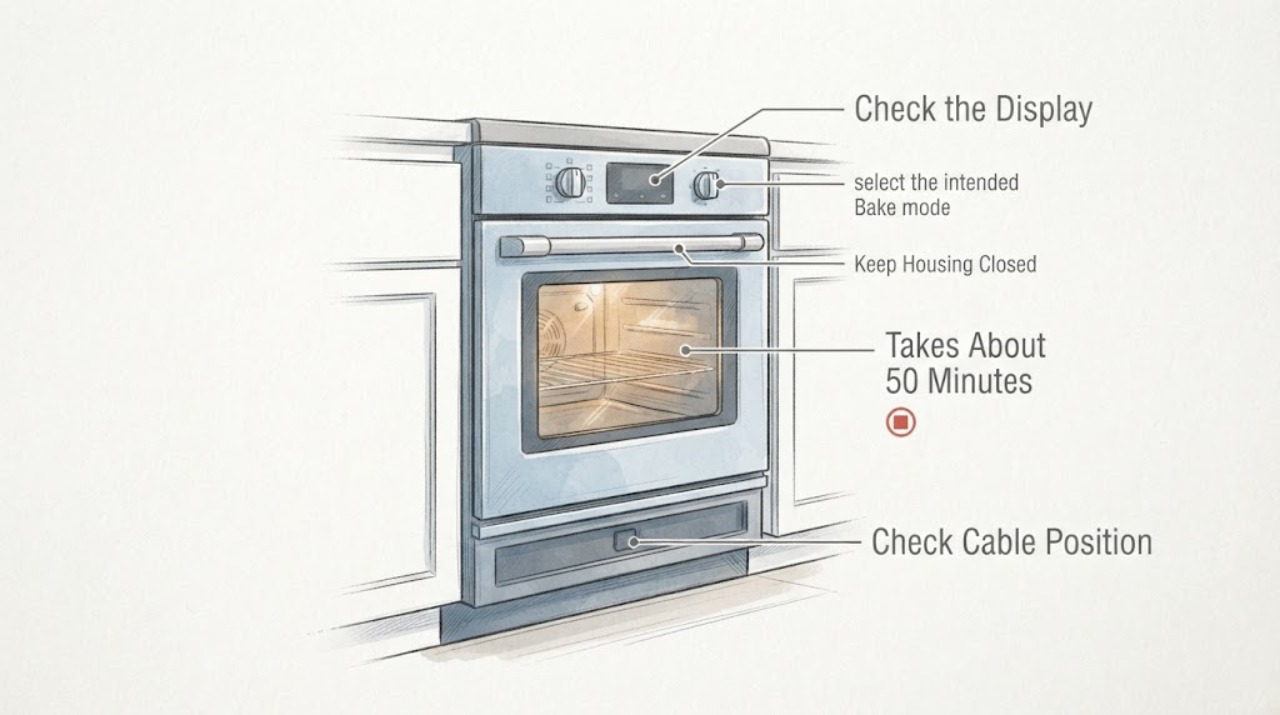
No. A roughly 50-minute preheat to 400°F does not prove that the LG LRE3023ST lower heating element is broken. LG identifies LRE3023ST as an electric single-oven range and says to verify the selected cycle, press START, check the dedicated circuit, and resolve lockout or delay settings before service. Confirm those user-level conditions, observe the oven without opening the rear or testing live voltage, and arrange repair if the time remains abnormal or the display behaves oddly. A heating element, relay, sensor, wiring or control fault cannot be selected from this symptom or from a hand-near-the-cavity test alone.
Before you begin
Safety first
- Do not remove the rear cover, disconnect element wires, probe live terminals, move the range to access wiring, bypass a control or safety device, or order an element, relay, sensor or control board from the symptom alone.
Work through in order
Diagnostic checks
Use only checks that match the exact appliance or system and its official guide.
-
Check 1
With the oven cool and the range in a normal safe state, select the intended Bake mode, set the requested temperature, and confirm the setting with START as LG documents. Do not keep restarting the oven to reproduce the delay.
Expected result: The oven begins a normal preheat sequence, or the display shows lockout, delay, an error, an unconfirmed setting or abnormal flashing.
Next step: Record the exact display and selected mode. If the control state is already correct or the display remains abnormal, stop repeated tests and arrange LG or qualified range service.
Why this matters
Why: A mode or control-state issue can look like slow heating; an abnormal display or a properly started cycle that remains slow needs service investigation rather than an assumed element replacement.
-
Check 2
From the front of the installed range, check whether the dedicated range breaker is on and whether the cooktop and control display behave normally. Do not remove the range, open the electrical connection or measure the supply yourself.
Expected result: The breaker is tripped, the range has a power/display symptom, or the display and cooktop appear normal while the oven still preheats slowly.
Next step: If the breaker is tripped or will not stay on, leave the range off and use a qualified electrician or appliance technician. If power appears normal but preheat remains slow, proceed to service documentation rather than a live test.
Why this matters
Why: LG identifies the dedicated circuit and power supply as prerequisites for electric-range operation; normal display or cooktop behavior does not prove that the oven heating circuit is healthy.
-
Check 3
Once the oven is fully cool and power is off, look only through the normal oven opening for obvious damage to the visible lower element, racks, door seal or cavity. Do not touch the element, pull it forward, remove wires or remove any rear panel.
Expected result: The visible element or seal has a break, blister, scorch, loose-looking part or other damage, or the visible surfaces look normal.
Next step: Keep the range unused until qualified service advises the next step. Do not use a continuity result, a hand-temperature comparison or a similar model's part number to declare the element failed.
Why this matters
Why: Visible damage is a reason to stop and request service, but a normal-looking element cannot rule out an open circuit, relay, sensor, wiring or control problem.
-
Check 4
Record the preheat timeline without opening the range: selected mode and temperature, when START was pressed, displayed temperature changes, whether the preheat indicator or tone appeared, and whether food was undercooked after the delay.
Expected result: The delay is repeatable at the same setting, varies by mode, or is accompanied by display anomalies, breaker behavior, smoke, odor or a hot cord.
Next step: Stop the range and request service for persistent delay or any hazard. Give the technician the exact model, timeline and photos rather than reproducing a hazardous condition.
Why this matters
Why: A repeatable or mode-specific delay gives service useful evidence; smoke, electrical odor, heat damage or a breaker event is a stop-use condition. None of these observations alone identifies a heating element.
-
Check 5
Prepare a service handoff with the LRE3023ST nameplate, installation location, breaker history, selected modes, preheat times, display behavior and any visible damage. Keep the rear cover and wiring untouched.
Expected result: The model and external history are complete, or identity/evidence would require moving the range or opening an electrical enclosure.
Next step: Use LG repair support or a qualified range technician. Do not order or install an element, relay, sensor or control board from the heating-time symptom alone.
Why this matters
Why: LG's exact model support route can supply the appropriate documents and repair path; an internal-only observation is beyond the safe user check boundary.
Use your observations
Decision map
Find the observation that best matches what you see, then follow the next safe action.
-
PATH 01Next step
What you see
Bake is selected and confirmed with START, no lockout or delay message is present, but the LRE3023ST still takes about 50 minutes to reach 400°F.
Do this next
Keep testing non-invasive and limited; record the timeline and arrange qualified service instead of replacing the lower element by assumption.
Why this path and its safety boundary
Why it matters: The documented user settings are no longer a sufficient explanation, but the symptom still does not distinguish an element from a relay, sensor, wiring, power or control issue.
-
PATH 02Next step
What you see
The display shows OVEN LOCKOUT, CHILD LOCK, DELAY START, an error, or unusual flashing during the attempted preheat.
Do this next
Record the exact display and use the LRE3023ST support/manual path. If the condition persists after the documented user setting check, request service.
Why this path and its safety boundary
Why it matters: The range may not be executing the intended heating cycle or may have a control fault; the display pattern is more informative than a guess based on which element feels warm.
-
PATH 03Next step
What you see
The breaker trips, the cord or receptacle is hot or damaged, or smoke/electrical odor appears while preheating.
Do this next
Stop using the range, isolate power only from a safe position and use a qualified electrician or appliance technician. Do not reset repeatedly or continue preheating.
Why this path and its safety boundary
Why it matters: This is an electrical or fire stop condition, not a heating-element troubleshooting step.
-
PATH 04Next step
What you see
The visible lower element looks normal and the display/cooktop work, but the oven remains slow or food is undercooked.
Do this next
Keep the range's rear and wiring closed, document the model and symptoms, and arrange qualified diagnosis before buying a replacement part.
Why this path and its safety boundary
Why it matters: An external visual check cannot clear the heating circuit or prove an element failure; the supplied community discussion itself contains multiple competing possible causes.
Helpful context
Understand the symptom
A long preheat is a symptom, not an element diagnosis
The heating-element idea is a hypothesis. The same slow-preheat symptom can involve the selected mode, control sequence, power supply, temperature sensing, an element circuit or another control fault. A lower cavity that feels cooler during a quick hand check does not identify which circuit is responsible, and reaching behind the range to test it adds electrical and burn risk.
Verify the operating conditions LG documents
LG's electric-range guidance says that the chosen cycle must be confirmed with START, the breaker must be on, and OVEN LOCKOUT, CHILD LOCK or DELAY START can make an otherwise powered unit appear not to run. Confirm the intended Bake selection and start action once, then stop repeated tests if the range remains abnormal.
Use the exact model support path
LG's LRE3023ST support page identifies the appliance as a 6.3 cu. ft. electric single-oven range and provides its manuals and repair/support links. Use that exact model path rather than a similar LG range's wiring or element procedure. The installation document lists the LRE3023 family and requires its electrical and safety instructions to be followed exactly.
Know when the safe homeowner boundary is reached
If the LRE3023ST still takes about 50 minutes after the documented setting and power checks, or if its display flashes abnormally, stop treating the lower element as confirmed. Photograph the display and model label, record the selected mode and preheat timeline, and request qualified range service. Do not remove rear panels, disconnect element wires, probe live terminals, or order a replacement part from the symptom alone.
When checks do not resolve it
Need a professional?
Request LG or qualified range service when the documented mode, START, lockout/delay and safe power checks are correct but preheat remains abnormally slow; request immediate electrical assessment for a tripped breaker, hot or damaged cord/receptacle, smoke or electrical odor.
Safety scope: Do not remove the rear cover, disconnect element wires, probe live terminals, move the range to access wiring, bypass a control or safety device, or order an element, relay, sensor or control board from the symptom alone.
Have this ready
- Provide the exact LRE3023ST nameplate, selected mode and temperature, preheat timeline, displayed messages or flashing, breaker behavior, visible element/seal condition and whether food remained undercooked.
Common questions
FAQ
Does a 50-minute preheat prove the lower heating element is broken?
No. It confirms an abnormal or user-reportedly slow heating result, not the failed component. The LG support path and the exact community case leave several possible causes, so a model-specific technician should diagnose it before a part is chosen.
What can I check without opening an LG LRE3023ST?
Confirm the Bake setting and START action, look for lockout, delay or error messages, check the dedicated breaker from a safe position, wait for the oven to cool and inspect only visible surfaces for damage, then record the timing. Do not remove covers or test wiring.
Why might the display or control behavior matter?
LG documents settings, lockout, delay start and power conditions that can prevent or delay a cycle. The exact Reddit post also describes unusual display behavior, so record the display rather than using the warmth of one area to declare an element failed.
Should I test the element with a multimeter?
This article does not provide a user multimeter or live-voltage procedure. Accessing the element wiring or rear electrical area can expose hazardous voltage and can give a misleading result if the circuit is not isolated correctly. Use qualified service for component testing.
Read the exact guide
Official sources
- LRE3023ST.FSTLLGA: Support, Manuals, Warranty & MoreLG Electronics USA · Exact LG product support page for the assigned LRE3023ST model; used for model identity, electric-range classification and the model's manuals/support route.
- LG oven takes ~50 minutes to preheat to 400. Can I assume a heating element is broken?Reddit r/appliancerepair · Exact Reddit post supplied as the research lead; supports only the reported LRE3023ST symptom and the presence of competing hypotheses, not a confirmed repair or safe diagnostic method.
- LG Electric Range / Gas Range: Power IssuesLG Electronics USA · Official LG range guidance applied to the exact model's electric-range class for user-level settings, breaker, lockout/delay observations and service boundary; it does not diagnose the LRE3023ST's internal component.
- LG Range – Oven Cooking ModesLG Electronics USA · Official general LG range guidance used for mode selection and the warning to consult the exact owner's manual; it is not used to infer a specific LRE3023ST element sequence.
- MFL57205804 Installation Manual – Electric RangeLG Electronics · Exact-family LG installation manual listing LRE3023ST; used for electrical safety and professional boundary, not for a user repair or wiring procedure.
Community feedback
Share a repair observation
Share a plain-text repair observation. Accepted observations are published automatically; this page may take a moment to update.