
On this page
Start here
Quick answer
An LG washer-dryer that seems not to heat may be showing normal cold-water warm-up behavior, using an energy-saving or low-heat cycle, carrying too large or too-wet a load, lacking the water flow needed by a ventless drying system, or have a clogged lint filter, heat exchanger, sensor, fan, heater, control, or wiring fault. First stop for smoke, burning or melting-plastic odor, sparking, a hot or damaged cord, water near electrical parts, or a gas odor on a model that uses gas; keep the unit off and obtain qualified help. Decide whether the complaint is about wash-water temperature or dryer air. For drying, use a load that has completed spin, stay within the model's drying capacity, clean the lint filter and heat exchanger as the manual allows, keep the water valve open, and straighten the drain hose. LG says cold incoming water may take longer to reach a selected wash temperature and the washer may advance after a time limit; it also says a washer-dryer combo uses some water and drainage during drying. If the drum remains cold after the model-approved checks, an error such as dHE returns, or diagnosis requires opening panels or testing live circuits, stop and arrange LG service.
Before you begin
Safety first
- This article supports ordinary-access cycle, load, water, drain, filter, sensor, and external airflow checks only. Do not open the cabinet, test live circuits, remove hot or high-voltage drying components, bypass protection, or modify gas, water, drain, or ventilation connections.
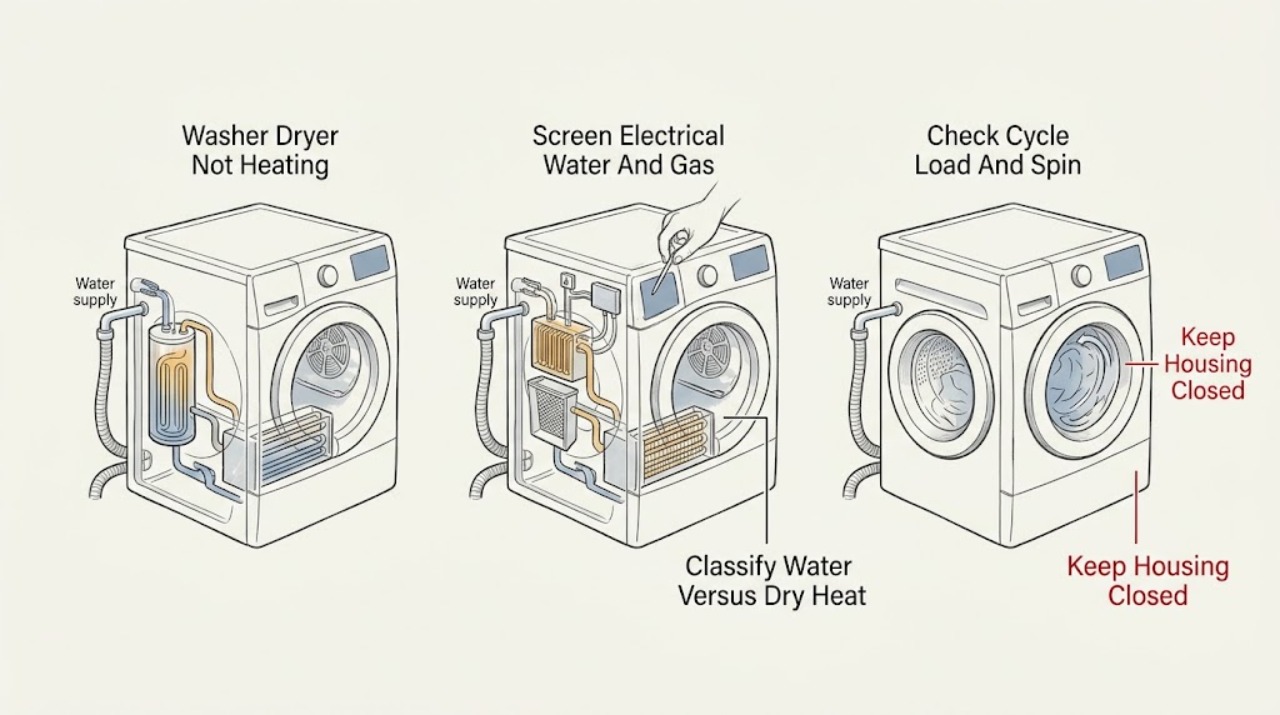
Work through in order
Diagnostic checks
Use only checks that match the exact appliance or system and its official guide.
-
Check 1
Stop the washer-dryer and inspect only from a safe position for smoke, burning or melting-plastic odor, sparking, a hot or damaged cord, water near electrical parts, a damaged drum or cabinet, or gas odor if the installed model uses gas.
Expected result: Record whether a fire, electrical, water, mechanical, or gas hazard is present and whether the load is hot, soaked, or otherwise unsafe to handle.
Next step: Keep the unit off. Disconnect power only at a safely accessible disconnect and shut off a gas supply only if the installation instructions make that accessible without approaching a leak; leave a gas-smelling area and contact the appropriate emergency or utility service from outside. Arrange qualified appliance service for electrical, water, or mechanical hazards.
Stop if: Do not restart, run a dry cycle, touch wet electrical parts, open panels, or continue using a unit that smokes, sparks, smells of melting plastic or gas, or has a hot or damaged cord.
Why this matters
Why: A hazard overrides heating diagnosis. A normal exterior permits only ordinary-access checks; it does not make live electrical, heater, fan, gas, or ventilation work safe.
-
Check 2
Record the exact cycle, selected wash temperature or dry option, load size, whether the drum turns, whether wash water becomes warm, whether dry air or the door area warms, and any display indication.
Expected result: Classify the symptom as wash water below target, drying air cold, drying very slow, wet laundry from incomplete spin, cycle advancing normally, or a recurring error such as dHE.
Next step: Use the exact model manual and the matching branch below rather than testing a heater when the complaint is actually wash-water timing or spin performance.
Stop if: Stop if the symptom is accompanied by a hazard, repeated breaker operation, a door or drum problem, or an error the model manual does not explain.
Why this matters
Why: Cold wash water can reflect cold incoming water and LG's time-limited energy behavior; cold drying can reflect load, water, drainage, filtration, ventilation, sensor, fan, heater, or control issues. A displayed error narrows the system but does not identify a user-replaceable part.
-
Check 3
For a drying complaint, use laundry that has completed spin, stay below the model's maximum drying capacity, and select the documented dry or time-dry option; for a wash complaint, use the intended temperature cycle and allow for the incoming water temperature.
Expected result: Record whether the load is roughly within the dry capacity, whether items are dripping wet, whether Energy Saver or another low-heat choice is active, and whether a dry-only cycle produces warm air.
Next step: Reduce or split the load, run the required spin, turn off Energy Saver only where the model provides that option, and make one attended dry test using the manual's setting.
Stop if: Do not exceed the dry capacity, dry items that the care label forbids, or keep running a load that produces smoke, unusual heat, or a burning odor.
Why this matters
Why: LG says large loads, laundry that has not completed spin, fabric type, and a lower default combo drying setting can lengthen drying or make clothes appear not heated. On applicable dryer models, Energy Saver air-dries for much of the cycle. A correctly loaded dry-only test that remains cold points beyond cycle selection.
-
Check 4
For a combo drying complaint, confirm the accessible water-supply valve is open and inspect the drain hose for kinks, compression, or a low spot holding water; do not pull the appliance out if doing so strains hoses or wiring.
Expected result: Record whether the valve is closed, water enters or drains during drying, the hose is straight and lies as the model requires, or water remains in the hose and produces knocking or thumping.
Next step: Open only an accessible valve and correct only a safe external hose position allowed by the manual, then run one dry-only test. If the symptom persists or the hose or connection is damaged, stop and arrange service.
Stop if: Do not disconnect water or drain fittings under pressure, move the machine alone, bypass a leak, or operate with water near electrical parts.
Why this matters
Why: LG says combo drying uses a small amount of water and expels humid air through the drain hose; a closed valve or water retained in the hose can reduce drying efficiency. A normal valve and free drainage with cold air points toward filtration, fan, heater, sensor, control, or service diagnosis.
-
Check 5
With the unit off, cool, and unplugged where the manual requires it, clean the accessible lint filter, heat exchanger, drain-pump or related filter, and humidity sensor only if that exact model provides them and the manual describes access.
Expected result: Record whether the filter or exchanger is clogged, a Clean Filter or Empty Water Tank indication remains, the sensor has residue, water passes through the documented filter, and airflow or drying improves after maintenance.
Next step: Restore every filter, cover, and sensor area dry and correctly, then run one attended dry test. If the indication remains, the fan is abnormal, or heating does not return, request service.
Stop if: Do not reach into a moving fan, wash an inaccessible electrical component, use flammable cleaners, or remove a heater or exchanger cover not designated for user maintenance.
Why this matters
Why: LG identifies lint, heat-exchanger condition, water-tank state, and humidity-sensor cleanliness as drying-performance factors. A clean accessible path with cold air or a recurring indication suggests an internal fan, heater, sensor, control, or wiring issue.
-
Check 6
If the model has a vented dryer path, check only the accessible lint and exhaust path for crushing or blockage; if a dHE or similar drying-system indication appears, follow the exact model's safe restart instructions once rather than opening the unit.
Expected result: Record whether outside airflow is weak, a hose is crushed, the display returns to normal after the documented restart, or the same drying error returns.
Next step: Correct only an accessible external airflow obstruction, or perform the exact model's documented restart with the unit cool and empty. If dHE returns, airflow remains restricted, or the drum stays cold, keep the unit off and arrange service.
Stop if: Do not bypass a venting or thermal indication, run the dryer with a blocked exhaust, modify ducting, or test fan, heater, wiring, or voltage live.
Why this matters
Why: LG links restricted dryer airflow with long or poor heating performance and says dHE can indicate a drying fan motor or electrical issue. A one-time recovery after a temporary glitch is different from a recurring error, no airflow, or a cold drum.
-
Check 7
After the applicable cycle, load, water, drain, filter, sensor, and airflow checks, run one short attended wash-temperature or dry-only test and stop at the first hazard, abnormal heat, error, or control problem.
Expected result: Record whether wash water warms as expected for the selected program, whether dry air becomes warm, whether the drum turns, whether moisture exits normally, and whether the same error or cold condition returns.
Next step: Keep the unit off if heating remains absent or unsafe and arrange LG washer-dryer service with the model, cycle, load, water and drain observations, filters, airflow, error, and test result.
Stop if: Do not repeat failed tests, disassemble the cabinet, bypass thermal or door protection, or replace a heater, fan, sensor, or control by symptom alone.
Why this matters
Why: Improvement after correcting a program, load, water, drainage, filter, sensor, or airflow condition supports that condition as a contributor. Persistent cold air, no wash-water heat on a cycle that should heat, recurring dHE, or a breaker or odor issue requires professional diagnosis and does not identify a safe part.
Use your observations
Decision map
Find the observation that best matches what you see, then follow the next safe action.
-
PATH 01Safety boundary
What you see
Smoke, burning or melting-plastic odor, sparks, a hot or damaged cord, water near electrical parts, a damaged drum or cabinet, or gas odor on a gas-connected model is present.
Do this next
Keep the unit off, disconnect power only if safely accessible, leave a gas-smelling area and contact the appropriate emergency or utility service from outside, and arrange qualified appliance service.
Why this path and its safety boundary
Why it matters: This is a safety stop, not a heater check.
Safety stop: Do not restart, run a dry cycle, open panels, touch wet electrical parts, or use a damaged machine.
-
PATH 02Safety boundary
What you see
The complaint is that wash water does not feel as hot as selected, but the washer runs normally with no hazard.
Do this next
Confirm the intended cycle and model requirements, allow the documented time behavior, and do not diagnose the drying heater from this symptom alone.
Why this path and its safety boundary
Why it matters: Cold incoming water and LG's energy-saving time limit can delay or prevent reaching the exact target before the cycle advances.
Safety stop: If a proper heating cycle never warms, an error appears, a breaker trips, or the unit smells electrical, stop and request service.
-
PATH 03Safety boundary
What you see
The washer spins and washes, but clothes are wet or drying is slow with an oversized, unspun, waterlogged, or poorly drained load.
Do this next
Complete spin, reduce the dry load, open the water valve, straighten the drain hose, and run one documented dry-only test.
Why this path and its safety boundary
Why it matters: Load size, residual water, closed supply, or drain-hose condition can reduce combo drying performance without proving a failed heater.
Safety stop: If the drum stays cold or the symptom persists with a correct load and normal drainage, arrange service.
-
PATH 04Safety boundary
What you see
A filter indication remains, airflow is restricted, the heat exchanger or sensor is dirty, or the dryer takes unusually long to warm or dry.
Do this next
Clean only the accessible parts specified by the model, correct a safe external restriction, and test once with a cool, suitable load.
Why this path and its safety boundary
Why it matters: Lint, heat-exchanger, sensor, or ventilation restrictions can reduce heat transfer and drying performance.
Safety stop: If airflow is still weak, a fan sounds abnormal, a vent cannot be safely accessed, or the heater remains cold, request service.
-
PATH 05Safety boundary
What you see
A dHE or similar error returns, the unit remains cold after the documented restart, controls fail, or heating requires cabinet access.
Do this next
Keep the washer-dryer off and arrange qualified LG service with the exact error, cycle, load, temperature, airflow, filter, water, drain, and restart observations.
Why this path and its safety boundary
Why it matters: A fan, heater, sensor, control, wiring, or thermal-protection fault is possible; the indication does not identify a safe replacement part.
Safety stop: Do not disassemble, test live circuits, bypass protection, or continue using wash or dry cycles when LG's guidance says the drying system may be unsafe.
Helpful context
Understand the symptom
Separate wash-water heating from drying heat
A washer-dryer combo can finish a wash with water that feels cooler than the selected temperature while still operating normally, or it can wash correctly but dry with no warm air. Note the cycle, selected temperature or dry option, whether the drum turns, whether the load is wet from incomplete spin, and whether the complaint is about water, air, or both.
Combo drying depends on more than a heater
LG says its washer-dryer combo uses a small amount of water during drying and expels warm, humid air through the drain hose. A closed water valve, a hose that holds water, an oversized load, a clogged filter or heat exchanger, or a dirty humidity sensor can make drying look like a heater failure. Exact components and access vary by model.
Energy-saving cycles can feel cold
LG notes that incoming water below ordinary room temperature takes longer to heat and that a washer may move to the next phase after a time limit. On applicable dryer models, Energy Saver can air-dry without heat for much of a Normal or Cotton cycle. Check the selected program before treating a normal operating choice as a failed heater.
A recurring dry-system error is a service boundary
LG describes the dHE indication as a drying fan-motor or related electrical problem and cautions that the fan and surrounding parts can remain hot or carry high voltage. A restart may separate a temporary system glitch from a recurring fault, but it is not permission to remove panels or probe the heater.
Safety boundary
Stop conditions
- Stop for smoke, burning or melting-plastic odor, sparking, a hot or damaged cord, water near electrical parts, a damaged cabinet, or gas odor on a gas-connected model.
- Do not open panels, reach into a hot or moving fan, test live wiring, bypass thermal or door protection, or modify vent, water, gas, or drain connections.
- Do not exceed the model's dry capacity, run a blocked exhaust, dry unsuitable fabrics, or use a cycle that produces abnormal heat or odor.
- If a dHE or similar drying-system indication returns after the exact model's documented restart, stop using the unit until it has been inspected.
- Stop relying on the washer-dryer for heated washing or drying when a correct cycle, load, water supply, drainage, filter, sensor, and ventilation check does not restore warmth.
When checks do not resolve it
Need a professional?
Arrange qualified LG washer-dryer service when a correct wash-temperature cycle consistently stays cold, the dry drum or air remains cold after the appropriate load and spin, water supply and drainage are normal but drying does not improve, a dHE or other drying-system error returns, airflow or fan behavior is abnormal, a breaker or protection device trips, or diagnosis requires opening the cabinet or testing live electrical, heater, fan, or gas components. Provide the exact model, affected wash or dry function, cycle and settings, load and spin result, water valve and drain-hose condition, filter, heat-exchanger and sensor observations, airflow, error, odor, and one-test result.
Safety scope: This article supports ordinary-access cycle, load, water, drain, filter, sensor, and external airflow checks only. Do not open the cabinet, test live circuits, remove hot or high-voltage drying components, bypass protection, or modify gas, water, drain, or ventilation connections.
Read the exact guide
Official sources
- [LG Dryer] [Electric] Laundry is not drying wellLG USA Support · LG's official electric-dryer support article; some maintenance parts and messages differ on washer-dryer combo models.
- LG Dryer – Why is My Dryer Not Heating, Not Drying or Taking a Long Time Drying?LG USA Support · LG's official dryer support article; model-specific test buttons and Energy Saver behavior vary, and combo units may use a different drying system.
- [LG Washing Machine] Water does not heat up or reach the set temperatureLG USA Support · LG's official support article for applicable washer and washer-dryer-combo models using the listed normal-temperature cycles; model programs vary.
- Why the dHE error code appears during a dry cycle on your LG washer dryer combo, and how to fix itLG USA Support · LG's official washer-dryer-combo support article for models that display dHE; settings and indications vary by model.
- [LG Washer] Dryer Performance TroubleshootingLG USA Support · LG's official washer-dryer-combo support article; images, controls, and capacity labels vary by model.
Community feedback
Share a repair observation
Share a plain-text repair observation. Accepted observations are published automatically; this page may take a moment to update.