
On this page
Start here
Quick answer
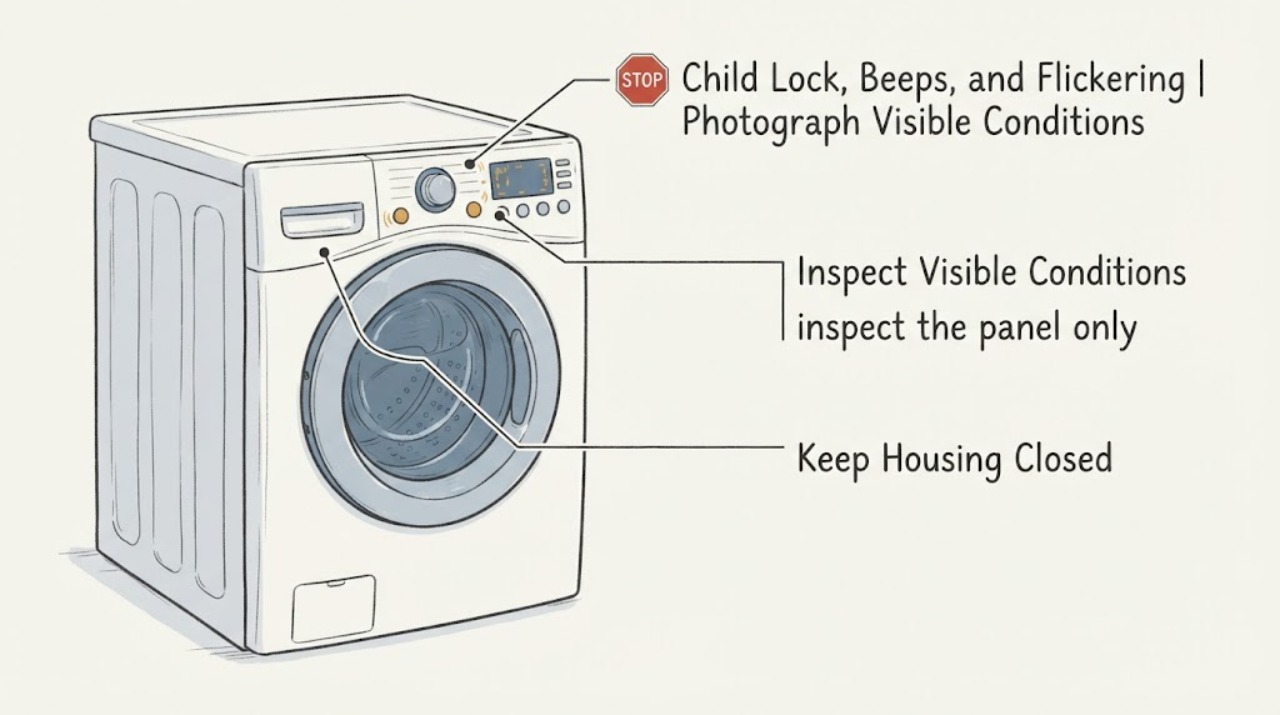
On the LG WM9000HVA, a beep with unresponsive buttons can be a real Child Lock state, but a flickering time display or buttons that activate by themselves needs a different, safer path. The official WM9000HVA material identifies this US model as a 5.2 cu. ft. front-load washer with an electronic on-door panel and Child Lock; LG also says that when CL is active, buttons other than Power do not operate and the lock can remain active after power is cycled. First photograph the display and note whether CL or a lock icon is present, whether Power still works, and whether every button or only some controls fail. Use only the lock-marked control shown in the WM9000HVA manual; LG's general guide says the exact unlock control varies by model. If there is no CL indication, the display flickers, digits change without a touch, the panel is wet or physically damaged, the washer repeatedly beeps after the lock check, or a reset only helps temporarily, stop guessing at button combinations and arrange LG service. Do not open the console, bridge a lock, spray the panel, or perform live electrical tests.
Before you begin
Safety first
- Do not open the WM9000HVA console, probe live wiring, bridge the Child Lock or door interlock, spray liquid into the panel, use a sharp tool to press touch controls, or operate a washer that starts or changes settings without intentional input. Isolate power only from a dry, safe position when LG guidance permits and no electrical hazard is present.
Work through in order
Diagnostic checks
Use only checks that match the exact appliance or system and its official guide.
-
Check 1
From a dry position, stop interacting with the panel and photograph the entire display. Record whether the washer shows CL, a lock icon, a fixed time, alternating or incomplete digits, random segments, or no display; whether Power responds; which buttons fail; and whether the beeping occurs only after a touch or continues without input. Confirm the rating-plate model and full suffix before using a manual.
Expected result: CL or a lock icon is clearly shown; Power works but other controls do not; digits flicker or change by themselves; only one touch area fails; or the panel is completely dark.
Next step: Use the matching branch, preserving the display photo and symptom sequence for service. Do not infer a board, display module, or lock failure from beeps alone.
Stop if: Stop immediately for smoke, burning odour, a hot or damaged cord/outlet, water inside or behind the panel, exposed wiring, a wet plug, or a breaker that trips.
Why this matters
Why: LG defines CL as Child Lock and says all buttons except Power are disabled while it is active. A flickering/fragmented display, self-activating controls, or failure without a CL indication is not established as a normal lock state. A dark panel is a power/control-path question rather than a button-lock question.
-
Check 2
If CL or a lock icon is present and the panel is dry and physically intact, look for the child-lock symbol or label on the WM9000HVA control layout and use only that model's documented unlock control. Hold the marked control or controls for the manual's stated interval once; do not try unrelated button combinations, disconnect a lock wire, or force the door.
Expected result: The lock indicator clears and normal buttons respond; CL remains; the display changes to another error; or the same controls beep but do not change the lock state.
Next step: If the lock clears, make one normal selection and document whether the panel remains stable. If CL will not clear using the exact WM9000HVA manual, stop and request LG service rather than bypassing the safety function.
Stop if: Do not force a locked door, pull a console apart, bridge the child/door lock, or continue if the display flickers, buttons actuate without touch, or the panel is damaged.
Why this matters
Why: LG says Child Lock intentionally disables every button except Power, remains active through a power cycle, and must be released using the designated control for that model. LG also warns that the exact method varies by model; therefore a generic combination cannot prove the WM9000HVA's method.
-
Check 3
If CL is absent or the buttons still fail after the correct lock check, inspect the panel only from outside for water droplets, detergent film, condensation, a recently wet cleaning cloth, lifted film, cracked plastic, or a visibly deformed touch area. Keep hands dry. If the panel has moisture and there is no electrical hazard, isolate power at the normal plug only from a dry position and allow the surface to dry naturally; do not spray cleaner or open the console.
Expected result: The panel was wet or contaminated and becomes stable after drying; the panel remains erratic; digits remain incomplete/flickering; or buttons are physically damaged.
Next step: If the symptoms persist, stop using the washer and give LG the photos, model suffix, and whether moisture was present. If drying restores normal operation, monitor one ordinary cycle without repeatedly pressing or cleaning the panel; recurrence still warrants service.
Stop if: Do not use a heat gun, spray liquid into seams, insert tools, peel the console apart, touch internal wiring, or operate with a cracked panel or liquid entering it.
Why this matters
Why: LG states that moisture on or inside the control panel can prevent buttons from responding and can cause a short circuit or abnormal display; persistent failure after drying can indicate corrosion or a circuit problem. Drying does not certify an internally wet or damaged panel as repaired.
-
Check 4
If Power and Start seem to work but a quick tap is ignored, use a dry finger and press the touch-controlled Power or Start control for about one second as LG describes for touch models. Do this once after a valid cycle selection; do not hold random controls or interpret a single beep as a confirmed lock or fault.
Expected result: A deliberate one-second Power/Start press is accepted; the button still beeps without action; only a particular region is unresponsive; or the display flickers while the control is touched.
Next step: If the control responds normally and the display stays stable, use the washer normally while monitoring it. If the panel remains erratic or the same beeping/unresponsive behavior returns, stop repeated trials and arrange service.
Stop if: Do not press harder, use a sharp object, repeatedly cycle Power, or continue if the washer starts without an intentional command or the panel shows electrical damage.
Why this matters
Why: LG explains that some touch-controlled front-load models intentionally require a one-second Power/Start press and that wet hands or liquid on the panel can impair recognition. This can explain a missed short tap, but it does not explain spontaneous digit changes, a persistent flicker, or multiple controls failing after the panel is dry.
-
Check 5
If the display is completely dark or the washer will not respond even to Power, inspect only the accessible power connection: verify that the plug is fully seated in the intended grounded outlet and that no household protection has opened. Do not use an extension cord, open the washer, or make electrical measurements at the outlet or control panel yourself. Restore a breaker only once if it is cool, dry, and undamaged under the home's normal procedure.
Expected result: The display returns and remains stable; the outlet or cord is damaged/dead; the breaker trips again; or the panel returns but immediately flickers or beeps.
Next step: Use a qualified electrician for an outlet/circuit or repeat-breaker issue and LG appliance service for a washer that remains dark or becomes unstable with a sound household supply. Record whether the problem changes with a particular cycle only after service confirms safe operation.
Stop if: Do not reset a hot or damaged circuit, increase fuse capacity, use an extension cord, touch exposed conductors, or keep reconnecting a sparking or burning-smelling appliance.
Why this matters
Why: A dark WM9000HVA is not diagnosed as Child Lock because LG says Power remains available while Control Lock is active. A repeat trip, damaged connection, or unstable return indicates an electrical or control fault requiring qualified assessment.
-
Check 6
If the symptom returns after the correct lock check and one safe, documented recovery approved by LG support, record a short sequence without repeatedly resetting the washer: initial display, first beep or flicker, controls touched, whether Power remained available, and whether the washer was idle or in a cycle. Keep the washer out of service if the display changes without input or any electrical or water hazard is present.
Expected result: The washer stays stable after recovery; the fault returns immediately; the display changes without touch; only the lock control is affected; or the machine starts an unintended action.
Next step: Stop troubleshooting and request LG service with the exact WM9000HVA suffix, photos/video if safely obtained, fault sequence, and any moisture, power, or door observations. Do not order a display or main board from a symptom-only diagnosis.
Stop if: Do not repeat factory resets, open the console, bypass interlocks, probe live circuits, or operate a washer that responds without an intentional command.
Why this matters
Why: A temporary recovery does not distinguish a failing touch switch, display/control communication path, moisture/corrosion, or lock circuit. LG directs service when buttons remain unresponsive after the lock and basic troubleshooting, and abnormal display behavior can indicate a panel problem rather than Child Lock.
Use your observations
Decision map
Find the observation that best matches what you see, then follow the next safe action.
-
PATH 01Next step
What you see
CL or a lock icon is visible, Power works, the panel is dry and intact, and every other button is disabled until the marked control is held as documented for the exact WM9000HVA variant.
Do this next
Clear the lock with the exact WM9000HVA manual's marked control once, then verify one normal selection. If the indicator remains or another symptom appears, request service instead of trying random combinations.
Why this path and its safety boundary
Why it matters: This pattern matches LG's intentional Child Lock behavior, including a lock that can remain active after power is turned off and back on. The beeps are not evidence of a failed board while the lock state explains the response.
-
PATH 02Next step
What you see
There is no CL/lock indication, or only one/some controls fail; the display digits flicker, alternate, appear incomplete, or change without touch, especially after moisture or cleaning near the on-door panel.
Do this next
Isolate power only from a dry, safe position, let an externally wet panel dry, and do not spray or open it. If the display or controls remain abnormal or the problem recurs, leave the washer unused and arrange LG service.
Why this path and its safety boundary
Why it matters: The observed pattern makes touch-panel moisture, contamination, physical damage, corrosion, or a panel circuit problem more likely than Child Lock. LG's all-buttons and buttons-not-responding guidance does not treat persistent abnormal digits as a lock state.
-
PATH 03Next step
What you see
The panel is dry and stable, but a brief tap on Power or Start is ignored while a deliberate approximately one-second touch is accepted, with no spontaneous activation or flickering.
Do this next
Use the deliberate press once after selecting the cycle. If the same button needs increasing pressure, beeps without action, or later activates by itself, stop and request service.
Why this path and its safety boundary
Why it matters: This is consistent with LG's touch-control timing guidance rather than a child-lock failure: some touch-controlled models intentionally require a one-second Power/Start press to avoid accidental operation.
-
PATH 04Next step
What you see
The display is completely dark, Power is unavailable, the household outlet/cord is damaged or dead, a breaker trips again, or the display returns only to flicker/beep.
Do this next
Stop use. Have the circuit/outlet assessed by a qualified electrician when implicated and the washer assessed by LG or qualified appliance service. Do not keep reconnecting it to see whether the display recovers.
Why this path and its safety boundary
Why it matters: A dark or unstable panel is a power-delivery or control-path issue, not the normal presentation of Child Lock. Load or cycle choice cannot safely identify whether the cause is the outlet, cord, display/control assembly, wiring, or another appliance fault.
-
PATH 05Next step
What you see
The correct lock procedure does not clear CL, the washer beeps without accepting controls, the display changes without input, or the fault returns after one safe documented recovery.
Do this next
Arrange LG service with the exact full model suffix, display photo, sound/flicker sequence, moisture and power observations, and whether Power remained available. Keep the washer out of service if it can start or change controls without intentional input.
Why this path and its safety boundary
Why it matters: The remaining possibilities include a failed touch switch, moisture/corrosion, display/control communication, door/lock feedback, or power fault. LG's general guidance requires service when the buttons remain unresponsive after the control-lock check; it does not justify naming a replacement board.
Helpful context
Understand the symptom
The WM9000HVA has an electronic panel integrated into the washer door, so a beeping or flashing display can look like a child-lock fault even when the lock is not active. LG documents three materially different patterns: CL/lock with buttons intentionally disabled, moisture or liquid affecting touch recognition, and a persistent unresponsive or abnormal panel that may need service. The order below keeps those decisions separate.
This article uses the US WM9000HVA.ASSEEUS support record and LG's WM9000HVA/WM9000H_A product documents. Confirm the full suffix on the rating plate before using any control combination: LG explicitly notes that child-lock controls vary by model, and a different regional variant may show a different panel.
When checks do not resolve it
Need a professional?
Book LG appliance service for persistent CL, unresponsive or self-activating buttons, a flickering/fragmented display, physical panel damage, or symptoms that return after one safe documented recovery. Book qualified electrical service for outlet, cord, circuit, or repeat-breaker issues.
Safety scope: Do not open the WM9000HVA console, probe live wiring, bridge the Child Lock or door interlock, spray liquid into the panel, use a sharp tool to press touch controls, or operate a washer that starts or changes settings without intentional input. Isolate power only from a dry, safe position when LG guidance permits and no electrical hazard is present.
Have this ready
- Provide the full rating-plate model and suffix (the LG support record uses WM9000HVA.ASSEEUS), serial details, display photographs, whether CL or a lock icon was present, which buttons responded, beep/flicker timing, panel moisture or damage, whether Power worked, any recent cleaning or move, and the outlet/breaker result.
Common questions
FAQ
Does CL mean my LG WM9000HVA is broken?
Not by itself. LG defines CL as Child Lock; while it is active, every button except Power is disabled and the lock can remain active after a power cycle. Use only the lock-marked control in the exact WM9000HVA manual. If CL will not clear or the display is also flickering, request service.
Why does the LG WM9000HVA beep when I press a button?
A beep can accompany an active Child Lock or an unaccepted touch, but it cannot identify the cause alone. Check the display for CL or a lock icon, keep the panel dry, and remember that LG says some touch-controlled Power and Start controls require about one second. Random beeps, self-changing digits, or repeated unresponsiveness need service.
Can I use a hairdryer on the WM9000HVA display?
LG's general button guidance discusses drying a damp panel and cautions about warm air, but a flickering or liquid-affected on-door console should not be treated as repaired by heating it. Keep the panel dry, avoid spraying or opening it, and arrange service if the abnormal display or controls persist.
Should I replace the display or main board for a flickering LG washer?
No—not from flickering, beeping, or a child-lock complaint alone. The same visible symptom can involve an active lock, moisture, touch recognition, the display/control path, or household power. Record the exact model suffix and the display/control sequence, then have LG or qualified service diagnose it before ordering a part.
Read the exact guide
Official sources
- WM9000H_A 5.2 cu.ft. MEGA Capacity with On-Door Control Panel & TurboWashLG Electronics U.S.A., Inc. · Opened LG specification sheet explicitly listing WM9000HVA, its integrated electronic on-door panel, Child Lock, touch buttons, and US electrical requirements; use the exact model support record for control combinations.
- LG Washer - Troubleshooting Unresponsive Washer ButtonsLG Electronics USA · Brand-level LG washer guidance opened from LG USA; it supports the CL-versus-service decision but its general reset should not be repeated or treated as a model-specific repair.
- [LG Front load washing machine button] The power/start button does not work very wellLG Electronics USA · Brand-level touch-control guidance opened from LG USA; the article says images/content vary by model, so it is not a substitute for the WM9000HVA manual.
- [LG Front Load Washer] How to enable or disable CL(Child Lock)LG Electronics USA · Brand-level guidance opened from LG USA; it explicitly says the lock control varies by model, so use it to interpret CL and the safety boundary, not to invent a WM9000HVA button combination.
- [LG Front Load Washing Machine] Buttons Not RespondingLG Electronics USA · Brand-level front-load guidance opened from LG USA; used for moisture, drying, corrosion/circuit and service boundaries, not for diagnosing a WM9000HVA board.
- LG WM9000HVA: Support, Manuals, Warranty & MoreLG Electronics USA · Exact LG USA support page opened for WM9000HVA; confirm the full rating-plate suffix and market before using model-specific controls.
- [LG Front Load Washer] All buttons light upLG Electronics USA · Brand-level guidance opened from LG USA; used only to support the moisture/abnormal-panel stop boundary.
Community feedback
Share a repair observation
Share a plain-text repair observation. Accepted observations are published automatically; this page may take a moment to update.