
On this page
Start here
Quick answer
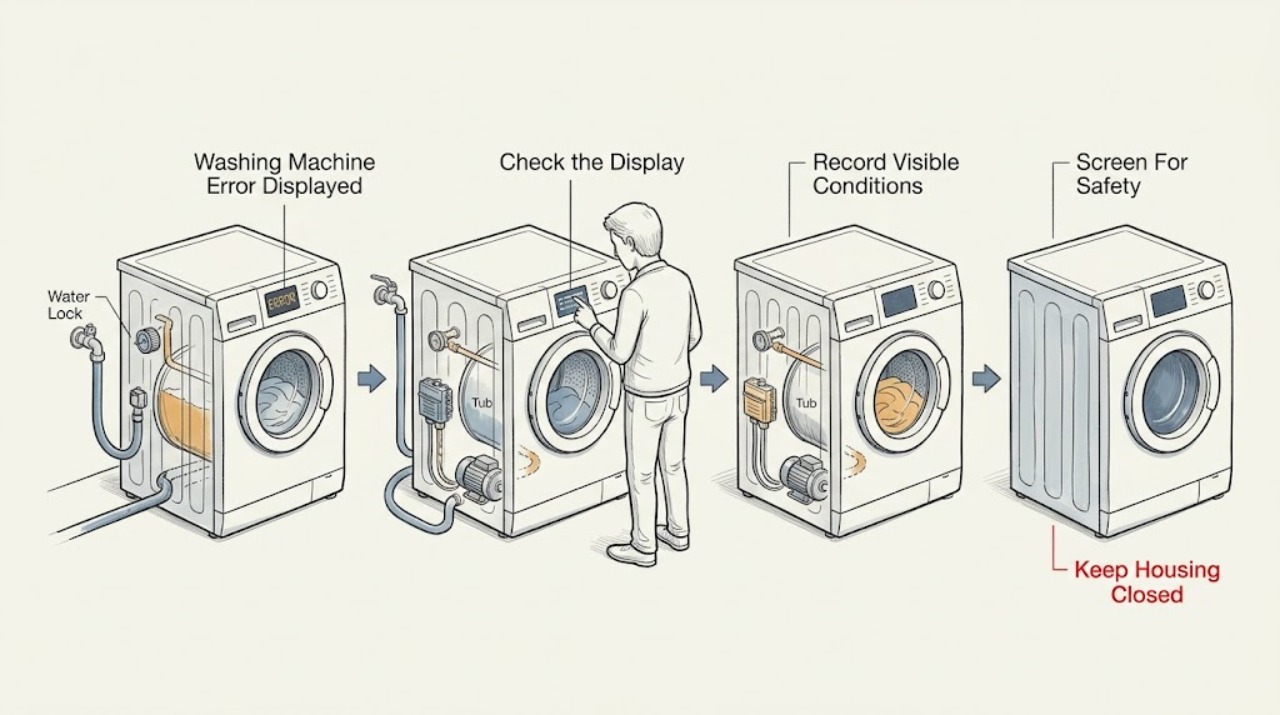
Record the complete LG washer code exactly as shown, the model number, whether the machine is front-load or top-load, and the point in the program when it appeared. LG says notification codes can vary by model, so do not assign a meaning from a different washer. With no leak, hot water, electrical odor, smoke, sparks, damaged cord, or violent movement, first use the code family to choose a low-risk check: dE or a door-lock code points to door closure and the lock state; IE points to the water taps and inlet hose; OE points to the drain hose, drain path, or pump filter; UE points to load balance or leveling; LE can indicate a strained motor or foreign object; FE indicates an overfill path; Sud points to excess suds; and PF or CL may indicate power interruption or control lock. Remove only visible obstructions, keep the washer level and dry, and use one model-approved reset only when the exact LG guide permits it. Stop for leaking water near electrical equipment, hot water, smoke, burning smell, sparks, a damaged door or glass, repeated trips, or violent vibration, and arrange LG service when the code returns after the applicable check.
Before you begin
Safety first
- This article covers ordinary observation, accessible hose and door checks, load redistribution, and exact model-documented controls only. Do not bypass locks, work on live wiring, open the cabinet or tub, force a filter with hot water present, or dismantle gas, electrical, pump, valve, motor, or sensing components.
Work through in order
Diagnostic checks
Use only checks that match the exact appliance or system and its official guide.
-
Check 1
Before another cycle or reset, inspect from a safe, dry position for leaking water, water near the plug or controls, hot water, smoke, burning or electrical odor, sparks, a damaged cord or glass, repeated breaker trips, or violent movement.
Expected result: Record whether the washer is stable and dry, whether water is present and where, whether the water is hot, and whether any odor, smoke, spark, damage, or repeated trip occurred.
Next step: Stop the cycle and keep people away when a hazard is present. If the area can be reached without stepping in water, close the water taps and isolate power using a safe dry method; otherwise leave the area and arrange emergency or qualified service. Continue only when there is no hazard.
Stop if: Do not touch a plug or control while standing in water, continue a leaking or smoking washer, open a hot-water drain path, or keep resetting a tripping circuit.
Why this matters
Why: A safety sign changes the task from code interpretation to immediate shutdown. Water near electrical parts can create shock risk; smoke, burning odor, sparks, or repeated trips can indicate an electrical or fire hazard; violent movement can damage the machine or surroundings.
-
Check 2
Photograph and transcribe the complete display, then read the model label and record front-load or top-load design, selected program, load condition, and the exact stage at which the code appeared.
Expected result: Record a stable code, an alternating code or message, a code that disappears after power interruption, or no reproducible code; note whether it appeared during filling, tumbling, draining, spinning, or door locking.
Next step: Use the exact LG model documentation and choose the matching code family below; do not guess at an incomplete or unfamiliar code.
Stop if: Do not substitute a similar-looking code, infer a component from letters alone, or enter an undocumented diagnostic mode.
Why this matters
Why: LG states that error codes and notification meanings can vary by model. The model and stage determine whether the next check should concern water entry, drainage, balance, door lock, motor rotation, overfill, suds, sensing, or power.
-
Check 3
If the code is PF, the display is blank or intermittent, or CL appears, check the plug and household supply from ordinary safe access, then use the exact model's documented control-lock or power-recovery procedure.
Expected result: Record normal power with a persistent code, a recent outage or tripped breaker, a control-lock indicator, or a washer that remains unresponsive after the documented control action.
Next step: If there is no hazard, perform one model-approved power or control-lock recovery and observe one normal response. If the code returns, power remains unstable, or the washer is unresponsive, arrange LG service.
Stop if: Do not open the electrical panel, test live wiring, bypass the lock, use a damaged cord, or repeatedly reset the circuit.
Why this matters
Why: PF can follow a power interruption, while CL is a control-lock state on supported models; a persistent or blank display after the user-level procedure points to model-specific controls or supply diagnosis.
-
Check 4
For dE, dE1, dE2, E01, E30, dL, or another door-related display, wait for the drum to stop, inspect the visible door opening and latch area for clothing or debris, close the door normally, and select the documented restart or reset action.
Expected result: Record an unobstructed door that latches, a door that does not align or lock, visible damage, residual water with a locked door, or a code that returns immediately.
Next step: Clear only a visible obstruction and make one normal restart attempt. If water remains, the door will not lock, the glass or latch is damaged, or the code returns, leave the door closed and arrange LG service using the recorded model and code.
Stop if: Do not force or pry open a locked door, reach into a moving drum, bypass the lock, or remove a filter while hot or pressurized water may be present.
Why this matters
Why: LG groups these notifications around the door or lock, but the exact code and procedure vary by model. A returning code can reflect the lock, door alignment, retained water, or a control fault rather than a loose item.
-
Check 5
For IE, E02, or E10, check that the water taps are open, the inlet hoses are connected and not kinked or crushed, and the washer has not been affected by a frozen or interrupted supply; inspect only accessible connections for leaks.
Expected result: Record normal water flow at the taps, a closed tap, a kinked or disconnected hose, a damaged or leaking hose, or no water supply despite an open tap.
Next step: Restore only an accidentally closed tap or safely straighten a hose, dry and observe the connection, then run one model-appropriate test. If filling remains abnormal or the hose leaks, stop and request service.
Stop if: Do not loosen a pressurized hose, continue with a leak, use boiling water to thaw a line, or access the inlet valve or wiring.
Why this matters
Why: LG says the inlet family can arise when the tub does not fill adequately because of a closed or interrupted supply, disconnected or bent hose, or freezing. A sound supply with a returning code can indicate an inlet valve or sensing fault.
-
Check 6
For OE, E03, or E21, observe whether water remains in the tub, then inspect the accessible drain hose for a kink, pinch, clog, or incorrect placement; use the exact model instructions before opening a pump-filter access point.
Expected result: Record free-flowing drainage, slow or absent drainage, a pinched or clogged hose, a humming pump with no water movement, a blocked filter, excessive suds, or water that is hot or leaking.
Next step: Correct only a visible hose pinch and use one model-approved Spin Only or drain test when safe. If the filter procedure is explicitly applicable, protect the floor and follow it exactly; otherwise stop and request service.
Stop if: Do not reach into standing hot water, force a filter cap, remove a filter without the model's residual-water procedure, mix drain chemicals, or run a leaking washer.
Why this matters
Why: LG associates this family with a drainage failure and identifies the drain hose, pump filter, pump operation, and excessive suds as possible paths. A clear hose and recurring code need service; retained or hot water makes opening the drain path unsafe.
-
Check 7
For UE or a vibration-related display, pause only when the drum is safe to access, distribute the load evenly, remove an unsuitable or single bulky item as the manual permits, and check from the outside whether the washer rocks on the floor.
Expected result: Record an uneven load, an oversized or very small load, a waterproof or unsuitable item, a level and stable washer, or continued rocking and thumping after redistribution.
Next step: Use the appropriate program and one monitored test if the washer is stable. If it still shakes, walks, leaks, or repeatedly reports UE, stop use and arrange service or installation correction.
Stop if: Do not hold the washer down during spin, place hands near a moving drum, operate it while it walks or strikes nearby objects, or adjust hidden suspension parts.
Why this matters
Why: LG says UE can result from laundry gathered on one side, an unsuitable load size or item, or a washer that is not level. Continued violent movement after the load is corrected points to installation or mechanical diagnosis rather than more spin attempts.
-
Check 8
For LE, LE1, AE, or another rotation-related code, stop the cycle, unload the washer when safe, and inspect only visible drum or wash-plate gaps for a coin or foreign object; do not reach into moving parts or dismantle the tub.
Expected result: Record an overloaded load, a visible foreign object, a drum that turns normally by the model-approved user check, a humming or stalled motor, or a code that returns after the load is reduced.
Next step: Remove only a clearly visible object with the power off and a suitable ordinary tool if the exact model guide permits it, or reduce an obviously overloaded load. Make one model-approved retry; if the code returns, request service.
Stop if: Do not force the drum, reach between moving assemblies, bypass a motor or lid safety device, or continue after grinding, smoke, burning smell, or violent movement.
Why this matters
Why: LG links LE to a tub that fails to spin and notes overload or a foreign object as possible causes; its top-load guidance similarly links rotation codes to trapped objects. A recurring code or abnormal noise can indicate a motor, gear, or control fault.
-
Check 9
For FE, E04, E12, Sud, PE, tE, or a related sensing notification, observe the water level, foam amount, selected detergent and dose, temperature behavior, and whether the condition appears during fill or wash; use only the exact model guidance for cleaning or a tub-care cycle.
Expected result: Record excessive water, foam overflowing, normal water level with persistent code, an unusual temperature, or a code that returns on an empty or appropriate cycle.
Next step: Stop a filling or foaming washer, close the taps when safely reachable, and follow the exact manual for detergent and tub-care steps. If the level, foam, temperature, or code remains abnormal, arrange service.
Stop if: Do not add chemicals to counteract suds, mix cleaners, continue an overflowing cycle, touch hot water, or open sensing components.
Why this matters
Why: These families can involve overfill, excess suds, pressure or temperature sensing, or another model-specific input. Excess foam can interfere with drainage, while persistent sensing codes after a safe user-level check may require technician inspection.
-
Check 10
After the applicable low-risk check is complete and no safety sign remains, use only the single reset or power-cycle explicitly documented for the exact LG model, then run one appropriate monitored test.
Expected result: Record whether the code clears and the cycle completes, clears temporarily and returns, or remains immediately; note any new leak, noise, odor, heat, or movement.
Next step: If the code returns or the machine behaves abnormally, stop further retries and provide LG or a qualified technician the exact code, model, load, program stage, observations, and reset result.
Stop if: Do not repeat resets to suppress a persistent code, erase the display history, enter service mode, or replace a part based only on the code label.
Why this matters
Why: A cleared code can reflect a temporary state, but a recurrence is evidence that the underlying inlet, drain, lock, motor, balance, sensing, or control condition remains. LG directs owners to service when troubleshooting does not resolve the error.
Use your observations
Decision map
Find the observation that best matches what you see, then follow the next safe action.
-
PATH 01Safety boundary
What you see
There is leaking water near electrical equipment, hot water, smoke, burning smell, sparks, damaged glass or cord, repeated circuit trips, overflow, or violent movement.
Do this next
Stop the cycle. If it is safe to do so without stepping in water, close the taps and isolate power using a dry, accessible method; otherwise leave the area and obtain emergency or qualified service.
Why this path and its safety boundary
Why it matters: The code is secondary to immediate safety and continued operation can worsen damage or injury risk.
Safety stop: Do not touch energized equipment through water, continue testing, force the door, or reset a tripping circuit.
-
PATH 02Safety boundary
What you see
The display is dE, dE1, dE2, E01, E30, dL, or another door/lock notification.
Do this next
Inspect the visible opening and latch for obstruction, close normally, use one documented restart, and arrange service if the lock does not engage or the code returns.
Why this path and its safety boundary
Why it matters: The washer may not recognize a closed or locked door, may retain water, or may have a lock or control fault; exact meanings vary by model.
Safety stop: Do not pry, tape, bypass, or force the lock, and do not open it with water or a moving drum present.
-
PATH 03Safety boundary
What you see
The display is IE, E02, or E10 and the washer stopped while filling.
Do this next
Check accessible taps and hoses for normal connection and flow, then use one model-appropriate test; request service if supply is normal but the code returns.
Why this path and its safety boundary
Why it matters: The tub did not reach its expected fill level; supply interruption, taps, inlet hose, freezing, valve, or sensing may be involved.
Safety stop: Stop for a leaking or damaged hose, pressurized connection, water near electrical parts, or any need to open the inlet valve.
-
PATH 04Safety boundary
What you see
The display is OE, E03, or E21 and water remains or drains slowly.
Do this next
Check the accessible drain hose, then use only the exact model's safe drain or filter procedure; arrange service when the path is clear but the error returns.
Why this path and its safety boundary
Why it matters: LG associates this family with a drainage failure involving hose routing, clogging, pump filter, pump operation, or excessive suds.
Safety stop: Do not open a filter with hot or pressurized water, use drain chemicals, or continue with leaks or overflow.
-
PATH 05Safety boundary
What you see
UE or a vibration notification appears during redistribution or spin.
Do this next
Pause safely, redistribute or remove the unsuitable load, confirm the washer is stable, and monitor one appropriate spin; service persistent thumping or walking.
Why this path and its safety boundary
Why it matters: The load may be uneven, unsuitable, too large or small, or the washer may not be level.
Safety stop: Do not hold the appliance, reach into a moving drum, or keep spinning a machine that strikes, walks, leaks, or vibrates violently.
-
PATH 06Safety boundary
What you see
LE, LE1, AE, or another rotation code appears while the tub fails to spin or makes abnormal noise.
Do this next
Unload or reduce an obvious overload, inspect only visible accessible gaps with power off if the exact guide permits, and make one documented retry; recurring faults need service.
Why this path and its safety boundary
Why it matters: Overload, a visible foreign object, motor strain, gear, or another rotation fault may be involved.
Safety stop: Do not force rotation, dismantle the tub, bypass safety devices, or continue after smoke, burning odor, grinding, or violent movement.
-
PATH 07Safety boundary
What you see
PF, CL, FE, Sud, PE, tE, or another control, overfill, suds, pressure, or temperature notification appears.
Do this next
Record the code and stage, stop overflow or unsafe heating, follow only the exact model's user-level procedure, and request service for recurrence.
Why this path and its safety boundary
Why it matters: The model has detected a power/control state or a water, foam, pressure, or temperature condition; the exact procedure is model-specific.
Safety stop: Do not mix chemicals, continue overflow or hot-water conditions, open sensing components, or use an undocumented reset sequence.
-
PATH 08Safety boundary
What you see
The code is incomplete or unfamiliar, the model cannot be confirmed, or the code returns after the applicable low-risk check and one documented reset.
Do this next
Keep the washer out of use as appropriate and contact LG support or a qualified technician with the full identity, display, stage, and observation record.
Why this path and its safety boundary
Why it matters: A generic interpretation is not reliable and continued retries can hide a persistent fault.
Safety stop: Do not guess a replacement part, copy another model's procedure, enter service mode, or bypass a safety function.
Helpful context
Understand the symptom
The code is a starting point, not a diagnosis
An LG washer can show letters, numbers, or a notification that looks similar across model families, but the same-looking display may have different instructions on a front-load and top-load machine. Photograph the display before resetting it, copy every character including capitalization, and record whether the code appeared while filling, washing, draining, spinning, or locking the door. Use the exact model's manual or LG Help Library entry before replacing a part.
Use the code family to choose the next observation
IE/E02/E10 is an inlet or no-water-fill family; OE/E03/E21 is a drainage family; UE is an imbalance family; dE and related door codes concern the door or lock; LE and some top-load rotation codes concern motor or tub movement; FE and related codes concern overfill; Sud concerns suds; PF concerns power; and CL concerns the control lock. These are useful routing clues, not permission to cross-apply a model-specific repair procedure.
Front-load and top-load checks are not interchangeable
A front-load washer may retain water behind a locked door, making the drain and door sequence important; do not force the door. A top-load washer may show rotation codes when a coin or foreign object is trapped around the wash plate and tub. In either design, do not reach into a moving drum, remove a pump filter with hot or pressurized water present, or open the cabinet to chase a code.
Safety boundary
Stop conditions
- Stop immediately for water near electrical equipment, smoke, burning or electrical odor, sparks, damaged cord or glass, repeated circuit trips, overflow, hot water, or violent movement.
- Do not force, pry, tape, or bypass a locked door or lid; do not reach into a moving drum or open a drain or filter path with hot or pressurized water present.
- Do not open electrical panels, test live wiring, dismantle the cabinet or tub, enter undocumented service mode, or replace a component solely from an error-code label.
- Do not mix cleaners or drain chemicals, use boiling water to thaw hoses, or continue a cycle with a leak, overflow, abnormal heat, smoke, or burning smell.
- Do not repeat resets to suppress a returning code. Use the exact model documentation and arrange qualified service when the code persists or the safe boundary is unclear.
Only after diagnosis
Potential parts
- door latch or door-lock assembly
Consider this category only after the exact model's door closes and the visible latch is unobstructed but the lock code returns and a qualified diagnosis confirms the lock fault.
Confirm the exact LG model and revision; never bypass or substitute a door safety device. - inlet valve or inlet hose
Consider this category only when taps and accessible hoses provide normal supply but an inlet notification persists and a technician confirms a valve or hose fault.
Match the exact model and water-connection requirements; do not work on a pressurized or leaking connection. - drain pump or pump filter assembly
Consider this category only when the drain hose is correctly routed, the model-approved filter check is complete, and a recurring drain code is diagnosed as a pump or filter fault.
Confirm the exact model and safe residual-water procedure; do not open the pump path with hot or pressurized water present. - motor, rotation, or control component
Consider this category only after load, visible-object, balance, and one documented reset checks are complete and a qualified diagnosis identifies a motor, drive, or control fault.
Exact model diagnosis and fitment are required; do not replace a control or motor from the code alone.
When checks do not resolve it
Need a professional?
Arrange LG or qualified appliance service when an error code returns after the applicable low-risk check and one model-approved reset, the complete code or model cannot be confirmed, the washer has a door-lock or retained-water problem, inlet or drain paths are clear but the code persists, motor or balance faults recur, or diagnosis would require panels, wiring, the tub, pump, valve, lock, or sensing components. Use urgent help for smoke, sparks, burning odor, overflow, water contacting electrical equipment, severe vibration, damaged glass, or repeated circuit trips.
Safety scope: This article covers ordinary observation, accessible hose and door checks, load redistribution, and exact model-documented controls only. Do not bypass locks, work on live wiring, open the cabinet or tub, force a filter with hot water present, or dismantle gas, electrical, pump, valve, motor, or sensing components.
Common questions
FAQ
Can I look up an LG washer error code without the model number?
Use the code as a routing clue, but do not treat a generic list as a final diagnosis. LG says notification codes can vary by model. Record the complete display and model, then use the exact model's support page or manual before applying a reset or parts decision.
What does OE mean on an LG washing machine?
OE is commonly an outlet or drainage family. Check for retained water and an accessible drain hose that is kinked, pinched, or clogged, then use only the model's safe drain or pump-filter procedure. Stop for hot or pressurized water, leaks, or a returning code.
What should I check for an IE error?
IE or related inlet notifications can mean the tub did not fill adequately. Check that the taps are open and accessible inlet hoses are connected and not kinked. A normal supply with a returning error needs model-specific service; do not loosen a pressurized hose or open the inlet valve.
Why does my LG washer show UE?
UE usually routes to an unbalanced load or an unlevel washer. Pause safely, redistribute the load, remove an unsuitable bulky item when the model allows it, and check that the washer is stable. Stop if it walks, strikes, leaks, or vibrates violently.
Should I reset an LG washer after an error code?
Only use one power or reset procedure documented for the exact model and only after the applicable safe check. If the code returns, do not keep resetting it to hide the symptom; provide LG service the full code, model, program stage, observations, and reset result.
Read the exact guide
Official sources
- LG SupportLG USA Support · Official LG USA consumer support portal for locating the installed product's documentation and service path.
- Why is an LE error code displayed on my washing machine?LG USA Support · Official LG USA Help Library guidance for LG washing machines; images and content may differ by model.
- LG Front Load Washer - Error Code List(New)LG USA Support · Official LG USA Help Library guidance for front-load washers; exact model documentation controls the installed appliance.
- LG Top Load Washer - Error Code ListLG USA Support · Official LG USA Help Library guidance for top-load washers; exact model documentation controls the installed appliance.
- [LG Front Load Washer] How to resolve a UE (unbalanced) errorLG USA Support · Official LG USA guidance for front-load UE notifications; exact model and installation instructions control.
Community feedback
Share a repair observation
Share a plain-text repair observation. Accepted observations are published automatically; this page may take a moment to update.