
On this page
Start here
Quick answer
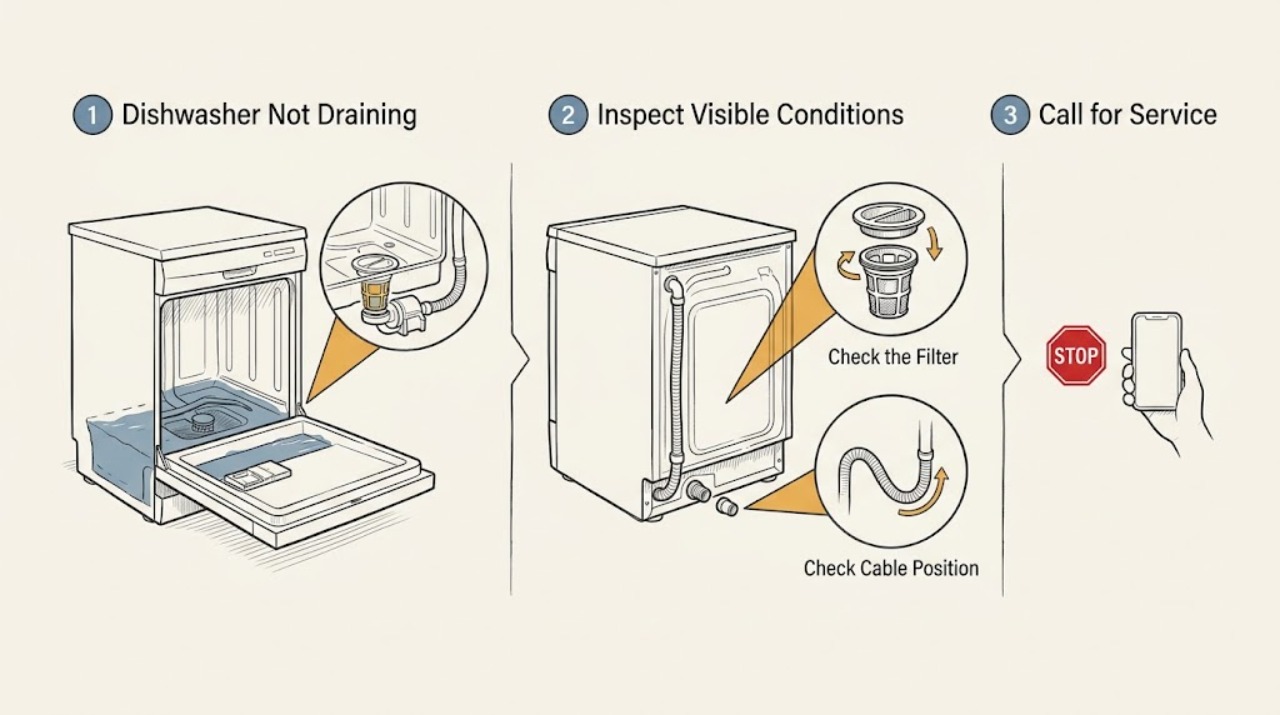
After the dishwasher stops, first distinguish a small normal wet area from water covering the tub floor. Check the accessible filter and visible drain-hose path using the exact model manual, then use one model-approved cancel or drain step; standing water that remains or returns needs service rather than repeated cycles.
Work through in order
Diagnostic checks
Use only checks that match the exact appliance or system and its official guide.
-
Check 1
With the dishwasher off and cool, observe the water level and whether it is clear, cloudy, or contains food debris. Do not reach into an unseen pump opening or sharp debris.
Expected result: Water covers the tub floor, contains debris, or rises again after sitting.
Next step: Do not start another full cycle; continue with only the accessible checks in the model manual.
Why this matters
Why: A blocked filter, drain path, hose, or pump/control issue is possible; the symptom is not just a dry-cycle variation.
-
Check 2
Remove and rinse the accessible filter only as the exact manual describes, and inspect the visible sump area for food or a small foreign object without forcing anything.
Expected result: The filter is coated or an accessible obstruction is present; after cleaning, water drains on the model-approved test.
Next step: Refit the filter correctly and monitor one normal cycle; if water remains, stop and request service.
Why this matters
Why: Retained soil or an accessible filter restriction may have limited drainage.
-
Check 3
Inspect the countertop outlet hose and quick-connect or the visible sink-side drain connection for kinks, pinching, or a loose fitting. Do not pull out a built-in dishwasher or disconnect a hard-wired installation.
Expected result: The outlet hose is kinked, the connection is loose, or water leaks at the fitting.
Next step: Keep the water supply off for a leak and correct only an obvious external routing problem according to the manual; otherwise arrange service.
Why this matters
Why: The external drain route may be preventing discharge or creating a separate leak.
Use your observations
Decision map
Find the observation that best matches what you see, then follow the next safe action.
-
PATH 01Next step
What you see
The filter is dirty and a single model-approved drain test clears the tub
Do this next
Refit the filter and monitor the next cycle for complete drainage.
-
PATH 02Next step
What you see
The filter and visible hose path are clear but water remains or the pump only hums
Do this next
Leave the dishwasher off and arrange qualified appliance service.
Helpful context
Understand the symptom
Start with the water left behind
Magic Chef countertop models can use an outlet hose and removable filter, while built-in models differ in routing. The amount and location of water left after the stop are more useful than guessing at a pump part.
When checks do not resolve it
Need a professional?
Use Magic Chef model-specific service when accessible drain checks do not clear the tub.
Common questions
FAQ
Is a little water always a failed drain?
Not necessarily; judge the amount against the exact model manual. Water covering the tub floor, rising again, or accompanied by debris is a reason to investigate the drain path.
Can I pour drain cleaner into the dishwasher?
No. Do not use drain chemicals in the dishwasher. Use the model manual's safe filter and drain procedure or arrange service.
Read the exact guide
Official sources
- Manual DownloadsMagic Chef · Magic Chef model-specific product manuals and user procedures
- Mini Countertop Dishwasher in White with 3-Place Setting CapacityMagic Chef · Magic Chef countertop dishwasher removable filter, controls, and outlet installation context
- SupportMagic Chef · Magic Chef product support and service paths
Community feedback
Share a repair observation
Share a plain-text repair observation. Accepted observations are published automatically; this page may take a moment to update.