
On this page
Start here
Quick answer
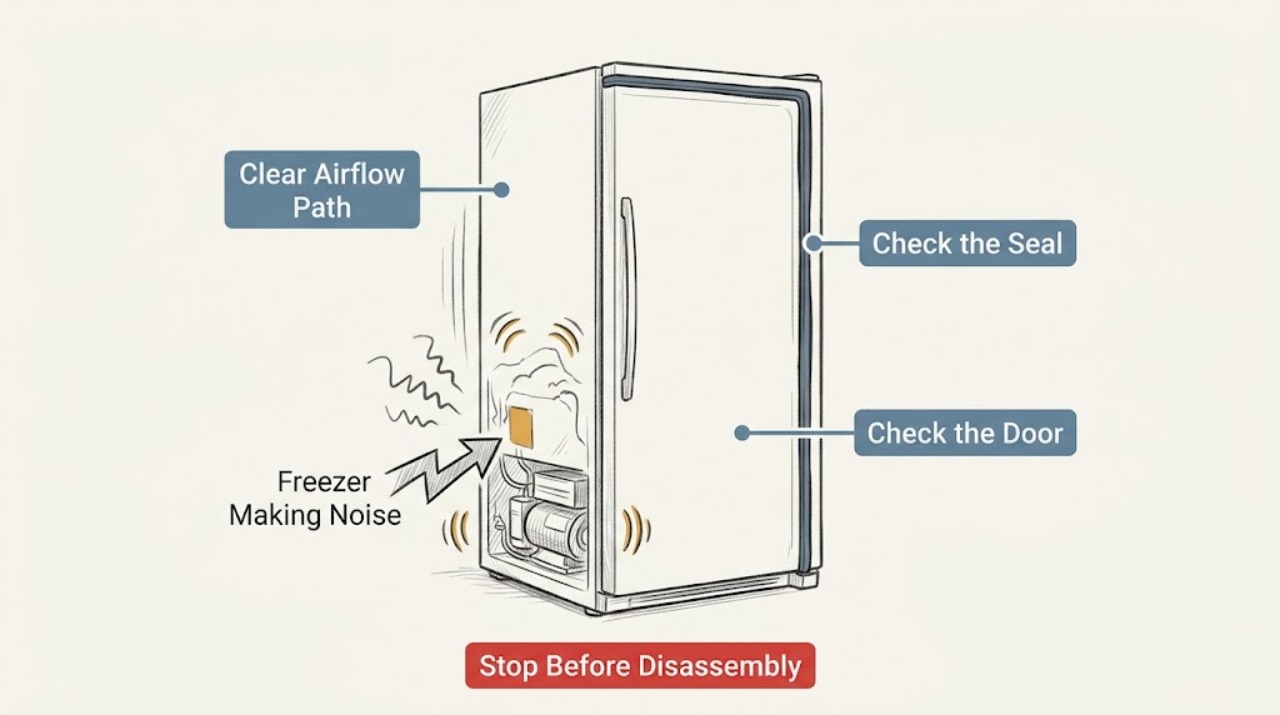
A Magic Chef freezer making noise needs to be sorted by sound and by whether the freezer is still maintaining temperature. First check for objects touching the cabinet and whether the unit is stable; then note whether the sound follows a cooling cycle, changes when the door is opened, or sounds like scraping, grinding, or repeated hard impacts. Use the Magic Chef support path for the exact model before removing any panel. A harsh mechanical sound, a noise with loss of cooling, smoke or a burning smell, a damaged cord, or repeated breaker trips is a reason to stop using the freezer and arrange qualified service.
Work through in order
Diagnostic checks
Use only checks that match the exact appliance or system and its official guide.
-
Check 1
Stand beside the freezer and listen for one complete cooling interval without opening a panel. Classify the sound as a steady low hum, a brief click, airflow, cabinet vibration or rattle, or scraping/grinding/impact.
Expected result: A quiet hum, short click, or airflow occurs in a repeatable cycle; a harsh scrape, grind, or repeated knock is present; or the sound is continuous and unrelated to a cycle.
Next step: If it is mild and cycle-related, continue with the external checks below and consult the exact-model Magic Chef support resources. If it scrapes, grinds, bangs, or rapidly worsens, stop using the freezer and arrange service.
Why this matters
Why: Cycle-related sounds can be ordinary operating noise, while a new harsh or continuous mechanical sound needs escalation even if the freezer still runs.
-
Check 2
Check that the freezer is standing firmly and that it is not touching a wall, cabinet, pipe, shelf, drain pan, or another appliance. Without opening the sealed system, gently confirm that accessible exterior items are not loose and remove any object resting against the cabinet.
Expected result: The cabinet rocks, a clearance is missing, or the sound changes when an external object is moved; or the cabinet is stable and the noise remains unchanged.
Next step: Correct only the safe external contact or stability issue and listen again. Do not tilt a loaded freezer or loosen internal hardware. If the sound persists, continue to the temperature and location checks.
Why this matters
Why: A loose footing or contact point can amplify normal compressor or airflow vibration. A noise that remains after external contact is removed is less likely to be caused by the surrounding installation.
-
Check 3
Compare the noise with the door closed and then briefly with the door open, keeping the door open only long enough to listen. Do not touch a fan or insert anything into an opening.
Expected result: The sound changes or stops with the door open; it is unchanged; or the noise is a scrape or grind near an air path.
Next step: If airflow is the only change and cooling is normal, record the model and sound pattern for the manual or support team. If there is scraping, a fan-like impact, or a visible obstruction that cannot be safely removed from the food area, stop and call for service.
Why this matters
Why: A door-related change can point to airflow or an internal fan area, but it does not identify a replaceable part. Scraping or grinding should not be investigated by reaching inside or removing a cover.
-
Check 4
Check the freezer's cooling result using the food condition and any installed temperature display or alarm; do not rely on the sound alone. Note whether food is still solidly frozen, softening, or accompanied by a temperature warning.
Expected result: The freezer remains cold and food is solidly frozen; or food is softening, a temperature alarm is active, frost is rapidly accumulating, or cooling has stopped.
Next step: If cooling is failing, keep the door closed, protect perishable food using a safe alternate cold-storage plan, and arrange qualified service. Do not attempt refrigerant, compressor, live electrical, or sealed-system work.
Why this matters
Why: Noise with normal cooling may be an installation or operating-sound issue, but noise with loss of cooling indicates a possible cooling-system, fan, control, or electrical fault that requires a different service decision.
-
Check 5
Review what changed immediately before the noise began: relocation or leveling, a heavy load touching an interior surface, a cleaning or defrost event, a power interruption, or a new alarm. Record the model number and the exact sound pattern for the Magic Chef support search.
Expected result: The noise started after a move, load change, defrost or power event; or there is no clear trigger and the sound is becoming more frequent.
Next step: Undo only the safe external change and recheck once. For a persistent or worsening sound, use the Magic Chef Freezer Support/Help Center with the model number rather than guessing at a part.
Why this matters
Why: A recent change can explain an external vibration or a short operating transition, while an unexplained worsening noise is stronger evidence for a service diagnosis. Model-specific instructions can differ.
-
Check 6
After the safe external checks, listen once more from outside the appliance and document when the sound starts, how long it lasts, whether it follows cooling, and whether cooling remains normal. Do not remove the rear or lower access panels.
Expected result: The noise has stopped after an external correction; it remains mild and intermittent with normal cooling; or it remains harsh, continuous, or paired with a cooling or electrical symptom.
Next step: Monitor only a corrected mild vibration. Otherwise stop operation and give the recorded model, sound description, timing, and symptoms to a qualified technician or the Magic Chef support channel.
Why this matters
Why: A corrected contact point can be monitored, but a persistent internal-sounding noise cannot be confirmed safely from outside. Electrical or cooling symptoms raise the risk of continued operation.
Use your observations
Decision map
Find the observation that best matches what you see, then follow the next safe action.
-
PATH 01Next step
What you see
The freezer makes a mild, repeatable hum, brief click, or airflow sound and remains cold.
Do this next
Check stability, cabinet clearance, and nearby objects. If those are sound, record the pattern and use the exact-model Magic Chef support resources for confirmation.
-
PATH 02Next step
What you see
The noise is a rattle or vibration that changes when an external object or contact point is corrected.
Do this next
Leave the freezer stable with clearances restored and monitor. If the vibration returns or becomes a scrape, grind, or impact, stop and arrange service.
-
PATH 03Next step
What you see
The sound changes with the door or seems to come from an internal airflow path.
Do this next
Do not reach toward a fan or remove a panel. Record the model and use Magic Chef model-specific support; call a qualified technician if the sound scrapes, impacts, or affects cooling.
-
PATH 04Next step
What you see
The freezer is noisy and food is softening, an alarm is active, or cooling has stopped.
Do this next
Keep the door closed, protect food in a safe alternate cold-storage location, stop using the appliance if practical, and arrange qualified service.
-
PATH 05Next step
What you see
There is smoke, a burning smell, a damaged cord or plug, water at electrical parts, or repeated breaker tripping.
Do this next
Stop using the freezer. Do not repeatedly reset a breaker or open electrical covers; seek qualified appliance or electrical help, and follow local emergency guidance if there is an immediate fire or shock hazard.
Helpful context
Understand the symptom
What the sound can tell you
A freezer can make more than one operating sound as cooling starts, air moves, or the cabinet responds to temperature changes. The useful distinction is not simply loud versus quiet: record whether the sound is a steady hum, a brief click, airflow, a vibration or rattle, or a scrape or grind. Also check whether food remains frozen and whether the sound appeared after the freezer was moved, leveled, loaded, or cleaned. Those observations determine whether a low-risk external check is appropriate or the appliance should be left off for service.
Before you inspect
Keep hands and tools outside the cabinet and do not remove a rear cover or reach toward a fan, compressor, wiring, or refrigerant tubing. If there is smoke, a burning smell, a damaged power cord or plug, water near electrical parts, or a breaker that trips again, disconnect power only if it can be done safely and leave diagnosis to a qualified appliance professional.
Safety boundary
Stop conditions
- Stop immediately for smoke, a burning smell, sparking, a damaged power cord or plug, water near electrical parts, or a breaker that trips again.
- Stop if the sound is scraping, grinding, repeated hard impact, or rapidly worsening, especially when accompanied by loss of cooling.
- Do not remove panels, reach toward a fan or compressor, test live voltage, handle refrigerant, or bypass a safety device; those tasks require qualified service.
Only after diagnosis
Potential parts
- cabinet leveling or vibration-isolation component
Consider only if the cabinet is unstable or an external vibration source is confirmed and the exact model documentation identifies a serviceable component.
Confirm the full model number and Magic Chef fit information before ordering; do not substitute a generic part based only on the sound. - fan motor or fan-related component
Consider only after a qualified diagnosis links a persistent scraping, grinding, or airflow-related noise to a fan assembly.
Fan components vary by model and position. A technician should confirm fitment and the cause before any replacement. - compressor mounting or start component
Consider only if a qualified technician identifies compressor vibration or a start/control fault; a hum or click by itself does not justify this part.
Compressor and electrical components require model-specific diagnosis and qualified handling; do not order from symptoms alone.
When checks do not resolve it
Need a professional?
Arrange qualified appliance service when the sound persists after safe external checks, comes from inside the cabinet, is harsh or continuous, or occurs with weak cooling, softening food, an alarm, smoke, burning odor, water near electrical parts, cord damage, or breaker trips.
Common questions
FAQ
Is a hum from a Magic Chef freezer always a failure?
No. A mild, repeatable hum or airflow sound with normal cooling can be an operating sound, but a new harsh, continuous, scraping, or grinding sound should be checked and may need service.
Why does the freezer rattle after it was moved?
Check stability, clearance, and objects touching the cabinet. Correct only safe external contact; if the rattle persists or turns into scraping or impact, stop and arrange service.
What if the freezer is noisy and not staying cold?
Keep the door closed, protect food using safe alternate cold storage, and arrange qualified service. Do not attempt refrigerant, compressor, live electrical, or sealed-system work.
What information should I give Magic Chef support or a technician?
Give the exact model number, sound type, when it starts, whether it follows the cooling cycle or changes with the door, any recent move or power event, and whether the freezer is maintaining temperature.
Read the exact guide
Official sources
- Freezer SupportMagic Chef · Magic Chef freezer model-specific support and troubleshooting
- The Magic Chef Help CenterMagic Chef · Magic Chef product support, freezer support, and direct help
- SupportMagic Chef · Magic Chef manuals, support, repair, and product resources
Community feedback
Share a repair observation
Share a plain-text repair observation. Accepted observations are published automatically; this page may take a moment to update.