
On this page
Start here
Quick answer
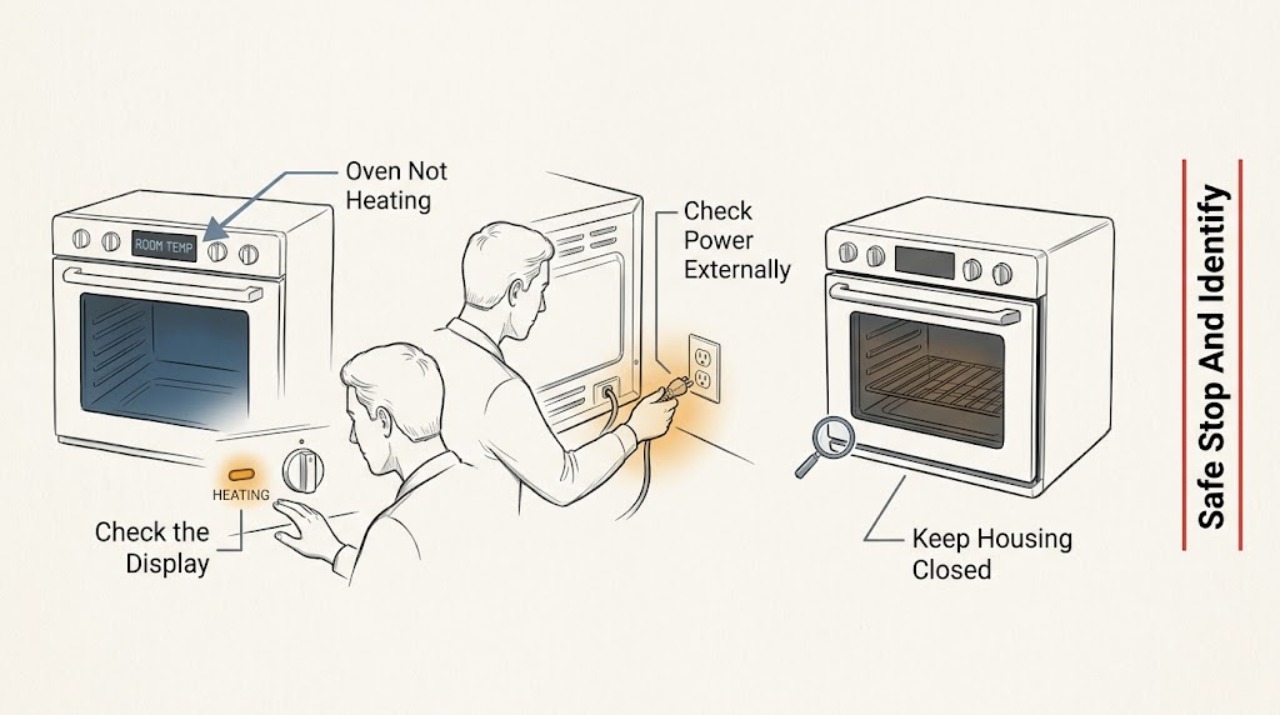
First identify whether the Magic Chef oven is electric or gas and whether the oven is completely inactive, runs without heat, heats weakly, or stops partway through a cycle. Confirm the clock, cooking mode, temperature, and Start or control setting for the exact model, then check power and, only for a gas model, whether other gas appliances work. Do not move a gas range to inspect its connector. A gas smell, delayed ignition or boom, abnormal flame, smoke, sparking, a hot or damaged connection, broken glass, a tripped breaker, or a repeated over-temperature condition is an immediate stop condition. If safe settings and supply checks do not restore heat, arrange qualified service rather than testing live wiring, an igniter, thermostat, sensor, or heating element.
Work through in order
Diagnostic checks
Use only checks that match the exact appliance or system and its official guide.
-
Check 1
Stop cooking and identify the Magic Chef model from its rating plate or manual; determine whether the appliance is an electric oven/range or a gas oven/range, and look for any smoke, gas odor, sparking, damaged glass, hot wiring, or abnormal flame.
Expected result: Record an ordinary no-heat symptom, gas odor or hissing, smoke or burning odor, visible arc or spark, a hot/discolored cord or connection, broken glass, a severe flame problem, or a tripped breaker.
Next step: If there is gas odor or hissing, leave immediately without operating lights, switches, the oven, or a phone inside; contact the gas emergency authority from outside. For smoke, sparks, hot wiring, or fire, stay clear and obtain emergency or qualified electrical help. Otherwise let the oven cool before external checks.
Stop if: Do not light a match, move a gas range, touch wet or hot electrical parts, open panels, or restart after smoke, gas odor, sparking, a damaged connection, broken glass, or a breaker trip.
Why this matters
Why: Fuel type changes the diagnostic path, while gas, fire, and electrical symptoms make this a safety event rather than a settings problem.
-
Check 2
With the oven cool and safe, verify that the selector is on a heating mode such as Bake or the exact model's equivalent, the temperature is set, the clock or timer is valid, and any required Start or confirmation control was pressed.
Expected result: Record a correct heating mode and setpoint, a light/fan-only or defrost mode, a missing time after a power interruption, a timer-ended state, or a control that will not accept the setting.
Next step: Follow the exact model manual to set the clock, choose a heating mode, set temperature, press Start if required, and allow the documented preheat period. If controls cannot be set or the display shows a code, record it and continue to the code branch.
Stop if: Do not keep pressing controls after an electrical smell, smoke, spark, hot panel, repeated trip, or abnormal gas symptom; do not use Defrost or a light-only setting as a heat test.
Why this matters
Why: Magic Chef manuals identify incorrect mode or clock settings as a cause of an oven that will not heat. A fan, light, or display by itself does not prove the heating circuit is active.
-
Check 3
From a dry, safe position, check whether the display, oven light, and other controls have power; look at the dedicated breaker or fuse and the visible plug or connection without removing covers.
Expected result: Record a completely blank appliance, a display that reset or flashes, a breaker that is off, power present with the oven still cold, or a hot, loose, discolored, damaged, or wet connection.
Next step: If the breaker is safely and normally resettable and there are no hazard signs, follow the home's electrical procedure once and restore the clock and oven settings. If power is absent, the connection is damaged, or the breaker trips again, keep the oven off and call qualified electrical service.
Stop if: Do not open the terminal cover, test live voltage, use an adapter or extension cord, touch a wet connection, repeatedly reset a breaker, or move a hard-wired range.
Why this matters
Why: The Magic Chef electric manual links no operation to loss of power or a tripped breaker, and a power interruption can clear the clock and cooking procedure. A damaged or hot connection needs electrical assessment, not a reset.
-
Check 4
Only for a confirmed gas model and only when there is no gas odor, observe from outside whether another gas appliance operates normally and whether the oven's external control and supply shutoff are in their documented normal positions; do not move the range.
Expected result: Record normal household gas service, no gas service to multiple appliances, an apparently closed supply control, or any smell, hissing, or abnormal flame.
Next step: For a normal, odor-free external observation, use the model manual's supply guidance and arrange service if the oven still will not ignite or heat. For loss of supply, contact the gas utility or qualified service from a safe location; for odor or hissing, evacuate and follow the gas emergency path.
Stop if: Do not move the range to inspect a connector, relight a burner after gas accumulates, operate electrical switches during a suspected leak, adjust a regulator, or disassemble the gas train.
Why this matters
Why: Magic Chef's gas guide treats no gas supply as a cause of no heat, but a suspected leak or connector problem cannot be investigated by moving or relighting the range.
-
Check 5
With the oven cool, inspect the closed door, gasket, hinges, and visible vent area for a door that cannot close, a damaged seal, obstruction, or blocked vent; do not remove the door or gasket.
Expected result: Record a door that closes normally, an obstruction, a torn or displaced gasket, broken glass, a door that will not align, or a vent that is obstructed.
Next step: Remove only an obvious cool external obstruction, keep vents clear as the exact manual specifies, and arrange qualified service for a damaged gasket, glass, hinge, latch, or persistent temperature loss.
Stop if: Do not operate with broken glass, force or disassemble hinges, remove the gasket, block or redirect vents, or reach into a hot oven.
Why this matters
Why: A door that cannot seal can cause heat loss and unsafe operation, while a blocked vent can affect operation and surrounding temperatures. Broken glass or a door/hinge fault is a service boundary.
-
Check 6
If settings, power, fuel type, door, and safety checks are normal, perform one model-appropriate preheat observation from outside with the oven empty; use the normal indicator, display, fan, or documented sound rather than touching the cavity.
Expected result: Record a normal preheat indication and rising temperature, no heat with controls active, a delayed ignition or boom, continuous clicking, an abnormal flame, a fan without heat, smoke, or a new code.
Next step: Stop the observation at the first unsafe symptom. If the oven remains safely cold after one normal preheat attempt, record the fuel type, stage, indicator, display, and sound for qualified service.
Stop if: Do not repeat ignition attempts, open the door during a suspected delayed ignition, touch elements or burners, or continue with smoke, odor, sparks, flame rollout, overheating, or a breaker trip.
Why this matters
Why: Normal fan or clicking may be part of operation on some models, but delayed ignition, a persistent abnormal flame, no heat after the documented preheat period, or a safety symptom requires service. Do not infer an element or igniter failure from one sound alone.
-
Check 7
For an electric model only, after power is isolated and the oven is completely cool, use the manual to identify whether the selected mode should use a visible bake or broil element; inspect only through the normal cavity opening for obvious damage, blistering, or a break.
Expected result: Record an intact element, a clearly broken or blistered element, no visible element activity during the one safe preheat observation, or a mode that does not use the element being watched.
Next step: Keep power isolated and request qualified appliance service for a damaged element, no heat with correct supply, or a control/sensor fault. Do not remove the element or measure resistance unless performed by a qualified technician.
Stop if: Do not touch or bend an element, remove panels, test live terminals, operate with a damaged element, or use foil to cover or bypass a heating part.
Why this matters
Why: Magic Chef's electric manual specifies different modes and heating elements, so a mode-specific visible result can guide service but cannot prove a live-circuit component diagnosis.
-
Check 8
For a gas model only, use the exact manual to identify the normal oven ignition sequence, then observe only from a safe position during one permitted start; do not remove the bottom cover, burner, igniter, or gas fittings.
Expected result: Record no ignition, a brief normal ignition followed by no sustained heat, delayed ignition, repeated clicking, an uneven or lifting flame, gas odor, smoke, or a code.
Next step: Turn the oven off and leave the area for gas odor, delayed ignition, abnormal flame, smoke, or repeated ignition attempts. For an odor-free no-heat condition, keep the appliance off and have a qualified gas-appliance technician diagnose it.
Stop if: Do not manually light the oven, keep clicking the igniter, adjust burner ports or regulator, test for leaks with a flame, or restart after a delayed ignition, boom, gas odor, smoke, or flame rollout.
Why this matters
Why: No ignition can involve supply, control, igniter, sensor, or burner service, but delayed ignition, abnormal flame, or gas odor can allow gas to accumulate and create a fire or explosion hazard.
-
Check 9
Record every displayed error exactly, along with the model, fuel type, mode, temperature, stage, and whether the oven was hot or cold; use only the model manual's documented OFF and power-reset procedure once.
Expected result: Record no code, a code that clears and does not return, a code that returns immediately, a clock fault, an over-temperature indication, or a code associated with the oven sensor, control board, fan, or heating state in the exact manual.
Next step: If the manual permits it and no safety symptom exists, turn the oven off and perform the single documented reset; restore the clock and settings. If the code returns or the oven remains cold, keep it off and give the exact code to service.
Stop if: Do not repeatedly reset, clear a code by opening panels, bypass a sensor or safety control, or reset after smoke, gas odor, sparks, overheating, or a breaker trip.
Why this matters
Why: Magic Chef gas documentation lists model-specific codes including temperature-sensor, over-temperature, clock, control, fan, and no-heat conditions. A code must not be generalized across models; recurrence indicates service.
-
Check 10
Prepare a service handoff with the full model and serial information, electric or gas identity, symptom, mode and setpoint, clock state, power and gas observations, preheat result, flame or element observation, exact code, and any safety event.
Expected result: Classify the evidence as settings/clock, power, gas supply, door/vent, electric element, gas ignition, sensor/control code, temperature calibration, or an internal fault.
Next step: Use Magic Chef's model-specific support or a qualified appliance, gas, or electrical technician. Keep the oven off until the cause is corrected and the appliance is safe to use.
Stop if: Do not return the oven to service while it has no heat after correct settings, a recurring code, a damaged door or element, an unexplained flame, gas odor, smoke, spark, hot connection, or repeated breaker trip.
Why this matters
Why: This record distinguishes an operation or supply issue from a component diagnosis without unsafe disassembly, and it prevents a gas-only procedure being applied to an electric model.
Use your observations
Decision map
Find the observation that best matches what you see, then follow the next safe action.
-
PATH 01Safety boundary
What you see
There is gas odor or hissing, delayed ignition or a boom, flame rollout, smoke, fire, visible arcing, a hot or melted connection, broken glass, or a repeated breaker trip.
Do this next
Turn off controls only if it is safe and already within reach, leave the area without operating electrical equipment, and contact the appropriate emergency, gas, electrical, or fire service from a safe location.
Why this path and its safety boundary
Why it matters: This is an immediate gas, fire, burn, or electrical hazard, not a safe homeowner heat test.
Safety stop: Do not relight, retry ignition, touch the appliance, move a gas range, open panels, or reset power after the hazard.
-
PATH 02Safety boundary
What you see
The appliance has power, no safety symptom exists, and the selector, clock, timer, mode, temperature, or Start setting is wrong or incomplete.
Do this next
Follow the exact model manual to restore the clock, choose a heating mode, set temperature, press Start if required, and allow one documented preheat.
Why this path and its safety boundary
Why it matters: The oven may not be in a heating cycle rather than having a failed heater or igniter.
Safety stop: Stop if the controls will not accept settings, a code returns, or any heat, gas, smoke, spark, or breaker symptom appears.
-
PATH 03Safety boundary
What you see
The display and oven are dead, the clock reset after an outage, a breaker is tripped, or a visible connection is hot, wet, loose, or damaged.
Do this next
For a normal safe breaker event, follow the home's procedure once and restore settings. For absent power, damage, moisture, or another trip, keep the oven off and obtain qualified electrical service.
Why this path and its safety boundary
Why it matters: Loss of supply or an electrical connection fault can prevent all heating; a damaged connection is not a resettable nuisance.
Safety stop: Do not test live wiring, remove terminal covers, use an adapter or extension cord, touch wet parts, or repeatedly reset the breaker.
-
PATH 04Safety boundary
What you see
A confirmed gas model has no gas service to multiple appliances or the external supply control is not in the documented normal position, with no gas odor.
Do this next
Contact the gas utility or qualified service from a safe location and provide the model and the other-appliance observation.
Why this path and its safety boundary
Why it matters: The oven cannot heat normally without the required gas supply, but the range must not be moved or its regulator adjusted by the owner.
Safety stop: If there is odor or hissing, evacuate immediately and do not operate lights, electronics, or the oven; do not move the range or attempt a relight.
-
PATH 05Safety boundary
What you see
The door will not close or align, the gasket is damaged, glass is broken, or the vent is blocked and heat loss or unsafe temperature is observed.
Do this next
Remove only a cool, obvious external obstruction and arrange qualified service for any seal, glass, hinge, latch, or persistent vent problem.
Why this path and its safety boundary
Why it matters: The oven cannot be trusted to contain or control heat, and a door, hinge, seal, or ventilation repair may be required.
Safety stop: Do not operate with broken glass, force hinges, remove the gasket, or block vents.
-
PATH 06Safety boundary
What you see
An electric model has correct settings and power but remains cold, or a visible bake/broil element is clearly broken or blistered.
Do this next
Isolate power and arrange qualified appliance service with the mode and visible element result. Do not remove or electrically test the element yourself.
Why this path and its safety boundary
Why it matters: An element, sensor, relay, control, or wiring fault is possible; visual inspection cannot safely identify which live component failed.
Safety stop: Do not touch the element, operate with a damaged element, open panels, or test live terminals.
-
PATH 07Safety boundary
What you see
A gas model has normal external supply and correct settings but does not ignite, ignites late, shows an abnormal flame, or repeats a click/no-heat sequence.
Do this next
Turn it off and obtain qualified gas-appliance service. Give the technician the fuel type, ignition timing, flame observation, and exact model.
Why this path and its safety boundary
Why it matters: Igniter, burner, sensor, control, or gas-train service may be needed; late ignition can allow an unsafe gas accumulation.
Safety stop: Do not manually light, adjust, probe, or repeatedly retry ignition; evacuate for gas odor, delayed ignition, boom, smoke, or flame rollout.
-
PATH 08Safety boundary
What you see
The exact code returns after the one documented reset, or the oven remains cold after correct settings, supply checks, and one safe preheat observation.
Do this next
Keep the oven off and arrange Magic Chef or qualified appliance service with the complete symptom record; do not borrow a gas-only or model-specific component procedure.
Why this path and its safety boundary
Why it matters: A sensor, control, heating element, igniter, wiring, fan, or other internal fault needs model-specific diagnosis.
Safety stop: Do not keep cycling, repeatedly reset, open panels, bypass safety controls, or operate after any gas, fire, electrical, or overheating warning.
Helpful context
Understand the symptom
Not heating is a symptom, not a single part diagnosis
An oven can appear cold because it is in a non-heating mode, has not been started, lost power, lost gas supply, is still preheating, or has a failed heating or ignition circuit. Magic Chef's electric-range manual lists incorrect controls, preheating, and a tripped breaker among the first checks; the gas-range guide adds gas supply and model-specific codes. Record the exact model and fuel before interpreting a symptom.
Electric and gas ovens need different observations
A current Magic Chef electric range uses oven heating elements and a 220–240 V supply, while Magic Chef gas ranges use gas for the oven burner and still need electrical power for controls and ignition. Do not assume that an electric-element check applies to a gas range, or that a gas-ignition check applies to an electric oven. Use only the manual for the model plate on your appliance.
A warm oven may still have a heating problem
A working fan, light, or display does not prove that the bake heat source is working. Use the oven's normal preheat indication and, where the model provides it, its temperature display. Do not touch an element, burner, sensor, door glass, or hot rack to decide whether it is heating; visual observations from outside and the documented controls are enough for a safe handoff.
The generic oven topic is broader than a gas-only page
Magic Chef has both electric and gas oven/range products. The gas-specific branch below is therefore conditional rather than a claim that every Magic Chef oven uses gas. If the model cannot be identified or its manual is unavailable, stop at the external checks and give the model plate and symptoms to service instead of borrowing a procedure from another range.
Safety boundary
Stop conditions
- If gas is smelled or heard, leave immediately and do not operate lights, switches, electronics, or the oven; contact gas emergency help from outside.
- Stop for delayed ignition, a boom, abnormal or lifting flame, smoke, fire, burning or melting odor, visible sparking or arcing, hot/discolored wiring, broken glass, or a repeated breaker trip.
- Do not move a gas range to inspect its connector, manually light an oven burner, adjust gas components, or test for a leak with a flame.
- Do not open panels, test live terminals, touch hot elements or burners, bypass sensors or door safety parts, or operate with broken glass or a damaged heating element.
- Perform no more than one model-documented reset or preheat observation; persistent no-heat, recurring codes, and unexplained temperature faults need qualified service.
Only after diagnosis
Potential parts
- oven heating element
Relevant only when the exact electric model and qualified diagnosis confirm a damaged or failed element in the selected heating circuit.
Confirm the full model, element position, voltage, and manufacturer fit information before ordering. - oven igniter
Relevant only for a gas model after qualified diagnosis of a no-ignition or weak-ignition condition with supply and controls verified.
Gas ignition components vary by model and fuel conversion; installation and testing require qualified service. - oven temperature sensor
Relevant only when the exact model's code or qualified temperature diagnosis identifies the sensor circuit.
Confirm the full model and sensor specification; do not bypass a sensor or safety control. - oven door gasket
Relevant only when the model-specific door seal is torn, displaced, or confirmed to cause unsafe heat loss.
Confirm the door and gasket design for the exact model and follow the manual or qualified service procedure.
When checks do not resolve it
Need a professional?
Arrange Magic Chef or qualified appliance service when the model-correct settings and supply checks do not restore heat, the oven remains cold after one safe preheat observation, an exact code returns, an element or door is damaged, a gas model will not ignite or has an abnormal flame, or any gas, fire, smoke, electrical, overheating, broken-glass, or breaker symptom occurs.
Common questions
FAQ
Why is my Magic Chef oven not heating?
Confirm whether it is electric or gas, then check the exact model's mode, clock, temperature, and Start setting. Next check power, and for a gas model only, external gas supply without moving the range. If it remains cold after one safe preheat observation, service is needed rather than a guessed element or igniter replacement.
Can a wrong setting make a Magic Chef oven seem broken?
Yes. A light-only, defrost, timer-ended, or unstarted mode may not heat, and a power interruption can clear the clock or cooking procedure. Restore settings using the exact manual and allow one documented preheat; stop if any hazard or code appears.
How do I tell whether my Magic Chef oven is electric or gas?
Use the model plate and manual, not the symptom. Magic Chef sells both electric and gas ranges and ovens. An electric model uses heating elements and electrical supply; a gas model needs a gas supply and may use electrical controls or ignition. Do not move a gas range to inspect its connector.
What should I check if a Magic Chef electric oven is cold?
Check the display, clock, mode, temperature, Start operation, and dedicated breaker from a safe external position. A single safe preheat observation can show whether the correct indicator responds. Do not remove panels or test live wiring; a damaged element, sensor, control, or connection needs qualified service.
What should I check if a Magic Chef gas oven will not heat?
Confirm the model is gas, verify settings, and observe from outside whether other gas appliances have service, only if there is no gas odor. Do not move the range, manually light the oven, or adjust gas parts. No ignition, delayed ignition, an abnormal flame, or a returning code needs qualified gas-appliance service.
What do Magic Chef oven error codes mean?
Meanings vary by model. Record the exact code, model, fuel type, mode, stage, and temperature, then consult that model's manual. If it allows a reset, perform it once only; a returning code or no heat needs service rather than repeated resets.
Is clicking from a Magic Chef oven always a fault?
Not necessarily. The electric-range manual describes clicking from a heating element turning on and off as normal. Continuous clicking with no heat, repeated ignition attempts on a gas model, smoke, odor, abnormal flame, sparking, or a code is not a reason to keep testing; turn the oven off and obtain service.
When is a Magic Chef oven not heating an emergency?
Treat gas odor or hissing, delayed ignition or a boom, smoke, fire, sparks or arcing, a hot or melted connection, broken glass, a repeated breaker trip, or severe overheating as an immediate stop condition. Leave or isolate the area safely and contact the appropriate emergency, gas, electrical, or fire service from a safe location.
Read the exact guide
Official sources
- User’s Manual — 24-Inch Freestanding Electric Range MCSRE24SMagic Chef / MC Appliance Corporation · Official manual for MCSRE24S only; other Magic Chef models can differ.
- Freestanding Gas Range — Troubleshooting GuideMagic Chef / MC Appliance Corporation · Official manual for the MCSPG gas-range family represented by this document; other models can differ.
- 24 in. 4 Burner Element Electric Convection Range in Stainless SteelMagic Chef · The MCSRE24S electric range product page; it is an example of an electric Magic Chef oven/range, not a claim about every model.
- How to Protect Your Family from CO Poisoning and Other Post-Storm Dangers this Hurricane SeasonU.S. Consumer Product Safety Commission · Government safety guidance; it does not diagnose a Magic Chef oven.
- Certain Older Gas Connectors May Be DangerousU.S. Consumer Product Safety Commission · Government safety guidance for household gas appliances; it does not diagnose a Magic Chef oven.
- 30 Inch Freestanding Gas RangeMagic Chef / MC Appliance Corporation · MCSPG30SL gas-range product page; it is an example of a gas Magic Chef range, not a claim about every oven.
- SupportMagic Chef · Magic Chef's official support hub; exact troubleshooting and service requirements remain model-specific.
Community feedback
Share a repair observation
Share a plain-text repair observation. Accepted observations are published automatically; this page may take a moment to update.