
On this page
Start here
Quick answer
For the Maytag MED6230HW report, first determine whether the sound is an ordinary cycle or damp-load signal, a selectable audio tone, or a persistent warning that the dial position is not accepted. The exact Reddit report says the display changed with the dial but the warning and beeping continued after an unplugged reset; it has no verified repair result. Maytag's official dryer guidance says tone controls vary by model and directs owners to the exact manual, so do not apply a button sequence from another dryer. If the dryer also has a burning smell, smoke, abnormal heat, damaged cord, or unsafe operation, stop using it and arrange qualified service. Do not open the console or replace a control, encoder, or board from the beep alone.
Before you begin
Safety first
- Do not open the console, bypass a control, hold an interlock, perform live electrical tests, or replace a knob, encoder, control board or other part based only on the beep. Stop using the dryer for smoke, burning odor, abnormal heat, damaged wiring or unsafe operation.
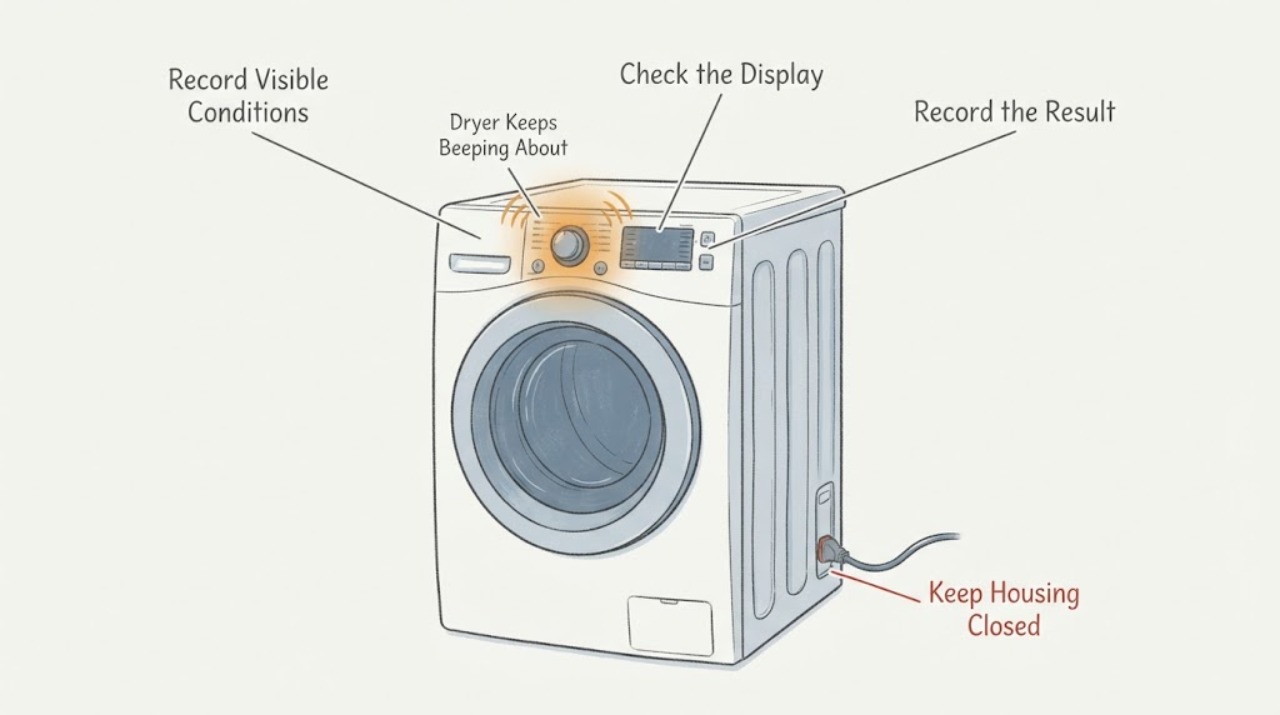
Work through in order
Diagnostic checks
Use only checks that match the exact appliance or system and its official guide.
-
Check 1
With the dryer empty and no load running, record the exact display wording and when the beep occurs: at power-up, while rotating the cycle dial, after selecting a cycle, at cycle completion, or when clothes remain damp.
Expected result: The beep matches a cycle/damp notification, or it occurs continuously with an accepted-looking dial selection and warning text.
Next step: Use the corresponding cycle/tone branch below. Do not repeatedly start the dryer just to reproduce the sound.
Why this matters
Why: Maytag documents damp and audio signals as normal features on some cycles, while the Reddit report describes a persistent accepted-setting warning that is a different symptom.
-
Check 2
Confirm the complete model label is MED6230HW and use Maytag's Manuals & Literature lookup or Maytag support to obtain the exact control and cycle guide. Compare the displayed warning and dial position with that document.
Expected result: The model-specific literature defines the warning/tone or does not provide a matching explanation.
Next step: Follow only a documented user-facing setting change. If the exact warning remains unexplained, stop changing settings and arrange Maytag service.
Why this matters
Why: Maytag says tone settings and cycle behavior vary by model; a procedure from another Maytag dryer cannot establish the MED6230HW behavior.
-
Check 3
If the exact MED6230HW literature identifies an Audio Level, Reduce Static, or other tone control, use that documented control once with the dryer idle. Do not hold unrelated buttons or use a sequence copied from another model.
Expected result: The model-documented tone setting changes the volume/tones, or the warning and beeping continue unchanged.
Next step: If the warning continues, leave the controls alone and provide the display wording and the attempted documented setting to service.
Why this matters
Why: A tone setting can change normal alerts but cannot prove that a persistent dial-acceptance warning is repaired.
-
Check 4
For this smart model, check from the Maytag app or account history whether remote enable was intentionally configured and whether another authorized user or automation could have changed the cycle. Do not restart the dryer to test remote control.
Expected result: Remote enable/app control was configured, or the dryer is not connected and no remote command is possible.
Next step: Record the connection state and keep the exact warning evidence. If the dryer changes state unexpectedly or the warning persists, request model-specific service.
Why this matters
Why: The product page confirms remote start/stop is a feature when enabled, but it does not show that remote control causes this dial warning.
-
Check 5
Stop using the dryer if there is smoke, burning odor, abnormal heat, a damaged cord or unsafe starting behavior. Otherwise, record the model/serial label, warning text, dial position, cycle, timing and whether the documented tone check changed anything, then contact Maytag or a qualified appliance technician.
Expected result: A safety symptom is present, or the dryer continues to beep/reject the dial after the exact external checks.
Next step: Keep the dryer off and arrange service for a safety symptom or persistent control warning. Do not open the console, bypass a control, or order a part from the symptom alone.
Why this matters
Why: The sources do not support naming a failed knob, encoder, user interface, control board or other internal part from the sound alone.
Use your observations
Decision map
Find the observation that best matches what you see, then follow the next safe action.
-
PATH 01Next step
What you see
The beep occurs at a documented cycle event or when a load is damp, and there is no persistent dial warning.
Do this next
Use the exact MED6230HW cycle/tone instructions to adjust or acknowledge the signal; do not treat it as an internal failure unless the warning persists outside the documented event.
Why this path and its safety boundary
Why it matters: Maytag describes damp and audio signals as normal features on some dryer cycles.
-
PATH 02Next step
What you see
The display changes with the dial but the dryer repeatedly says to move the dial to an accepted setting, as in the opened MED6230HW post.
Do this next
Stop repeated resets, record the exact warning and model label, obtain model-specific Maytag literature, and arrange service if the warning remains.
Why this path and its safety boundary
Why it matters: This is not established as an ordinary volume or damp beep; the exact report had no verified repair outcome and an unplugged reset did not resolve it.
-
PATH 03Next step
What you see
The MED6230HW is remote-enabled and a connected Maytag account or user could have changed the cycle.
Do this next
Record the app/remote state without running another test and have service verify the exact control behavior if the symptom persists.
Why this path and its safety boundary
Why it matters: Remote start/stop is an official feature, but the evidence does not establish it as the cause of the beeping warning.
-
PATH 04Next step
What you see
The dryer has smoke, burning odor, abnormal heat, a damaged cord, or starts/changes operation without a deliberate command.
Do this next
Stop use, disconnect power only if safe and accessible, and arrange qualified service; do not open or bypass the controls.
Why this path and its safety boundary
Why it matters: The issue has moved beyond an audio-setting question and may present an electrical or fire risk.
Helpful context
Understand the symptom
Identify which kind of beep is occurring
The opened post is more specific than a normal end-of-cycle sound: the MED6230HW display changes with the dial, yet the dryer repeatedly says the setting is not accepted and keeps beeping. Maytag's dryer help page also describes ordinary audio-level controls and a damp beep on some cycles. Record whether the sound occurs at power-up, while turning the dial, at the end of a cycle, or when the load is damp; those observations change the next safe check.
Do not borrow a tone sequence from another dryer
Maytag says some dryers can change volume with Reduce Static or Audio Level, and that holding Audio for about three seconds can turn tones off, but it also says to consult the owner's manual for the specific model. The MED6230HW owner page identifies the exact model but currently shows no documents available. Treat those examples as a reason to look up the model-specific literature, not as a guaranteed MED6230HW repair sequence.
Consider the connected-appliance state without assuming it is the cause
Maytag identifies MED6230HW as a smart dryer that can be remotely started or stopped when remote enable and the Maytag app are configured. If the beeping appears with unexpected cycle or display changes, record whether remote enable was intentionally set and whether a connected user or automation could be sending a command. Do not repeatedly start the dryer to test the app; an app state does not prove why the dial warning occurs.
Treat a persistent dial warning as an unresolved control problem
If the display follows the dial but the dryer rejects the selection, do not assume the knob, selector, control board or software is at fault. The public Maytag guidance supports checking the exact cycle and tone instructions and then contacting service if the symptom remains; it does not identify an internal part for this MED6230HW report.
When checks do not resolve it
Need a professional?
Safety scope: Do not open the console, bypass a control, hold an interlock, perform live electrical tests, or replace a knob, encoder, control board or other part based only on the beep. Stop using the dryer for smoke, burning odor, abnormal heat, damaged wiring or unsafe operation.
Have this ready
- Provide the complete model and serial label, exact warning text, dial position, selected cycle, when the beeps occur, whether the display follows the dial, whether the dryer is remote-enabled, and what model-documented tone setting was attempted.
Common questions
FAQ
Can I use the Reduce Static or Audio Level button to stop the MED6230HW beeping?
Maytag documents those controls for some dryers, but its page says the available method varies by model and directs owners to the exact owner's manual. Use a sequence only when the MED6230HW literature confirms it; do not assume the generic example applies.
Does unplugging the dryer reset fix this warning?
The exact Reddit report says an unplugged reset did not resolve the accepted-setting warning. Do not keep repeating resets; record the warning and obtain model-specific Maytag support when the symptom persists.
Could the Maytag app be changing the dryer setting?
MED6230HW is a smart dryer with remote start and stop when remote enable and the Maytag app are configured. That makes the connection state worth recording, but the opened evidence does not prove that the app causes this dial warning or that disconnecting it repairs the dryer.
Should I replace the knob or control board?
No. A beep and an accepted-setting warning do not identify a failed knob, encoder, user interface or control board. Keep the console closed and arrange model-specific service if the exact external checks do not resolve it.
Read the exact guide
Official sources
- MED6230HW | Maytag Owners CenterMaytag · The opened owner page identifies MED6230HW and links the model's literature area, but currently states that no documents are available. It supports preserving exact model identity and escalating to Maytag support rather than borrowing another model's control sequence.
- Maytag Manuals & LiteratureMaytag · Maytag's manual portal says to enter the appliance model number to retrieve the relevant manuals and guides. It supports model-specific lookup rather than transferring instructions across dryers.
- Smart Top Load Electric Dryer with Extra Power - 7.4 cu. ft. White MED6230HWMaytag · The opened Maytag product page identifies the exact MED6230HW model as a 7.4 cu. ft. Smart Top Load Electric Dryer and documents remote start/stop when remote enable and the app are configured.
- Beeps and Tones - DryerMaytag Product Help · Maytag says some dryers support audio-level changes and damp-beep signals, and that the exact owner's manual should be followed. It does not diagnose the MED6230HW accepted-setting warning.
- Maytag Dryer keeps beeping to turn dialReddit · The opened post identifies a new Maytag MED6230HW and reports the display changing with the dial while an accepted-setting warning and beeping continue; it reports no verified repair outcome.
Community feedback
Share a repair observation
Share a plain-text repair observation. Accepted observations are published automatically; this page may take a moment to update.