
On this page
Start here
Quick answer
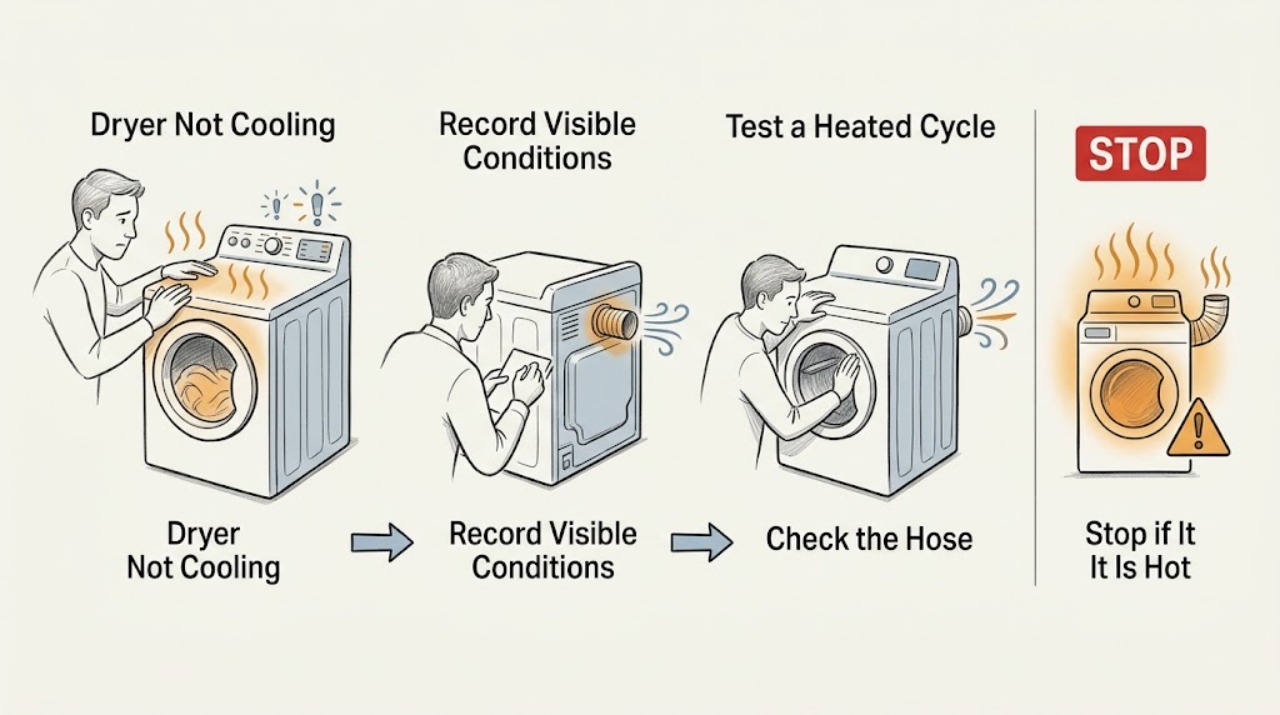
If a Maytag dryer is not cooling, first determine whether the load was removed before the model's Cool Down finished or whether the dryer is still producing heat after that stage. Maytag describes a cool-down portion that tumbles without heat, while high-temperature or timed cycles can leave laundry warmer and restricted airflow can trap heat and moisture. Note the cycle and any Cooling/Cool Down indicator, clean the accessible lint screen, and inspect the vent path and outside hood for crushing, blockage, weak airflow, or moisture. Stop using the dryer for burning smell, intense heat, repeated overheating, a damaged vent, or heat that continues after the documented cool-down; those symptoms need qualified service.
Work through in order
Diagnostic checks
Use only checks that match the exact appliance or system and its official guide.
-
Check 1
Before restarting the dryer, record the selected cycle and temperature, whether a Cooling or Cool Down indicator appears, whether the drum is still tumbling, and whether the load is hot only when removed or remains hot after the documented cycle end.
Expected result: The load was removed during cool-down; a Cooling indicator appears and the drum tumbles without heat; the load stays hot after the cycle ends; or the dryer keeps tumbling and heating beyond the model's documented end state.
Next step: If the load was removed early, allow the next cycle's cool-down to finish. If heat persists after the expected end state, do not repeatedly restart the dryer; continue only with the external checks below while it is cool and safe.
Stop if: Stop immediately if the cabinet or load is intensely hot, smoke or a burning odor is present, or the dryer will not stop when the control says it should.
Why this matters
Why: Warm laundry removed before cool-down can be normal. A cooling indicator or room-temperature tumbling supports normal operation for that model. Persistent heat after the documented cool-down is a fault symptom or an airflow/safety concern, not proof of a failed cooling part.
-
Check 2
With the dryer stopped and cool, check the selected cycle and temperature against the exact Maytag manual. Look for a high-temperature or timed cycle and confirm that an Air Only/Air Fluff or other no-heat option was not mistaken for a normal heated cycle.
Expected result: A high temperature or timed cycle was selected; a lower-temperature or sensor cycle cools the load more normally; or the same excessive heat occurs on the model's ordinary cycle.
Next step: If the issue is limited to a high or timed setting, use the model-recommended temperature and allow cool-down to complete; do not treat that result as permission to bypass a safety device.
Stop if: If the load remains excessively hot on the ordinary model-recommended cycle, stop repeated tests and inspect only the accessible vent and lint path.
Why this matters
Why: Maytag notes that timed and automatic cycles behave differently and that temperature selection changes the load temperature. Improvement on the model-appropriate lower-temperature or sensor setting makes the prior setting more likely than a cooling-system fault. Recurrence on ordinary settings needs the airflow and service branch.
-
Check 3
After the dryer is fully cool and unplugged if the manual calls for it, clean the lint screen and inspect the rear vent hose, wall connection, and outside vent hood from accessible positions for lint, crushing, sharp kinks, debris, or a hood that cannot open freely.
Expected result: The lint screen or vent is visibly restricted; the hose is crushed or kinked; the outside hood has debris; airflow is weak; or the path is clear and airflow appears normal.
Next step: If the accessible path is restricted, correct only the external obstruction using the installation instructions or arrange qualified vent cleaning. If airflow is normal but the dryer still stays hot after cool-down, stop using it and request appliance service.
Stop if: Do not pull the dryer far enough to strain the power or gas connection, enter the wall duct, remove panels, or continue operating with a damaged or crushed vent.
Why this matters
Why: A restriction can retain heat and moisture and can produce steam or a puddle behind the dryer that looks like another fault. A clear path makes restricted venting less likely, but it does not prove that an internal control or temperature component is good.
-
Check 4
With the appliance cool, check the display for an airflow warning or other code and write it down before clearing anything. Use the exact model manual or Maytag support page for that code rather than assuming every Maytag dryer uses the same indicator.
Expected result: An AF/F4E3-style restricted-airflow message appears; an F# E# control fault appears; there is no code; or the warning returns after the accessible vent check.
Next step: Follow only the code-specific, model-specific accessible instruction. If an F# E# code persists, or an airflow warning returns after the external path is clear, stop using the dryer and arrange service.
Why this matters
Why: Maytag associates AF/F4E3 with a restricted lint screen or vent and says an F# E# code indicates a control problem requiring service. A returning warning after the visible path is clear needs professional diagnosis instead of repeated resets.
Use your observations
Decision map
Find the observation that best matches what you see, then follow the next safe action.
-
PATH 01Next step
What you see
The load was removed before the model's cooling stage ended, or the Cooling indicator and unheated tumbling appear before the dryer ends normally.
Do this next
Allow the full documented cool-down to finish and use the exact cycle and temperature guidance in the manual. If the load is still intensely hot after the documented end, move to the airflow and service branches.
Why this path and its safety boundary
Why it matters: The observed warmth is consistent with normal cool-down behavior for that model, not proof that the dryer cannot cool.
-
PATH 02Next step
What you see
The dryer is unusually hot and the lint screen, rear hose, outside hood, airflow, steam, or puddle behind the dryer shows a restriction pattern.
Do this next
Stop the cycle, correct only an accessible obstruction or have the vent professionally cleaned, and do not keep running the dryer while the vent is crushed, damaged, or restricted. If the symptom remains after a clear vent, request appliance service.
Why this path and its safety boundary
Why it matters: Restricted exhaust is more likely than a standalone cooling-control failure because Maytag links blocked airflow with retained heat, moisture, and water behind the dryer.
-
PATH 03Next step
What you see
The dryer cools normally on a lower-temperature or sensor cycle but the load feels too hot after a high or timed cycle.
Do this next
Use the model-recommended temperature and let cool-down finish. If heat persists on ordinary settings, or the cabinet becomes intensely hot, stop and arrange service.
Why this path and its safety boundary
Why it matters: The cycle or temperature selection is more likely contributing than an internal cooling fault; timed operation can continue to dry and warm the load until its set time ends.
-
PATH 04Next step
What you see
The dryer continues producing heat after the documented cool-down, the same symptom returns with a clear vent and appropriate cycle, a warning code returns, or there is burning odor, smoke, or repeat overheating.
Do this next
Keep the dryer off and arrange qualified Maytag or appliance service. Provide the model number, cycle, indicator/code, timing of the heat, vent observations, and any odor or moisture evidence. Do not bypass a thermostat, fuse, interlock, or control.
Why this path and its safety boundary
Why it matters: The accessible checks did not resolve the problem; an internal control, temperature, motor, or airflow fault cannot be safely distinguished without the exact model and professional testing.
Helpful context
Understand the symptom
Separate normal cool-down from a dryer that stays hot
“Not cooling” should mean that the dryer or load stays hot after the expected cooling stage, not simply that warm laundry was removed early. Maytag owner documentation for some models shows a Cooling status during cool-down and describes Air Fluff as room-temperature tumbling. Controls and indicator names vary, so compare the display and cycle with the manual for the exact model before treating a missing indicator as a failure.
Why airflow belongs in a cooling diagnosis
A dryer that cannot move hot, moist air out can feel excessively hot even though the complaint is described as “not cooling.” Maytag lists a dirty lint screen, crushed or obstructed vent, blocked outside hood, steam or moisture, and puddles behind the dryer among the signs of restricted venting. Keep the checks external and accessible; do not remove panels or continue a cycle when the dryer is dangerously hot or smells of burning.
Use the exact model manual before replacing anything
Maytag dryer controls, cycle names, lights, and service procedures vary by model. Record the complete model number, selected cycle, whether the drum continues tumbling, when the load becomes hot, and whether the outside vent has normal airflow. A vent or control part should be considered only after the visible symptom points to that component and the exact model fit is confirmed.
Only after diagnosis
Potential parts
- dryer exhaust vent or rear vent duct section
Consider this category only when the accessible inspection finds a crushed, damaged, or otherwise restricted vent path and cleaning or correction does not resolve the airflow symptom.
Confirm the exact model, installation requirements, duct material, length, and routing in Maytag documentation; no universal fit is assumed.
When checks do not resolve it
Need a professional?
Heat continues after the exact model's documented cool-down or end state., A burning smell, smoke, intense cabinet heat, repeated overheating, or a damaged vent is present., An airflow or F# E# code returns after the model-approved accessible checks.
Have this ready
- The complete Maytag model number and the selected cycle and temperature.
- Whether the Cooling/Cool Down indicator appeared, whether the drum kept tumbling, and when the load stayed hot.
- Any code, vent restriction, weak outside airflow, steam, moisture, or puddle behind the dryer.
Common questions
FAQ
Does warm laundry prove that my Maytag dryer is not cooling?
No. Maytag dryers can leave laundry warm if it is removed before the documented cool-down finishes, and high or timed cycles can produce warmer loads. Check whether the model shows Cooling/Cool Down and whether heat persists after the cycle's stated end; persistent intense heat is a service symptom.
Can a blocked vent make a Maytag dryer seem like it is not cooling?
Yes. Maytag says restricted venting can retain hot, moist air, make the dryer very warm, create steam, and even cause water to drip behind the dryer. Check the lint screen, accessible hose, and outside hood only when the appliance is cool; stop using it if the path is damaged or the heat remains excessive.
Should I replace a thermostat or fuse because my Maytag dryer is not cooling?
Not based on this symptom alone. A load that stays hot can result from a cycle choice, unfinished cool-down, restricted airflow, or an internal fault. Confirm the exact model, document the cycle and vent observations, and have a qualified technician diagnose any internal component before ordering a part.
What information should I record before requesting service?
Record the full model number, cycle and temperature, whether Cooling/Cool Down appeared, whether the drum continued tumbling, when the load became hot, any display code, and whether airflow was weak or moisture collected behind the dryer. Those observations distinguish normal cool-down, restricted venting, and a persistent fault without requiring cabinet disassembly.
Read the exact guide
Official sources
- Maytag Electric or Gas Dryer Owner's Manual 2201197Maytag · Use the Cooling/Air Fluff descriptions only when the user's panel and manual match; it is not a universal control layout
- Dryer Vent may be Blocked or Restricted - Product Help | MaytagMaytag · Maytag dryer moisture, heat, weak airflow, and water behind the dryer
- Dryer Too Hot - Product Help | MaytagMaytag · Maytag dryer loads or cabinets that remain unusually hot
- Error Codes in Dryers - Product Help | MaytagMaytag · Maytag dryer displays that show airflow or control fault codes
Community feedback
Share a repair observation
Share a plain-text repair observation. Accepted observations are published automatically; this page may take a moment to update.