
On this page
Start here
Quick answer
The Maytag MEW7530AS is a 30-inch electric wall oven, so a blank display after Self-Clean is not a normal reason to force the door or keep resetting the breaker. Maytag says a self-clean door remains locked until the oven cools, and that an interrupted self-clean cycle may require the documented Cancel/Off or one power reset; the exact MEW7530AS page should be used for the model literature. First keep clear of the hot oven and check from a safe, dry position whether the display is truly blank, whether the door is still locked/cooling, and whether the household protection has opened. Do not force the latch, repeat breaker resets, bypass a thermal device, remove panels, or make live measurements. If the display stays dead after the oven is cool and one permitted reset, or if there was smoke, burning odor, a hot connection, a trip, or abnormal heat, leave power off and arrange qualified Maytag appliance/electrical service.
Work through in order
Diagnostic checks
Use only checks that match the exact appliance or system and its official guide.
-
Check 1
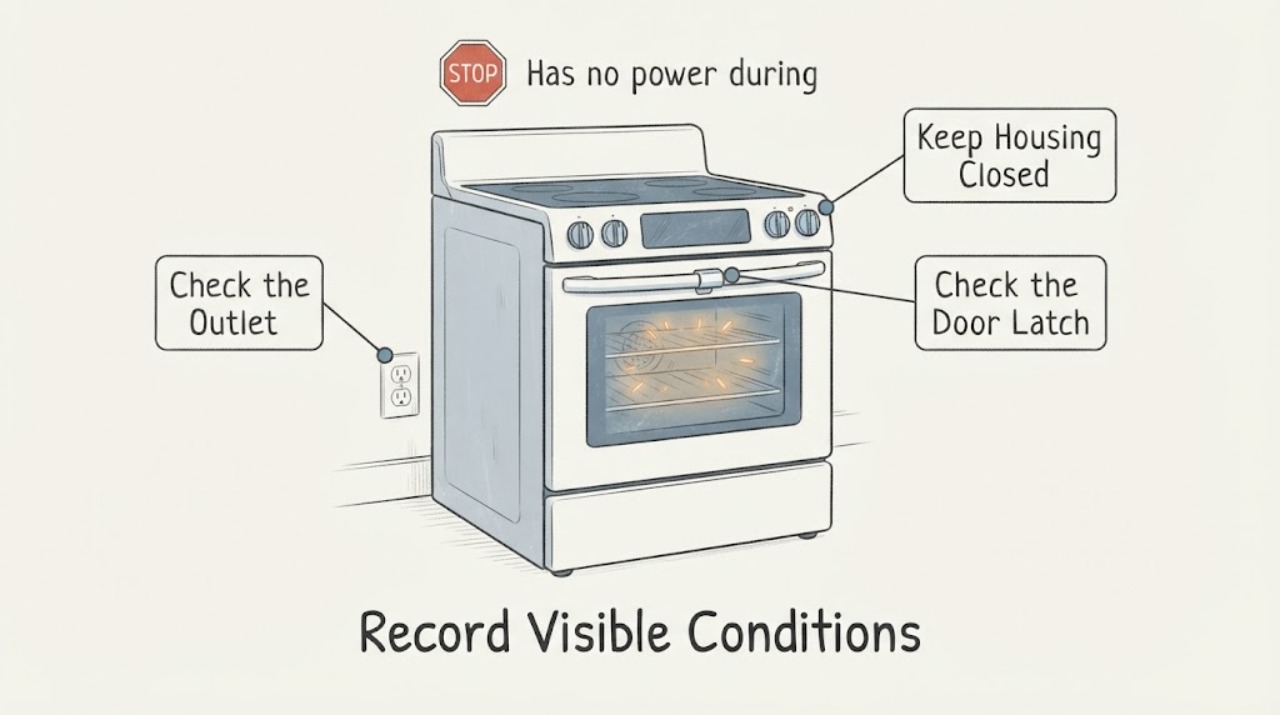
From outside the oven and without touching hot surfaces, record whether the display is completely blank, shows CLEAN/LOCK/cooling text, or responds to controls. Note whether the door is locked, whether the cooling fan is audible, when the Self-Clean started or stopped, and whether smoke, odor, sparks, or unusual heat occurred.
Expected result: The display shows a lock/cooling state, the display is blank but the oven is still hot, or the display is blank after the oven has cooled.
Next step: Keep people away and allow the oven to cool without forcing the door. If it remains blank once cool, move to one safe external protection check and service escalation.
Stop if: Stop immediately for smoke, flame, strong burning odor, sparks, a hot/discolored connection, exposed wiring, or dangerous heat; use local emergency procedures for fire.
Why this matters
Why: Maytag says Self-Clean locks the door and requires cooldown before unlocking. A blank display after a heat event is a different, higher-risk observation than a normal locked cooldown; the display state alone cannot identify an internal part.
-
Check 2
Only from a dry, safe position, inspect the dedicated household breaker or fuse status and any accessible external outlet/connection for an obvious trip, scorch, heat, or damage. Do not remove covers, probe terminals, open the oven cabinet, or repeatedly cycle the breaker.
Expected result: The protection device is open with no visible damage, it is normal, or it opens again when power is restored.
Next step: If the exact model guidance permits one reset and there is no heat, smoke, odor, or damage, restore power once and observe. If it trips again, remains blank, or supply condition is uncertain, leave it off and obtain qualified electrical or Maytag service.
Stop if: Do not keep resetting, fit a larger fuse, use an extension or adapter, touch a hot/wet connection, or open an electrical enclosure.
Why this matters
Why: An open protection device can remove power, while a repeat trip or visible damage indicates a supply or appliance safety fault. Normal protection does not prove that the MEW7530AS internal control or thermal circuit is healthy.
-
Check 3
After the oven is cool, compare the visible display and door state with the exact MEW7530AS owner/control guide. Look for a normal cooling/lock message, a completed-self-clean indication, or an unexpected blank state. Do not force the latch or attempt to open the door with a tool.
Expected result: The lock/cooling indication clears normally, the door remains locked after cooling, or the controls and display remain dead.
Next step: If the latch remains locked or the display stays dead after the permitted external reset, keep the oven out of use and schedule qualified service. Provide the model and the exact display/door timeline.
Stop if: Do not pry the door, move the latch manually, remove trim or panels, or attempt a second reset to release the lock.
Why this matters
Why: Maytag states that the door unlocks only after the self-clean oven cools and that a stuck latch after cooling requires service. A dead control after cooldown is not solved by forcing the door and may involve the supply or internal protection/control path.
-
Check 4
If there was smoke, a burning smell, visible charring, an arc, a hot or discolored supply connection, an abnormal fan/heat event, or a breaker trip during Self-Clean, do not start Bake or Self-Clean again. Isolate power only from a safe dry position if possible and keep the oven unused.
Expected result: No hazard sign occurred, or one or more heat, fire, or electrical warning signs occurred.
Next step: For any warning sign, arrange qualified Maytag appliance and/or electrical inspection before restoring service. Use local emergency procedures for active smoke or fire.
Stop if: Do not use water on an electrical fire, touch hot wiring, bypass a fuse or high-limit device, or repeatedly energize the oven.
Why this matters
Why: Self-Clean heat and electrical damage can make a later restart unsafe. An exact community report of an abrupt MEW7530AS shutdown does not make bypassing thermal protection or testing live circuits acceptable.
-
Check 5
Document the model label, Self-Clean level or duration if known, time of shutdown, last display state, door-lock state, breaker behavior, cooling-fan behavior, odor/smoke/heat observations, and any earlier repair. Do not name or order a thermal fuse, high-limit switch, control, or other part from the symptom alone.
Expected result: The oven remains dead after cooling and one allowed reset, the door remains locked, the protection reopens, or the exact symptom returns.
Next step: Give the complete record and exact MEW7530AS model to qualified Maytag appliance service; use qualified electrical service for supply, breaker, wiring, or installation concerns. Keep the oven isolated until assessed.
Stop if: Do not remove panels, perform live measurements, bridge a thermal device, or restore power to a hot, damaged, or wet installation.
Why this matters
Why: The record distinguishes a normal cooldown/lock state from a persistent post-self-clean power fault, but it does not establish which internal safety or control component failed.
Use your observations
Decision map
Find the observation that best matches what you see, then follow the next safe action.
-
PATH 01Next step
What you see
The oven is hot and shows CLEAN, LOCK, cooling, or a similar self-clean state, with no smoke, odor, sparks, or electrical damage.
Do this next
Keep the door closed and allow complete cooldown. If the lock does not clear after the model's documented process, schedule service; do not force the latch.
Why this path and its safety boundary
Why it matters: This is consistent with Maytag's documented high-temperature lock and cooldown behavior, not proof that the control has lost power.
-
PATH 02Next step
What you see
The MEW7530AS display is blank after the oven has cooled, and the dedicated household protection is normal or the one permitted reset does not restore power.
Do this next
Leave the oven off and arrange qualified Maytag appliance service, with electrical service if the supply or installation is uncertain. Do not open the cabinet or perform live tests.
Why this path and its safety boundary
Why it matters: This is a persistent post-self-clean power/control safety symptom beyond owner-level checks. It does not identify a fuse, high-limit device, control, wiring, or sensor as the failed part.
-
PATH 03Next step
What you see
The breaker or fuse opened during Self-Clean, reopens after one safe restoration, or the external connection is hot, scorched, wet, or damaged.
Do this next
Keep power off from a safe position and obtain qualified electrical and Maytag appliance inspection. Use emergency procedures for smoke or fire.
Why this path and its safety boundary
Why it matters: The supply or oven may have an electrical/thermal fault. Repeated resetting could energize a damaged circuit or appliance.
-
PATH 04Next step
What you see
Smoke, flame, strong burning odor, visible charring, sparks, dangerous heat, or exposed wiring occurred during or after Self-Clean.
Do this next
Stop using the oven, keep people away, isolate power only if safely reachable without touching damaged parts, and follow local emergency procedures or obtain urgent qualified help.
Why this path and its safety boundary
Why it matters: This is an immediate fire or electrical stop, not a door-release or reset branch.
-
PATH 05Next step
What you see
The display returns and the door unlocks normally after cooldown, with no recurring code, trip, odor, or abnormal heat.
Do this next
Do not immediately run another Self-Clean cycle. Check the exact MEW7530AS literature and monitor ordinary operation; if the blank display or shutdown recurs, stop and request service.
Why this path and its safety boundary
Why it matters: The observed event may have been a completed or interrupted self-clean cooldown state, but a prior unexplained shutdown remains important history.
Helpful context
Understand the symptom
Confirm the exact MEW7530AS and let the oven cool
Maytag's Owner's Center identifies the MEW7530AS as an electric wall oven and provides its model-specific literature categories. During Self-Clean, the oven reaches unusually high temperatures and the door-lock state can remain active during cooldown. A locked door or cooling display is not the same as a completely dead control. Keep children away, do not touch the hot surfaces, block the vent, or force the latch. If smoke, flames, strong burning odor, or abnormal heat is present, treat it as an immediate stop rather than a reset problem.
A true blank display after Self-Clean needs supply and service triage
Maytag's interrupted-self-clean guidance distinguishes a latch reset or one power reset from a recurring failure. An exact MEW7530AS community report describes power disappearing during Self-Clean and a blank display after breaker cycling, but the thread's proposed thermal-component bypass and meter testing are hazardous and are not instructions. The safe conclusion is to document the time line, check only the external household protection from a safe position, and leave internal thermal protection, wiring, control, and high-temperature damage to a qualified professional.
Do not turn a heat event into a parts experiment
A fuse, high-limit device, control, relay, sensor, door-lock circuit, or supply connection may be involved, but a blank display does not identify which one. Do not open the control cabinet, remove the oven from its installation, bridge a thermal device, force the door, or repeatedly restore power. Maytag's manuals page directs owners to the exact model literature; use that document only to understand the permitted external reset and door state, then arrange service if the fault persists.
When checks do not resolve it
Need a professional?
Arrange qualified Maytag appliance service when the MEW7530AS remains without a display after cooldown and one permitted external reset, the door remains locked after the documented cooldown, a breaker reopens, or the oven shuts down unexpectedly during Self-Clean. Use qualified electrical service for a damaged connection, uncertain supply, repeated trip, or suspected installation fault. Use local emergency procedures for active smoke or fire.
Have this ready
- Provide Maytag MEW7530AS, the model label or serial details if safely visible, Self-Clean start/stop time and setting if known, display and door-lock state, cooling-fan behavior, breaker/reset history, odor/smoke/heat observations, and any prior repair or installation work.
Common questions
FAQ
Is a locked door after Self-Clean the same as no power?
No. Maytag says the door remains locked while the oven cools, so first record whether the display shows a cooling or lock state. A blank display after the oven is cool is a separate power/control symptom and should not be addressed by forcing the latch.
Can I keep resetting the breaker until the MEW7530AS comes back on?
No. If there is no heat, smoke, odor, or damage and the exact Maytag guidance permits it, make only one documented reset. If power does not return or the protection opens again, leave the oven off and call qualified appliance or electrical service.
Should I bypass the thermal fuse or high-limit device?
Never. Those are internal safety components, and an exact-model community thread contains unsafe bypass suggestions that are not a safe repair method. Do not remove panels, bridge a safety device, or make live measurements; give the Self-Clean shutdown timeline to a qualified technician.
What if there was smoke or a burning smell during Self-Clean?
Stop using the oven. Keep clear, isolate power only from a safe dry position without touching damaged parts, and use local emergency procedures for active smoke or fire. Do not start Bake or Self-Clean again until qualified service has assessed it.
Read the exact guide
Official sources
- Oven is Locked - What to Do - Product Help | MaytagMaytag · Maytag MEW7530AS topic evaluated against Maytag Self-Clean interrupted-cycle, door-lock, cooldown, and one-reset guidance; exact model literature remains controlling.
- MEW7530AS | MaytagMaytag · Exact Maytag MEW7530AS identity, electric wall-oven product classification, and model-specific owner/service literature categories.
- High Temperature Self-Clean Cycle Information - Product Help | MaytagMaytag · Maytag MEW7530AS topic evaluated against Maytag high-temperature Self-Clean, ventilation, door-lock, cooldown, and safety information; exact model behavior remains manual-dependent.
- Appliance Manuals and Literature | MaytagMaytag · Exact Maytag MEW7530AS manual and literature lookup boundary; model-specific reset, lock, and installation instructions must be confirmed there.
- Maytag MEW7530AS Died During Self CleaningReddit r/appliancerepair · Exact Maytag MEW7530AS community report of abrupt Self-Clean shutdown and blank display; community evidence only and unsafe repair suggestions excluded.
Community feedback
Share a repair observation
Share a plain-text repair observation. Accepted observations are published automatically; this page may take a moment to update.