
On this page
Start here
Quick answer
For a Samsung NE58F9710WS that goes completely dead after Self Clean, first leave the range undisturbed until it is fully cool and the door lock has released normally. Then, from a dry and safe position, check the visible range breaker or disconnect once and record whether the cooktop, display, and oven light respond. Samsung's exact-model support page identifies the NE58F9710WS as an electric range and links its model-specific user manual; Samsung's support guidance says a panel can remain unavailable while the oven is too hot, permits one normal breaker reset, and directs owners to service if the panel still will not respond. Do not remove the rear cover, bypass the door lock, probe live wiring, or decide that a thermal fuse or control board failed merely because the outage followed Self Clean. Stop immediately for smoke, arcing, burning or plastic odor, a hot or damaged cord or outlet, repeated breaker trips, or a door that will not release after cooling.
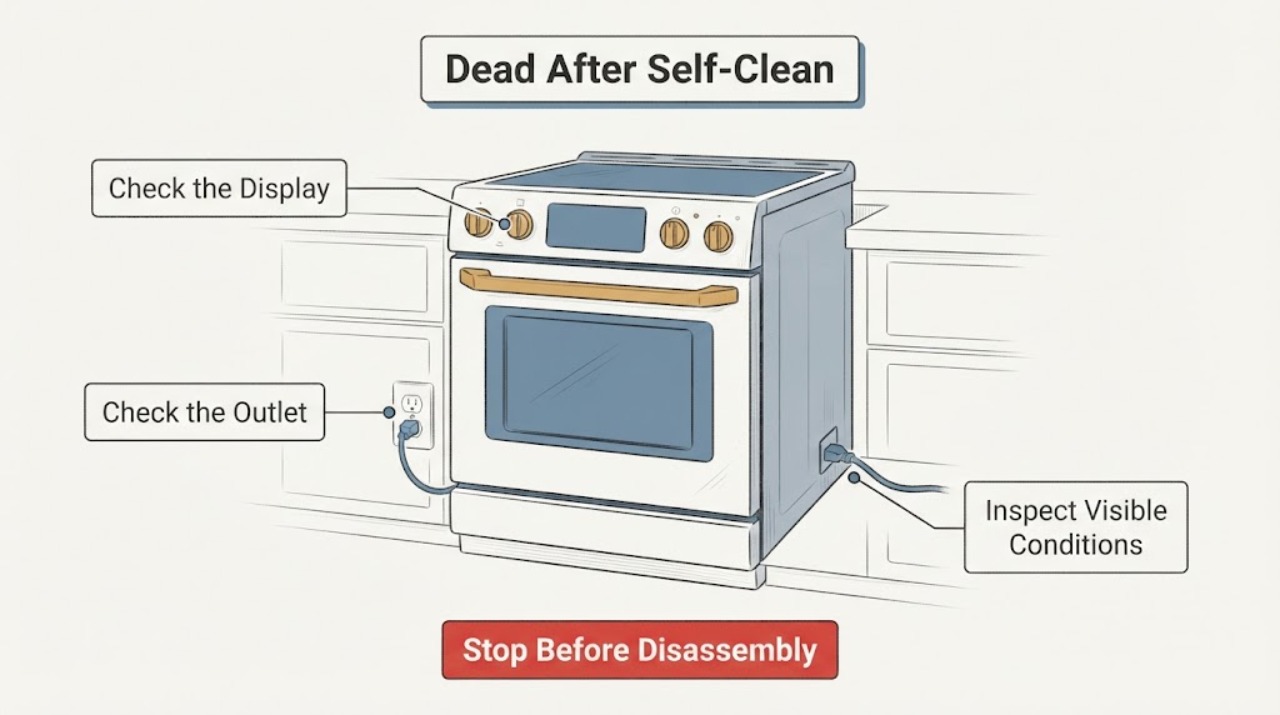
Work through in order
Diagnostic checks
Use only checks that match the exact appliance or system and its official guide.
-
Check 1
Stop operating the range and let the oven cool completely after the Self Clean cycle. Do not force the door, pull the lock mechanism, or repeatedly press controls while the range is hot. From outside the appliance, note whether the door is locked, whether the cooktop surface is still hot, and whether the display shows Hot, Lock, a code, or nothing.
Expected result: The oven is still hot or locked as it cools, the display shows a heat or lock state, the door releases normally after cooling, or the range is cool but remains completely dead.
Next step: Allow the normal cool-down to finish and follow only the exact manual's door-release behavior. If the range is cool and still dead, continue to the one visible power check; if the lock does not release normally, keep the range off and request service.
Stop if: Do not pry the door, manually defeat the lock, insert tools into the latch, or restart Self Clean to test whether the lock clears.
Why this matters
Why: Samsung says the panel can be unavailable while the oven is too hot and that the door locks as a safety precaution until the range cools. A cool, blank display is a different branch from a normal post-clean lock or heat state.
-
Check 2
From a dry, safe position, classify what still works: control display, cooktop controls or elements, interior light, warming drawer, and any audible response. Look only at the accessible range cord and outlet area for obvious heat or damage; do not pull out the slide-in range or open a panel.
Expected result: Everything is blank, the cooktop still responds while the oven/display is dead, the display is lit but controls do not respond, or there is smoke, burning odor, arcing, a hot/damaged cord or outlet, or water near electrics.
Next step: For a safe appliance, record the split between cooktop and oven functions and continue once to the visible breaker check. For any hazard, keep the range off and contact qualified appliance or electrical service from a safe location.
Stop if: Do not energize or test the range again when there is smoke, visible arcing, burning or plastic odor, hot/discolored hardware, exposed conductors, or water near electrical parts.
Why this matters
Why: A completely dead range and a live cooktop with a dead control path do not prove the same fault. Any smoke, arcing, odor, heat damage, or water near electrical parts is a safety event rather than a normal Self Clean aftermath.
-
Check 3
Check the labeled household range breaker or disconnect once, without opening the electrical panel or using an extension cord. If it is clearly tripped and there is no hazard, restore it once and observe the range from outside; do not repeatedly reset it to force the display back on.
Expected result: The breaker is on and the range remains blank, it was off and the display returns, it trips again immediately, or the cord/outlet is hot or damaged.
Next step: If one reset restores the display cleanly, leave Self Clean off and use only normal controls after the range is cool. If the display stays blank or the breaker trips again, leave the range off and request qualified service.
Stop if: Do not reset a breaker repeatedly, replace fuses, open the range, or touch internal wiring or terminals.
Why this matters
Why: Samsung's blank-panel guidance says the range must have power and permits turning the circuit breaker off for 60 seconds and back on. A repeated trip or damaged power hardware indicates an unresolved electrical fault, not a reason to continue resetting.
-
Check 4
If the display returns, inspect only the normal user-facing state: confirm the panel is clean and dry, check whether Control Lock or a padlock/Loc indication is active, and compare the controls with the exact NE58F9710WS manual. Do not treat a locked or inactive button as a failed control board.
Expected result: The panel responds after cooling or a single reset, a lock/Loc state is shown, controls are ignored only while a particular function is selected, or the display remains frozen or blank.
Next step: Clear only a model-documented lock or unavailable-function state and make one normal non-clean start attempt. If the panel remains unresponsive or a code returns, keep Self Clean disabled and arrange service.
Stop if: Do not press a stuck control harder, remove the control panel, bridge a lock, or run another high-heat cycle to reproduce the failure.
Why this matters
Why: Samsung says Control Lock appearance varies by model, some functions are unavailable under particular settings, and a clean panel plus a documented control sequence should be tried before service. Persistent unresponsiveness after the normal sequence remains a service issue.
-
Check 5
Record the complete model, serial, market, Self Clean start and stop times, how long the range cooled, the door-lock behavior, breaker result, which cooktop or oven functions work, and any smell, smoke, noise, or visible damage. If the range is serviceable from normal controls, make no more than one brief normal operation check after the exact manual permits it; do not use Self Clean again.
Expected result: The range returns to normal operation without hazards, only some functions remain dead, the original blank-panel condition returns, or the range has any abnormal heat, odor, electrical event, or lock failure.
Next step: Give the timeline and exact model label to Samsung or a qualified appliance technician. Ask for a model-matched diagnosis and for the technician to distinguish power supply, lock/control, heating, and thermal-protection possibilities before proposing a part.
Stop if: Do not open the rear panel, perform live voltage tests, bypass the door lock, or authorize a component solely because it is the first part mentioned after Self Clean.
Why this matters
Why: A complete timeline separates a normal heat/lock state from a persistent power or control failure. The exact-model community report shows that post-Self-Clean electronics symptoms can be reported without a confirmed cause, so timing alone cannot select a fuse, board, element, or other part.
Use your observations
Decision map
Find the observation that best matches what you see, then follow the next safe action.
-
PATH 01Next step
What you see
The oven is still hot or the door remains locked during normal cooling, but the range has no smoke, arcing, burning odor, or electrical damage.
Do this next
Wait for a complete natural cool-down and follow the exact NE58F9710WS manual. Do not force the door or start another cycle.
Why this path and its safety boundary
Why it matters: This is consistent with Samsung's heat and door-safety behavior after a high-temperature function; it is not evidence that a lock or control part has failed.
-
PATH 02Next step
What you see
The range is cool, the breaker is on or one safe reset has already been tried, and the display remains blank or the breaker trips again.
Do this next
Keep the range off and request qualified Samsung appliance or electrical service. Do not open the back or repeat the reset.
Why this path and its safety boundary
Why it matters: A persistent power or control failure remains possible, but timing after Self Clean does not identify a thermal fuse, control board, element, or wiring fault.
-
PATH 03Next step
What you see
The display returns after cooling or one normal reset and the controls respond, but the user wants to run Self Clean again to prove the issue is gone.
Do this next
Leave Self Clean disabled, make only a normal manual-approved operation check, and monitor. Arrange service if the display, heating, lock, or controls fail again.
Why this path and its safety boundary
Why it matters: A temporary recovery only establishes that the panel came back; it does not prove that a heat-related or power-related problem is resolved. Samsung's support path sends a persistently unresponsive panel to service.
-
PATH 04Next step
What you see
Smoke, arcing, burning or plastic odor, a hot or damaged cord/outlet, water near electrics, repeated breaker trips, broken glass, or a door that will not release normally is present.
Do this next
Stop using it, isolate power only from a safe dry position if possible, leave the area for smoke or fire, and obtain qualified appliance or electrical help. Do not return to the range until it is cleared.
Why this path and its safety boundary
Why it matters: The range has a safety condition that takes priority over restoring operation or deciding which part failed.
Helpful context
Understand the symptom
The timing after Self Clean narrows the first decision but does not name a part. The exact Samsung support page confirms NE58F9710WS as an electric range and links model literature. Samsung's consumer guidance treats heat, lock state, power, and service as separate paths. Therefore, a blank panel immediately after a high-heat cycle should first be allowed to cool and then checked at the visible breaker—not opened to search for a thermal fuse or control-board failure.
The exact-model Reddit case is useful only as a caution about post-clean-cycle timing: one owner reported a loss of sound after using Self Clean, while later replies offered conflicting explanations and no confirmed repair. It supports documenting what changed and seeking qualified service; it does not establish that heat damaged the electronics or that replacing one particular part will restore the range.
When checks do not resolve it
Need a professional?
Request qualified Samsung appliance or electrical service when the NE58F9710WS remains blank after it has fully cooled and the visible breaker has had one normal reset, when the breaker trips again, when the door lock does not release normally, or when any internal fault is suspected. Provide the complete model and serial, market, Self Clean timing, cool-down duration, display and cooktop status, breaker result, lock behavior, and any smell, smoke, noise, or visible damage. Do not remove the rear panel, bypass the lock, perform live tests, replace a guessed thermal fuse or control board, or run Self Clean again to reproduce the problem. Stop immediately for smoke, fire, arcing, burning or plastic odor, a hot or damaged cord or outlet, water near electrical parts, or repeated breaker operation.
Common questions
FAQ
How long should I wait before deciding the oven is dead after Self Clean?
Wait until the oven is fully cool and the door lock has released through its normal behavior. Samsung says controls may be unavailable while the panel or oven is still hot and that the door locks as a safety precaution. Once cool, make one visible breaker check or reset as Samsung documents; persistent blank operation needs service rather than repeated waiting and resets.
Does the timing prove that the thermal fuse or control board failed?
No. The Self Clean timing is important history, but it does not select a part. Samsung's public guidance routes a persistently unresponsive panel to service, and the exact-model Reddit discussion contains unconfirmed and conflicting explanations. Do not open the rear panel or perform live tests to decide this yourself.
Can I run Self Clean one more time to see if the problem repeats?
No. If the display or control behavior has failed after Self Clean, leave that function disabled until the range has been evaluated. A repeat cycle adds heat without providing a safe component diagnosis, especially if the breaker, door lock, cord, or panel is abnormal.
Read the exact guide
Official sources
- NE58F9710WS Flex Duo Slide-in Electric Range Specification SheetSamsung · Opened Samsung's exact-model specification sheet to confirm this is an electric range with Self Clean and related features; it is not a service manual and does not authorize internal troubleshooting.
- Samsung range or wall oven panel is blank, blinking, or incorrectSamsung Support · Opened Samsung consumer guidance for a blank or incorrect range panel. It supports only visible power and one normal breaker reset; it does not identify a NE58F9710WS internal component.
- Samsung Oven NE58F9710WS no soundReddit r/appliancerepair · Opened the exact-model Reddit thread as a community symptom report. It is not authoritative service information and contains no confirmed component diagnosis for a dead display.
- Self Clean or other buttons do not light up or respond, or panel is locked on Samsung ovenSamsung Support · Opened Samsung guidance for buttons that do not respond or a panel locked during or after oven functions. Use the exact NE58F9710WS manual for model-specific controls; do not infer internal parts.
- NE58F9710WS Electric Range, 5.8 cu.ft | Samsung Support CASamsung · Opened Samsung's exact-model support page to confirm the NE58F9710WS electric-range identity and its matching user-manual resource; it does not define an internal post-Self-Clean failure part.
Community feedback
Share a repair observation
Share a plain-text repair observation. Accepted observations are published automatically; this page may take a moment to update.