
On this page
Start here
Quick answer
Do not hack, wedge, tape, bypass or open a microwave to defeat a door latch or interlock. If the door does not close firmly, is bent or damaged, the display reports a door condition, or the oven appears to operate with the door open, stop using it. With power isolated only from a safe position, inspect the exterior door edge, latch opening and contact area for an obstruction or residue, and check the exact owner manual for the model's control-lock and timer behavior. If the door hardware is damaged, the timer still will not start, or the display remains absent after a safe external power check, keep the microwave out of service and contact the manufacturer or a qualified microwave technician.
Before you begin
Safety first
- Do not open the cabinet or door assembly, defeat or bridge an interlock, hold the latch closed, insert tools, tape or wedge the door, measure live high-voltage circuits, replace a generic switch/fuse, or run repeated tests with food.
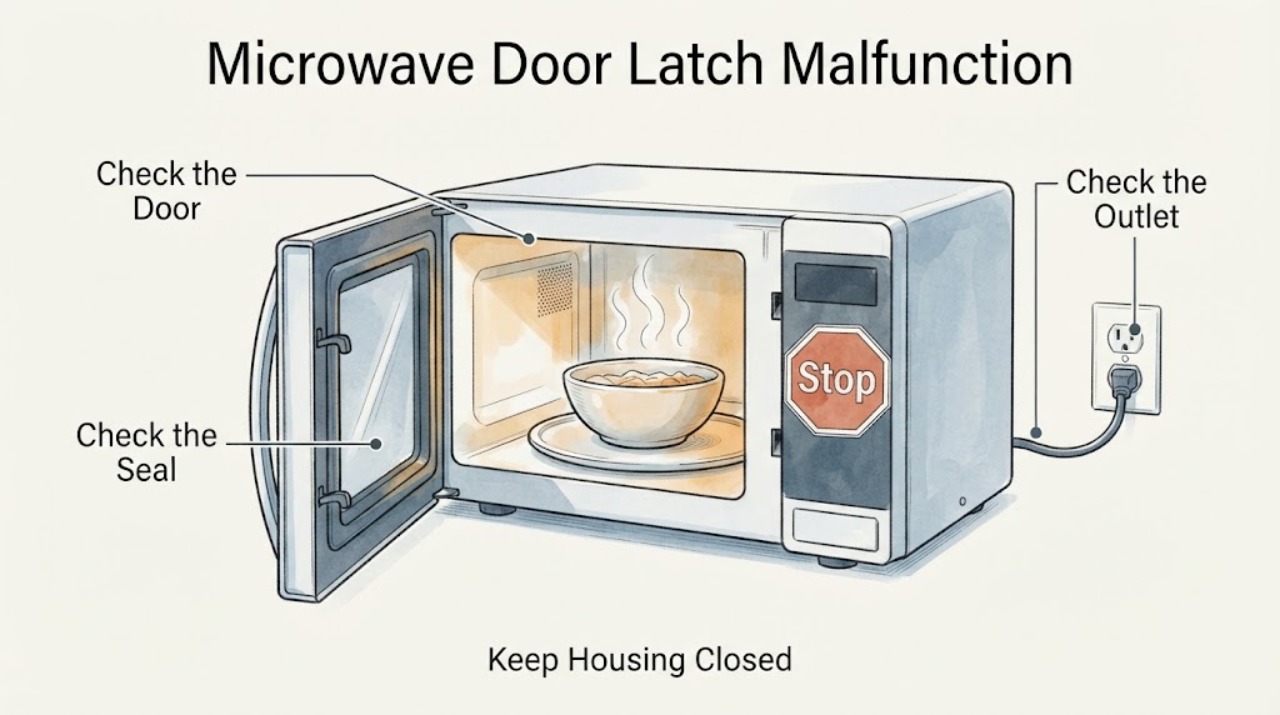
Work through in order
Diagnostic checks
Use only checks that match the exact appliance or system and its official guide.
-
Check 1
Stop using the microwave immediately if the door is bent, warped, cracked, loose, does not close firmly, or if the oven appears to keep operating after the door is opened. If it is energized and there is smoke, sparking, heat or a burning odor, leave it alone and use local emergency procedures; otherwise isolate power only from a dry, safe position.
Expected result: The door or latch is visibly damaged, the door cannot close firmly, or the oven continues operating with the door open; alternatively, the door is intact and the oven stops normally.
Next step: Keep the microwave out of service and contact the manufacturer or a qualified microwave technician for the first pattern. Continue only with non-invasive external checks for the second pattern.
Why this matters
Why: A damaged door/latch or abnormal open-door operation is a safety condition. A normal stop does not prove that an intermittent latch fault is safe to bypass.
-
Check 2
With the appliance unplugged or otherwise safely isolated and cool, inspect only the visible door edge, latch openings, door contact area and cavity rim. Remove visible food residue with a soft damp cloth and mild detergent; do not use abrasive tools, force a latch, insert a pick, or remove the door or cover.
Expected result: A loose item, packaging, oversized dish or rack, or soil buildup is visibly blocking the latch/contact area; or the area is clear but the door remains misaligned or mechanically loose.
Next step: After the external obstruction is removed, follow the exact model manual for one normal door-close check. If the door still does not seat firmly, stop and arrange service without forcing it.
Why this matters
Why: A removable obstruction or residue can prevent the door from seating on some models. A clear opening with misalignment or damage is not evidence that an interlock can be adjusted by the user.
-
Check 3
If the display is blank, check only that the power cord is connected and that the accessible outlet or circuit has not lost power; do not probe the receptacle, remove an outlet cover, or repeatedly reset a breaker. If the outlet is damaged, hot or discolored, leave it isolated.
Expected result: The display remains blank while the outlet is safely confirmed operational, the breaker trips again, or the outlet/cord shows heat or damage; alternatively, the display is on.
Next step: Keep the microwave disconnected and use a qualified electrician for supply damage or the manufacturer/qualified microwave service for the appliance. Do not open the cabinet to search for a fuse or board.
Why this matters
Why: A blank display with a sound external supply needs model-specific service; a tripping or damaged supply may be an electrical hazard. A lit display means the problem is not simply a total loss of power.
-
Check 4
With the door physically closed and no visible damage, compare the display behavior with the exact owner manual: note whether it shows a door/open message, control lock, timer icon or no response. Open and close the door once as the manual directs before starting a cycle; do not slam it, hold it shut, wedge it, or use a tool to actuate the latch.
Expected result: The manual-supported control state clears and the appliance responds normally, the door message returns, or the control remains unresponsive despite a sound display and properly seated door.
Next step: If the symptom persists, keep the microwave out of service and give the technician the exact model, display wording, door condition and when it fails. Do not bypass or test an interlock.
Why this matters
Why: Some manufacturer guides distinguish a control lock, timer function and door-closed state; a persistent door message or no response can require model-specific diagnosis and does not identify a user-replaceable switch.
-
Check 5
Prepare the model and serial label, installation type, exact display wording, whether the latch physically catches, any visible damage, and whether the oven ever operated with the door open. Provide those details to the manufacturer or a qualified microwave technician; do not remove the outer cover, door skin or control panel.
Expected result: A technician can match the model manual and inspect the door/interlock safely, or the model remains unknown and the proposed fix is only a generic latch hack or switch replacement.
Next step: Follow the model-specific service decision and keep the unit disconnected until the technician confirms safe operation. Replace the appliance if qualified service determines repair is not safe or economical.
Why this matters
Why: The exact door design and interlock arrangement control safe repair. A generic part, jumper, tape, wedge or improvised alignment cannot establish safe microwave containment.
Use your observations
Decision map
Find the observation that best matches what you see, then follow the next safe action.
-
PATH 01Next step
What you see
The door is bent, cracked, loose, cannot close firmly, or the microwave appears to run with the door open.
Do this next
Stop immediately, keep the microwave out of service and contact the manufacturer or qualified service; do not hack, bypass, force or repeatedly test the door.
Why this path and its safety boundary
Why it matters: The FDA treats damaged door/latch/seal conditions and open-door operation as radiation-safety concerns.
-
PATH 02Next step
What you see
The latch opening or contact area has visible residue, packaging, an oversized dish or rack interference, and the door itself is intact.
Do this next
Remove only the visible obstruction, clean gently as directed, and make one normal close/start attempt under the exact model manual. Escalate if the door still will not seat or the timer remains unavailable.
Why this path and its safety boundary
Why it matters: A visible external obstruction may be preventing the latch from seating, which is the limited user-level condition supported by the manufacturer troubleshooting pages.
-
PATH 03Next step
What you see
The door closes firmly and the display is on, but a door message, control lock or nonresponsive timer remains after the exact manual's documented control step.
Do this next
Stop using it and arrange model-specific manufacturer or qualified microwave service. Do not probe, bridge or replace an interlock from a generic diagnosis.
Why this path and its safety boundary
Why it matters: The appliance is not accepting the closed-door state or control input; the public evidence does not identify which internal switch or board is responsible.
-
PATH 04Next step
What you see
The display is blank, the external supply is damaged or a breaker trips again.
Do this next
Leave the circuit/appliance isolated; use a qualified electrician for the outlet or circuit and manufacturer/qualified appliance service for the microwave.
Why this path and its safety boundary
Why it matters: The symptom may involve the supply or the appliance, and repeated resets can create additional risk.
Helpful context
Understand the symptom
A latch problem is a safety boundary, not a hackable timer fault
The timer refusing to start can be the control responding to an unconfirmed closed-door state, but the symptom does not identify a particular switch, board or latch part. The FDA says microwave ovens use independent door interlocks and recommends not using an oven whose door does not close firmly or is bent, warped or damaged. Keep the investigation outside the cabinet and let the exact owner manual and a qualified technician determine the repair path.
Use the assigned model manual for controls
The public Whirlpool troubleshooting pages show why model scope matters: their countertop and built-in pages distinguish control lock, timer, door closure and power symptoms, and direct owners to model-specific manuals. Those pages are manufacturer examples, not permission to apply a Whirlpool button sequence to an unidentified microwave. Record the model and use its own manual before trying any control function.
Multiple servings do not change the latch decision
A larger reheating load may explain why the user wants the oven running, but it does not justify forcing the door or defeating the safety system. First establish that the empty appliance is safe to use from its exterior condition and the model instructions; if the latch or door is damaged, stop and arrange service rather than testing with food.
When checks do not resolve it
Need a professional?
Arrange manufacturer or qualified microwave service if the door is damaged, will not close firmly, the door message persists, the display remains absent after a safe external power check, the breaker trips, or the oven appears to operate with the door open.
Safety scope: Do not open the cabinet or door assembly, defeat or bridge an interlock, hold the latch closed, insert tools, tape or wedge the door, measure live high-voltage circuits, replace a generic switch/fuse, or run repeated tests with food.
Have this ready
- Provide the model and serial, countertop/built-in/over-the-range type, exact display wording, whether the latch catches, visible door or seal damage, outlet/breaker behavior and whether any cooking or fan operation occurred with the door open.
Common questions
FAQ
Can I hack the latch so the timer will start?
No. Do not tape, wedge, hold, bridge or otherwise defeat the door latch or interlock. The FDA requires independent interlocks and advises not using a microwave whose door does not close firmly or is damaged; use the model manual and qualified service instead.
Could a large reheating dish be the reason the timer will not start?
It can be a visible obstruction on some models. Whirlpool’s opened support page says an oversized dish, a misplaced rack, packaging or soil can prevent the door from closing. Remove only a clearly visible obstruction and stop if the door remains misaligned or damaged.
What if the display is on but the microwave says Door or will not count down?
Use the exact owner manual to check the control lock, timer state and normal door-close behavior. Whirlpool documents those as separate model-dependent checks, but a persistent door message does not identify a safe user repair; keep the unit out of service and arrange service.
Can I open the cover to replace the door switch?
No. Do not open the cabinet or door assembly, test live circuits, or replace or bypass an interlock from a generic symptom. A qualified microwave technician should inspect the exact model and verify safe operation after repair.
Read the exact guide
Official sources
- Microwave is Not Starting or Operating - Countertop Microwave - Product HelpWhirlpool Corporation · Opened Whirlpool support page used for safe external power and control checks; it explicitly routes persistent failures to service and is not a universal model manual.
- Display Not Working - Has Power - Built-In Microwave - Product HelpWhirlpool Corporation · Opened Whirlpool built-in support page used only to show that installation/model family affects the applicable control and door checks; it does not support a generic interlock repair.
- Door Will Not Close - Countertop Microwave - Product HelpWhirlpool Corporation · Opened Whirlpool support page used only for its countertop-family external checks: latch obstruction, oversized dish, rack position, contact-area soil, packaging and level/surface issues. It is not treated as a universal model-specific manual.
- Microwave OvensU.S. Food and Drug Administration · Opened FDA consumer guidance used for the cross-brand safety boundary; it does not identify a model-specific latch part or repair procedure.
- Display Not Working - Has Power - Countertop Microwave - Product HelpWhirlpool Corporation · Opened Whirlpool support page used for the model-scoped distinction between timer, control lock, display and fully closed door; exact controls vary by model.
Community feedback
Share a repair observation
Share a plain-text repair observation. Accepted observations are published automatically; this page may take a moment to update.