
On this page
Start here
Quick answer
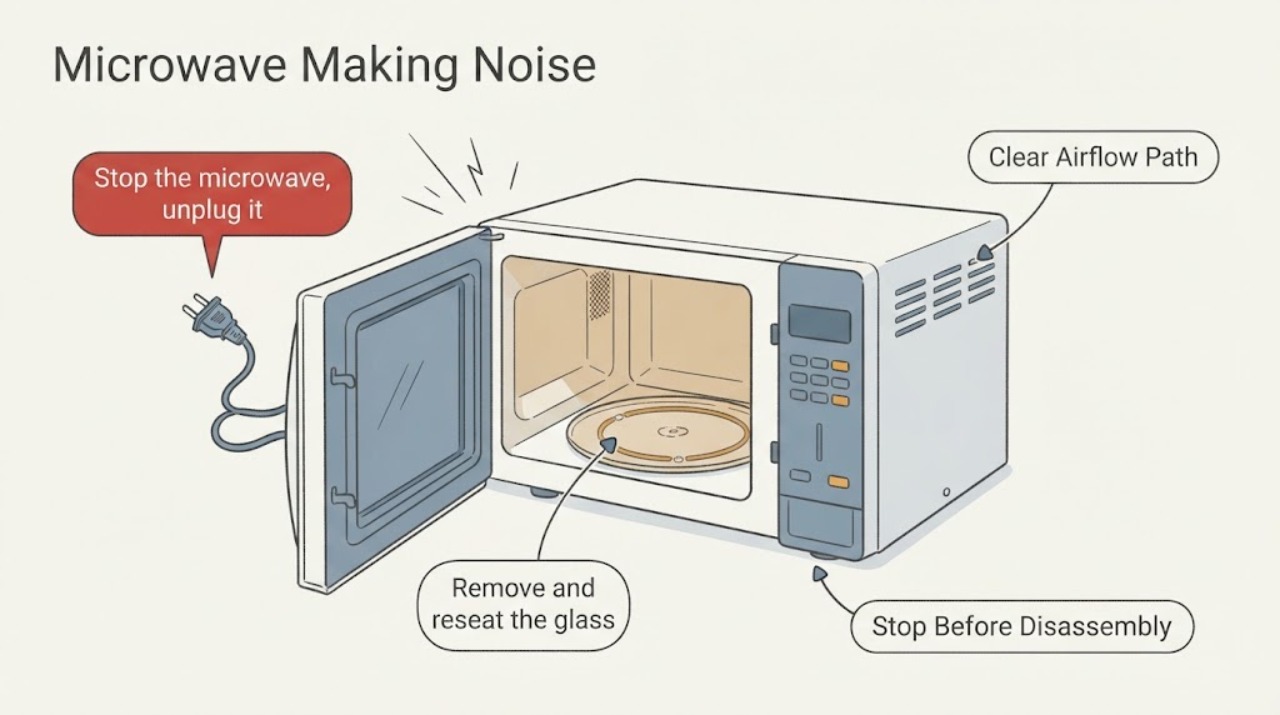
First locate the sound: a rhythmic thump usually follows the turntable or roller path, while a changing vent-fan sound can result from airflow back pressure. Reseat removable parts only after unplugging; persistent grinding, electrical buzzing, smoke, or sparking requires service.
Work through in order
Diagnostic checks
Use only checks that match the exact appliance or system and its official guide.
-
Check 1
Stop the microwave, unplug it, and identify whether the sound came from the cavity, turntable, or exterior vent fan.
Expected result: The noise is a rhythmic thump while the tray rotates, a steady hum/air noise from the vent, or a new scrape, grind, or electrical buzz.
Next step: Continue only with external and removable-part checks; do not remove the cabinet.
Why this matters
Why: A rotation-linked thump points to the tray/roller path; a vent-linked change can be normal fan behavior; scraping or electrical noise needs a closer safety boundary.
-
Check 2
Remove and reseat the glass turntable and roller support on a clean, level cavity floor, checking for food debris and a visibly damaged roller.
Expected result: The tray sits on the hub and rollers evenly, or it rocks, binds, or remains damaged.
Next step: Clean and reseat the parts, then test briefly with a cup of water; stop if scraping remains.
Why this matters
Why: Whirlpool links thumping or rumbling to incorrect turntable or roller assembly operation.
-
Check 3
If the sound is from the vent, check that the filter and duct opening are correctly installed and that airflow is not obviously blocked.
Expected result: The vent sound changes with speed and airflow, or there is vibration, burning smell, sparking, or a grinding fan.
Next step: Turn it off and arrange service for persistent abnormal noise or any electrical/smoke symptom.
Why this matters
Why: Back pressure can make a vent fan sound louder, while grinding or electrical symptoms suggest a mechanical or electrical fault.
Use your observations
Decision map
Find the observation that best matches what you see, then follow the next safe action.
-
PATH 01Next step
What you see
The sound occurs only as the turntable rotates and disappears after reseating the tray and rollers.
Do this next
Use the microwave with the turntable installed and monitor for recurrence.
Why this path and its safety boundary
Why it matters: The tray assembly was the likely source of the rhythmic noise.
-
PATH 02Next step
What you see
Noise is a harsh scrape, grinding, arcing-like buzz, or continues with a correctly seated turntable.
Do this next
Unplug the microwave and obtain qualified service; do not open the cabinet.
Why this path and its safety boundary
Why it matters: The source may be beyond user-removable parts, and continued operation could worsen damage.
Helpful context
Understand the symptom
This guide focuses on microwave making noise and uses the observed symptom to choose the next safe check.
When checks do not resolve it
Need a professional?
Arrange qualified service if the checks do not restore normal operation or if the appliance shows damaged wiring, burning smell, smoke, gas odor, sparking, or repeated tripping.
Common questions
FAQ
Can I run a microwave without its turntable?
No. Whirlpool says not to operate the microwave without the turntable in place.
Is a louder vent fan always a failure?
Not necessarily. GE notes duct or filter back pressure can make the vent fan increase speed and sound.
What if the noise is accompanied by sparks?
Stop immediately, unplug if safe, and arrange qualified service; do not investigate inside the cabinet.
Read the exact guide
Official sources
- Microwave - Vent Getting Louder or Changing SpeedsGE Appliances · microwave vent fan sound changes
- Thumping or Rumbling Noise - Countertop MicrowaveWhirlpool · microwave turntable noise
Community feedback
Share a repair observation
Share a plain-text repair observation. Accepted observations are published automatically; this page may take a moment to update.