
On this page
Start here
Quick answer
A microwave that runs but does not heat should first be separated from Demo mode, Control Lock, a low power setting, a door not fully closed, or an unsuitable power source. Whirlpool recommends a supervised water heat check and model-manual control checks. If controls and door are normal but food remains cold, stop owner troubleshooting because internal heating parts require professional service.
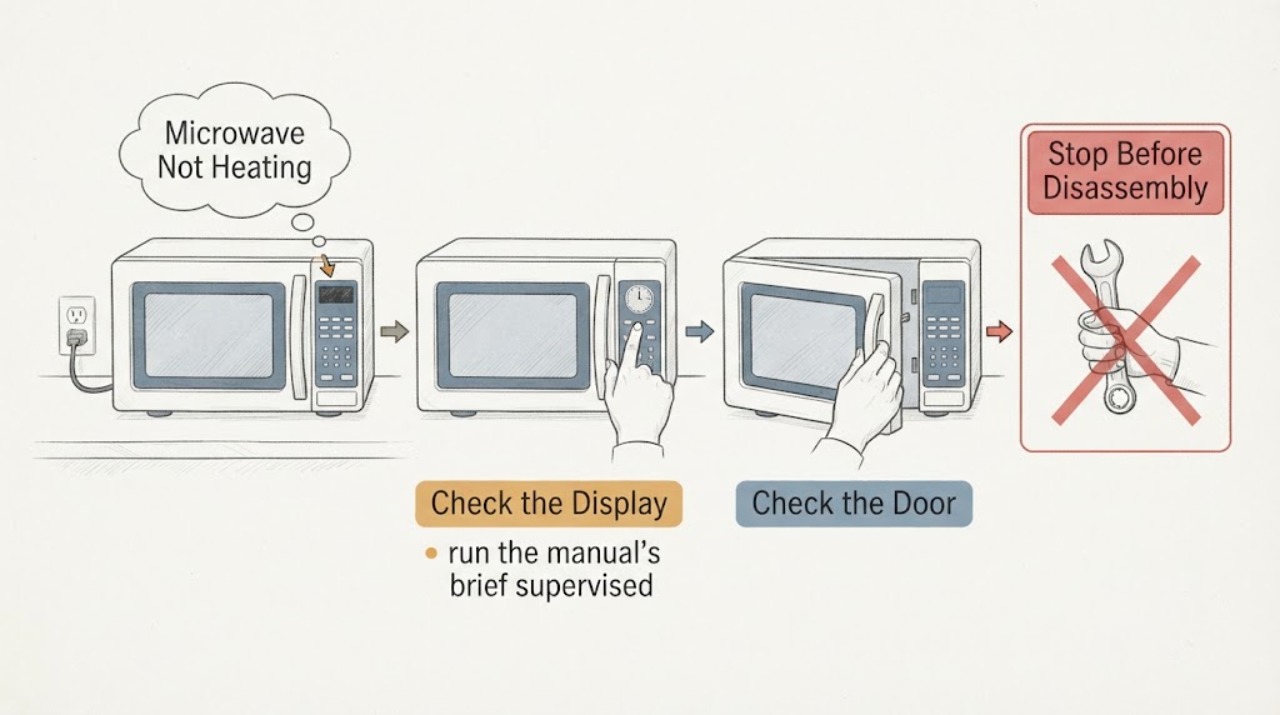
Work through in order
Diagnostic checks
Use only checks that match the exact appliance or system and its official guide.
-
Check 1
Confirm the plug and supply are normal, and check whether the display shows LOC, L or another control indication.
Expected result: The unit is dark, a lock/demo indication appears, or controls look normal.
Next step: Correct only the model-documented supply or control state.
Why this matters
Why: Supply or control state can prevent heating while lights and display still work.
-
Check 2
With a cup of water on the turntable, run the manual’s brief supervised high-power heat check.
Expected result: The water warms, stays cold, or the oven stops before completing.
Next step: Do not repeat tests if there is sparking, odor, smoke or abnormal heat.
Why this matters
Why: A heat rise confirms heating; cold water with normal operation points toward heating-system service.
-
Check 3
Check the selected power level, cooking time, door closure and whether Demo mode is enabled.
Expected result: The level was reduced, the door was not fully closed, or Demo mode is shown.
Next step: Use the exact manual to clear the state and make one attempt.
Why this matters
Why: These settings can make a microwave appear to run without normal heating.
Use your observations
Decision map
Find the observation that best matches what you see, then follow the next safe action.
-
PATH 01Next step
What you see
The microwave heats after clearing Control Lock, Demo mode, power level or door closure.
Do this next
Use the model’s normal cooking sequence.
Why this path and its safety boundary
Why it matters: A control or setup state was the likely cause.
-
PATH 02Next step
What you see
The display and turntable operate but the supervised water check remains cold with normal settings.
Do this next
Stop use and arrange qualified microwave service.
Why this path and its safety boundary
Why it matters: An internal heating, door-switch or related fault remains possible.
-
PATH 03Next step
What you see
There is sparking, smoke, burning odor or a damaged door/seal.
Do this next
Stop immediately and arrange qualified service.
Why this path and its safety boundary
Why it matters: This crosses the safety boundary.
Helpful context
Understand the symptom
A microwave that runs but does not heat should first be separated from Demo mode, Control Lock, a low power setting, a door not fully closed, or an unsuitable power source. Whirlpool recommends a supervised water heat check and model-manual control checks. If controls and door are normal but food remains cold, stop owner troubleshooting because internal heating parts require professional service.
Use the exact model manual for controls, access, cleaning and any code interpretation. Stop when a check reaches wiring, pressure, microwave high-voltage or another internal service boundary.
When checks do not resolve it
Need a professional?
Provide the exact model, observed symptom, any code or sound, and which safe checks changed it.
Common questions
FAQ
Why does a microwave run but not heat?
Demo mode, Control Lock, low power, the door signal and internal heating parts are separate possibilities.
Can I test it with food?
Use the model-supported supervised water check and stop for sparks, smoke, odor or abnormal heat.
Read the exact guide
Official sources
- Microwave is Not Heating - Countertop MicrowaveWhirlpool · microwave heating troubleshooting
- Microwave not heating: possible causes and fixesWhirlpool · microwave not-heating troubleshooting
Community feedback
Share a repair observation
Share a plain-text repair observation. Accepted observations are published automatically; this page may take a moment to update.