
On this page
Start here
Quick answer
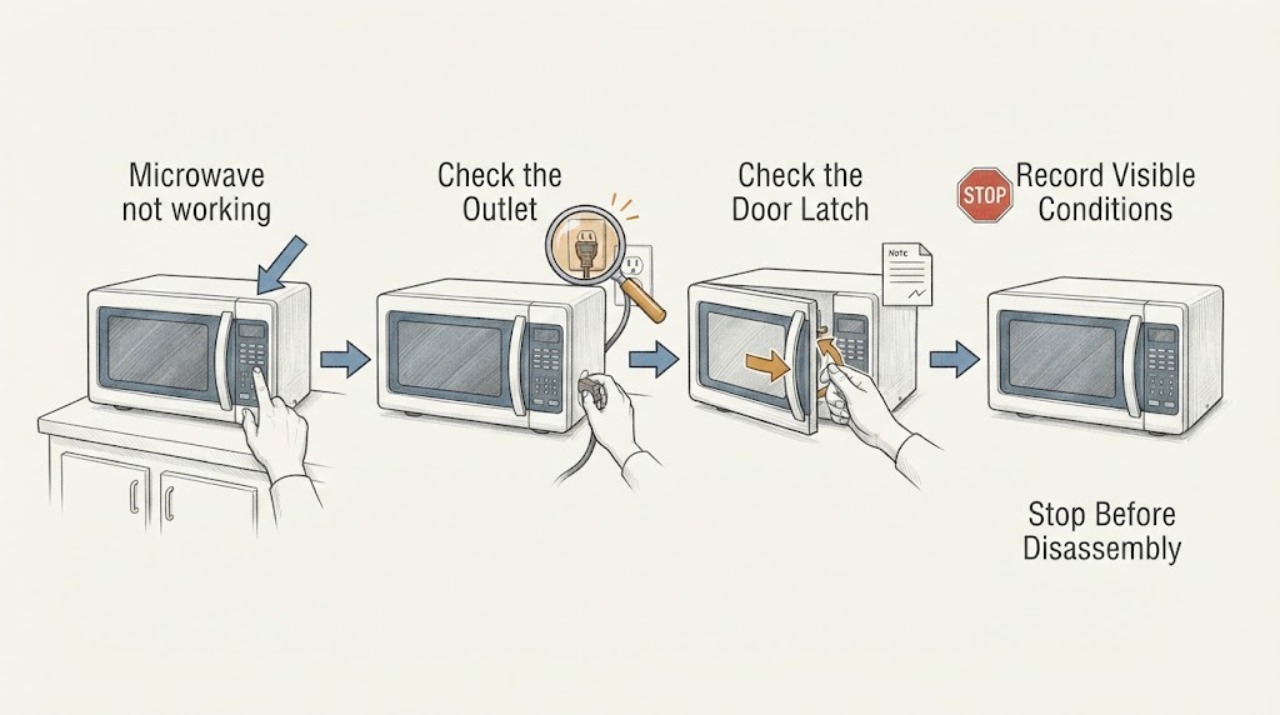
A microwave that is not working should be checked for household power, the control/display state, door closure, and a model-specific error. Verify the outlet or breaker without repeatedly resetting it, then use the exact manual’s clear/reset procedure once. Never remove the cabinet. Stop for sparks, smoke, burning odor, damaged cord, or a unit that trips the breaker and arrange qualified service.
Work through in order
Diagnostic checks
Use only checks that match the exact appliance or system and its official guide.
-
Check 1
Check whether display, interior light, fan, turntable, and controls respond, and test the outlet with another safe device.
Expected result: Whole unit dead, display works but cycle will not start, or cycle runs without heating.
Next step: Check breaker/outlet once and keep the oven closed; do not remove panels.
Why this matters
Why: These patterns separate supply/control/door issues from heating-system diagnosis.
-
Check 2
Confirm the door closes fully and inspect the visible latch area for food or obstruction.
Expected result: Door is ajar/damaged or closes normally but cycle still will not start.
Next step: Clean accessible residue and arrange service for latch/interlock concerns.
Why this matters
Why: Microwave interlocks prevent operation when door state is not confirmed.
-
Check 3
Record any error, lock icon, or message and follow the exact manual’s clear/off or control-unlock step.
Expected result: Message clears, returns, or display remains unresponsive.
Next step: Do one documented reset only and do not bypass interlocks.
Why this matters
Why: A model-specific control state may block operation; recurring message needs diagnosis.
-
Check 4
If there is no hazard, perform one documented power reset, then run one short supervised cycle with a cup of water.
Expected result: Cycle completes and heats, runs without heat, or trips/stops.
Next step: Stop for sparks, smoke, burning odor, abnormal heat, or breaker trip.
Why this matters
Why: A successful reset does not prove repair; no-heat or trip symptoms need service diagnosis.
Use your observations
Decision map
Find the observation that best matches what you see, then follow the next safe action.
-
PATH 01Next step
What you see
Display and outlet are dead.
Do this next
Check household power once; if outlet is good, arrange qualified microwave service.
Why this path and its safety boundary
Why it matters: Supply, fuse, cord, or internal power fault is possible.
-
PATH 02Next step
What you see
Display works but cycle will not start and door/lock indication is abnormal.
Do this next
Use the manual’s unlock/clear path; do not force or bypass the door.
Why this path and its safety boundary
Why it matters: Door interlock or control state is more likely.
-
PATH 03Next step
What you see
Cycle runs but does not heat after one safe reset.
Do this next
Stop repeated tests and arrange qualified service; do not open the cabinet.
Why this path and its safety boundary
Why it matters: Heating system or control diagnosis is required.
-
PATH 04Next step
What you see
Sparks, smoke, burning odor, abnormal heat, damaged cord, or breaker trip occur.
Do this next
Stop use and isolate power only if safe, then obtain qualified service.
Why this path and its safety boundary
Why it matters: Immediate safety boundary.
Helpful context
Understand the symptom
“Not working” may mean dead display, no heating with controls active, or a door/control lockout. Identify which stage fails.
Microwave high-voltage components are a professional boundary; cabinet removal is not an ordinary check.
When checks do not resolve it
Need a professional?
Arrange qualified microwave service for dead display with confirmed outlet power, no-heat operation, recurring error, door/interlock fault, or any cabinet-level diagnosis.
Common questions
FAQ
Why does a microwave have power but not heat?
If the display and cycle run but food stays cold, the heating system or control needs professional diagnosis. Do not open the cabinet.
Can I reset a microwave?
Record any message first, then use the exact manual’s one-time reset if no hazard is present. A returning fault needs service.
What if the display is completely blank?
Check the outlet and breaker once. If household power is present and the display stays dead, arrange qualified service.
Read the exact guide
Official sources
- No Beeps or Tones - Built-In MicrowaveWhirlpool · microwave control reset and manual guidance
- Questions? Use This Problem SolverGE Appliances · microwave no-operation, power, door and control checks
Community feedback
Share a repair observation
Share a plain-text repair observation. Accepted observations are published automatically; this page may take a moment to update.