
On this page
Start here
Quick answer
When a Miele washer dryer displays an error, record the exact message, code, symbols, active program, and whether water remains before clearing anything. Miele treats some messages as operating states, such as Add laundry or a delayed or paused program, while others point to a restricted water inlet, blocked drain, door-lock problem, leak-protection activation, heating fault, or general technical fault. Follow the exact model manual and Miele's matching support article, then perform at most one model-appropriate restart when the instructions allow it. If the same code returns, the waterproof system is active, the door cannot lock, water is leaking, a breaker trips, or the machine shows heat, smoke, or electrical damage, stop using it and arrange qualified Miele service.
Before you begin
Safety first
- Stop using the appliance for a waterproof-system message, leak, electrical damage, smoke, burning odor, sparking, or repeated supply trip. Keep the drum stationary before reaching in and do not bypass the door lock or open internal panels.
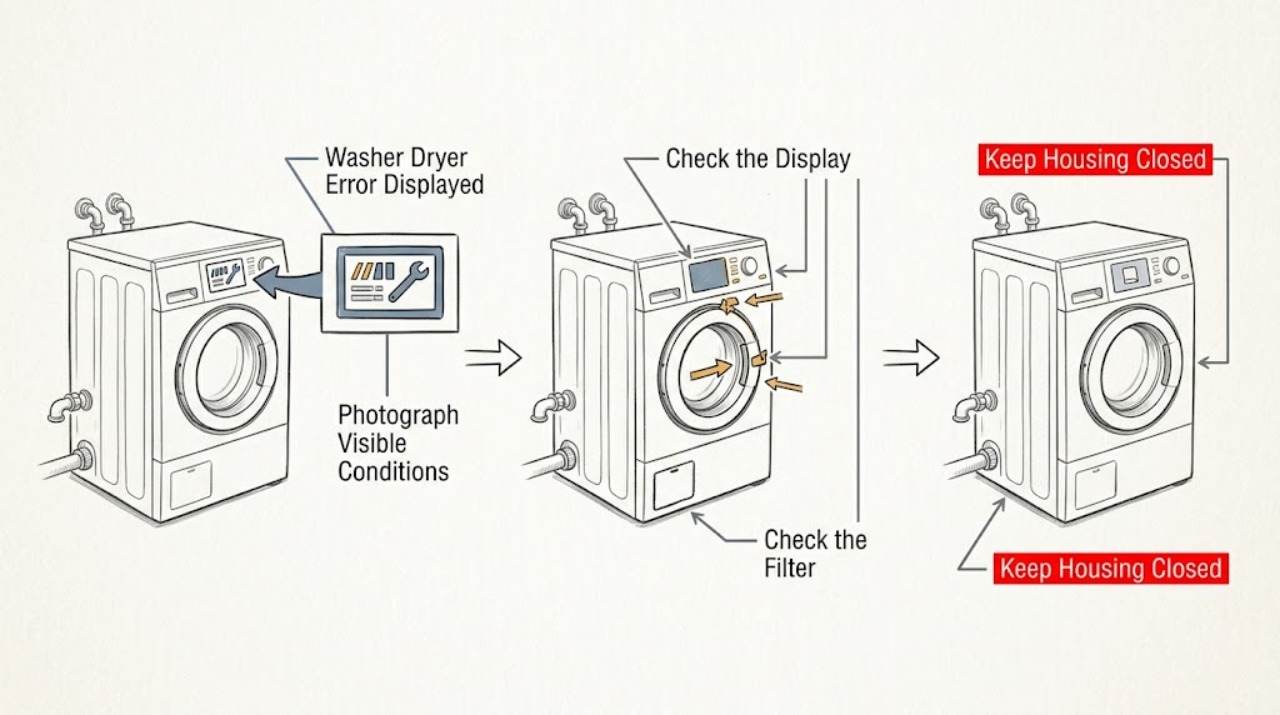
Work through in order
Diagnostic checks
Use only checks that match the exact appliance or system and its official guide.
-
Check 1
Photograph or write down the entire display, including letters, numbers, symbols, flashing indicators, and any text on a second line. Record whether the machine is washing, rinsing, spinning, drying, or idle; whether the door is locked; whether water is in the drum; and whether a buzzer or unusual odor occurred.
Expected result: The message is an informational state such as Add laundry, a named inlet or drain warning, a door or waterproof warning, a numbered fault, or a general technical-fault message.
Next step: Keep the code available and follow the matching branch below. Do not substitute a similarly worded code from another Miele model or clear the display before recording it.
Why this matters
Why: The message category changes the next action. Miele documents Add laundry as a state that can continue after the door is closed, while named water, door, leak, heating, and technical messages point to distinct checks or service boundaries.
-
Check 2
If the display says Add laundry or indicates that the door can be opened, close the door fully after adding or removing items and press the documented Start/Add laundry control once. If the display shows a PIN, lock, pause, or delay state instead, use the exact model manual for that control rather than repeatedly pressing Start.
Expected result: The message clears and the program resumes; the display remains in the same operating state; or the machine changes to a fault message.
Next step: If the program resumes normally, monitor it. If the door will not close or the display changes to a fault, stop trying to force the cycle and continue with the recorded-code or service branch.
Why this matters
Why: Miele says Add indicates that the door can be opened for laundry and that the program continues after the door is closed and the start control is touched. A persistent lock, pause, or delay state is a control condition, while a new technical message needs its own code-specific path.
-
Check 3
For Water inlet fault or a matching inlet indicator, confirm the faucet is open and inspect the accessible inlet hose for kinks or loops. If the exact manual permits filter cleaning, close the faucet first, follow that manual's hose and filter procedure, reinstall every seal and filter, and check the connection for leaks before restarting.
Expected result: The faucet was closed, the hose was kinked, the inlet filter was restricted, the connection leaks after reassembly, or the accessible inlet path is normal.
Next step: Correct only an obvious faucet or hose issue and run one appropriate program. If the hose is damaged, the connection leaks, water pressure is inadequate, or the message returns, stop and arrange Miele service or qualified plumbing help.
Why this matters
Why: Miele identifies a closed faucet, restricted inlet filter, kinked hose, low water pressure, or a technical fault as possible causes. A leak after reassembly is an immediate stop condition; a normal external inlet path with a recurring message points to service rather than repeated filter work.
-
Check 4
For Drain, Drain fault, or a flashing drain indicator, note whether water remains and whether the drain hose is kinked or routed too high. If the model manual and the water temperature make it safe, switch the machine off, place a suitable container under the access area, and follow the manual's gradual drain-filter procedure; keep the filter from being fully removed while water is flowing and refit it tightly afterward.
Expected result: The hose is kinked or too high, the filter or pump contains a visible foreign object, a large quantity of water remains, water leaks after refitting, or the drain path is clear but the error returns.
Next step: Correct an obvious hose route issue or complete only the model-approved filter procedure. If water is hot, the filter cannot be safely accessed, a leak appears, or the code returns, stop and call service.
Why this matters
Why: Miele identifies restricted drainage, a kinked or high hose, and a blocked drain filter or pump as possible causes. Hot water can scald, and a filter that is not refitted tightly can leak. A clear external path with recurring drainage errors needs service diagnosis.
-
Check 5
For a door-lock message such as F34, check that the drum is not overloaded and that clothing is not caught in the door seal or preventing closure. Close the door normally and use the model's documented restart procedure once; never hold, tape, or defeat the lock to make the program run.
Expected result: Reducing the load allows the door to lock and the program starts; the door still will not lock; or the same door-lock code returns with a normal load.
Next step: If a smaller load resolves the message, monitor the next cycle. If the door still will not lock or the code returns, stop operation and arrange qualified Miele service.
Why this matters
Why: Miele lists overloading as one possible F34 condition, but a returning door-lock fault can be technical. The lock is a safety function, so a failed latch or interlock should be handled by service rather than bypassed.
-
Check 6
For a general Technical fault, an exclamation mark with Technical fault, F20 or Heating fault, Waterproof system activated, or any code that returns after the model-directed restart, turn the machine off and disconnect it only as the support instructions and local installation permit. Reconnect once, start the recommended program, and record whether the same message returns.
Expected result: The program completes after one restart; the same code returns; water is detected underneath; the machine cannot drain or unlock; or a breaker trips or there is smoke, burning odor, or electrical damage.
Next step: If the message returns or any safety symptom is present, stop using the machine and provide the exact code, model number, program, water state, and restart result to Miele Service. Do not open panels or continue clearing codes.
Why this matters
Why: Miele allows a single restart for several technical or heating faults, but directs owners to service when the message persists. Waterproof-system activation indicates an internal leak, while a breaker event or visible damage raises an immediate electrical safety concern.
Use your observations
Decision map
Find the observation that best matches what you see, then follow the next safe action.
-
PATH 01Next step
What you see
The display says Add laundry or another documented operating state and no fault is present
Do this next
Close the door and use the model's Start/Add laundry control once; monitor whether the program resumes.
-
PATH 02Next step
What you see
The message identifies a water inlet fault and the faucet is closed or the accessible hose is kinked
Do this next
Open the faucet or remove the kink, check for leaks, and run one appropriate program. Escalate a returning code or damaged hose.
-
PATH 03Next step
What you see
A drain message appears with water remaining, a kinked hose, or a restricted filter or pump
Do this next
Follow the exact model's safe drain and filter instructions, accounting for hot water and leak risk. Call service if the path cannot be safely cleared or the code returns.
-
PATH 04Next step
What you see
F34 or a door-lock message appears with an overloaded drum or an item blocking closure
Do this next
Reduce the load or clear only an obvious obstruction, close the door normally, and test once. Do not bypass the lock.
-
PATH 05Next step
What you see
A technical, heating, waterproof, or other numbered fault returns after one documented restart
Do this next
Stop user diagnosis and arrange qualified Miele service with the exact code and model information.
Helpful context
Understand the symptom
An error display is a decision point, not a diagnosis by itself
Miele's support index lists many washer and washer-dryer display messages, including water inlet and drainage faults, door-lock faults, heating faults, technical faults, detergent or dosing messages, and waterproof-system activation. The same appliance family can use different wording and controls by model. Preserve the exact display and use the corresponding model manual or Miele support entry before selecting a repair part.
Separate an operating message from a fault
A message such as Add laundry can indicate that the door may be opened to add or remove items, while a technical-fault message tells you to restart once and contact service if it returns. A water or leak message has a different safety priority from a display that simply pauses during heating. Do not erase a code before recording it, because the code and the conditions around it help service identify the affected system.
Safety boundary
Stop conditions
- Stop immediately for a Waterproof system message, water leaking underneath, smoke, burning odor, sparking, damaged cord, repeated breaker trips, or water near electrical connections; close the water supply when the model guidance calls for it and arrange service.
- Do not reach into a moving drum, force or bypass a door lock, remove electrical panels, or work on internal wiring as a user check.
- Do not open a drain filter fully while hot water is present, and do not continue if the drain procedure cannot contain the water safely or the refitted filter leaks.
- Stop after one model-directed restart when the same code returns, a general technical fault persists, or the machine cannot safely complete the program.
Only after diagnosis
Potential parts
- water inlet valve or inlet filter assembly
Only consider this part class if the faucet and hose are normal but a technician confirms restricted or failed inlet hardware after the displayed inlet fault recurs.
Confirm the exact Miele model, water configuration, and diagnosed component before ordering. - drain pump or drain filter assembly
Only consider this class if the hose route and accessible filter are clear but a technician confirms a blocked or failed pump or drain assembly.
Confirm the exact model and filter or pump configuration; account for residual water and follow the approved service procedure. - door lock or interlock assembly
Only consider this part class if the door closes and the load is appropriate but a technician confirms that the lock or interlock is causing a returning door-lock fault.
Confirm exact model fitment and safety procedure; never bypass the lock. - heating or control component
Only consider this class if a technician isolates a heating or control fault after the exact displayed code and one documented restart point to that system.
Do not select a component from the code alone; confirm the exact model and professional diagnosis.
When checks do not resolve it
Need a professional?
Call qualified Miele service when an error returns after its model-directed remedy or one restart, the door cannot lock, the waterproof system activates, the machine leaks, a drain or inlet path is clear but the fault remains, a heating fault persists, or any electrical or heat-damage symptom occurs.
Safety scope: Stop using the appliance for a waterproof-system message, leak, electrical damage, smoke, burning odor, sparking, or repeated supply trip. Keep the drum stationary before reaching in and do not bypass the door lock or open internal panels.
Have this ready
- Miele model number and serial information if available
- exact display text, code, and symbols
- whether the message appeared during washing, spinning, or drying
- whether water remained or leaked underneath
- whether the door locked and whether the drum was overloaded
- faucet, inlet hose, drain hose, and filter observations
- whether one model-directed restart changed the result
- any breaker trip, smoke, odor, sparking, or visible damage
Common questions
FAQ
What should I do first when my Miele washer dryer shows an error?
Record the exact code, text, symbols, program, water state, and door state before turning the machine off. Then use the matching Miele support article or exact model manual; do not guess from a similar code.
Can I reset a Miele washer dryer error?
For several Miele technical, heating, or door-lock messages, Miele gives a model-appropriate off, disconnect, reconnect, and restart sequence. Perform it once only when the support instructions and local installation make it safe. If the same message returns, contact service.
What does a Miele water inlet fault mean?
Miele identifies a closed faucet, restricted inlet filter, kinked hose, low water pressure, or a technical fault. Check only the accessible faucet and hose first; if a filter procedure is allowed by the model manual, close the faucet and check for leaks after reassembly.
When is a Miele washer dryer error an emergency stop condition?
Stop for a Waterproof system message, an underneath leak, smoke, burning odor, sparking, damaged electrical parts, repeated breaker trips, or unsafe hot water during drain access. Keep the drum stationary and arrange qualified service rather than continuing to clear the code.
Read the exact guide
Official sources
- Fault F138 appears on the display of the washing machine/washer-dryer.Miele USA · Official Miele USA guidance for F138 and water detected in the drip tray.
- The washing machine display shows fault F34, Door lock, contact Miele Service, or The door will not lock.Miele USA · Official Miele USA guidance for F34 or a door-lock message; exact door and lock construction vary by model.
- Water inlet fault appears in the display of the washing machine/washer-dryer.Miele USA · Official Miele USA guidance for an inlet fault displayed on a washer or washer-dryer.
- The Drain indicator light flashes on the washing machine/washer-dryer.Miele USA · Official Miele USA guidance for a flashing drain indicator on a washer or washer-dryer.
- Fault F20 or Heating fault is shown on the display of the washing machine/washer-dryer.Miele USA · Official Miele USA guidance for F20 or Heating fault on a washer or washer-dryer.
- Troubleshooting for Display messages & light indicators problem with Miele WasherMiele USA · Official Miele USA index showing the range of washer display-message categories; each model may have different wording and procedures.
- ADD appears in the display of the washing machine/washer-dryer/tumble dryer.Miele USA · Official Miele USA guidance for the ADD message on applicable washing, washer-dryer, and tumble-dryer models.
- Techn. fault, contact Service appears in the display on the washing machine/washer-dryer.Miele USA · Official Miele USA guidance for a general technical fault on a washer or washer-dryer.
Community feedback
Share a repair observation
Share a plain-text repair observation. Accepted observations are published automatically; this page may take a moment to update.