
On this page
Start here
Quick answer
On a Moffat refrigerator, frost usually means humid air is entering through a door that is not sealing, food or packaging is blocking an air path, or the unit needs its documented defrost process. Check the door and gasket first, then the loading and frost pattern. Do not chip ice with a sharp tool or remove panels; if frost returns after the safe external checks, arrange model-specific service.
Before you begin
Safety first
- Do not chip ice, use a sharp tool or forced heat, remove covers, or test live wiring. Unplug only from a dry, safe position if water reaches electrical parts.
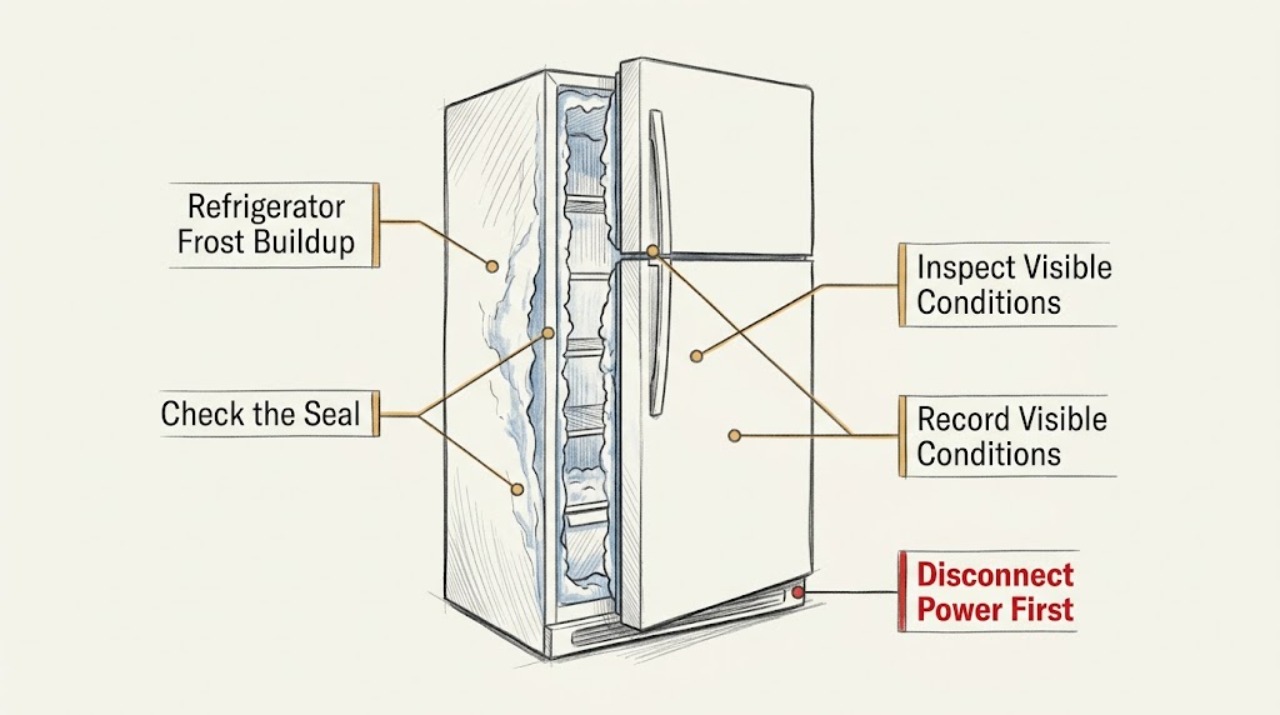
Work through in order
Diagnostic checks
Use only checks that match the exact appliance or system and its official guide.
-
Check 1
Close the refrigerator and freezer doors and inspect the full gasket perimeter for dirt, folds, tears, or a section that does not contact the cabinet. Check that a shelf, bin, or package is not holding a door open.
Expected result: A gasket or door obstruction leaves a visible gap, or the doors close evenly against a clean seal.
Next step: Remove only the accessible obstruction and clean and dry the gasket as the manual describes. Do not cut, glue, or heat the seal as a repair.
Why this matters
Why: A closing gap admits humid room air and can create frost; an even seal makes loading, airflow, and an internal defrost fault more likely.
-
Check 2
Look for food or containers pressed against the rear wall or covering the visible air intake or outlet. Note whether frost is on the wall, shelves, packages, or around an air passage.
Expected result: Stored items block an air path or touch a cold wall, or the vents and rear clearance are open.
Next step: Reposition items with space around the vents and keep food covered. Recheck whether new frost forms in the same location after normal use.
Why this matters
Why: Blocked circulation and warm, uncovered food add localized moisture and cold spots; clear loading shifts suspicion away from a simple airflow cause.
-
Check 3
Record whether the frost is a light, broad layer or a heavy patch that returns soon after thawing, and check the Moffat control panel for a repeating indicator pattern.
Expected result: Frost is light and follows an open-door event, or heavy frost returns and an indicator pattern is present.
Next step: Use the exact model manual to interpret any indicator. Do not remove the evaporator cover or attempt to test a defrost sensor.
Why this matters
Why: A one-time moisture event can be normal; recurrent heavy frost or a documented defrost indication points beyond a storage adjustment.
-
Check 4
If the model manual permits manual defrosting, unplug the refrigerator, protect the food, allow ice to melt naturally, and dry the compartment before restoring power. Do not use a knife, pick, heater, or other sharp or forced method.
Expected result: Frost clears and stays away after the seal and loading checks, or it returns in the same area.
Next step: Arrange Moffat service for returning frost, an error indication, damaged insulation, or frost behind a panel. Keep the appliance unplugged if water reaches electrical parts.
Why this matters
Why: A stable result supports a moisture or airflow cause; rapid recurrence after a complete safe thaw suggests a defrost, seal, or airflow fault.
Use your observations
Decision map
Find the observation that best matches what you see, then follow the next safe action.
-
PATH 01Next step
What you see
Frost stops after a door obstruction is removed and the gasket is cleaned
Do this next
Keep the seal clean, avoid overloading door bins, and monitor the same frost location.
Why this path and its safety boundary
Why it matters: Moist room air entering through the closing path was supported as the cause.
-
PATH 02Next step
What you see
Frost is concentrated where food blocks a vent or touches the rear wall
Do this next
Leave clearance around the air path and covered food; request service if the pattern persists with clear loading.
Why this path and its safety boundary
Why it matters: A local airflow or cold-surface condition is more likely than a confirmed component failure.
-
PATH 03Next step
What you see
Heavy frost returns soon after a safe thaw, or the panel repeats a documented error pattern
Do this next
Stop scraping and arrange model-specific service; provide the frost location, recurrence time, and indicator pattern.
Why this path and its safety boundary
Why it matters: An internal defrost, sensor, or airflow problem remains possible and cannot be identified safely from outside.
Helpful context
Understand the symptom
Use the frost pattern as a clue
A thin patch after a door was left open is different from thick frost that returns in one area after thawing. The Moffat manual identifies door closure, dirty seals, blocked air intake, and defrost-sensor errors as separate clues, so record the location before changing settings.
When checks do not resolve it
Need a professional?
Arrange service when frost returns after a safe thaw and external seal/loading checks, an indicator pattern repeats, a gasket is damaged, or ice is behind a panel.
Safety scope: Do not chip ice, use a sharp tool or forced heat, remove covers, or test live wiring. Unplug only from a dry, safe position if water reaches electrical parts.
Have this ready
- Provide the Moffat model, frost location, door and gasket observations, whether the vents were clear, how quickly frost returned, and any indicator pattern.
Common questions
FAQ
Can I scrape frost from a Moffat refrigerator with a knife?
No. Use the model's documented defrost process and let ice melt safely. A sharp tool can damage the refrigeration circuit; arrange service if frost is hidden or returns.
Why does Moffat refrigerator frost return after I clear it?
First recheck door closure, gasket contact, and blocked vents. If those are clear and frost quickly returns, an internal defrost or airflow problem needs model-specific service.
Read the exact guide
Official sources
- Refrigerator - Frost in FreezerGE Appliances · Refrigerator frost, door closure, gasket, leveling, and service guidance
- Moffat MBE19D* / UR-BCD520WE1-SQ Owner's ManualGE Appliances Canada / Moffat · This manual applies directly only to the models it lists. This article has no specific model, so it is used only for general visible checks and safety boundaries; use the appliance's own manual for specific controls and parts.
Community feedback
Share a repair observation
Share a plain-text repair observation. Accepted observations are published automatically; this page may take a moment to update.