
On this page
Start here
Quick answer
Check the Moffat temperature controls, door closure, gasket, airflow, and recent installation or loading before assuming a sealed-system failure. Compare whether the freezer is also warm and note any heavy frost or interior light that stays on. If safe external checks do not restore cooling, protect perishable food and arrange service; do not open the refrigeration circuit or control area.
Before you begin
Safety first
- Do not open the refrigeration circuit, remove energized covers, or test live wiring. Protect food and isolate power only from a dry, safe position for visible damage or water.
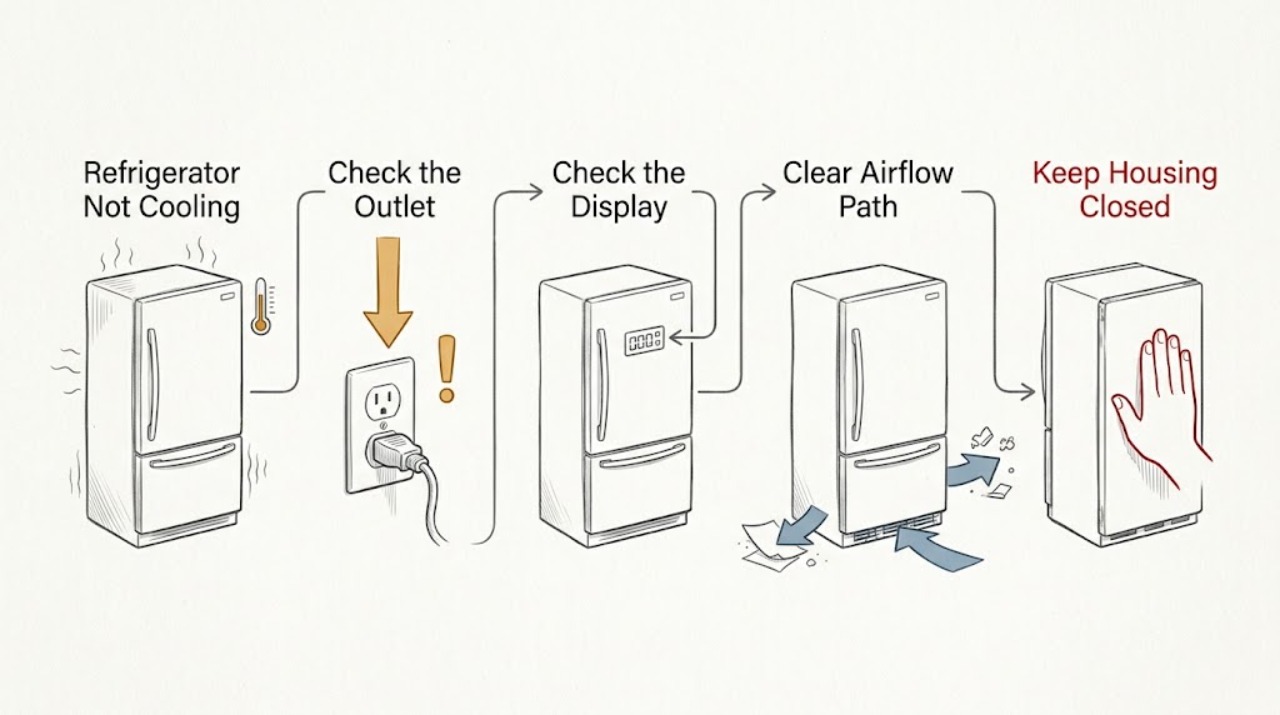
Work through in order
Diagnostic checks
Use only checks that match the exact appliance or system and its official guide.
-
Check 1
Check that the Moffat refrigerator is firmly plugged into the intended grounded outlet, that the controls are not in standby or off, and that the compressor or fan has any normal operating sound.
Expected result: The outlet and controls are normal but the cabinet is warm, or there is no light, sound, or response.
Next step: Perform only a safe plug and control check. Do not remove panels or test voltage; arrange electrical or appliance service for a live outlet with no response.
Why this matters
Why: A fully dark appliance points to power or control first; power with cooling failure shifts the check to settings, airflow, frost, and service-level cooling components.
-
Check 2
Read the refrigerator and freezer controls and confirm they are set according to the exact Moffat manual. If the unit was newly installed, moved, or recently unplugged, allow the manual's stabilization period before judging cooling.
Expected result: A control was off or unusually warm, or settings are normal and the appliance has had time to stabilize.
Next step: Correct only the documented setting and reassess without repeatedly changing controls. Protect food while the cabinet returns to temperature.
Why this matters
Why: A setting or recent restart can explain temporary warmth; normal settings after stabilization make door, airflow, frost, or internal cooling faults more likely.
-
Check 3
Inspect the door perimeter, gasket, leveling, and shelves or bins for a package preventing closure. Leave the rear air intakes and outlets clear and note whether frost blocks an air path.
Expected result: A door gap, dirty gasket, blocked vent, or heavy frost is present, or closure and airflow are clear.
Next step: Remove safe obstructions, clean and dry the gasket, and follow the model's safe defrost instructions. Never chip frost with a sharp tool.
Why this matters
Why: Warm-air entry, blocked circulation, and frost can reduce cooling without proving a compressor fault; clear external paths narrow the diagnosis.
-
Check 4
Close the refrigerator door slowly and observe whether an interior light goes out as the door nears closed. Compare the freezer and fresh-food temperatures and note whether only one compartment is affected.
Expected result: The light stays on, only the refrigerator is warm, only the freezer is warm, or both compartments are warm.
Next step: Correct only the visible closure problem. Arrange service if cooling remains poor after the model-approved external checks or if either compartment is unsafe for food.
Why this matters
Why: A light that remains on can add heat; a one-compartment pattern suggests airflow or distribution, while both warm compartments need broader service diagnosis.
Use your observations
Decision map
Find the observation that best matches what you see, then follow the next safe action.
-
PATH 01Next step
What you see
The controls were off or the refrigerator is still within its documented startup/stabilization period
Do this next
Restore the documented setting, keep doors closed, and reassess after the manual's stabilization period.
Why this path and its safety boundary
Why it matters: A setting or normal restart delay is more likely than a failed cooling component.
-
PATH 02Next step
What you see
One door does not seal, a vent is blocked, or heavy frost surrounds an air path
Do this next
Correct the accessible obstruction or use the model's safe defrost process, then arrange service if the pattern returns.
Why this path and its safety boundary
Why it matters: Warm-air entry or restricted circulation is supported as a cause of poor cooling.
-
PATH 03Next step
What you see
Both compartments remain warm with normal power, settings, closure, and airflow
Do this next
Protect food, leave the symptom available for the technician as appropriate, and arrange qualified Moffat service without opening the sealed system.
Why this path and its safety boundary
Why it matters: An internal fan, control, compressor, or sealed-system issue remains possible and cannot be confirmed safely outside the service boundary.
Helpful context
Understand the symptom
Separate a warm cabinet from a blocked air path
A refrigerator can run longer after a large load or frequent door openings, while a warm freezer and refrigerator together point to a broader cooling problem. Record temperatures by compartment and the timing of the change before adjusting several controls.
When checks do not resolve it
Need a professional?
Arrange service when both compartments stay warm after safe power, setting, door, airflow, and frost checks, when one compartment remains warm, or when a fan, control, compressor, or sealed system may be involved.
Safety scope: Do not open the refrigeration circuit, remove energized covers, or test live wiring. Protect food and isolate power only from a dry, safe position for visible damage or water.
Have this ready
- Provide the Moffat model, compartment temperatures, control settings, startup history, door/gasket and airflow observations, frost location, and whether the interior light stays on.
Common questions
FAQ
How long should a Moffat refrigerator take to cool after startup?
Use the exact Moffat manual for the model's startup guidance. Keep the doors closed and protect food while the compartments stabilize; persistent warmth after that period needs service.
Can a Moffat refrigerator light that stays on cause poor cooling?
Yes, a door or switch condition that leaves the interior light on can add heat. Correct only the visible closure issue and arrange service if the light or cooling symptom persists.
Read the exact guide
Official sources
- Moffat MBE19D* / UR-BCD520WE1-SQ Owner's ManualGE Appliances Canada / Moffat · This manual applies directly only to the models it lists. This article has no specific model, so it is used only for general visible checks and safety boundaries; use the appliance's own manual for specific controls and parts.
- Refrigerator - Not Cooling EnoughGE Appliances · Refrigerator temperature, doors, airflow, condenser, interior light, and service guidance
Community feedback
Share a repair observation
Share a plain-text repair observation. Accepted observations are published automatically; this page may take a moment to update.