
On this page
Start here
Quick answer
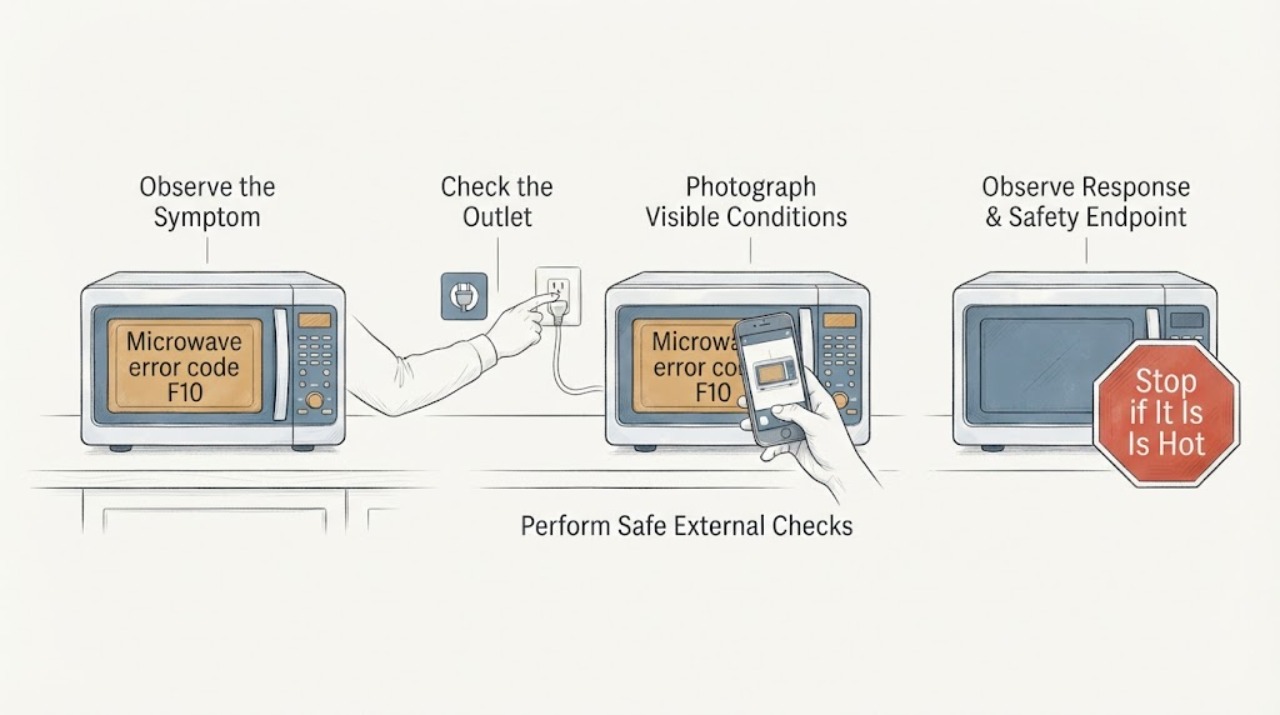
GE Appliances' microwave fault-code table lists F10 as a shorted touch screen, but Monogram microwave platforms can vary, so confirm the full model before applying that interpretation. If there are no sparks, smoke, burning odor, damaged door, hot plug, or repeat breaker trips, press Stop/Cancel once, then remove power at the microwave's outlet or supplying breaker for 30 seconds and restore it once. If F10 returns, the touch controls behave abnormally, or the oven is unsafe, stop using it and arrange model-specific authorized service. Do not open the microwave cabinet or defeat its door interlocks.
Work through in order
Diagnostic checks
Use only checks that match the exact appliance or system and its official guide.
-
Check 1
Stop the microwave and perform a safety triage before pressing more keys. Look and listen for sparks, smoke, burning odor, a hot plug or outlet, a cracked or misaligned door, liquid around the appliance, or a breaker that trips again.
Expected result: Any of those hazards is present, or the unit appears normal aside from the F10 display.
Next step: For a hazard, stop all use, isolate power only when it can be done without touching a damaged or wet electrical part, keep the door and cabinet closed, and obtain qualified appliance or electrical help. Otherwise continue to identify the model without opening the enclosure.
Stop if: Do not continue testing after sparks, smoke, burning odor, damaged door or interlock area, hot electrical parts, liquid near the outlet, or a repeat breaker trip.
Why this matters
Why: A hazard changes the task from code interpretation to safe isolation; a normal external condition leaves room for one controlled reset and observation.
-
Check 2
Photograph the display and read the complete rating-plate identity, including the full Monogram model number and serial information, without moving a built-in unit or removing a panel. Confirm that the indication is F10 rather than F1, F01, or another code or symbol.
Expected result: The display and model are clear, the display is ambiguous, or the model label cannot be reached safely.
Next step: Use the exact Monogram model page or owner information to confirm the code before relying on the F10 interpretation. If the identity remains unclear, stop code-specific troubleshooting and give the photo and rating-plate details to authorized service.
Stop if: Do not pull out a built-in microwave, remove trim, or expose wiring to find the label.
Why this matters
Why: F10's documented meaning is tied to the GE Appliances microwave code table, while Monogram model documentation is model-specific. An ambiguous code or missing identity cannot establish which control platform is installed.
-
Check 3
With no safety hazard, press Stop/Cancel once to clear a retained program, then unplug the microwave or turn off only the supplying house circuit breaker for 30 seconds. Restore power once and watch the display before repeatedly pressing the touch panel.
Expected result: F10 clears and the controls respond normally, F10 returns immediately, or the display remains abnormal or the breaker trips.
Next step: If the code returns or power behaves abnormally, stop using the microwave and arrange model-specific authorized service. If it clears, proceed to one cautious normal-operation check only when the door and cavity are sound.
Stop if: Do not cycle the breaker repeatedly, use an extension cord as a workaround, or open the control panel.
Why this matters
Why: The official GE guidance treats a single 30-second power interruption as a way to clear a temporary control condition; a returning F10 or abnormal controls is consistent with the documented shorted-touch-screen path and needs service rather than repeated resets.
-
Check 4
Only if F10 cleared, the model identity is recorded, the door closes correctly, and there is no hazard, run one normal Cook cycle using a microwave-safe cup or bowl containing water; never run the cavity empty. Observe touch response, starting, warming, and any renewed code, spark, smoke, or odor.
Expected result: The controls and cycle work normally, the oven starts but does not heat, F10 reappears, or a spark, smoke, or burning odor occurs.
Next step: Stop and arrange authorized service for a returning code, abnormal controls, no heat, sparks, smoke, odor, or any door/interlock concern. If the cycle is normal, use the exact model instructions and monitor for recurrence rather than ordering a part from the code alone.
Stop if: Never test an empty cavity or continue a cycle with arcing, smoke, burning odor, damaged door, or an abnormal electrical smell.
Why this matters
Why: Normal operation after one reset makes a temporary control state more plausible but does not prove the touch screen is repaired. A renewed F10 points back to the control fault; cold food or any arcing/odor requires a separate heating or safety service path.
-
Check 5
If the display is lit after the reset, touch one ordinary control once and observe whether it registers one response, no response, a stuck response, or multiple/ghost responses. Do not use service-mode key combinations.
Expected result: A single touch works as expected, keys remain dead, or the panel registers repeated or unrelated inputs.
Next step: For any abnormal input, stop using the microwave and report the F10 photo, model, reset result, and observed input behavior to authorized service. For normal input, use the exact model's ordinary controls only.
Stop if: Do not pry keys, remove the panel, defeat interlocks, or probe internal wiring.
Why this matters
Why: A persistent dead, stuck, or ghost-input panel is more consistent with the F10 touch-control fault than with a lock or unfinished program; a normal single response after reset does not eliminate recurrence risk.
-
Check 6
Inspect only the visible door edge and latch area for debris, misalignment, or damage while the microwave is stopped. Close the door normally; do not press or defeat the interlock to make a test run.
Expected result: The door closes squarely and the latch area is intact, or the door is damaged, loose, blocked, or will not latch.
Next step: Remove only loose visible debris if safe. For damage, misalignment, or a door that will not latch, keep the microwave off and request authorized service; do not attribute that symptom to a touch-screen part.
Stop if: Do not operate with the door open, defeat an interlock, remove the door, or open the cabinet.
Why this matters
Why: A sound door permits only the limited external check above; door or interlock damage is a safety boundary and can make a code or no-start symptom unsafe to investigate further.
Use your observations
Decision map
Find the observation that best matches what you see, then follow the next safe action.
-
PATH 01Next step
What you see
F10 clears after one 30-second external power reset, the exact Monogram model is recorded, the door is sound, and one water-containing Cook cycle responds and heats normally.
Do this next
Use the exact model instructions, monitor normal operation, and arrange service if F10 or abnormal touch behavior returns.
Why this path and its safety boundary
Why it matters: A temporary control state is more plausible than a confirmed persistent shorted touch screen, but the reset is not a repair and the official code meaning remains model-gated.
-
PATH 02Next step
What you see
F10 returns after the reset, the touch panel is dead/stuck/ghost-activating, or the display remains abnormal.
Do this next
Stop using the microwave, keep the cabinet closed, and request model-specific authorized service with the display photo, full model, serial information, reset result, and touch behavior.
Why this path and its safety boundary
Why it matters: The pattern is consistent with the official GE microwave table's shorted-touch-screen interpretation and is not a safe user-level part diagnosis.
-
PATH 03Next step
What you see
The code cannot be confirmed as F10, the exact model documentation gives a different meaning, or the model identity is missing.
Do this next
Stop interpretation, preserve the display and rating-plate evidence, and use the exact Monogram owner information or authorized service path.
Why this path and its safety boundary
Why it matters: The GE Appliances F10 table cannot safely be treated as universal across Monogram platforms; code-specific diagnosis is unresolved.
-
PATH 04Next step
What you see
Sparks, smoke, burning odor, a damaged door or interlock, a hot plug/outlet, liquid near electrical parts, no heat, or a repeated breaker trip occurs.
Do this next
Stop use, isolate power only when safe, keep the cabinet closed, and obtain qualified appliance or electrical service.
Why this path and its safety boundary
Why it matters: A heating, door, water, or electrical safety event takes priority over the F10 interpretation.
Helpful context
Understand the symptom
Treat F10 as a control fault, not a user-replaceable part diagnosis
GE Appliances' opened microwave code table identifies F10 as a shorted touch screen and says fault codes should be diagnosed and corrected by a trained service technician. That is a useful control-path meaning, not proof that a particular touch panel or control board fits every Monogram model. Record the exact model and use its owner information before ordering anything.
Why model identity matters
The opened GE Appliances Owner Center identifies ZEM115SJSS as a Monogram 1.1 Cu. Ft. Countertop Microwave Oven. It establishes the brand and appliance identity for that model, but it does not make the F10 table a universal Monogram code list. Compare the complete model number, display format, and exact manual or support entry before taking a code-specific action.
When checks do not resolve it
Need a professional?
Call authorized Monogram or GE Appliances service when F10 returns after the one external reset, the controls show dead/stuck/ghost inputs, the model-specific documentation does not list the code, or any control, door/interlock, heating, or electrical fault remains. Stop immediately for sparks, smoke, burning odor, a damaged door, liquid near electrical parts, hot wiring, or repeated breaker trips; do not open the cabinet.
Common questions
FAQ
What does F10 mean on a Monogram microwave?
GE Appliances' opened microwave fault-code table lists F10 as a shorted touch screen. Treat that as a GE microwave control-path reference, not a universal part or model diagnosis: confirm the complete Monogram model and its documentation before relying on it.
Can I reset F10?
With no safety hazard, press Stop/Cancel once and remove power at the supplying outlet or breaker for 30 seconds, then restore it once. If F10 returns or the controls remain abnormal, stop using the microwave and arrange authorized service; repeated resets are not a repair.
Should I replace the touch screen or control board when F10 appears?
Not from F10 alone. The official table calls for trained service diagnosis, and the exact Monogram model controls the correct assembly and procedure. Give service the model identity, code photo, reset result, and touch behavior instead of ordering a generic part.
Read the exact guide
Official sources
- Parts & Accessories for ZEM115SJSS | GE AppliancesGE Appliances · Opened official GE Appliances Owner Center page identifying ZEM115SJSS as a Monogram 1.1 Cu. Ft. Countertop Microwave Oven.
- Microwave - Error, Fault or Function CodesGE Appliances · Opened official GE Appliances microwave support page; its fault-code table lists F10 as Shorted touch screen and advises trained service diagnosis.
- Microwave - Touch Control Panel Not Operating CorrectlyGE Appliances · Opened official GE Appliances support page for a microwave touch panel that is not responding or working properly.
Community feedback
Share a repair observation
Share a plain-text repair observation. Accepted observations are published automatically; this page may take a moment to update.