
On this page
Start here
Quick answer
In the official Monogram owner manual for the ZES1227 and ZEB1227 microwave models, F3 means a key has been activated for more than 60 seconds; liquid on the control panel can cause it. Press Cancel/Off once to clear the display, then dry the panel thoroughly with the microwave stopped. Confirm your exact model before using this interpretation because Monogram microwave platforms and markets can differ. If F3 returns after a clean, dry panel, stop using the oven and arrange Monogram-authorized service. Do not open the cabinet, defeat the door interlock, or attempt high-voltage, magnetron, capacitor or control-board work.
Before you begin
Safety first
- Do not remove the microwave cover, defeat or adjust the door interlock, probe high-voltage wiring, discharge a capacitor, test the magnetron, replace a keypad or control board, or repair the oven yourself. The Monogram manual says the microwave should be serviced only by qualified personnel and warns about exposure to microwave energy and electric shock.
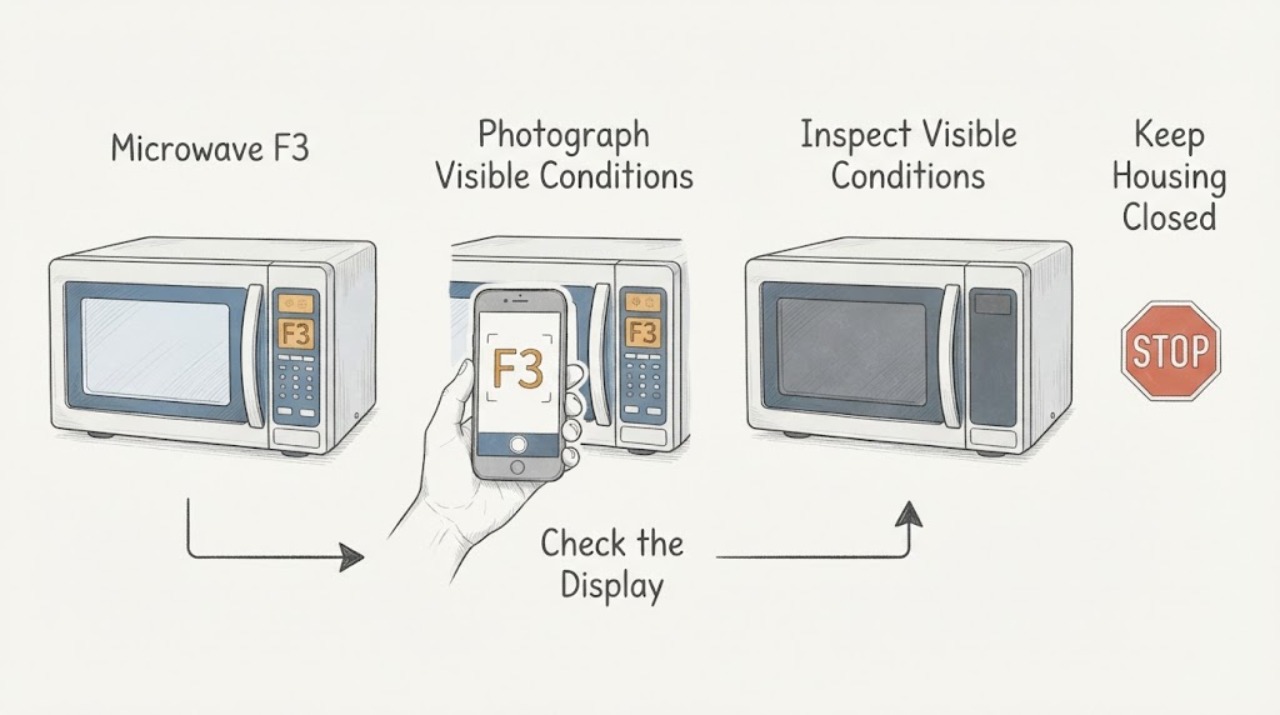
Work through in order
Diagnostic checks
Use only checks that match the exact appliance or system and its official guide.
-
Check 1
Stop cooking and photograph or transcribe the complete display. Confirm that it is exactly F3 rather than F1, F2, F4, PF, ERR, LOC or a normal cooking message, and read the rating label to identify the complete Monogram model and serial number. Compare the model with the ZES1227/ZEB1227 manual before applying its F3 meaning.
Expected result: The display is exactly F3 and the model matches ZES1227 or ZEB1227, or the display/model identity is uncertain or different.
Next step: If the identity matches, continue with the external panel check. If not, locate the exact model manual or contact Monogram service rather than transferring this F3 procedure.
Stop if: Stop immediately for sparks, smoke, burning odor, a damaged door or seal, exposed wiring, a damaged cord or plug, or any sign that the microwave cavity or interlock is damaged.
Why this matters
Why: The opened Monogram manual defines F3 only for the ZES1227/ZEB1227 platform as a key held active for more than 60 seconds, with liquid on the control panel as a possible cause. Other codes or platforms need their own documentation.
-
Check 2
With the oven stopped and unplugged only if the plug can be reached safely, inspect the outside of the control panel for liquid, cleaner residue, food debris or a key that is visibly held down. Wipe with a lightly damp soft cloth, do not spray cleaner onto the panel, and dry the surface thoroughly before reconnecting or operating.
Expected result: Liquid or residue is present and the key releases after the panel dries, or the panel is clean and dry but F3 remains or a key still feels held.
Next step: If the panel is clean and the key releases, proceed only to the manual's Cancel/Off clearing step. If F3 remains or returns, stop using the microwave and arrange authorized service.
Stop if: Do not pour liquid into the controls, use a sharp object to free a key, remove the keypad, or open the microwave cabinet.
Why this matters
Why: A wet or obstructed control can explain the ZES1227/ZEB1227 F3 condition, but a clean, dry panel with a recurring code leaves a control-panel or electronic fault for qualified service.
-
Check 3
After the panel is completely dry and the exact manual matches, press Cancel/Off once to clear F3. Observe whether the display clears and whether normal non-cooking controls respond; do not start a heating cycle solely to test a recurring code.
Expected result: F3 clears and the controls respond normally, or F3 stays on, returns immediately, or the controls remain unresponsive.
Next step: If F3 clears and stays away, resume only normal use under the exact manual. If it persists or returns, disconnect power when safe, keep the oven out of use and request Monogram-authorized service.
Stop if: Do not repeatedly press keys, bypass the control lock or door interlock, or operate the microwave with a damaged panel or door.
Why this matters
Why: Clearing F3 after drying supports a temporary held-key or moisture condition. A persistent or recurring F3 is not proof of a user-replaceable keypad and may require service diagnosis.
-
Check 4
If F3 returns after a clean, dry panel and one Cancel/Off attempt, record the exact model, serial number, display photo, whether liquid or cleaner was present, which key appeared held, and whether the display or controls recovered. Leave internal diagnosis to Monogram service.
Expected result: F3 recurs, the panel remains unresponsive, the microwave will not start, or the code clears and does not return.
Next step: Contact Monogram-authorized service with the model and serial information. Keep the microwave disconnected if it is damaged, repeatedly trips protection, smells burnt, sparks or shows a door/interlock problem.
Stop if: Do not remove the outer cover, discharge a capacitor, test the magnetron, probe high-voltage wiring, or repair the interlock yourself.
Why this matters
Why: A recurring code changes the next decision from an external cleaning check to qualified service; it does not identify a keypad, electronic control, door switch or other part without diagnosis.
Use your observations
Decision map
Find the observation that best matches what you see, then follow the next safe action.
-
PATH 01Next step
What you see
The display is F3, the model matches Monogram ZES1227 or ZEB1227, liquid or residue is present on the control panel, and the key releases after drying.
Do this next
Dry the panel thoroughly and press Cancel/Off once. Resume only if the display clears and controls remain normal; stop and call service if F3 returns.
Why this path and its safety boundary
Why it matters: This matches the owner manual's key-held-for-more-than-60-seconds condition and its warning that liquid on the panel can cause F3.
-
PATH 02Next step
What you see
F3 remains or returns after the exact-model panel is clean and dry and Cancel/Off has been pressed once.
Do this next
Keep the microwave out of use and arrange Monogram-authorized service with the model, serial number and display record.
Why this path and its safety boundary
Why it matters: The user-level held-key or moisture check did not resolve the code. The remaining issue may involve the keypad or electronic control, but the code alone does not select a part.
-
PATH 03Next step
What you see
F3 is shown on a Monogram drawer, Advantium, or other model/platform, or the display is not clearly F3.
Do this next
Use the exact Monogram model manual or support page. Do not transfer the Cancel/Off and panel procedure without a matching manual.
Why this path and its safety boundary
Why it matters: The ZES1227/ZEB1227 interpretation is not established for that identity; microwave control platforms can use different user-facing explanations or procedures.
-
PATH 04Next step
What you see
F3 is accompanied by sparks, smoke, burning odor, a damaged door, broken seal, damaged latch or interlock, exposed wiring, a damaged cord or plug, or repeated breaker operation.
Do this next
Stop use and disconnect power only if it is safe, keep the door and cabinet closed, and arrange qualified Monogram service. Do not attempt to test whether it still heats.
Why this path and its safety boundary
Why it matters: This is a microwave safety stop in addition to the display code. The high-voltage and microwave-energy hazards exceed owner troubleshooting.
Helpful context
Understand the symptom
What F3 identifies
For the Monogram ZES1227 and ZEB1227 microwave models, F3 is a control-panel input condition: a key has remained active for more than 60 seconds. The manual specifically notes that liquid on the panel can cause it. This is an external panel check, not permission to diagnose or replace the keypad, control board, or high-voltage components.
Why the model matters
The opened manual covers the ZES1227 and ZEB1227 platform. Monogram also sells other microwave forms, including drawer and Advantium products, so an F3 display on another model must be checked against its own manual before using this key-held or liquid-on-panel explanation.
When checks do not resolve it
Need a professional?
Arrange Monogram-authorized service when F3 remains or returns after the exact-model panel is clean and dry and Cancel/Off has been pressed once, when the model or market cannot be matched to the manual, or when any door, cavity, electrical or heating hazard is present.
Safety scope: Do not remove the microwave cover, defeat or adjust the door interlock, probe high-voltage wiring, discharge a capacitor, test the magnetron, replace a keypad or control board, or repair the oven yourself. The Monogram manual says the microwave should be serviced only by qualified personnel and warns about exposure to microwave energy and electric shock.
Have this ready
- Provide the complete model and serial number, purchase market, a photo or transcription of F3, whether a key was held, whether liquid or cleaner was on the panel, what happened after drying and Cancel/Off, and any sparks, odor, breaker or door symptoms.
Common questions
FAQ
What does F3 mean on a Monogram microwave?
In the official Monogram ZES1227/ZEB1227 owner manual, F3 means a key has been activated for more than 60 seconds. Liquid on the control panel can cause it. Confirm your exact model before applying this meaning to another Monogram microwave platform.
How do I clear F3 on a Monogram microwave?
For the ZES1227/ZEB1227 manual scope, stop the oven, dry the control panel thoroughly, and press Cancel/Off once. If F3 remains or returns, stop using the microwave and request qualified Monogram service rather than opening the cabinet.
Does F3 mean the Monogram microwave keypad must be replaced?
No. F3 first points to a key held active or liquid on the panel in the cited manual. A recurring code may need professional control-panel or electronic diagnosis, but F3 alone does not identify a replacement part.
Read the exact guide
Official sources
- OWNER'S MANUAL — Countertop Microwave Oven — ZES1227 / ZEB1227Monogram Appliances / GE Appliances · Directly applicable when the rating plate matches ZES1227 or ZEB1227 and the product is in the manual's market scope. The manual defines F3 as a key active for more than 60 seconds, notes liquid on the control panel as a cause, and directs qualified service for repairs.
- Microwave - Error, Fault or Function CodesGE Appliances · Manufacturer-level comparison only: GE Appliances lists F3 as a shorted touch pad panel and recommends trained service for electronic microwave fault codes. It does not replace the exact Monogram model manual's user-facing F3 procedure.
- User Manual & Care for ZEB1227SLSSGE Appliances / Monogram · Confirms the Monogram built-in microwave model support route and that the owner manual is selected by exact model; it does not independently define F3.
Community feedback
Share a repair observation
Share a plain-text repair observation. Accepted observations are published automatically; this page may take a moment to update.